














💻 How to choose PC components in 2026: a guide from processor to monitor
Picked a processor, and it didn't fit the socket. Bought a graphics card, the power supply can't handle it. Sound familiar? Building a PC from scratch isn't intimidating because of the complexity, it's the cost of a mistake: the wrong memory stick, a weak cooler, a mismatched connector, and money down the drain.
The 2026 market doesn't make choosing any easier. AMD and Intel have updated their platforms, NVIDIA released the RTX 50-series, the ATX 3.1 standard rewrote power requirements, and monitors are moving to OLED en masse. Navigating all this has become even harder.
This guide is not a "buy this" table. It's the logic of choosing: how to match components, where you can't cut corners, and where overspending is pointless. After reading, you'll assemble a balanced system for your tasks on the first try. CompX store, one of the reliable options where you can get everything in one place instead of hunting for parts across different sites.
💡 Quick overview:
- Processor: chosen to match the graphics card, not the other way around
- Platform: socket and chipset determine processor and memory compatibility
- Graphics card: the main FPS factor, eats up almost half the build budget
- Storage: NVMe SSD is mandatory for the OS, SATA and HDD only for archives
- Power supply: wattage with headroom and 80 Plus Gold, the minimum for a build with a discrete GPU
- Monitor: resolution and refresh rate matched to the GPU, 4K 240 Hz with an RTX 4060 is pointless
🧠 Processor: the brain of the system
The processor determines how many tasks the PC can handle in parallel and how fast they are computed. But there's a nuance: in games, the processor is bottlenecked by the graphics card. A powerful CPU with a budget GPU is money wasted.
As of early 2026, two sockets are relevant: AM5 from AMD (chipsets B650, X670, X870) and LGA 1851 from Intel (chipsets Z890, B860). Anything older, AM4 and LGA 1700, only makes sense in budget builds on the secondary market.
Here's what to look at in real-world scenarios:
Scenario | AMD recommendation | Intel recommendation | Key parameter |
|---|---|---|---|
Gaming (1080p-1440p) | Ryzen 7 7800X3D / 9800X3D | Core Ultra 7 265K | L3 cache and single-core frequency |
Gaming + streaming | Ryzen 9 7900X / 9900X | Core Ultra 9 285K | 12+ cores, hardware encoder |
Rendering / compilation | Ryzen 9 9950X | Core Ultra 9 285K | Core and thread count |
Office / study | Ryzen 5 8600G | Core Ultra 5 225 | Integrated graphics saves on a GPU |
Note: the 3D cache in X3D processors provides a noticeable FPS boost in games compared to counterparts without it. For a gaming PC, this is the most sensible upgrade.
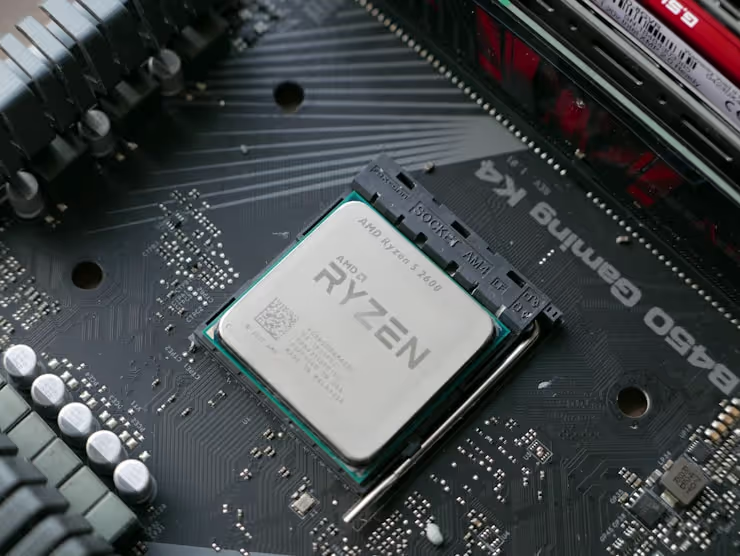
In practice, for a mid-range build, the chain is simple: pick a graphics card → pair it with a Ryzen 7 X3D or Core Ultra 7 → add 32 GB of DDR5. For the top segment, the rule is the same: the RTX 5090 shines with a 9800X3D, not with a 16-core monster lacking 3D cache.
🖥️ Motherboard: the foundation of the build
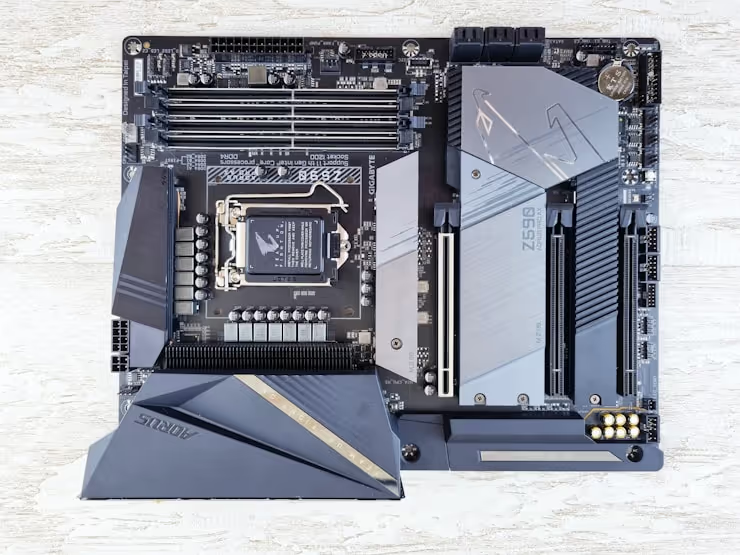
The motherboard doesn't affect FPS, but it dictates everything: which processor will fit, how much memory you can plug in, what ports will be on the case.
Key selection points:
- Form factor: ATX, full-size, maximum slots. Micro-ATX, a compromise for less money. Mini-ITX, compact cases, but pricier and tighter.
- Chipset and VRM: for Ryzen 9 / Core Ultra 9, get a board with a robust power delivery subsystem (10+ phases); for lower-tier chips, a budget chipset will suffice.
- Expansion slots: PCIe 5.0 for the graphics card (future-proofing), at least two M.2 slots for NVMe drives.
- I/O ports: USB-C 20 Gbps on the front and rear, Wi-Fi 6E or 7 (if no ethernet cable), 2.5-gigabit Ethernet.
A graphics card will fit into a PCIe 5.0 x16 slot both today and 3 years from now, an upgrade without replacing the board. This is worth the extra cost.
🎮 Graphics card: the main accelerator
In a gaming PC, the graphics card decides everything. It calculates geometry, textures, ray tracing, and outputs the frame to the monitor. The higher the resolution, the heavier the load on the GPU; at 4K, the processor barely matters.
In 2026, there are three lineups on the market: NVIDIA RTX 50-series (Blackwell architecture), AMD RX 9000-series (RDNA 4), and Intel Arc Battlemage (B-series). The latter has taken over the budget segment; cards like the Arc B580 deliver honest 60 FPS at 1440p for reasonable money.
Breakdown by resolution:
Resolution | Budget build | Optimal build | Top-tier build |
|---|---|---|---|
1080p | RTX 4060 / RX 7600 | RTX 5070 / RX 9070 | Overkill |
1440p | Arc B580 / RX 7700 XT | RTX 5070 Ti / RX 9070 XT | RTX 5080 |
4K | RTX 5070 Ti (minimum) | RTX 5080 | RTX 5090 |
An important point: you shouldn't buy a card with less than 12 GB of VRAM in 2026. Even at 1440p, games have started occupying 10-11 GB of VRAM, and 8-gigabyte cards choke on high textures.
💾 Storage: SSD and HDD
A system on an SSD boots in 7-10 seconds. On an HDD, over a minute. The difference is colossal, and in 2026, installing Windows on a hard drive is a deliberate slowdown of the entire PC.
Storage types in simple terms:
- NVMe SSD (M.2): a stick the size of a chewing gum pack, plugs directly into the motherboard. PCIe 4.0 speed, 5,000-7,000 MB/s. PCIe 5.0, up to 12,000 MB/s. Ideal for the OS, games, and work software.
- SATA SSD (2.5"): classic enclosure, connects with a cable. Capped at 550 MB/s. Fine for file storage; for the OS, it's a compromise.
- HDD (3.5"): magnetic platters, 150-250 MB/s. Only for archives of photos, videos, and backups. The price per gigabyte is 5-7 times lower than an SSD.
The scheme for a typical 2026 build: a 1-2 TB NVMe for the OS and main games + an optional SATA SSD or HDD for a file dump. Benchmark models: Samsung 990 Pro, WD Black SN850X, Crucial T705 (PCIe 5.0).
🛡️ Power supply and cooling
The power supply is the component beginners skimp on most often. And for no good reason: a cheap PSU without protection burns out itself and takes the graphics card or motherboard with it.
What matters in 2026:
- Wattage: the total TDP of components plus power headroom. A gaming build with an RTX 5070, from 750 W; with an RTX 5090, from 1000 W.
- 80 Plus certification: Gold, the minimum for builds over a thousand dollars. Bronze is acceptable in office PCs.
- ATX 3.1 and 12V-2x6: the new standard with a native graphics card power connector. No adapter needed, no risk of contact melting. For the RTX 50-series, it's mandatory.
- Modularity: a fully modular PSU simplifies cable management and case airflow.
Processor cooling, air or liquid. A budget air cooler (Noctua, be quiet!, DeepCool) handles chips up to 150 W. For Ryzen 9 / Core Ultra 9, get a dual-fan AIO liquid cooler at 240-360 mm.
🖱️ Peripherals: keyboards and mice
Peripherals are what you interact with every day. A good keyboard lasts 5-10 years, a mouse, 3-5. Skimping here comes back to haunt your wrists and work speed.
Keyboards. Mechanical gives clear tactile feedback and doesn't lose its characteristics over the years. Membrane is quieter and cheaper, but after a year, keys start sticking unevenly. Main switch types: linear (smooth travel, for gaming), tactile (a noticeable bump, universal), clicky (loud click, for typing). Popular models: Keychron V/Q-series, Razer BlackWidow V4, Logitech G915 X (low-profile).
Mice. Key parameters: sensor (optical vs. laser), weight, and shape. Ultralight mice (under 60 g) reduce fatigue in long sessions. Wireless models with a 1000-4000 Hz polling rate match wired ones in latency. Benchmarks: Logitech G Pro X Superlight 2, Razer DeathAdder V3, Zowie EC-CW.
🌐 Monitor: the window to content
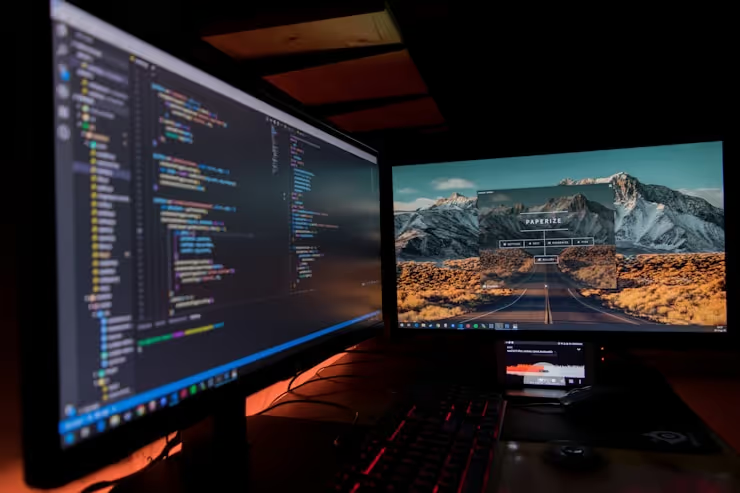
A monitor lives longer than the rest of the components, 5-7 years. You'll swap the graphics card twice, but the screen will stay. So we don't advise skimping on the monitor: get one with headroom in resolution and refresh rate.
The choice boils down to three parameters:
- Resolution: 1080p, esports and budget. 1440p, the sweet spot for 27 inches. 4K, only if the graphics card can handle it (RTX 5080 and above).
- Refresh rate: 60 Hz, office. 144-180 Hz, gaming minimum. 240+ Hz, competitive shooters. The difference between 60 and 144 Hz is immediately noticeable even in Windows File Explorer.
- Panel type: IPS, accurate colors and viewing angles. VA, deep blacks, but ghosting in motion. OLED, perfect blacks and instant response, the best choice of 2026 if the budget allows.
In 2026, 1440p 144+ Hz IPS is quite affordable. OLED models are noticeably pricier. Specific hits: ASUS ROG Swift OLED PG27AQDP (1440p 480 Hz), Dell Alienware AW2725DF (1440p 360 Hz QD-OLED), Gigabyte M27Q (1440p 170 Hz IPS, budget).
🤔 What to consider before buying
Go through this checklist before clicking "buy":
- Task. Gaming, video work, streaming, or office? Everything depends on the task: from the amount of memory to the need for a discrete graphics card.
- Budget. Distribute it like this: the graphics card eats up almost half, the processor about a fifth, the motherboard a tenth, the rest is memory, storage, PSU, case.
- Compatibility. Check that the processor socket matches the motherboard, the memory is supported by the chipset, and the graphics card length fits in the case. PCPartPicker will help.
- Future headroom. A power supply 200 W above current needs, a motherboard with PCIe 5.0, a case with room for a second M.2, this is a sensible reserve, not "overkill."
Every component affects final performance, but in different ways. A weak graphics card will kill FPS in games. A slow drive, system boot speed. A bad power supply, the stability of the entire PC. Set priorities for your task, not for some abstract "balanced PC."
🎬 Video guide on PC assembly
Theory without visualization is half the battle. Here is a detailed guide on building a PC in 2026 with a breakdown of each component:
⁉️🤔 Frequent questions
AMD or Intel, which is better for gaming in 2026?
Both camps are good, but with nuances. AMD processors with 3D cache (X3D) give noticeably more FPS in games thanks to a huge L3 cache. Intel Core Ultra 200S is strong in single-threaded performance and works better with fast DDR5 memory. In practice: for a pure gaming PC, get the Ryzen 7 9800X3D; for gaming plus work, look at the Core Ultra 7 265K.
How much RAM should I install?
32 GB DDR5, the 2026 standard for a gaming and work build. 16 GB is already at its limit: Windows 11, a browser, and one game occupy 20-22 GB. 64 GB, only for 4K video rendering, 3D modeling, and virtual machines.
Is PCIe 5.0 needed for an SSD?
Not yet. Games and software don't even fully load PCIe 4.0; the loading difference between a Samsung 990 Pro (PCIe 4.0) and a Crucial T705 (PCIe 5.0) is fractions of a second. The extra cost only makes sense for workstations with constant rewriting of huge files.
What is the danger of a cheap power supply?
The lack of protections: against short circuit, overcurrent, overheating. A cheap PSU, during a voltage spike, sends the 12-volt rail directly to the graphics card and motherboard. The result is a costly repair. Get units from Corsair, Seasonic, be quiet!, Super Flower with an 80 Plus Gold certification or higher.
Is it worth getting an OLED monitor for gaming?
Yes, if the budget allows. OLED gives instant response (0.03 ms vs. 1-4 ms for IPS), perfect black color, and HDR without compromises. Downsides: risk of burn-in from static elements during round-the-clock work with interfaces, a higher price. For mixed "gaming plus work" use, a solid IPS is more reliable.
Can you build a PC without a discrete graphics card?
You can, if the processor has integrated graphics. For AMD, these are models with the G suffix (Ryzen 5 8600G); for Intel, graphics are built into all chips, but they are weak for gaming. An office PC, home media center, study machine are built on integrated graphics. For gaming, a discrete graphics card is mandatory.
What to get for your task: the final breakdown
Building a PC in 2026 is not a race for maximum numbers, but a balance for a specific scenario. Here are three proven configurations:
- Office / study (budget segment): Ryzen 5 8600G or Core Ultra 5 225 on integrated graphics, 32 GB DDR5, 1 TB NVMe, 550 W 80 Plus Bronze PSU. No discrete graphics card, handles browser, office suite, 4K YouTube.
- 1440p gaming (mid-range segment): Ryzen 7 7800X3D, RTX 5070 or RX 9070 XT, 32 GB DDR5-6000, 2 TB NVMe, 750 W 80 Plus Gold PSU. Confident 100+ FPS in current titles at high settings.
- 4K / top segment: Ryzen 7 9800X3D, RTX 5090, 32 GB DDR5-6400, 2 TB NVMe PCIe 5.0, 1000 W ATX 3.1 PSU, 4K OLED monitor. Maximum settings at 4K with ray tracing.
The key rule: components are selected not individually, but as a set. The graphics card determines the budget and the monitor. The processor is matched to the graphics card, not the other way around. The motherboard is a carrier, not a source of performance. By following this order, you won't overspend and won't create a bottleneck.
For components, head to trusted stores. The CompX store lets you assemble a cart in one place without monitoring availability across a dozen sites. Check compatibility via PCPartPicker, read reviews of specific models, and build smart.

A professional team of writers and editors specializing in creating quality content.