














🚫 How to fix 404 errors in WordPress: a step by step guide
You click a link in search results and hit a white wall. "Page not found. 404." The visitor leaves within three seconds. Google registers the bounce. This happens dozens or even hundreds of times until the site drops in rankings across your entire keyword pool.
The problem isn't your hosting, a developer's mistake, or bad luck. WordPress creates its own rewrite rules, breaks them during plugin updates or theme changes, and provides all the tools to fix them without editing server configs or calling an administrator.
Below is an algorithm that addresses 404 errors from the first symptom to full automation. Three manual steps for typical situations and plugins for everything else.
💡 Quick overview:
- Reset permalinks in the admin panel in 15 seconds: in most cases, this is enough.
- Check
.htaccess(Apache) or rewrite rules (NGINX) if the reset didn't help. - Find the culprit plugin by deactivating them one by one: the cause is often deeper than standard mechanisms.
- Install Redirection for monitoring and redirects, Broken Link Checker for a one-time audit, and 404page for a useful error page.
Why 404 errors are more dangerous than they seem
Technically, 404 is an HTTP code the server returns when a requested URL doesn't exist. The reasons are mundane: you deleted a page but links remain in menus and old posts; you changed a publication's slug without a redirect; a plugin or theme overwrote the rewrite rules array after an update; an external site linked with a typo in the address; a search bot crawled junk URLs from logs.
Google explicitly states: a single 404 isn't penalized. But when broken links number in the dozens, a cumulative effect kicks in:
- Bounce rate increases. A visitor arrives, sees a 404, and leaves within 2 seconds. Google records the bounce rate and interprets it as "content is irrelevant."
- Link equity is lost. External links to a deleted page simply evaporate; without a 301 redirect, their value isn't passed on.
- Crawl budget** is wasted.** Bots crawl non-existent URLs instead of indexing live pages.
For a commercial site, every unnoticed 404 means lost rankings and money. Fortunately, WordPress can be fixed without server administration.
Step 1: Reset permalinks
The most common and most underestimated fix. WordPress stores rewrite rules in a separate options array. After installing a plugin, changing a theme, or updating the core, this array can break: links lead to 404 even though publications physically exist.
The fix takes 15 seconds:
- Go to the admin panel: Settings → Permalinks.
- Don't change anything in the structure.
- Click "Save Changes".
WordPress will rebuild the rewrite rules array from scratch. Usually, the problem disappears completely. If it didn't help, proceed to step 2.
Step 2: Check.htaccess and server rules
On Apache servers, WordPress relies on the .htaccess file in the site root. If it's corrupted, missing, or overwritten by a caching plugin, permalinks stop working globally.
The standard WordPress block in .htaccess:
1 <IfModule mod_rewrite.c> 2 RewriteEngine On 3 RewriteRule .* - [E=HTTP_AUTHORIZATION:%{HTTP:Authorization}] 4 RewriteBase / 5 RewriteRule ^index\.php$ - [L] 6 RewriteCond %{REQUEST_FILENAME} !-f 7 RewriteCond %{REQUEST_FILENAME} !-d 8 RewriteRule . /index.php [L] 9 </IfModule>
Steps to follow:
- Connect to your site via FTP or through your hosting file manager.
- Open
.htaccessin the root and make sure the standard WordPress block is present, not duplicated, and not corrupted. - If the file doesn't exist, create it and paste the standard block above.
- If caching plugin directives (W3 Total Cache, WP Rocket, LiteSpeed Cache) follow the standard WordPress block, temporarily comment them out for testing.
- For NGINX,
.htaccessisn't used. Rules are set in theserver {}block configuration. Contact your host or check your site's configuration file.
Step 3: Diagnose rewrite rules
If resetting permalinks and .htaccess didn't help, the cause is a specific plugin or custom code interfering with rewrite rules.
A quick diagnostic tool is the Debug This plugin. After activation, it shows the current rewrite rules array in readable format, the actual PHP query string from the server, and URL matching with rules.
Algorithm for finding the culprit:
- Deactivate all plugins at once.
- Check if the 404 error disappeared on the problematic URL.
- Enable plugins one by one, testing the problematic page each time.
- The plugin that brings back the error when activated is the cause.
Most often, the culprit is a plugin that registers a custom post type or taxonomy without calling flush_rewrite_rules() on activation. One line of code is enough for the developer, but not everyone does it.
Tools for finding, redirecting, and monitoring
The three manual steps above cover most cases. But when you have not ten but five hundred or five thousand publications, automation is essential. Plugins solve three tasks: find broken links, redirect visitors, and track new errors in logs.
Below are tools tested on the current WordPress version and active in the repository. Dead and closed plugins are excluded.
Finding broken links: Broken Link Checker

Broken Link Checker is a repository veteran with a million active installations. It scans the entire site (posts, pages, comments, custom fields) and highlights every broken link.
Settings allow you to configure scan frequency (from hours to days), email notifications, and content type filters. For each broken link found, hover actions are available: change the URL across all occurrences at once, remove the link while keeping the text, or temporarily dismiss until the next check.
The plugin noticeably loads the server during active scanning. After a one-time audit, it's better to deactivate it and enable once a month for review.
Redirect master: Redirection

Redirection is the most popular redirect manager for WordPress, with over two million active installations. It supports 301, 302, 307, and 308 redirects, keeps complete logs of all 404s with IP and user-agent, and performs conditional redirects by browser or referrer.
Three main scenarios:
- Changing a publication's slug: the plugin automatically adds a 301 redirect when a post URL changes.
- Site migration: mass redirecting old URLs to new ones via CSV import.
- Monitoring: the log shows every 404 (which URL the visitor came from, how many attempts, which browser).
It works entirely within WordPress and doesn't touch .htaccess. For NGINX sites, this is critical since you don't need to edit server configuration.
Lightweight redirect: 404 to 301

404 to 301 is a simple and lightweight option. All 404s redirect to a single specified page via 301, 302, or 307. Setup takes a minute: choose the redirect type, specify the target page, save.
Useful options include email notifications about new 404s, a detailed log with referrer and user-agent, and the ability to disable redirects while keeping only logging. The code is open on GitHub, and the plugin is completely free.
Safe redirect for multisite: Safe Redirect Manager
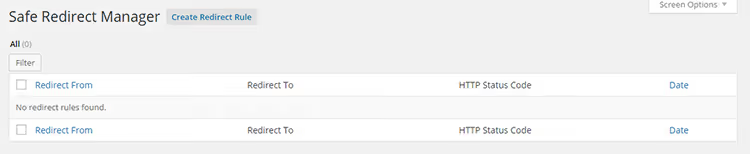
Safe Redirect Manager is developed by the 10up team and used on large corporate sites. It works with WordPress multisite installations and supports only safe redirects via wp_safe_redirect, a core function that allows redirection only to whitelisted hosts.
This protects against open redirect vulnerabilities: an attacker cannot use your site to redirect visitors to a phishing domain. For sites with multiple administrators and editors, this is a critical feature.
SEO redirects with tracking: SEO Redirection
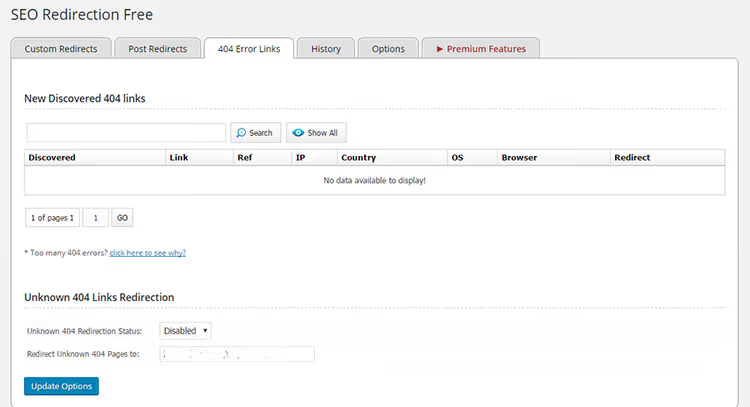
SEO Redirection is another all-in-one solution for managing redirects. It supports 301, 302, and 307 redirects, pattern-based redirection (for example, all URLs from the /old-blog/ folder), 404 logging, and change history.
A useful feature is redirecting an entire folder with a single rule. If you moved a blog from a subdomain to a site section, all old URLs redirect to new ones without manual mapping. Multisite installations aren't supported; use Safe Redirect Manager above for those.
Custom 404 page: Custom 404 Pro
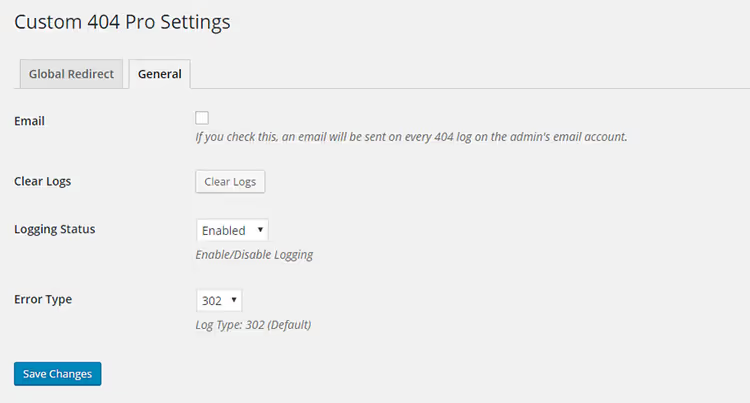
Custom 404 Pro replaces the standard error page with any WordPress page created through the standard editor. You can specify either a page ID or a full URL for external redirect.
The plugin's feature is recording keywords that led visitors to the 404. This information shows what people are searching for and not finding on your site, providing ready ideas for new content. Browser and IP data are also logged.
Honest 404 with useful content: 404page

404page solves the task differently than most competitors: it doesn't create a redirect but returns the correct HTTP 404 code with content from a selected page. This matters for SEO, since with a 301/302 redirect the erroneous URL stays in the index, while with 404page the search engine gets an honest "page doesn't exist" response, but the visitor sees useful content.
No external requests; the plugin uses WordPress's own resources. Setup comes down to creating a page through the admin panel and selecting it in the dropdown at Settings → 404 Error Page.
Mass redirect: All 404 Redirect to Homepage
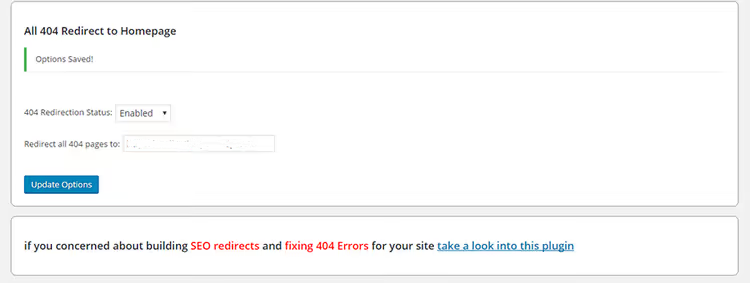
All 404 Redirect to Homepage is the simplest solution. All 404s redirect to the homepage via 301; you can specify any custom page instead of the homepage. Enable the status, enter the URL, click "Update," and setup is complete.
Quick detection: 404 to Start
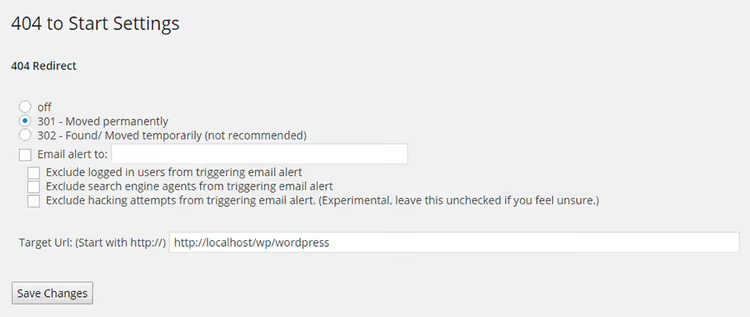
404 to Start detects 404s before search engines have time to register the error. Default is 301, with optional 302. You can receive email notifications with browser, URL, and transition time information.
Internal link shortcodes: RB Internal Links
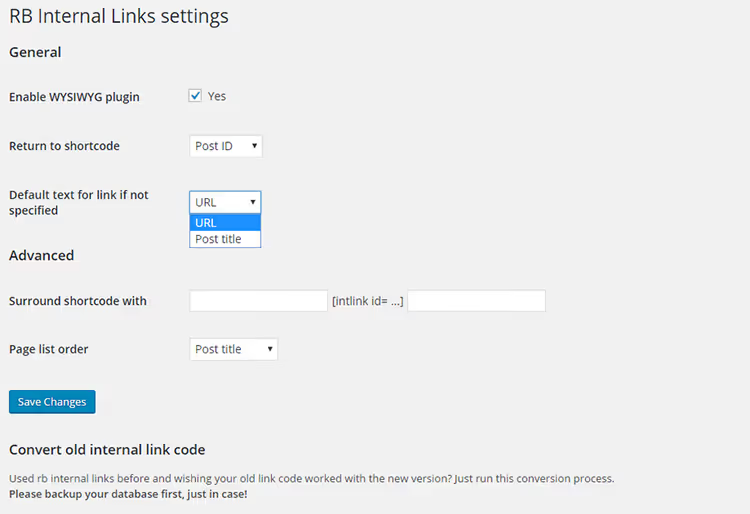
RB Internal Links indirectly helps combat 404s. It allows inserting links to internal posts and pages via shortcode without long URLs. Permalink structure isn't broken, and the risk of typos during manual entry is eliminated. Post search by category in the insertion dialog is a plus for editors building cross-links.
Google search widget: Google 404
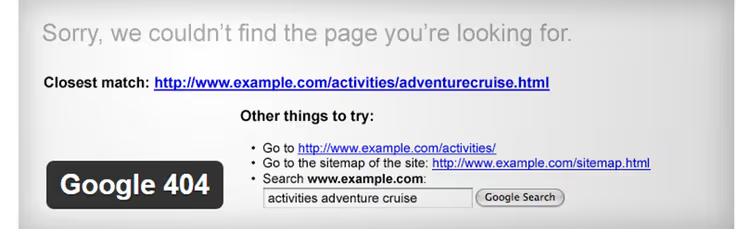
Google 404 embeds a Google search bar on the 404 page so visitors continue searching your site instead of leaving. The plugin hasn't been updated in a while, but the concept works: for full effectiveness, submit your XML sitemap to Google Search Console. As an alternative, consider Google Programmable Search Engine with manual code insertion into your 404 template.
Page builder with 404 support: SeedProd
If you need to not just replace an error page but build it visually with a background, subscription form, and search, use the main SeedProd plugin (formerly 404 Page by SeedProd, which the author closed). This is a full page builder: drag-and-drop blocks, 300+ templates, integration with email services and Gravity Forms.
The premium version offers lead collection directly on the 404 page, where visitors leave their email and data is saved to the WordPress database. Licenses start at $79 per year for one site (Basic), with the Pro plan including WooCommerce and dynamic text at $399 per year.
The video above is a visual demonstration: resetting permalinks and setting up redirects in five minutes. Watch it before implementing the tools described.
⁉️🤔 Frequently asked questions
Why do all pages show 404 after changing themes?
The theme may have registered custom post types or taxonomies without calling
flush_rewrite_rules(). Solution: go to Settings → Permalinks and click "Save Changes" without changing the structure; WordPress will rebuild the rewrite rules. The theme may also override the standard loop throughquery_posts()or an incorrectpre_get_postsfilter. If resetting links didn't help, temporarily switch to the standard theme (Twenty Twenty-Five). If 404s disappeared, the problem is with the theme; contact the developer.
How can I find all broken links on a site without plugins?
Use the desktop crawler Screaming Frog SEO Spider. The free version scans up to 500 URLs and shows response codes for each link, including images, CSS, and JavaScript. For larger sites, the license costs $279 per year. After scanning, sort results by "404" code and export the list of broken URLs. Fix internal links manually or through Redirection; replace external ones with current alternatives. Broken images are also captured by the crawler, which are easy to miss during manual checking.
How do I create a redirect without a plugin?
For Apache, add to
.htaccess:Redirect 301 /old-post /new-post. For mass redirects,mod_rewriteis more convenient:RewriteRule ^old-post/$ /new-post/ [R=301,L]. For NGINX in theserver {}block:rewrite ^/old-post/$ /new-post/ permanent;. After editing, verify that the redirect doesn't create chains (A → B → C): each extra hop slows loading and reduces Link Equity.
What's better: a 301 redirect or a custom 404 page?
If the page has a relevant replacement, use a 301 since it preserves SEO weight. If there's no replacement, leave an honest 404 with useful content: a search bar, links to popular sections, and a feedback form. The 404page plugin implements exactly this approach: the correct HTTP code plus content without a redirect. A custom 404 with search and navigation is more useful than a "silent" 301 to the homepage, especially if the visitor was looking for specific information.
How do I monitor 404s continuously without server load?
Install Redirection and enable the 404 log; it records every broken URL with referrer and user-agent without active scanning. Review the log weekly: close repeated errors from external sites with a 301 redirect, ignore junk requests from bots, and use requests from real visitors to non-existent pages as ideas for new content. Run Broken Link Checker once a month for a full audit and deactivate it immediately afterward.
What to do about 404 errors right now
404s don't fix themselves, but manual control of every link isn't necessary either. The right combination of tools handles the issue with minimal effort.
A starter kit for the next ten minutes:
- Reset permalinks: 15 seconds that often solve the problem entirely.
- Install Redirection: it covers both monitoring and redirects in one plugin without editing server files.
- Set up a custom 404 page through 404page so even a missing page works for you rather than scaring visitors away.
If your site is large and many errors have accumulated, add Broken Link Checker for a one-time audit. After scanning, disable it, and your server will thank you. From then on, just monitor through Redirection's log and create redirects as needed.
Start by resetting permalinks right now. It's free, safe, and takes less than a minute.

A professional team of writers and editors specializing in creating quality content.