













 AIIllustrative image: AI-generated
📱 How to store loyalty cards on your phone: Stocard replacement in 2026
Stocard shut down at the beginning of 2026. The app that tens of millions of people used to store loyalty cards on their phones stopped working, servers were turned off, and installation files were removed from stores. If your loyalty cards are stuck in the old app, this guide will help you move them to a working service in 10 minutes.
Physical loyalty cards take up space, get lost, and crack. A digital wallet solves the problem completely: all bonus, discount, and club cards in one app, always at hand. Below are three working methods for 2026, from Stocard's direct successor to built-in phone tools.
💡 Quick overview:
- Transferring cards from Stocard to Klarna: sync through the same Google account, cards are retrieved automatically
- Catima for Android: open-source, no ads and no internet access, import from Stocard via file
- Built-in wallets Apple Wallet and Google Wallet: for everyday cards without installing additional apps
Method 1: Klarna, Stocard's direct successor
In 2021, Klarna bought Stocard with a user base of nearly 50 million. In the summer of 2022, the loyalty cards feature appeared in the Klarna app, and at the beginning of 2026, the original Stocard app was finally shut down.
If you used Stocard, your cards are already available in Klarna. Just sign in with the same Google or email credentials.
How to transfer cards from Stocard to Klarna

Step 1. Download the Klarna app from Google Play or App Store.
Step 2. Tap "Sign in" and use the same Google account you used with Stocard.
Step 3. After signing in, go to the Loyalty Cards section. Saved cards are already there, balances and transaction history are pulled automatically.
Step 4. To add a new card, tap +, select a store from the list or scan the barcode. If the scanner doesn't work, enter the number manually.
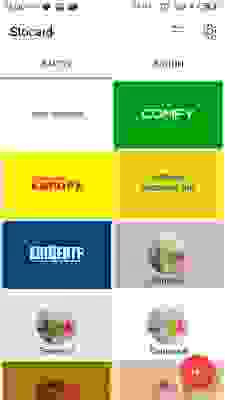
The cards interface in Klarna is practically identical to the old Stocard: same barcodes, same bonus balances. The difference is that Klarna is a full-featured banking app with buy now pay later (BNPL), and loyalty cards are one of the secondary features. Ads for installment purchases take up a noticeable part of the screen. This is the main downside compared to the old Stocard.
- Pros: direct transfer of cards from Stocard without losses, available on iOS and Android, transaction history is preserved
- Cons: no Apple Watch support, app is overloaded with BNPL features, account required
- Price: free
- Download: 🔗 Klarna on Google Play | 🔗 Klarna on App Store
Method 2: Catima, a lightweight replacement for Android

Catima is an open-source app for Android that does exactly one thing: stores loyalty card barcodes. No payments, no ads, no internet access. The app works completely offline.
The main advantage of Catima over Klarna is lightness. The app weighs less than 10 MB, doesn't require an account, and launches instantly. In practice, this is the best option for those who just need a barcode scanner at checkout, without a banking combine. And yes, it's free and ad-free.
How to add cards to Catima
Step 1. Install Catima from Google Play. For the open version without trackers, use F-Droid or IzzyOnDroid.
Step 2. Tap + in the bottom right corner.
Step 3. Select "Scan barcode" or enter the store name manually.
Step 4. To import from Stocard: in the old app, export cards to a file. Then in Catima, tap "Import" and select this file. Cards and barcodes will be pulled with preserved names.
Catima supports import from Stocard, FidMe, Loyalty Card Keychain, and Voucher Vault, covering all popular formats. Backup of cards is saved locally. It can be transferred to a new phone via file, cloud services are not involved, your data doesn't leave the device.
- Pros: open source code, no ads and no internet, import from Stocard and similar apps, backup
- Cons: Android only (no iOS version), no sync between devices
- Price: free
- Download: 🔗 Catima on Google Play
Method 3: Apple Wallet and Google Wallet, no installation needed
If you use an iPhone or Android smartphone, the two or three most commonly used cards can be added directly to the phone's built-in wallet. This is not a replacement for a full-featured app for 15-20 cards, but for a grocery store, pharmacy, and gas station, it's more than enough.
Apple Wallet supports loyalty cards through the Wallet Pass format (.pkpass). Many chains, Starbucks, Walgreens, IKEA, offer to add a card to Wallet directly from their app. Look for the "Add to Apple Wallet" button. For other stores, there are third-party pass file generators: upload the card number and get a ready-made pass.
Google Wallet works similarly. Open the app, tap "+ Add to Wallet", select "Loyalty card", find the store from the list or enter data manually. The barcode will be available even on the lock screen through quick access.
The limitation of both wallets: no balance analytics and transaction history. You only see the barcode and store name. For active users with 10+ cards, this is inconvenient. For a couple of stores, it's ideal.
Comparison of methods
App | Platform | Transfer from Stocard | Offline | Ads | Price |
|---|---|---|---|---|---|
Klarna | iOS and Android | Automatically | No | Yes (BNPL) | Free |
Catima | Android only | Via file | Yes | No | Free |
Apple Wallet | iOS | No | Yes | No | Free |
Google Wallet | Android | No | Partially | No | Free |
⁉️🤔 Frequently asked questions
Can I still download Stocard?
No. The Stocard app was removed from Google Play and App Store at the beginning of 2026. Stocard servers are shut down. The app will not launch even if you have a saved installation file. All user data has been transferred to Klarna.
What happened to my cards from Stocard?
If you signed into Stocard through a Google account, all cards were automatically transferred to the Klarna database. Install the Klarna app and sign in with the same Google account. Cards will be available in the Loyalty Cards section. If you didn't create an account and used Stocard offline, cards are lost. Add them again to Catima or Klarna.
Does Klarna work with Apple Watch?
No. The Klarna app does not support Apple Watch. The feature was in the old Stocard, but Klarna didn't carry it over. For smartwatches, there is currently no direct replacement for storing loyalty cards.
Which method is best for 20 or more cards?
Klarna, Stocard's direct successor, has no limitations on the number of cards. Catima also handles a large list and works faster due to the absence of network features. Choose Klarna if you need transaction history and sync between phone and tablet. Choose Catima if speed and privacy are important.
Can I add a card without a barcode?
Yes. Both Klarna and Catima have manual card number entry. Tap "Other card" or "Enter manually", type in the numbers from the plastic and the store name. The barcode will be generated automatically based on the number. The cashier will enter the number manually or scan it from the screen, both options work.
What about cards that are not in the app catalog?
Add the card manually by number (instructions above). All three methods, Klarna, Catima, and built-in wallets, support manual entry. You simply type in the numbers, and the app generates a barcode in the required format. The card will appear in the general list and will work at checkout.
What to choose: the final breakdown
Stocard is gone, but the task of storing discount cards on your phone is solved even more easily than before. There are three options, and each covers its own scenario:
- If you used Stocard and want a smooth transition with all cards preserved, go with Klarna. Minimum actions: installed, signed in, cards are already there.
- If you have Android and you value minimalism without ads and extra permissions, install Catima. Open source, offline, no accounts.
- If you only need two or three cards for everyday stores, the built-in Apple Wallet or Google Wallet is enough. You won't need to install anything.
The main thing is, don't go back to plastic in your wallet. Digital cards work at checkout exactly the same way, but take up no space at all.
Which loyalty card app are you using after Stocard shut down? Write in the comments, it's interesting to compare experiences.

A professional team of writers and editors specializing in creating quality content.