













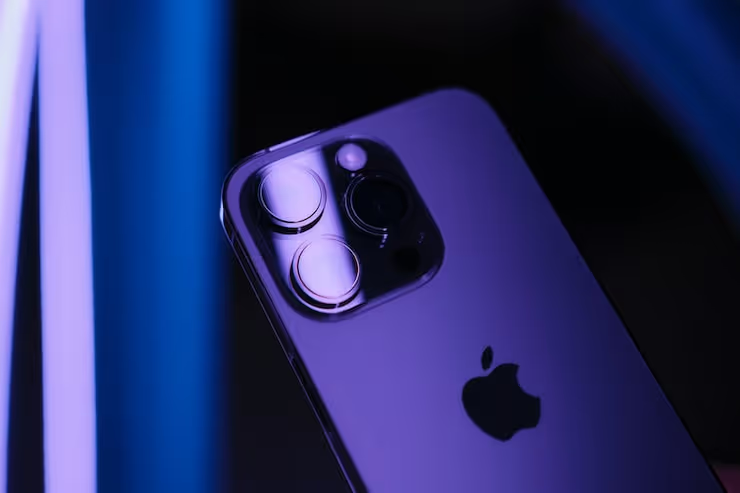
📱 IPhone 14 Pro after a month: an honest review without the marketing
Six point seven inches. Millimeters in your pocket. That is exactly what we lost when we swapped the Pro Max for the iPhone 14 Pro, and exactly what we gained in convenience that spec sheets never mention.
After a month of daily use, the compact iPhone 14 Pro flipped our idea of what a work phone should be. Dynamic Island, the 48-megapixel camera, Always-On Display: all of that is in the reviews. But the real question is not about features: do they outweigh the loss of screen size and battery life? After 30 days, the answer became surprisingly clear.
This review is not a spec recap. It is an honest month-long diary: what actually changed in day-to-day work, what you get used to in a couple of days, and what you never miss for a second.
💡 Quick overview:
- Size and ergonomics: why ditching the Pro Max for a compact body turned out to be an upgrade, not a compromise, and how it feels after a month.
- Display and Dynamic Island: 120 Hz, Always-On, and a new way to interact with notifications: what is genuinely convenient and what is marketing.
- Camera and battery life: 48 MP ProRaw shooting, Cinematic mode, and a full day on a single charge: unvarnished results from a month of testing.
To see the phone in action, watch this detailed long-term review:
Size and ergonomics: why smaller means more convenient

Switching from the 13 Pro Max to the 14 Pro is a deliberate loss of 0.6 inches of diagonal screen space. The decision sounds counterintuitive: a big screen is seen as an advantage by default. But reality turned out to be exactly the opposite.
After a couple of days, the compact body stopped feeling "small" and simply became "normal." Meanwhile, a colleague's Pro Max felt excessively bulky, as if you were holding a small tablet rather than a phone. We did not regret it once during the entire month.
The Pro Max is an excellent device. But its dimensions turn everyday use into a series of compromises. Jeans pocket? Does not fit. One hand? Forget it. Reaching the top of the screen while walking? A separate acrobatic act with a risk of dropping the phone on the pavement. The iPhone 14 Pro solves exactly that problem: the screen is still large enough for comfortable reading of articles and blogs, but the body no longer requires a second hand for every action.
Important context: we do a lot of content work on an iPad Pro. We simply do not need a giant phone screen for video and reading. If your scenario is similar, a tablet or laptop handles the "big screen" work, switching to a smaller iPhone will not be a loss. Quite the opposite: the phone returns to its direct role instead of trying to replace every device at once.
Display: 120 Hz, 2000 nits, and an Always-On you get used to
120 Hz is that spec after which 60-hertz screens cause physical discomfort. Scrolling through social media, web pages, any text becomes so smooth that the difference is instantly noticeable. The 13 Pro and Pro Max have the same spec, so for those already on the Pro line, this is a familiar level. But switching from a regular model to a Pro delivers one of the most noticeable upgrades in the entire user experience.
Peak brightness of 2000 nits is not a marketing number. Under direct July sun, the screen is readable without strain: text, maps, email, everything is clearly visible, no need to shade the display with your hand. Tip: keep adaptive brightness on at all times. Manual maximum drains the battery fast, and at night a screen that bright is literally blinding.
Always-On Display is a feature we had been waiting for. Apple implemented it differently than on Android: instead of a black background with white clock, it is a dimmed version of your wallpaper with the time and notifications. There is no unread count, only standard app icons. At first, the phone constantly looks unlocked, which is distracting. After a week or two, you stop noticing it; Always-On becomes background rather than an irritant.
One nuance: Always-On consumes 1-2 percent of battery per hour. Over a full day, that adds up to a noticeable 15-20 percent. If battery life is a priority, turn it off in settings; the screen will only wake on tap. We tested both options: a week with Always-On and a week without. The difference was roughly an hour and a half of screen-on time in favor of the disabled mode. For most days, that is not critical, but when traveling without access to an outlet, the option really saves you.
Dynamic Island: the cutout that became an interface
Dynamic Island is the feature nobody expected. Apple turned the hardware cutout for the camera and sensors into an interactive interface element. The idea of using space that would otherwise simply eat up part of the screen turned out to be brilliant precisely in its simplicity.
In daily life, Dynamic Island most often activates when listening to music: you see the album cover and a sound wave. Timers live there too, making it convenient to check remaining time without opening the app. Silent mode toggle, volume indicator, call information: everything is compactly packed into a small element above the screen.
The one thing we would fix: a short tap should bring up controls, and a long press should open the app. Right now it is the opposite, and it is often faster to go into the app itself than to wait for the mini-widget to expand. Dynamic Island has enormous potential: as third-party developers adopt the API, its usefulness will only grow.
Among apps already integrated with Dynamic Island: Spotify shows track switching and album art right in the "island." Flighty uses it for real-time flight status and boarding information. Carrot Weather displays a short forecast. The list is still small, but the open API means the ecosystem will expand with every iOS update.
Camera: 48 MP and video that makes a DSLR unnecessary

The 48-megapixel sensor in the iPhone 14 Pro is not a marketing number on a spec sheet; it is a real working tool. We shot all photos for the blog and social media exclusively on this phone for two weeks straight. The result: for content production, the capabilities are more than sufficient.
Colors are natural. Dynamic range is wide. Noise is minimal even in indoor lighting. ProRaw came in handy for shots that went into serious post-processing with exposure and color adjustments. There is a difference compared to the Canon M50 II, but for the vast majority of scenarios, the phone handles the task completely, and does it faster.
For video, the improved Cinematic mode became our primary tool. All video content for social media is now shot on the iPhone 14 Pro. The workflow became noticeably more pleasant: hit record, shoot, send via AirDrop, with no SD cards, card readers, or file transfers to a laptop. The video quality is at a level that, just a couple of years ago, would have required at least a DSLR with an external recorder.

Battery life: a solid day, but not more
The iPhone 14 Pro's battery life predictably falls short of the Pro Max. The reason is simple: the battery is physically smaller. After a month of use, the phone consistently lasts a day, with about 30 percent charge remaining by bedtime.
If the Pro Max's two-day battery life is critical for you, that is a reason to stay with the larger model. For the typical scenario of "took it off the charger in the morning, put it back in the evening," the 14 Pro handles it without question. Heavy scenarios, 4K video recording, extended navigation with the screen on, may require a top-up in the afternoon. Keep a power bank handy for a packed day away from an outlet.
Regarding charging: the included USB-C to Lightning cable and a 20 W adapter (sold separately) deliver 50 percent charge in about half an hour. MagSafe holds steady at 15 W but heats up noticeably more than wired charging. For overnight, we recommend a regular 5-watt adapter: slower, but the battery degrades less over time. After a month of daily cycles, battery health is holding at 100 percent with no noticeable wear.
⁉️🤔 Frequent questions
Is it worth upgrading from iPhone 13 Pro Max to iPhone 14 Pro?
If you want a compact body without losing performance and you are drawn to Dynamic Island and Always-On Display, the upgrade is justified. But if screen size and battery life are critical, stay with the Pro Max or look at the 14 Pro Max.
Does Dynamic Island work with third-party apps?
Yes, but it is still limited. Apple opened the API for developers, and apps like Spotify, Flighty, and sports trackers already use Dynamic Island. The list of compatible apps expands with every iOS update.
How much better is 48 MP compared to 12 MP in everyday shooting?
The difference is noticeable when cropping and post-processing: a 48-megapixel photo can be cropped two to three times without quality loss for social media. For regular on-screen viewing, 12 MP via pixel binning produces an excellent image; the difference is not critical.
How long does the battery last under active use?
With a mixed scenario, social media, browser, music, an hour of video, a few photos, the screen runs for 6-7 hours, or a full day on a single charge. Active video recording or navigation cuts that time down to 4-5 hours.
Does it make sense to buy an iPhone 14 Pro in 2026?
As a primary phone, yes, if you get it at a reasonable price on the secondary market. The A16 Bionic processor is still very fast for any task, the camera is on par with many new Android flagships, and iOS 19 and future updates will be supported for several more years.
What should you look for when buying a used iPhone 14 Pro?
First, battery condition: the phone's settings show the wear percentage; anything above 85 percent is a good indicator. Second, the TrueDepth camera function: it is responsible for Face ID and Dynamic Island; replacing it costs more than replacing the screen. Third, the overall body condition: after a month of active use without a case, our unit did not get a single scratch; the device is built monolithically.
One month later: was the switch worth it?
30 days later, the answer is unequivocal: no regrets. Dynamic Island and Always-On Display are exactly the features that made it worthwhile to upgrade from the 13 Pro Max to the 14 Pro without waiting for the next generation.
Choose based on your scenario, not the spec sheet. If you need two-day battery life, get the Pro Max. If you need a convenient phone that does not weigh down your pocket or require a second hand, the iPhone 14 Pro delivers on every cent. If your scenario is close to ours (a tablet or laptop for the "big screen," a phone for everything else), the compact Pro instead of the Pro Max will be not a compromise, but a pure upgrade.

A professional team of writers and editors specializing in creating quality content.