














🎨 Nicepage 2026 review: design freedom or a tricky maze for beginners
You put together a landing page, clicked "Publish," and it looks identical to three neighboring sites. The grid holds you in a death grip: columns cannot be moved, blocks are nailed to guides, and all the "unique" design boils down to changing the font and button colors. Everyone who has tried website builders has been through this.
Nicepage works differently. Instead of a rigid grid, it offers free positioning: you place elements anywhere you want, even two pixels from the edge. The developers call this "Web Design 3.0," and behind the term is a real feature, not marketing noise.
But freedom comes at a price. The learning curve is steeper than Wix or Squarespace, and support responds through a forum, not chat. We tested the desktop version, built a test landing page, and checked how the platform holds up in 2026: from installation to export to WordPress.
💡 Quick overview:
- Free positioning. Elements are dragged anywhere without grid snapping, can be layered, and z-index is adjusted visually.
- 15,000+ templates. The library is divided into 19 categories and three export formats, from landing pages to multi-page layouts (catalog).
- Desktop and online. The Windows/Mac app builds the site locally, while the browser version works with Nicepage hosting and syncs between devices.
- Export without lock-in. The finished design exports as a
WordPresstheme,Joomlatemplate, or pureHTML. You are not tied to the platform. - AI page generator. New feature for 2026: enter a topic and short description, and the platform assembles the structure, blocks, and text automatically (documentation).
- Support via forum. No live chat. Responses take from a few hours to a day.
📊 Comparison table of features
Key parameters at a glance to quickly understand whether Nicepage fits your task.
Parameter | Value |
|---|---|
🆓 Free plan | Yes, Starter, no time limit |
💲 Starting subscription price | $6.75/mo (Personal, annual) |
📄 Templates | 15,000+ |
🎯 Export formats |
|
🛒 E-commerce | Via |
🤖 AI generator | Yes, page and content assembly from text description |
💾 Desktop app | Windows + macOS |
🌐 Online version | Yes, with Nicepage hosting |
Key highlight:
Nicepageis one of the few builders that can export a design as a native theme forWordPressorJoomla. You create a site, export a ZIP, and install it on your own hosting. No platform lock-in.
📦 15,000+ templates: quantity versus sameness
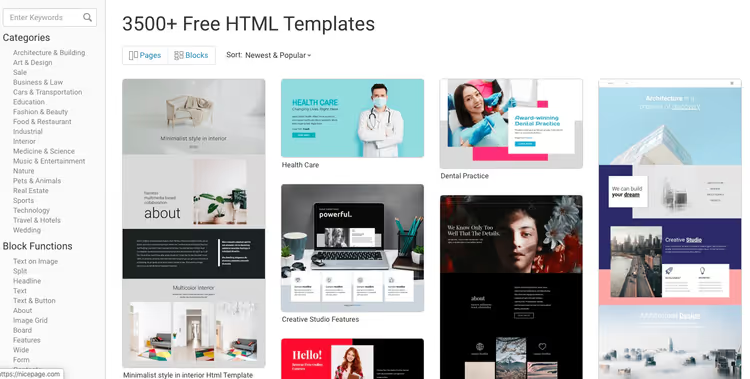
The template library is the first thing you notice after installation. The 15,000+ figure is genuinely impressive. For comparison: Wix has around 900, Squarespace has about 150 (data from the official site). The difference is an order of magnitude.
How the library is organized
Templates are divided into three sections by export type: HTML, WordPress, and Joomla. Within each are 19 thematic categories: business, real estate, restaurants, fashion, portfolio, education, events, and others. The filter works quickly, and previews load without delay.
A nuance not mentioned in the description
Most templates are single-page landing pages. Technically you can add internal pages, but ready-made layouts for "About," "Blog," or "Contact" sections in the same style often simply do not exist. For a multi-page project you will have to manually assemble blocks and maintain visual consistency. That means hours of additional work.
A short landing page or a 3-4 screen portfolio? You can finish the task in one evening. A 20-page corporate site? Prepare to do the layout yourself.
🎨 Editor and design freedom
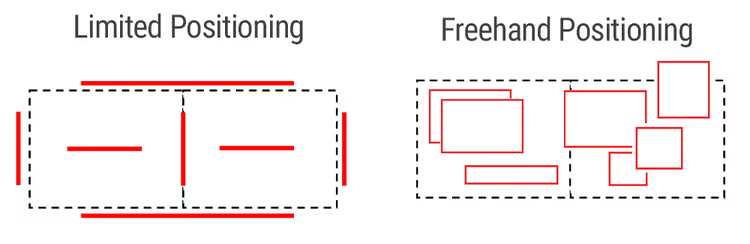
At the core of Nicepage is the Freehand Positioning concept: free element placement. In a typical builder you work with a grid, and blocks are tied to columns, sections, and rows. Here those constraints do not exist.
How it works in practice
You select a text block, image, or button and drag it anywhere. Want to place a headline over a photo? Go ahead. Want to shift a button 15 pixels to the left? Done. Elements can be layered (z-index is adjusted visually), transparency can be changed, and elements can be grouped. The result resembles a simplified Figma, except the output is a working site, not a mockup.
But this same freedom creates risk. A beginner without a sense of composition can easily create visual clutter. A grid enforces discipline. Its absence liberates you but requires taste.
Animation and dynamics
The built-in animation engine brings static pages to life without a single line of code. You can configure behavior on scroll, hover, and click.

Available effects: slide, zoom, fade, complex motion scenarios. Everything is adjusted with sliders: duration, delay, direction. For a landing page with a story or a portfolio, animation adds an expensive visual layer.
🛠️ Functionality: what is inside
Nicepage works in two modes: desktop app (Windows/Mac) and online builder. The desktop version builds the site locally, and you simply export the finished code. The online version runs in a browser with Nicepage hosting.
Ready-made block sections
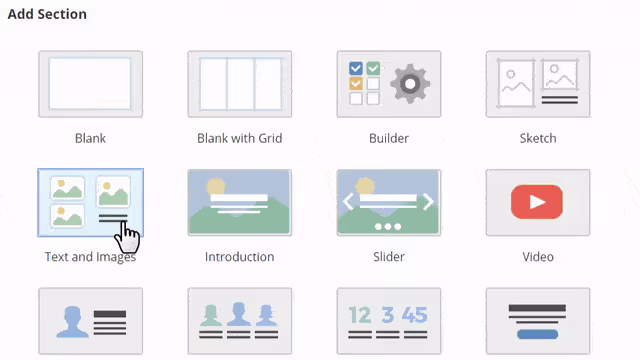
Do not want to build from scratch? The editor has a library of ready-made sections: headers, testimonials, contacts, galleries, pricing, forms. In practice, you drag in a block, fill it with content, and the page is ready in five minutes.
AI generator: a new way to start
In 2026 Nicepage added an AI page generator. You enter a topic and short description, and the platform assembles the structure, selects blocks, and generates text. This does not replace manual assembly but is a fast way to get a skeleton that you then refine by hand. For those opening a builder for the first time and unsure where to start, the AI generator cuts the first half-hour of confusion.
Where the platform falls short
Marketing and SEO tools in Nicepage are basic. There is no built-in CRM, no advanced analytics, no A/B testing. If you need funnel automation, email campaigns, or advanced lead management, Nicepage does not compete with Wix or HubSpot. The platform is designed for visual assembly. Everything else is added through export to WordPress and installation of specialized plugins.
🎓 Ease of use: is it easy to get started
The Nicepage interface looks packed on first launch. Panels, icons, tabs. Getting used to it takes time. But the developers know this and have built in two onboarding tools.
Interactive guide
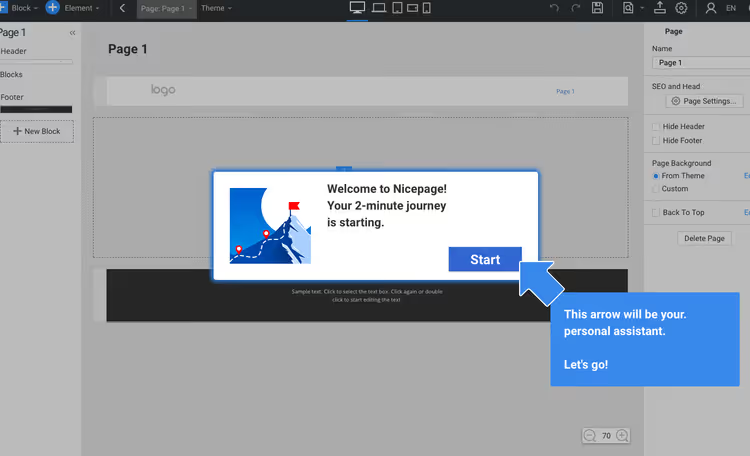
On first launch a step-by-step assistant activates. It does not just show but guides your cursor and highlights the needed buttons: create a page, add a block, change a style, publish.
Video tutorials
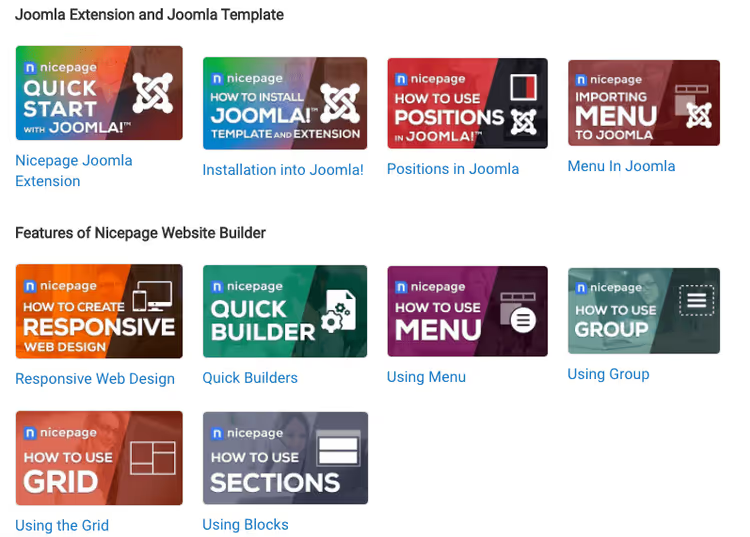
A built-in library of tutorial videos covers topics from basic editing to fine-tuning responsiveness. Videos are short, to the point, and in English.
Responsiveness
The editor lets you switch between previews for desktop, laptop, tablet, and phone. Automatic adaptation works but is not perfect. A button that sits nicely on the right on desktop may cover text on a 375-pixel screen.
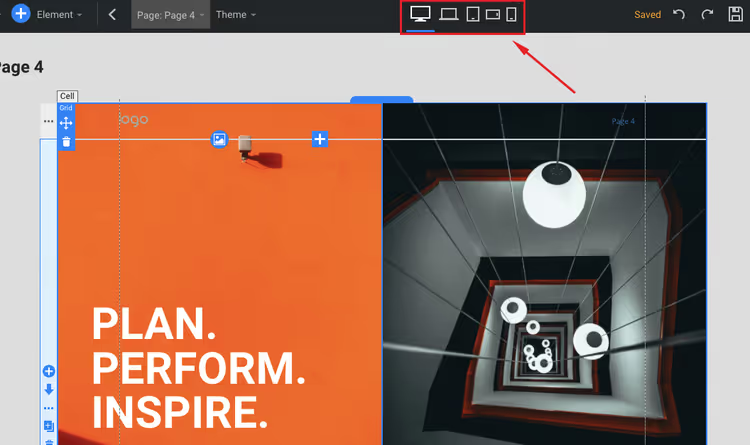
Practical advice: after building the desktop version, set aside half an hour for mobile corrections. The platform gives you the tools, but the final result depends on your attention to detail.
🆘 Technical support: the Achilles heel
Support is the weakest point of Nicepage. This is something to know before purchasing a paid plan.
- No live chat. Neither on the site nor in the app. You cannot call either.
- The main channel is a forum. You create a ticket: public (other users respond) or private (the support team responds).
- Response time: in our experience, 4 to 12 hours. For comparison:
Wixresponds in chat within 2-3 minutes.
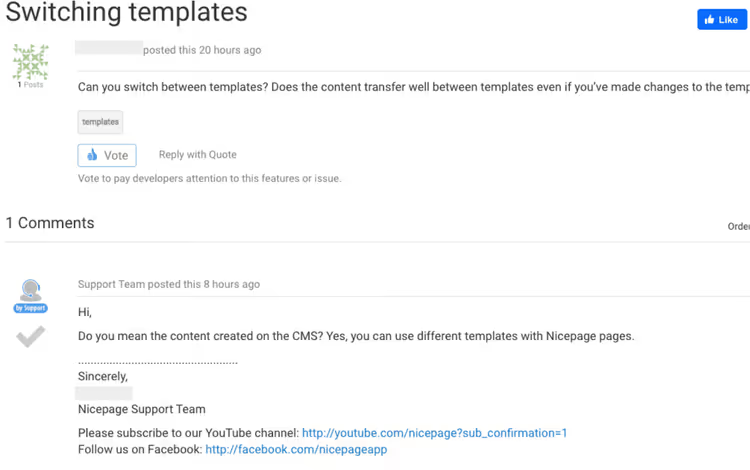
- Quality of responses: the issue is not always resolved on the first message. Support often asks for more details or a screenshot, and the conversation stretches to a day.
Attempting to contact them through their Facebook page was even less productive: no response followed.
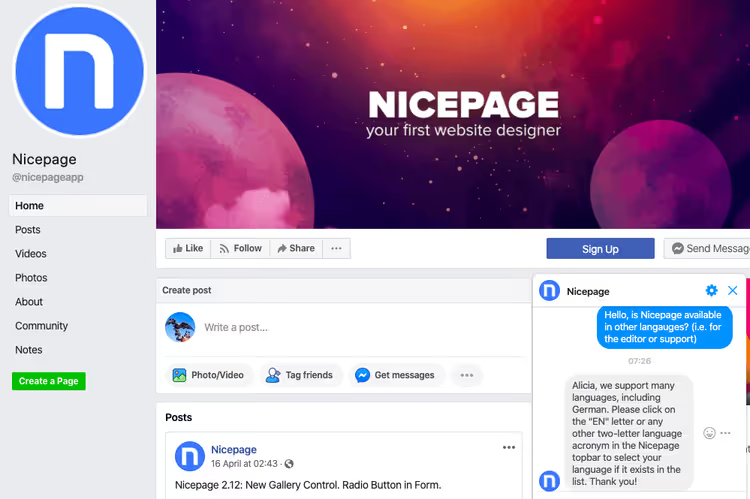
Conclusion: if you are used to instant help along the lines of "wrote a message, got a reply in a minute," that will not happen with Nicepage. For non-urgent questions the forum is sufficient. For critical situations rely on yourself and the documentation.
💰 Pricing and plans in 2026
Nicepage uses a hybrid model: you can pay monthly (subscription) or buy a one-time license (Designer Pack). The subscription includes hosting; the license does not.
Subscription (billed annually)
Plan | Price | Projects | Hosting | Export |
|---|---|---|---|---|
Starter | $0 | 2 | nicepage.io subdomain | HTML |
Personal | $6.75/mo | 5 | 1 site + domain | HTML, WordPress |
Business | $12.75/mo | 50 | 3 sites + domain | HTML, WP, Joomla |
Pro | $18.75/mo | ∞ | 5 sites + domain | All + WooCommerce |
Ultimate | $31.75/mo | ∞ | 20 sites + domain | All + priority |
License (one-time)
A license is worthwhile if you have your own hosting and do not want annual payments. Prices on the official site: Personal $59, Business $129, Pro $199, Ultimate $299. The license includes 1 year of updates; renewal after that is at a 25% discount.
Starter is free without time limits. An excellent option for testing the platform before purchasing. A 30-day refund is available through the payment partner PayPro Global.
🔗 Current prices on the official site
📺 Video: building a site in 15 minutes
A short video shows the full cycle of creating a site in Nicepage: from choosing a template to publishing. Seeing the editor in action is better than reading ten paragraphs of description.
⁉️🤔 Frequently asked questions
Is there a completely free version?
Yes, the Starter plan is free without time limits. You get 2 projects, a subdomain on nicepage.io, basic templates, and
HTMLexport. ForWordPressandJoomlayou need a paid plan, but you can fully test the editor logic on Starter.
Can I transfer a site from Nicepage to WordPress?
Yes, and this is one of the platform's main features. You export the project as a
WordPresstheme, get a ZIP archive that installs in the admin panel the standard way. After installation the theme works as native: it can be edited through the customizer and supports widgets and plugins. A similar export is available forJoomlaand pureHTML.
Do I need coding knowledge to work with it?
No. The editor is visual; everything is done by dragging and adjusting sliders. But if you know
HTML/CSS, you can add custom code blocks; this expands possibilities but is not required for basic use.
Does it work on Mac?
Yes, the desktop app is available for Windows and macOS. There is also an online version that runs in any modern browser without installation.
Is it suitable for an online store?
Partially.
Nicepagehas basic product support, but for a full-fledged store it makes more sense to export the design toWordPressand connectWooCommerce. On the Pro and Ultimate plans, export with preconfiguredWooCommerceandVirtueMartintegration is available.
How do I cancel my subscription?
The process is non-standard: you need to go to the support forum and create a cancellation ticket, or contact the payment operator
PayPro Globaldirectly. There is no "Cancel" button in the account dashboard. This is a deliberate decision by the developers, and it is annoying.
How responsive are the sites?
All templates are responsive by default. But automatic adaptation is not always accurate: after building the desktop version, manual correction for tablets and phones is almost always required. The editor provides separate preview modes for each resolution.
How is Nicepage different from Wix or Squarespace?
The main difference is positioning freedom and no platform lock-in.
WixandSquarespacekeep the site in their ecosystem: you cannot export a theme and move to another host.Nicepagegives you the full code:HTML, aWordPresstheme, or aJoomlatemplate. Downsides: weaker support, fewer built-in marketing tools.
What to choose in 2026: the verdict

If you need a builder that does not force your design into a grid, Nicepage has no competition. Positioning freedom, 15,000+ templates (platform catalog), and export to WordPress, Joomla, or HTML make the platform a unique tool in the hands of a designer or webmaster who understands composition.
If you are building a site for the first time and want an "out of the box" result, take a look at Wix or Squarespace. They are simpler, support is faster, and built-in marketing tools are more extensive.
Short verdict: Nicepage is a tool for those who care more about pixel control than support speed. Try the free Starter: one evening on a test landing page will tell you more than any review.

A professional team of writers and editors specializing in creating quality content.