














🔍 Kinsta managed WordPress hosting review (2026)
Your site went down at peak traffic, and leads went to competitors. With WordPress hosting this happens exactly when a project starts making money. Kinsta builds infrastructure on Google Cloud's premium tier and does not try to compete with $3 shared plans. Let's break down what exactly you get for $35 per month and when this price is justified.
Kinsta launched in 2013 and by 2026 serves 230,000+ clients including GE, TripAdvisor, Ubisoft, FreshBooks, and Buffer. The platform has grown beyond managed WordPress: the ecosystem now includes Application Hosting, Database Hosting, and Static Site Hosting. But the core remains the same: WordPress hosting where server issues are handled completely.
💡 Quick overview:
- Infrastructure: isolated LXD containers on Google Cloud C2/C3D machines, NGINX + MariaDB, PHP from 8.0 to 8.5.
- MyKinsta panel: custom-built instead of cPanel, managing sites, domains, backups, and users from one interface.
- Performance: four-level server cache, Edge Caching via Cloudflare Enterprise, Early Hints, HTTP/3, APM monitoring.
- Security: Cloudflare DDoS + WAF, auto-patching of PHP and WordPress, GeoIP blocking, free SSL, two-factor authentication.
- Backups: daily automatic (14-30 days), manual, system-generated before search-replace and staging push, hourly as an add-on.
- Pricing: from $35/month billed monthly or $30/month with annual billing for Starter (35,000 visits), 30-day money-back guarantee.
Technical stack: what's under the hood
Kinsta does not rent cheap VPS servers and slap cPanel on top. The entire infrastructure is built on Google Cloud Platform's premium tier; your site physically runs on the same C2 and C3D machines that Google uses for its own services.
Each site lives in its own isolated LXD container. Three sites in your plan means three separate containers. Isolation provides two key benefits. First, on-demand scaling without downtime: your site won't go down even if traffic suddenly floods in from Reddit's front page or HackerNews. Second, security: a breach on someone else's site in the same cloud won't affect yours.
Server stack: optimized NGINX and MariaDB. PHP is available from 8.0 to 8.5; as of June 2026 this is the freshest range among managed WordPress hosts. For comparison: in 2021 Kinsta offered versions 7.1-7.3, now you can forget about old PHP 7.
You can choose a data center from 37+ Google Cloud locations worldwide, from Tokyo and Sydney to São Paulo and Mumbai. Pick the one closest to your main audience, and latency stays minimal.
MyKinsta control panel
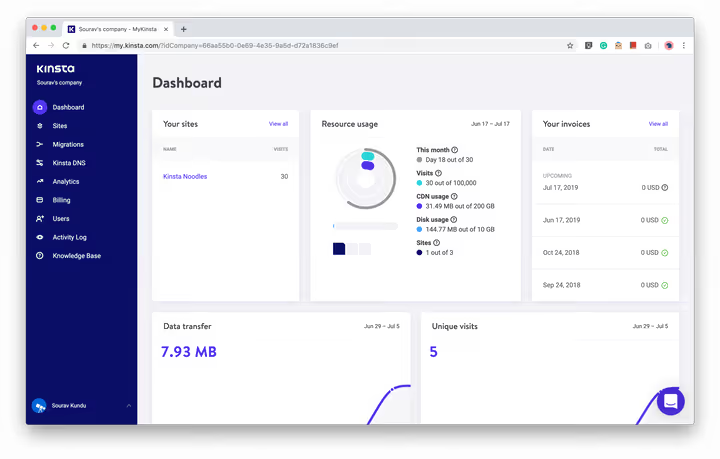
The first thing that stands out after cPanel: there is no cPanel here. MyKinsta was built from scratch, clean, fast, intuitive. A blue sidebar on the left like WordPress admin, only for hosting management.
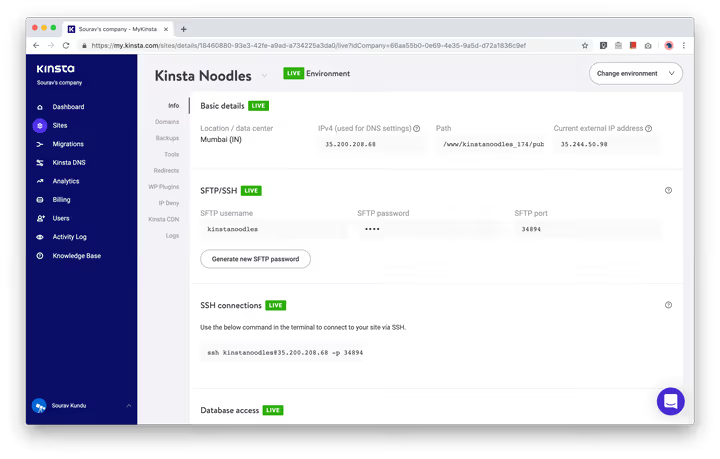
The site card contains everything you need: SFTP and SSH access, phpMyAdmin, password changes with one click. The green LIVE badge is immediately visible, so you won't confuse staging with production. Switching between environments uses the "Change environment" button in the upper right corner.
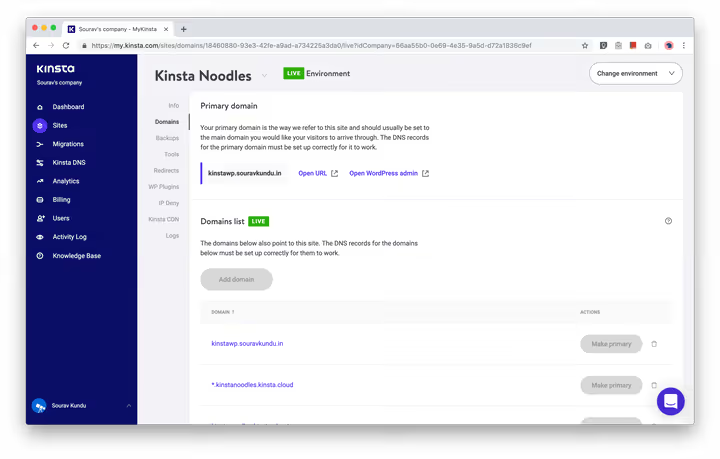
Domain management is in a separate tab. You can add multiple domains and assign primary and secondary ones. For testing before migration, a temporary URL like sitename.kinsta.cloud is available.
Backups: a multi-level system
Kinsta takes backups more seriously than most hosts. This is not just "there's a daily backup and that's it"; they've built a system with multiple protection levels across different time frames.
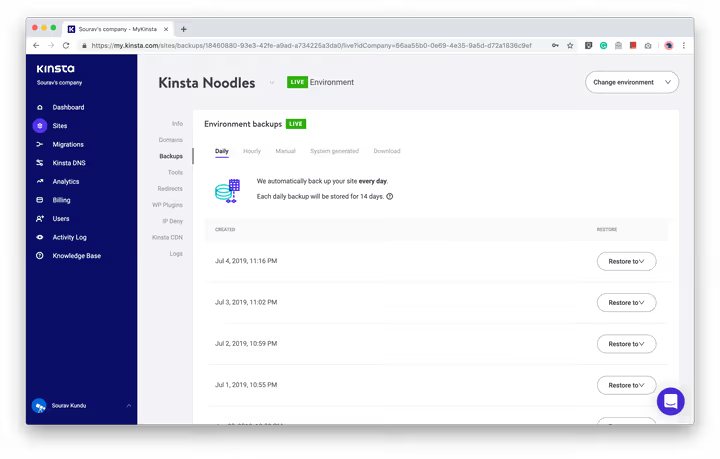
- Automatic daily: created once per day, stored for 14 days on Starter and Pro, 20 days on Business, 30 days on Enterprise. One-click restore.
- Manual: up to 5 copies at any time, also stored for 14 days.
- Downloadable: one copy per week, link active for 24 hours. Convenient for storing a backup copy outside Kinsta.
- System-generated: created automatically before search-replace, staging push to LIVE, and restore from backup, stored for 14 days.
- Hourly (add-on): copies every 6 hours or every hour, exact pricing on the Kinsta add-ons page. For stores and high-traffic projects.
Additionally, Kinsta maintains persistent disk snapshots of each machine: every 4 hours for one day and every 24 hours for two weeks. Snapshots are stored in data centers different from the primary one, providing protection against data center failure.
MyKinsta management tools
The tools section is a personal favorite. Things that take ten clicks in cPanel are done in two here.
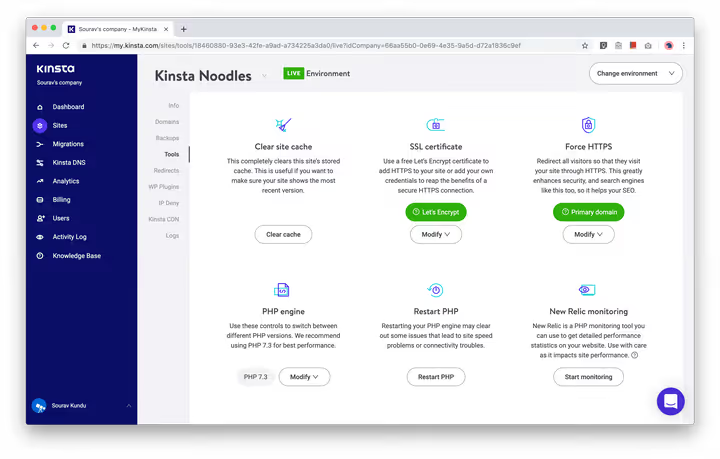
- Clear site cache: duplicates the button from WordPress admin, available directly from MyKinsta.
- SSL certificate: Let's Encrypt with one click. You can renew, delete, or upload your own.
- Force HTTPS: enables encryption for the entire site, pages, images, CSS and JS.
- PHP Engine: choose PHP version from 8.0 to 8.5 without editing configs.
- Restart PHP: often resolves plugin conflicts faster than an SSH connection.
- New Relic Monitoring: detailed performance monitoring for advanced users. Enabled with an API key. Support can temporarily enable it on their end for diagnostics.
- Search and replace: replace values in the WordPress database. Powerful but dangerous tool; use staging and manual backup first.
Kinsta CDN and Edge Caching
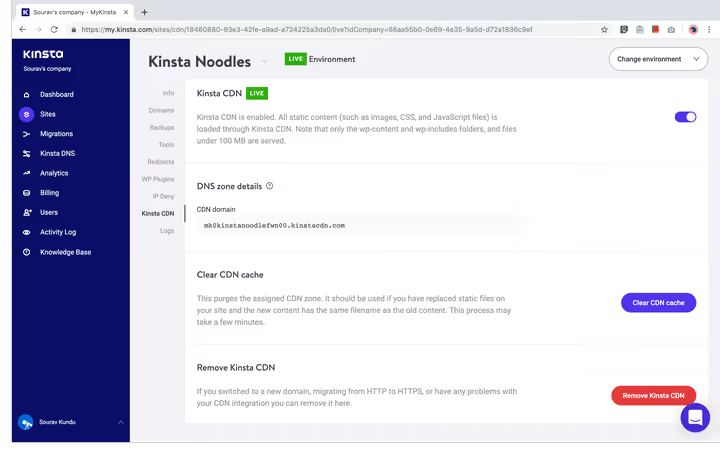
CDN is included free in all plans and built on Cloudflare Enterprise. The key feature is Edge Caching: pages are cached at Cloudflare edge nodes, not just on the server. A visitor from Tokyo gets the page from a Tokyo node instead of waiting for a response from a server in Iowa. According to Kinsta's data, Edge Caching reduces TTFB by roughly half for cached pages.
Caching on Kinsta is four-level: bytecode, object, page, and CDN level. A third-party caching plugin is not needed; moreover, it will create a conflict. HTTP/3 and Early Hints are enabled by default: the browser starts preloading resources before receiving the main server response.
Kinsta DNS
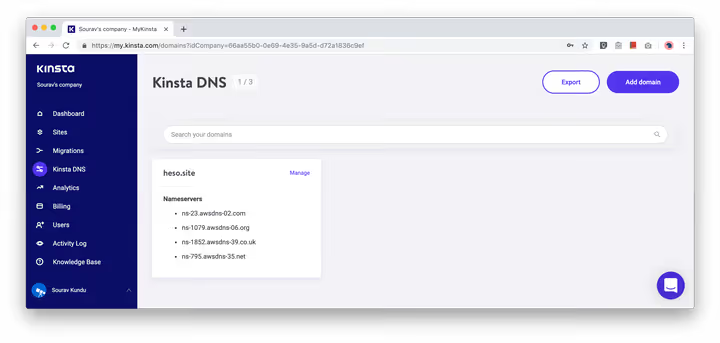
DNS hosting from Kinsta is built on Amazon Route53, AWS's premium DNS service. It's available free to all clients. Adding G Suite MX records takes one click. For high-traffic sites, switching from registrar DNS to Kinsta DNS provides an immediate improvement in resolution time.
Server-level redirect rules
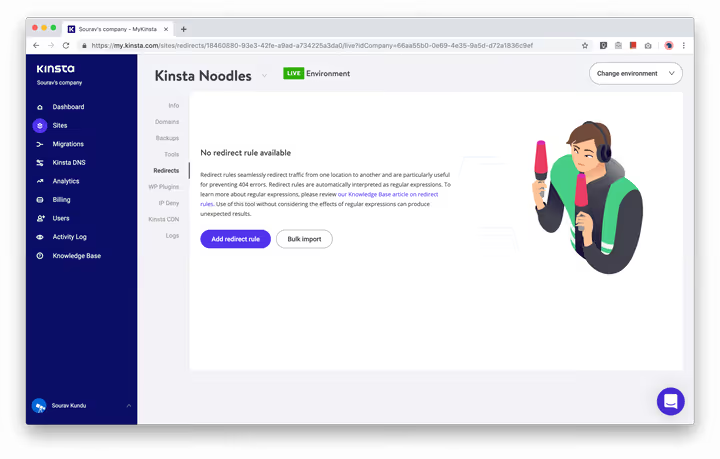
A typical redirect through WordPress calls wp_redirect(), adding CPU load and database bloat. Kinsta lets you set up redirect rules at the server level: they execute faster and don't touch WordPress. Regular expressions are supported, and you can bulk import rules when migrating.
Access logs
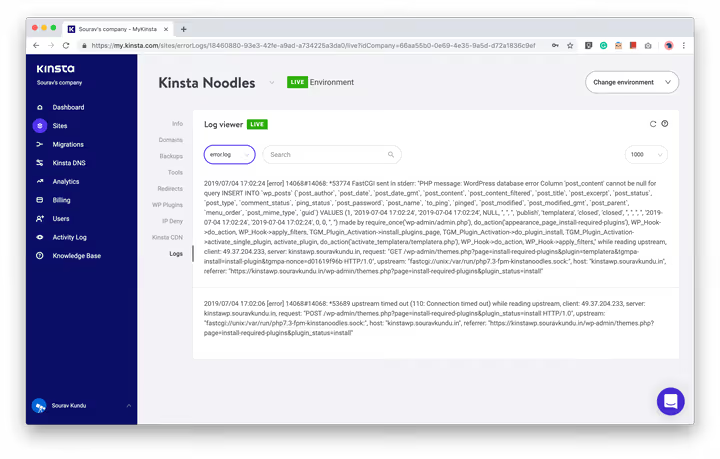
Direct access to error log, raw access log, and cache performance log. Invaluable for debugging plugin or theme issues.
WordPress security with Kinsta
Security on Kinsta is largely invisible; it works automatically and requires no configuration. But the key mechanisms are worth listing.
- Cloudflare Enterprise DDoS protection and WAF are included in all plans, the same level as Cloudflare's enterprise clients.
- Automatic application of minor WordPress security patches.
- Free site repair if it does get hacked.
- GeoIP blocking: deny access by country.
- PHP version removed from HTTP headers, less information for attackers.
open_basedirrestrictions prevent PHP from executing in shared directories.- XML-RPC is blocked by default, providing brute force protection.
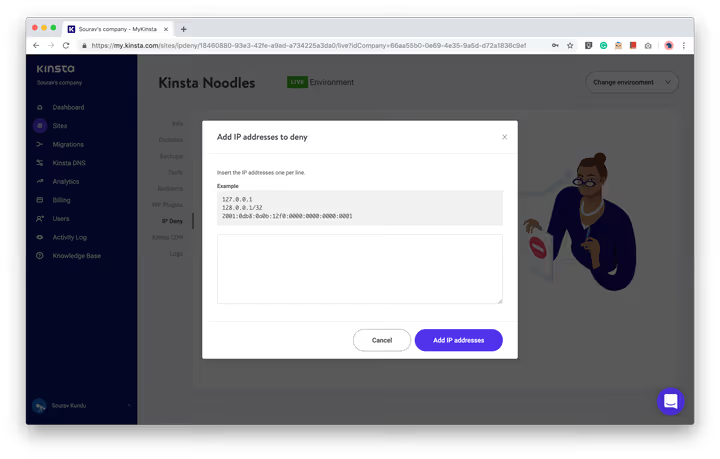
- IP Deny: block specific IP addresses from connecting to your site; automatic ban after 6 failed login attempts per minute.
Two-factor authentication
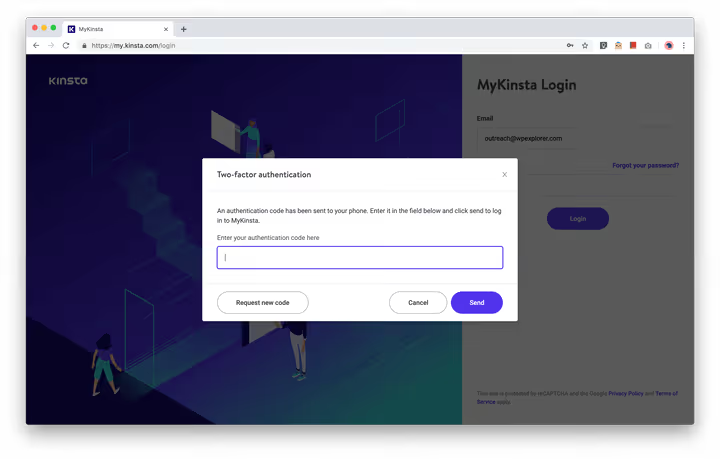
2FA for your Kinsta account via SMS or app (Google Authenticator, Authy). After enabling, a one-time code is required at each login. Note: this protects your Kinsta account but not the WordPress sites inside it; for those, two-factor authentication is configured separately. We have a guide to setting up 2FA for WordPress.
User management and activity log
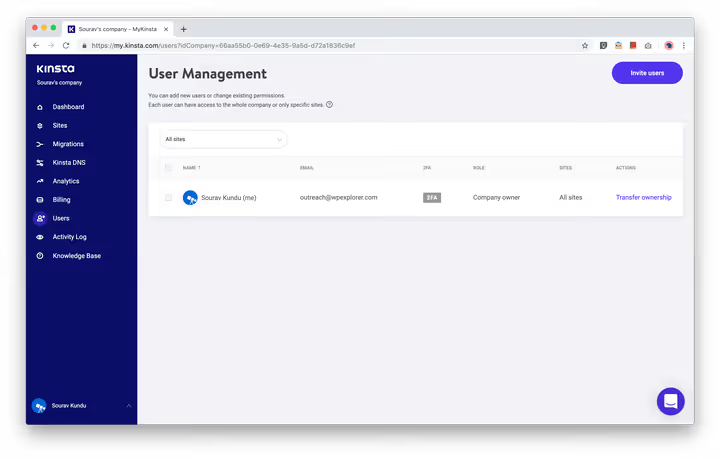
For teams with multiple members, role-based access is available: Administrator (all sites), Developer (sites, no billing), Billing (invoices and company info only).
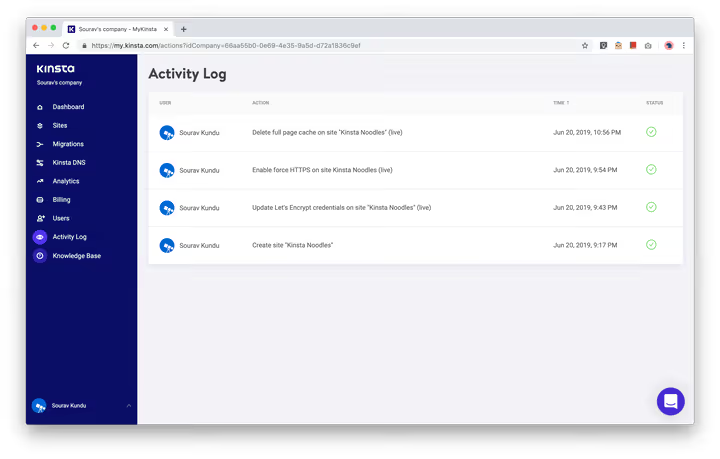
The activity log records all significant actions: site creation, DNS record changes, support tickets.
Plugin status monitoring
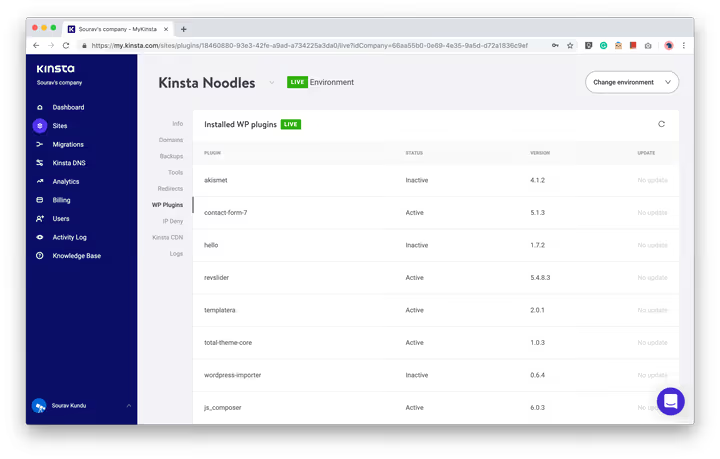
The panel shows all installed plugins, their versions, and available updates. Convenient for maintenance: an updated plugin means a closed vulnerability.
Kinsta Analytics: traffic and performance
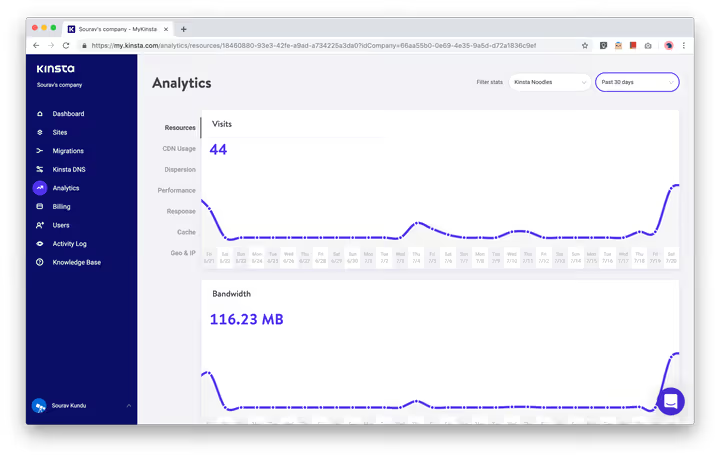
The Analytics section in MyKinsta provides detailed server-level metrics, things Google Analytics doesn't show. This matters because Kinsta's billing depends on monthly visit count.
How Kinsta counts visits
Kinsta counts visits differently than Google Analytics. GA uses JavaScript and only sees human visitors with JS enabled, not bots, not crawlers, not users with ad blockers. Kinsta sees everything that hits the server.
To avoid overpaying for bot traffic:
- Kinsta filters known bots from analytics.
- The IP Deny tool lets you block unwanted IPs precisely.
- Enterprise-level Cloudflare WAF blocks traffic from known bad IPs before it reaches your site.
Server performance analytics
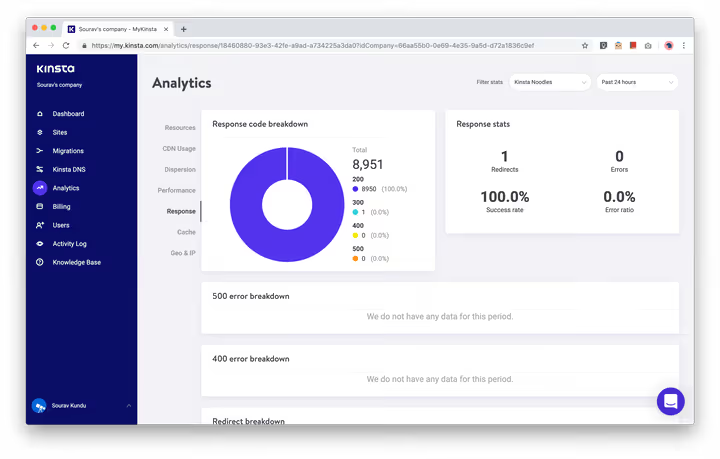
- PHP + MySQL: average response time, throughput, worker limit, AJAX requests. Separately, a list of scripts with the highest response time. On the test site, these were theme and plugin update scripts.
- HTTP response codes: breakdown by 200/300/400/500. Many 300s indicates redirect problems. 400-500 means errors that hurt both performance and SEO.
- Cache performance: ratio of cache hits, misses, and expirations. A good picture means many hits, few misses.
- Geo and IP: where traffic comes from by country and IP address.
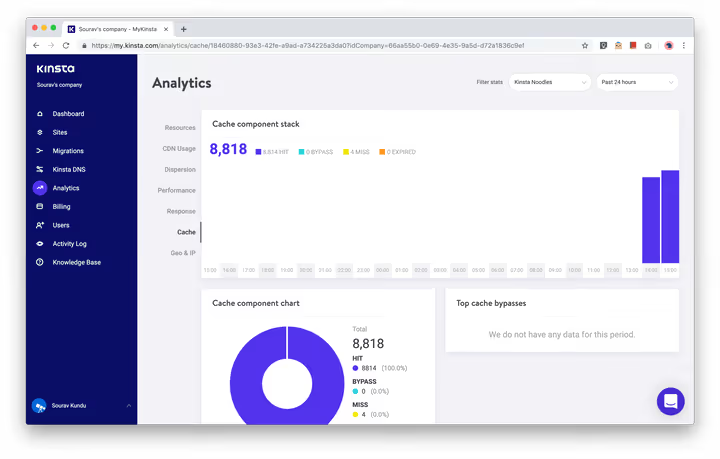
The main question: how does all this work in practice. Kinsta uses four-level server caching, Edge Caching, HTTP/3, and Early Hints, with no third-party plugins. Test results confirm this.
According to ThemeIsle's 2025 data, the average test site load time was 0.6s (US East Coast), 0.98s (Europe), 2.07s (Asia) with 100% uptime over 3 months of observation. The WPLift test in February 2026 showed 473 ms from Washington and 486 ms from San Francisco on a full-weight Elementor landing page without manual optimizations.
A LoadImpact test with 50 concurrent users over 12 minutes showed an average response time of 74 ms at 75 requests per second; Kinsta handles load evenly without drops.
Kinsta pricing plans in 2026
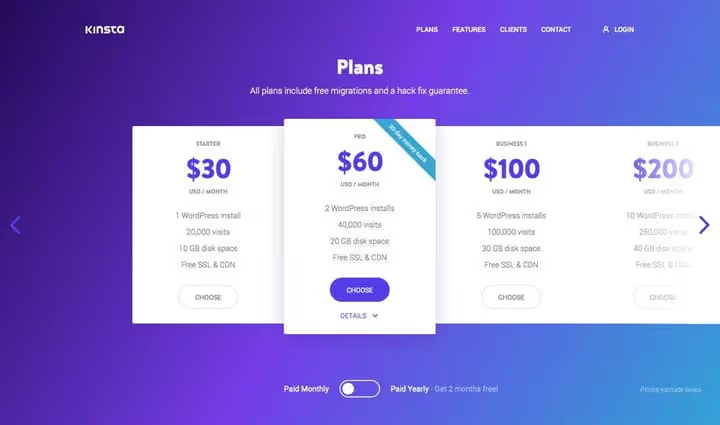
Kinsta does not disguise itself as "cheap hosting" and does not try to compete on price with $3 shared plans. This is a tool for businesses where speed and reliability are critical. As of June 2026, the Kinsta pricing grid looks like this:
Starter, $35/month billed monthly or $30/month with annual billing (Kinsta pricing): 1 WordPress site, 35,000 visits, 10 GB SSD, 2 PHP workers. First month $0, 30-day money-back guarantee. Pro, $70/month: 2 sites, 70,000 visits, 20 GB SSD, multisite and cloning support. Business 1-4, from $115 to $450/month: 5-40 sites, 100,000-600,000 visits. Enterprise 1-4, from $563+/month: 60+ sites, 1-3+ million visits, custom configuration.
What's included in all plans:
- Free CDN (Cloudflare Enterprise)
- SSL from Let's Encrypt + option to upload your own
- Cloudflare DDoS protection and WAF
- APM performance monitoring
- At least one free migration (unlimited on higher plans)
- Daily auto-backups (14-30 days retention depending on plan)
- Staging, SSH, and SFTP
- MySQL auto-optimization
- Multi-user MyKinsta panel
- 24/7 support, 30-day money-back guarantee
- 2 months free with annual billing
Add-ons (Kinsta pricing page):
- Cloudflare Railgun, Elasticsearch, Redis
- Nginx reverse proxy
- Hourly backups (every 6 hours or every hour)
- Additional disk space
Specific add-on prices depend on the plan and site.
Overage on visits: $2 per 1,000 visits over the limit (billing rules). CDN overage: $0.10 per gigabyte.
Important note: Kinsta now offers flexible choice between visit-based and bandwidth-based billing; you can switch models directly from the MyKinsta panel depending on a specific site's traffic patterns.
Support and knowledge base
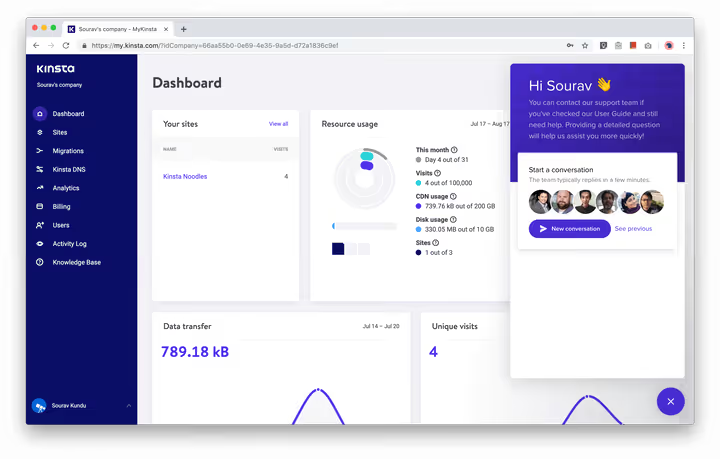
Kinsta support works through Intercom, 24/7/365 chat. Engineers respond, not first-line operators: a question about a long TXT record in DNS gets resolved immediately rather than escalated three times. The WordPress community generally rates Kinsta's technical support highly precisely for the technical depth of responses; the host knows WordPress at a developer level.
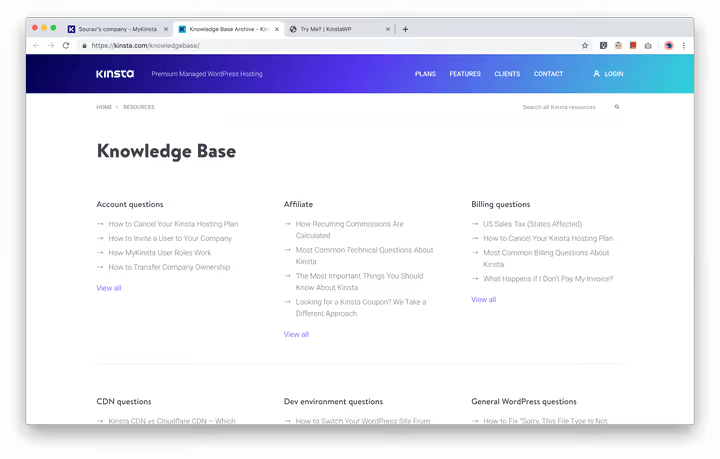
The Kinsta knowledge base deserves special mention. This is not a perfunctory collection of "how to change your password" articles but technically deep guides on WordPress, internet marketing, and server administration along with honest stories about their entrepreneurial journey. Kinsta's content marketing strategy has turned them into "the knowledgeable hosting folks" in the WP community with corresponding search traffic.
If you want to see the MyKinsta panel in action, here's a video review from KevinHowTo covering all the key sections:
⁉️🤔 Frequently asked questions
Is Kinsta suitable for a small WordPress blog?
For a blog with a couple thousand visitors, Starter at $30/month with annual billing is more than enough (pricing on the website). One site, 35,000 visits, full feature set: CDN, Edge Caching, daily backups, SSL, and 24/7 support. First month $0, 30-day money-back guarantee if it doesn't work out.
How is Kinsta different from a regular VPS?
On a VPS you administer the server yourself: configuring NGINX, MariaDB, PHP, security, backups. Kinsta does all this for you on Google Cloud infrastructure with automatic updates, firewalls, and DDoS protection. Plus a custom MyKinsta panel instead of cPanel and server-side caching without plugins. The price is higher, but you're paying for freedom from server worries.
Can I migrate an existing site to Kinsta?
Yes, Kinsta offers free migration by their engineers. On Business plans and above, migrations are unlimited. Transfer usually takes from a couple of hours to a day, downtime is minimal. Before migration they check the site; afterward, they provide a temporary URL for testing.
Does Kinsta support WordPress multisite?
Multisite is available starting from the Pro plan. On Starter you can install only one WordPress site with one domain. Exact pricing at Kinsta plans.
Do I need a caching plugin on Kinsta?
No. Kinsta uses four-level server-side caching (bytecode, object, page, CDN) plus Edge Caching. A third-party caching plugin will create a conflict and hurt performance. Simply remove WP Rocket or W3 Total Cache when migrating.
What does Edge Caching provide and how is it different from regular CDN?
A regular CDN caches static assets: images, CSS, JS. Edge Caching caches entire HTML pages at Cloudflare edge nodes (260+ points of presence). The visitor receives a ready page from the nearest node, and TTFB is reduced by roughly half. This technology has been included in all Kinsta plans since 2025.
Is Kinsta worth it in 2026
Growth on a WordPress project hits hosting limits faster than you'd think. Shared plans are good for starting out, but at 50,000+ visits slowdowns begin, and administering your own VPS eats hours you could spend on content and product.
Kinsta covers this transition completely: out-of-the-box performance, support that resolves issues like "add a TXT record," and a control panel that's pleasant to work with. Not cheap, true. But for projects where site speed directly affects revenue, this isn't an expense but an investment in uptime and search rankings.
If your site generates revenue and hosting fits within a small share of income, Kinsta is justified from day one. If your project is still at the hobby blog level, start with a cloud VPS, and return to Kinsta when traffic exceeds 20,000 visits and every minute of downtime starts costing real money.
Start with a free trial month on Starter: test migration, explore the admin panel, measure speed. And if you're already working with Kinsta, write in the comments which plan you chose and whether it paid off.

A professional team of writers and editors specializing in creating quality content.