













 AIIllustrative image: AI-generated
🔐 7 two-factor authentication plugins for WordPress (2026)
Every day, bots scan thousands of WordPress sites looking for vulnerable login pages. A password like "admin123," your dog's name, or your birthday as credentials isn't protection, it's an invitation for attackers. According to Wordfence data, brute force attacks make up the lion's share of malicious traffic on WP, and a compromised admin password means complete site takeover.
Two-factor authentication (2FA) closes this vector almost completely: even if a password is leaked, without the second factor an attacker can't get in. The principle is simple, after entering username and password the system requests a one-time code (TOTP) that's generated by an authenticator app, arrives via SMS, or by email.
But choosing a plugin is a separate task. In the WordPress.org repository there are dozens of 2FA solutions: from lightweight open-source to enterprise combines with hardware tokens. In our experience, far from all of them are equally convenient to set up and stable in operation. We selected 7 working two-factor authentication plugins that are relevant in 2026 and broke them down: what to install on a personal blog versus a site with a team of editors.
💡 Quick overview:
- miniOrange 2FA, maximum authentication methods out of the box, free for one user
- Two-Factor, open-source standard from WordPress core developers
- WP 2FA, best for enforcing 2FA across the entire team
- Duo Universal, enterprise option from Cisco with push authentication
- Rublon MFA, Polish MFA combine with email, SMS, QR and hardware keys
- GatewayAPI, SMS engine with built-in 2FA for WooCommerce stores
- WP 2-Step Verification, minimalist option with app and email codes
Comparison table of 2FA plugins
Plugin | 2FA methods | Free | Active installations | For whom |
|---|---|---|---|---|
miniOrange 2FA | TOTP, SMS, Email, Push, Security Questions | Yes (1 user) | 200,000+ | Universal choice |
Two-Factor | TOTP, Email, U2F, Backup Codes | Yes | 30,000+ | Minimalists, developers |
WP 2FA | TOTP, Email, Backup Codes | Yes (Free) / Premium | 200,000+ | Teams, client sites |
Duo Universal | Push, TOTP, SMS, Hardware Token, Phone Callback | Up to 10 users | 4,000+ | Enterprise, agencies |
Rublon MFA | Mobile Push, SMS, Email, QR, WebAuthn/U2F | Yes (Free) / Premium | 10,000+ | Companies with compliance requirements |
GatewayAPI | SMS OTP | Yes (Free account) | 2,000+ | WooCommerce stores |
WP 2-Step Verification | TOTP (app), Email | Yes | 1,000+ | Simple blogs without Gutenberg |
1. miniOrange 2FA
🔗 miniOrange 2FA on WordPress.org | 🔗 Live demo
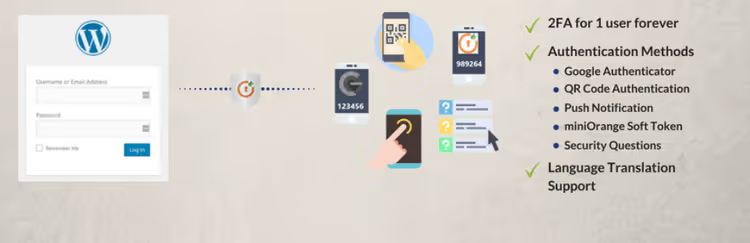
The most popular 2FA plugin in the WordPress repository with an audience of over 200,000 active installations. miniOrange, a well-known developer of security solutions for WordPress, and their flagship product fully justifies the 4.5 star rating.
Out of the box you get support for TOTP (Google Authenticator, Authy, Microsoft Authenticator), one-time codes via SMS and email, push notifications, custom security questions, and hardware tokens. Special mention goes to brute force protection with IP blocking and GDPR compliance.
The free version works for one user and covers the vast majority of scenarios: personal blog, small portfolio site. If you need 2FA for a team, you'll have to look toward Premium (from $9/month for 5 users), but for a solo administrator it's the best balance of "features per dollar."
Pros: maximum authentication methods in the free version, intuitive interface, Russian language in admin. Cons: Premium wall for multiple users, aggressive upselling in admin.
2. Two-Factor

🔗 Two-Factor on WordPress.org | 🔗 Live demo
Open-source plugin under the wing of a developer team led by George Stephanis. No Premium, no upselling, pure minimalism and code that could potentially enter the WordPress core.
After activation, settings appear in the Users → Your Profile → Two-Factor Options section. Supports four methods: TOTP (Google Authenticator and similar), email codes, FIDO U2F (hardware keys like YubiKey), and backup recovery codes. There's a dummy method for testing, convenient if you're setting up on a staging environment.
The plugin is translated into 15 languages and has over 30,000 active installations. For those who value "vanilla WordPress" and don't want extra code, it's the best choice. But be prepared: no SMS, push notifications, or beautiful dashboards. Pure function.
Pros: open-source without Premium, from core developers, minimal site load. Cons: no SMS and push, spartan interface, only basic 2FA.
3. WP 2-Step Verification
🔗 WP 2-Step Verification on WordPress.org | 🔗 Live demo
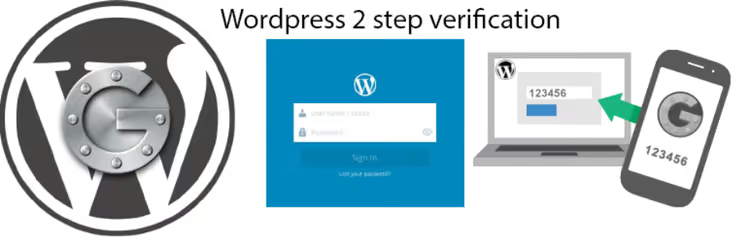
Plugin from Vietnamese developer as247 with an unexpectedly pleasant Vue.js interface. Looks more modern than many competitors, and setup takes less than 10 minutes, even with WooCommerce integration on the frontend.
WP 2-Step Verification supports multisite, codes via email and through TOTP app (Google Authenticator), backup codes and recovery via FTP, which helps if your phone is lost. Interesting features: app passwords for applications that don't support two-step verification (XML-RPC, Jetpack), and the ability to disable 2FA on trusted devices.
Important note: the plugin doesn't support the Gutenberg editor, you'll need the classic editor. The developer promised to add compatibility, but it hasn't happened yet. At the time of writing it's tested up to WordPress 6.8.5, updated 8 months ago.
Pros: modern Vue.js interface, WooCommerce integration, app passwords. Cons: no Gutenberg support, only 1,000+ installations, single developer (abandonment risk).
4. Rublon MFA

🔗 Rublon MFA on WordPress.org | 🔗 Live demo
Polish MFA combine that went far beyond "just a 2FA plugin." Rublon positions itself as an enterprise solution for multi-factor authentication and covers not only WordPress, but also VPN, servers, Microsoft technologies, and dozens of cloud applications.
The authentication methods are impressive: Mobile Push, SMS Passcode, Email Link, QR Code, and WebAuthn/U2F (hardware security keys). After installation the plugin connects to the Rublon API via system token and secret key, setup is intuitive but requires registration on rublon.com.
The free tier covers basic scenarios, Premium adds custom policies, compliance reports, and priority support. 10,000+ active installations on WordPress.org and support for 5 languages confirm: the product is alive and developing.
Pros: widest range of MFA methods, enterprise level, WebAuthn/U2F. Cons: mandatory vendor registration, overkill for a simple blog.
5. GatewayAPI

🔗 GatewayAPI on WordPress.org | 🔗 Live demo
GatewayAPI isn't a classic 2FA plugin, but a full-featured SMS engine for WordPress with two-factor authentication as a built-in module. If you have a WooCommerce store and already send customers SMS about orders, 2FA via GatewayAPI becomes a logical addition without installing a separate plugin.
Key capabilities: SMS notifications about WooCommerce orders, bulk SMS campaigns, recipient import from CSV, contact segmentation, and shortcodes for custom messages. The 2FA module lets you send a one-time code to the user's phone number and remember the device for 30 days.
To get started you need a free account on GatewayAPI.com. After registration you get an API key and step-by-step guide with screenshots, documentation is in English but intuitively clear. The downside is obvious: 2FA only via SMS, no TOTP apps or email codes.
Pros: powerful SMS engine for WooCommerce, clean interface, bulk campaigns. Cons: only SMS authentication, dependency on external SMS provider.
6. WP 2FA

🔗 WP 2FA on WordPress.org | 🔗 Live demo
If miniOrange is "maximum methods" and Two-Factor is "minimum code," then WP 2FA from Melapress occupies the golden middle: enforced two-factor authentication for all site users with flexible policies and a whitelist of trusted devices.
The plugin has over 200,000 active installations and a 4.5 star rating. After activation you're greeted by a setup wizard (first-time wizard) that configures 2FA for selected roles in a couple of minutes. TOTP apps (Google Authenticator, Authy, FreeOTP), email codes, and backup recovery codes are supported.
Version 3.0 (September 2025) brought a redesigned interface, improved multisite handling, and a "trusted devices" policy with customizable validity period. The free version covers almost everything, Premium ($29/year) adds WooCommerce integration, white-label, and priority support.
Pros: enforced 2FA for all roles, setup wizard, 200,000+ installations. Cons: Premium for WooCommerce, no SMS out of the box (only via third-party gateway).
7. Duo Universal

🔗 Duo Universal on WordPress.org | 🔗 Live demo
Enterprise solution from Cisco for those already using Duo Security in their company infrastructure. This isn't just a WordPress plugin, it's part of the Duo ecosystem that covers VPN, servers, cloud applications, and admin panels of dozens of CMSs.
Duo Universal replaced the old Duo Two-Factor Authentication plugin, whose support ended in September 2024. The new version uses Universal Prompt, a modern iframe with adaptive interface instead of the outdated Duo Prompt.
Authentication methods: Duo Push (one tap in the app, fastest way), TOTP codes, SMS, phone call, and OATH-compatible hardware tokens. Free up to 10 users, then from $3/user per month. For an agency that manages dozens of sites and is already on Duo, it's the obvious choice.
Pros: enterprise level from Cisco, one-tap Push authentication, hardware tokens. Cons: tied to Duo ecosystem, overkill for a single site.
Besides specialized 2FA plugins, two-factor authentication "out of the box" is offered by popular security combines. If you're already using one of them, a separate plugin isn't needed: Shield Security (formerly WP Simple Firewall) includes 2FA and brute force protection, Wordfence (4+ million installations) supports any TOTP app, Solid Security (formerly iThemes Security Pro) added passkeys and Patchstack integration, and ManageWP built 2FA into the centralized site management panel.
⁉️🤔 Frequently asked questions
How does TOTP differ from an SMS code?
TOTP (Time-based One-Time Password) is generated by an authenticator app on your phone and changes every 30 seconds. The code isn't transmitted over the network, it's computed locally based on a shared secret and current time. An SMS code is sent through the cellular network, making it vulnerable to SIM-swap attacks. TOTP is more secure and doesn't require cellular signal reception.
Is it mandatory to install a separate plugin for 2FA?
No, if you're already using Wordfence, Solid Security, or Shield Security, all three include two-factor authentication as part of the overall package. But 2FA functionality in security combines is usually basic (TOTP + backup codes). If you need SMS, push notifications, or enforced 2FA by roles, get a specialized plugin.
What happens if I lose my phone with the authenticator app?
All listed plugins generate backup recovery codes when setting up 2FA. Save them in a secure place (password manager, printout in a safe). If the codes are lost, recovery depends on the plugin: miniOrange offers security questions, WP 2-Step Verification allows reset via FTP, Two-Factor requires database access. Before activating 2FA, always check the recovery procedure in the specific plugin's documentation.
Is 2FA needed if I have a strong password and two-factor authentication on hosting?
Yes. A password can leak through phishing, keylogger, database breach, or interception over unsecured Wi-Fi. Hosting 2FA protects access to the hosting control panel, but not the WordPress admin, these are two different attack vectors. Two-factor authentication at the WordPress level closes specifically the login to the CMS, which is critically important when admin credentials are compromised.
Which plugin to choose if the site is on WooCommerce with hundreds of customer users?
WP 2FA from Melapress. It's the only free one that offers enforced 2FA for all roles with flexible policies, you can require administrators and editors to use 2FA while leaving it optional for buyers (customer). Plus the Premium version has direct WooCommerce integration with 2FA in the user's personal account. If SMS notifications are critical for the store, additionally connect GatewayAPI as an SMS gateway.
What to install in 2026: final breakdown by tasks
Choosing a two-factor authentication plugin comes down to three scenarios.
If you have a personal blog or small site, install miniOrange 2FA. Maximum authentication methods in the free version, friendly interface in Russian, and 200,000+ installations with live support on the WordPress.org forum. Alternative for minimalists, Two-Factor: open-source, without Premium walls, and from core developers.
Team of editors or client sites, definitely WP 2FA. Enforced 2FA by roles, setup wizard in 2 minutes, and 200,000+ active installations. The paid tier for $29/year adds WooCommerce and white-label, pennies compared to the consequences of a hack.
Agency or enterprise with Duo infrastructure, Duo Universal from Cisco. If you're already using Duo for VPN and servers, adding WordPress to the same management console is a logical step. One-tap Push authentication saves time for the entire team.
And lastly: two-factor authentication isn't magic and isn't a silver bullet. It doesn't replace strong passwords, regular backups, and plugin updates. But among all measures for protecting wp-admin this is the highest ROI for 5 minutes of setup. Don't put it off.

A professional team of writers and editors specializing in creating quality content.