














🎟️ Tickera review: selling event tickets with WordPress in 2026
An event organizer opens the tenth tab with a fee calculator and realizes that every middleman wants their cut. Eventbrite, TicketTailor, TicketLeap: they all take a slice of each ticket before the money even reaches the account. If you run ten events a year with 500 guests each, you're looking at thousands of dollars the platform takes simply for existing.
Tickera flips this model. It doesn't "reduce fees to a reasonable percentage"; it eliminates them entirely. The plugin lives in the WordPress admin and isn't embedded in the payment chain: buyer funds go directly to your Stripe or PayPal. Fourteen years on the market, 367 thousand downloads, zero cents in sales commission. These figures come from the WordPress catalog.org and are public and verifiable.
Below is an honest breakdown of Tickera as of 2026: what the plugin actually does, where its limits lie, and how it differs from the dozen SaaS alternatives trying to have it both ways as both a marketplace and self-hosted solution.
💡 Quick overview:
- Install Tickera from the WordPress.org catalog and go through the visual setup wizard
- Choose a payment gateway and operating mode: standalone or via WooCommerce
- Create an event, add ticket types, and embed the shortcode on a page
- Set up offline scanning through the free Checkinera app
What is Tickera and why 0% commission matters more than you think
Tickera is a WordPress plugin for the complete ticket sales cycle: from publishing an event to scanning QR codes at the door. No external marketplace. No hidden sales percentage. Buyer funds go directly to your Stripe or PayPal account; the plugin doesn't physically participate in the money flow.
The developers launched the project in 2012 and haven't changed the model since: licensing is paid annually or once forever, and there's no ticket commission on any plan. In practice, this means that when selling 1000 tickets at $25, Eventbrite takes $3,450 in fees (data from the comparison page on the Tickera website, US rates for 2026: $1.79 + 3.7% service fee + 2.9% payment processing). Tickera charges nothing for those same 1000 tickets.
But money isn't the only argument. Visitor data is stored on your WordPress server, not in someone else's jurisdiction. You can export the guest list, sales history, and entry logs to CSV at any time. GDPR compliance out of the box, because the data controller is you, not a SaaS platform with servers overseas.
Installation and first launch
The plugin installs in the standard way: WordPress.org catalog, search for "Tickera," install, activate. In our experience, the entire process from download to your first created event takes about five minutes. After activation, you're greeted by a visually pleasant setup wizard that walks you through the initial configuration step by step.
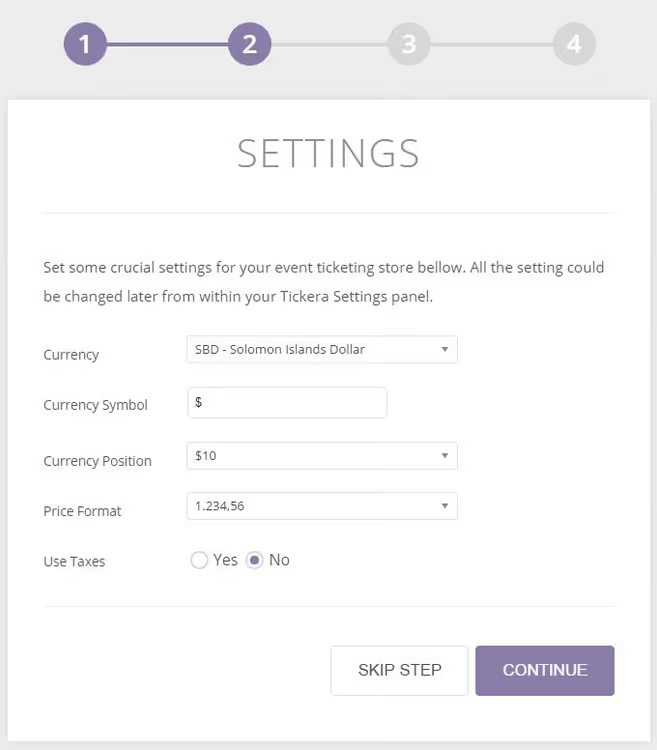
The first meaningful choice is the operating mode: standalone Tickera or integration with WooCommerce. The second option requires the free Bridge for WooCommerce addon (included in Bundle and Lifetime). In return, you get access to all payment methods in the WooCommerce ecosystem: over 500 gateways. If your store already runs on WooCommerce and sells physical goods, tickets fit organically into the same cart.
Creating events and ticket types
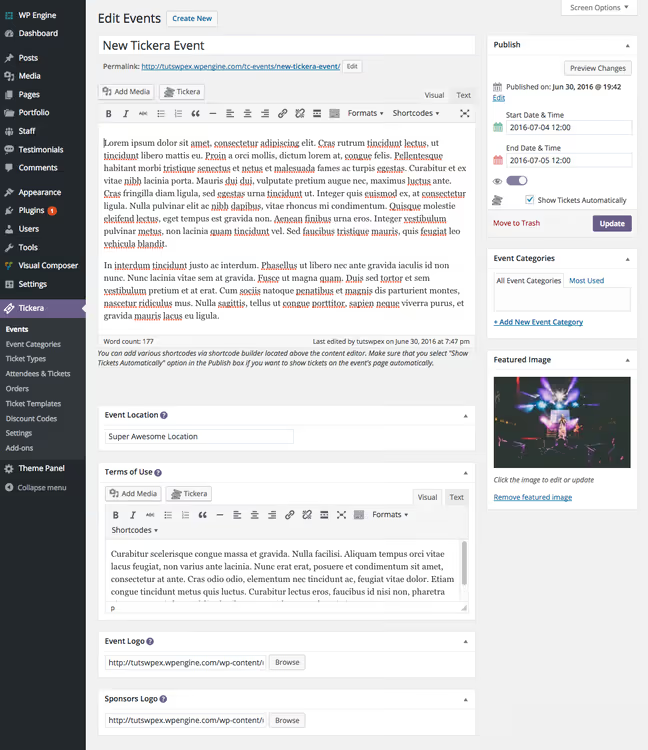
Events are created through the familiar WordPress interface: Events → Add New. Information is grouped logically: date and time, venue, description, category. Nothing superfluous; the interface isn't cluttered with fields you'll fill in once and forget.
After saving the event, the plugin immediately prompts you to add ticket types. For each one, you configure: price, number of available seats, sales end date, minimum and maximum order. You can create VIP, early bird, group, and complimentary tickets with no limit on the number of types.
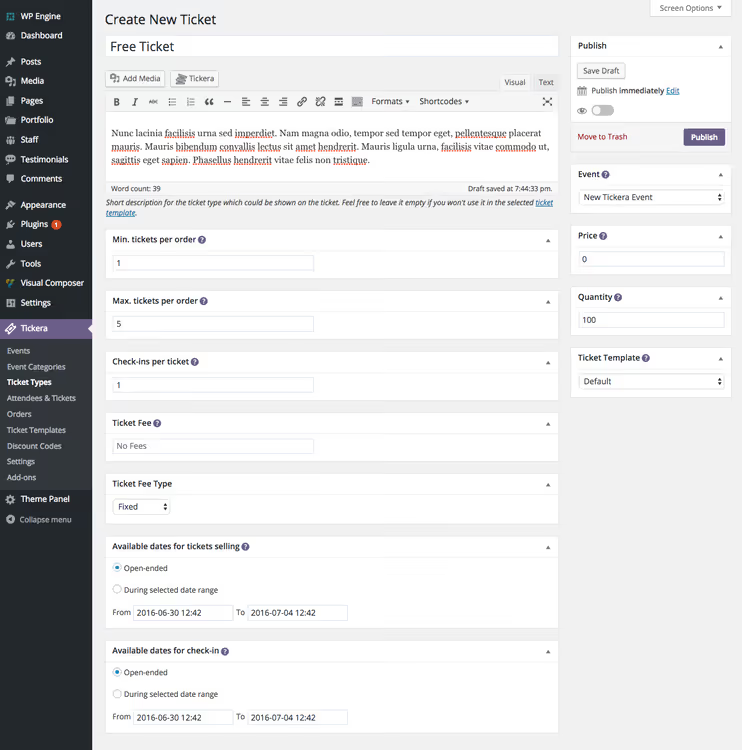
You can have as many events as you want, and each can have any number of ticket types attached. Season passes and recurring events are also supported.
Shortcodes and embedding on pages
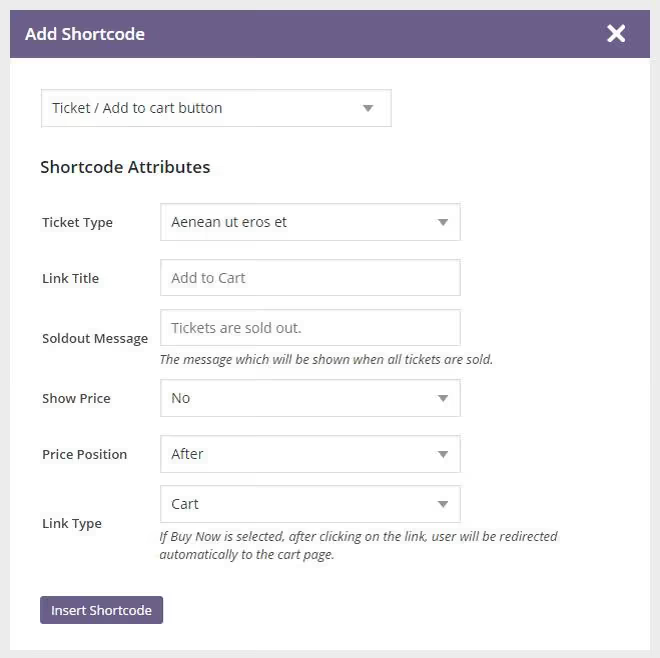
Tickera doesn't force you to build landing pages manually. The built-in shortcode builder assembles a ready snippet based on selected options: event, display type, columns, button style. Copy one line and paste it into any post or page.
But even without a shortcode, the event page automatically displays attached tickets with prices and a purchase button; this behavior is enabled by default. The plugin inherits the active WordPress theme's styles, so the visual remains cohesive without additional customization.
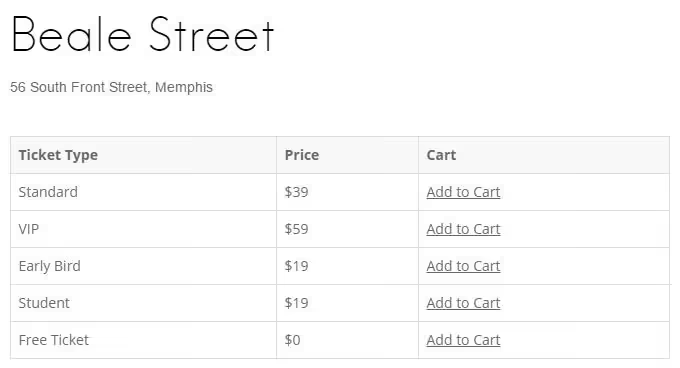
Tickera works with virtually any well-coded WordPress theme. Style conflicts are rare in practice; the plugin picks up your site's typography and color scheme.
Payment gateways: 19 out of the box, 500+ via WooCommerce
Basic Tickera comes with 19 built-in payment gateways: Stripe, PayPal Standard and Pro, Authorize.net, Braintree, 2Checkout, PayU, Mollie, and others. The buyer pays directly to your account in the chosen gateway; Tickera doesn't participate in the money movement.
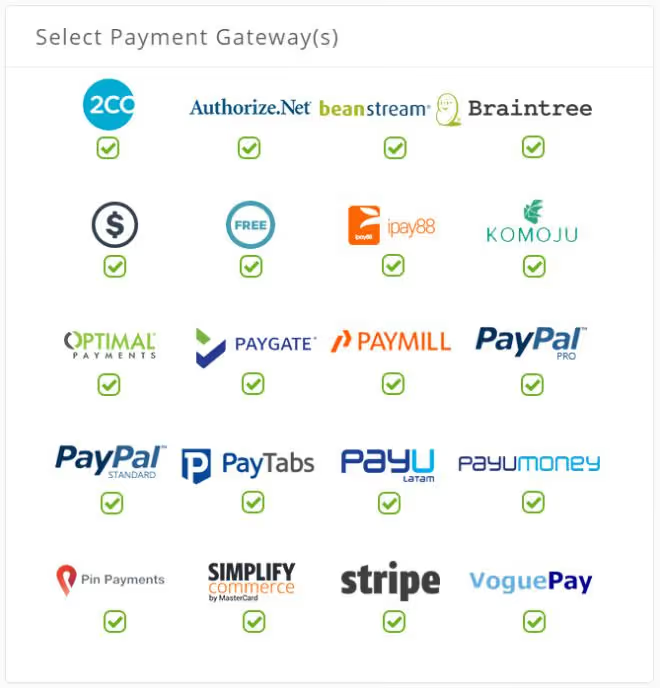
This set is sufficient for most markets. But if your needed gateway isn't among the 19 built-in options, you connect Bridge for WooCommerce and gain access to any of more than 500 payment methods: from Klarna to Square. Taxes, coupons, and discounts are configured natively.
Custom registration forms
The Custom Forms addon (included in Bundle and Lifetime) provides a field builder for the checkout form. Toggles, checkboxes, text fields, dropdowns: everything can be dragged into the desired order.
For a conference, you collect job title and company. For a gala dinner, dietary preferences. For a sports event, t-shirt size. Data is attached to the ticket and exported via CSV Export along with general order statistics.
Ticket scanning at the door: offline and without surprises
When tickets are sold, the work at the entrance begins. Tickera has three verification tools.
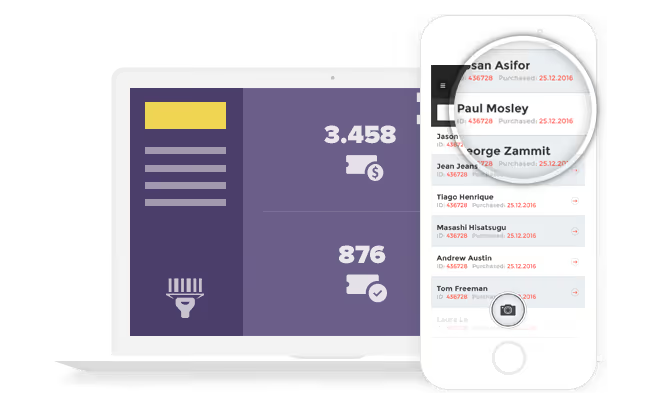
The free Checkinera app for iOS and Android works offline: on first internet connection it downloads the guest list, then scans QR codes autonomously. When connectivity is restored, it syncs check-ins with the server. Simultaneous scanning from multiple devices is supported; at a large event, you can station three people at different entrances, and the guest database will update in real time.
The web version of Checkinera runs in any modern browser and requires no installation. The third option is hardware barcode scanners via the Barcode Reader addon, which places QR and barcodes on tickets.
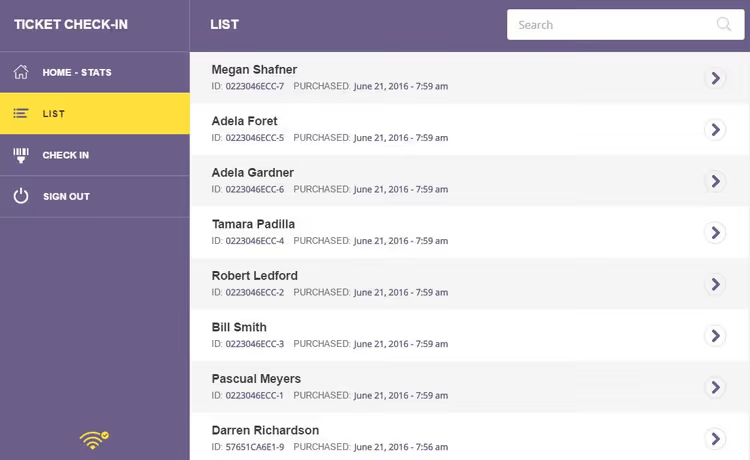
Offline mode is critically important: not every event takes place in an area with reliable Wi-Fi. In practice (tested at basement concerts and festivals in fields), scanning works without internet reliably. On the Lifetime plan, you get the source code for both mobile apps and can rebuild them under your own brand.
25 addons included

On Bundle and Lifetime plans, all 25 addons are included in the license cost. Key ones, in addition to those already mentioned:
- Seating Charts: a visual hall layout builder with drag-and-drop rows and sections. The buyer selects a specific seat on an interactive map. For theaters, stadiums, and gala dinners.
- CSV Export: export of visitors, orders, and custom form data with a customizable field set.
- Bulk Discount Codes: mass generation of promo codes for group and corporate sales.
- Stripe Connect: split payouts to organizers on multisite or marketplace installations.
- Serial Ticket Codes: sequential ticket numbering with customizable prefix and suffix.
- Event Calendar: a styled calendar of upcoming events on your site.
- Role Based Prices: different prices for different WordPress user roles.
- Speakers: a separate post type for conference speakers with event association.
The remaining addons cover integrations: Mailchimp, Twilio SMS, Slack notifications, AffiliateWP, Pushover, Mollie, Customer.io, Sendloop, Terms & Conditions, Custom Ticket Template Fonts, Check-in Notifications, reCAPTCHA, Events Listing, and several others. The full list is on the Tickera addons page.
Pricing: the math against Eventbrite
Tickera offers three plans, all with zero sales commission:
Plan | Price | What's included |
|---|---|---|
Standard | $149/year (renewal $99/year) | Base plugin, 19 gateways, unlimited events and tickets, Checkinera apps, 1 year of updates |
Bundle | $199/year (renewal $149/year) | Everything from Standard + 25 addons (Seating Charts, WooCommerce Bridge, Custom Forms, Stripe Connect, and others) |
Lifetime | $399 one-time | Everything from Bundle + lifetime updates and support + iOS/Android app source code + all future addons |
Compare with Eventbrite over time (the calculator on the Tickera website shows detailed calculations). One event with 1000 guests at $25 tickets: Eventbrite takes $3,450 in fees. Tickera Lifetime costs $399 once, and by the second event the difference is $6,501 in your favor. You pay Stripe payment processing (approximately 2.9% + $0.30) either way; that's the acquiring bank's money, not the platform's.
Now see how Tickera looks in action:
⁉️🤔 Frequently asked questions
Does Tickera work with my WordPress theme?
Yes, with most themes. The plugin inherits the active theme's styles: typography, colors, buttons. The developers test compatibility with each release. If the theme is built to WordPress standards, there won't be conflicts. For non-standard themes, there's an integration guide in the documentation.
What about offline scanning? How reliable is it?
Checkinera downloads the complete guest list with ticket types on first internet connection. After that, scanning works completely autonomously. When connectivity is restored, check-ins sync with the server. In practice, this has been tested at basement concerts and festivals in fields where there's no signal at all.
Can I sell tickets in WooCommerce without a separate installation?
Yes, through the free Bridge for WooCommerce addon (included in Bundle and Lifetime). Tickets become WooCommerce products with all that entails: discounts, coupons, taxes, any WooCommerce theme. Tickera handles PDF ticket delivery and scanning at the entrance.
How does the Lifetime plan differ from buying Bundle for two years?
The mobile app source code and access to all future addons at no extra charge. If you run events for more than two years, Lifetime is mathematically the only right choice: $399 once versus $199 + $149 + $149 +… indefinitely (check the pricing table). Plus, having the check-in app source code gives you complete freedom to customize under your brand.
Which payment gateways are available in Russia and CIS?
Out of the box: Stripe (if available in your jurisdiction), PayPal, 2Checkout, PayU. Through WooCommerce Bridge, you unlock Yandex.Kassa, CloudPayments, ROBOKASSA, and dozens of local gateways with ready-made WooCommerce modules. The exact list depends on the country; check the WooCommerce gateway catalog for your region.
Is Tickera worth it in 2026

The answer depends on how many events you run per year and how tired you are of feeding middleman platforms. If you have two or three events a year with 50-100 people each, Standard at $149 for the first year (current prices on the website) pays for itself by the second event purely through zero commission.
If events are regular and ticket volume is high, Bundle or Lifetime pay off even faster. The key argument isn't the license price but the ownership architecture: visitor data sits on your server, money doesn't pass through third hands, and white labeling on Lifetime gives you complete control over branding.
Tickera isn't for everyone. If you need a marketplace with a built-in audience, Eventbrite or TicketTailor might be better suited. But if the audience is already yours and you want to keep every dollar from sales, there are virtually no alternatives with the same depth of functionality on WordPress today.

A professional team of writers and editors specializing in creating quality content.