














🔍 10 best WordPress directory plugins 2026 (free and Pro)
A WordPress directory that lags and returns irrelevant search results frustrates users more than having no directory at all. A good directory plugin provides fast search, category filters and a map, without overloading the server.
We've collected 10 tools that actually work: from lightweight glossaries to full-featured business directories with GEO location and paid listings. Each has been tested for compatibility with modern themes and doesn't crash under load.
💡 Quick overview:
- Decide on the directory type: business directory, glossary, employee directory or link catalog, each task needs its own plugin.
- Compare prices and monetization models: some plugins are free, others charge for Pro (details in the table), and others earn from paid listings.
- Choose a plugin with a map, search and filters: without these three features a directory is useless to visitors.
Comparison table
Plugin | Directory type | Free version | Pro price | Map | Paid listings |
|---|---|---|---|---|---|
| Business directory | Yes | $49/year | Yes (Google) | Yes |
| Business + classifieds | Yes | $119/year | Yes (Google + OSM) | Yes |
| Glossary / name-based | Yes | Free | No | No |
| Link catalog | Yes | $28/year | No | Yes |
| AD integration | Yes | $569/year | No | No |
| Business directory | Yes | $199/year | Yes (Google + OSM) | Yes |
| Business + classifieds | Yes | Free | Yes | Yes |
| Employee directory | Yes | $49/year | No | No |
| Member directory | Yes | Free | No | No |
| Business + classifieds | Yes | $54/year | Yes | Yes |
1. Business Directory Plugin
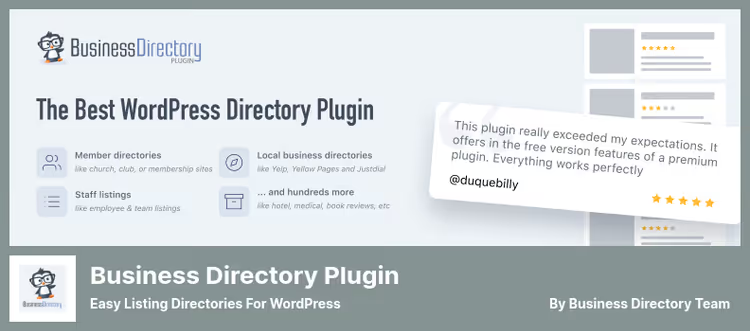
The oldest and most battle-tested business directory plugin in the WordPress repository. Launches without a single line of code: install it, choose a template, add fields, and the directory is ready. Suitable for Yelp clones, real estate catalogs, service boards and medical directories.
The free version already includes search, categories and a Google map. The paid upgrade adds payments for listings, image fields and WooCommerce integration.
Pros:
- Start without a developer: drag-and-drop field builder works out of the box
- WooCommerce integration for accepting listing placement payments
- Active community and documentation since 2012
Cons:
- No built-in GEO binding, only Google Maps through an address field
- Basic version doesn't support paid subscriptions, only one-time payments
Price: free Lite + Pro from $49/year.
🔗 Business Directory Plugin on WordPress.org🔗 Official site
2. Directorist

Directorist has grown from a niche plugin into a full-featured platform for any listing site. Under the hood: 16 Gutenberg blocks, 25+ Elementor widgets, drag-and-drop form builder and CSV import. Handles millions of listings without search degradation.
The plugin's feature is dual mapping: Google Maps and OpenStreetMap work simultaneously. Users switch between layers, and admins choose the provider by region.
Pros:
- Compatible with Avada, Divi, Astra and OceanWP, doesn't conflict with themes
- Frontend dashboard: users manage listings without entering the admin panel
- Built-in review and rating system
Cons:
- 25+ Elementor widgets overload the interface if the site isn't on Elementor
- Free version is limited to one listing type
Price: free Lite + Pro from $119/year.
🔗 Directorist on WordPress.org🔗 Directorist site
3. Name Directory

A narrow but useful tool: builds a glossary or name directory with alphabetical navigation and search. Works on the encyclopedia principle, you add a term and description, and the plugin automatically builds an A-Z index.
The developer made it for a site about pet parrots, but the plugin caught on in educational portals, wiki projects and corporate knowledge bases. Supports Relevanssi for advanced search and Members plugin for access rights.
Pros:
- Multiple independent directories on one site
- Compatible with Relevanssi, glossary terms are found in general search
- Configure starting letter when inserting by shortcode
Cons:
- No media fields: only text and links
- Admin interface is minimalist, without visual editor
Price: completely free.
🔗 Name Directory on WordPress.org
4. Simple Link Directory
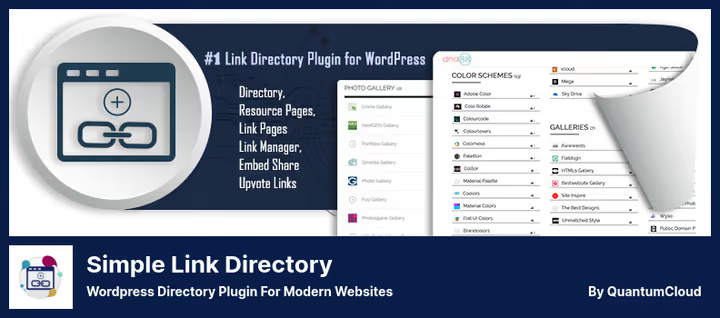
A tool for curating links: collect a collection of URLs by categories, the plugin delivers a searchable catalog with ratings and voting. Suitable for resource pages, SaaS product catalogs, intranet libraries and affiliate directories.
The Pro version adds paid listings and embed widgets. Other sites embed your catalog via iframe, and you get backlinks from each embed placement.
Pros:
- Embed catalog on other sites with backlinks, a rare feature
- Paid listings with auto-approval: earnings on autopilot
- HTML, CSS and XML links in one catalog
Cons:
- No map, not suitable for GEO directories
- Backend interface is overloaded with icons and tabs
Price: free Lite + Pro from $28/year.
🔗 Simple Link Directory on WordPress.org🔗 Developer site
5. Next Active Directory Integration
This is not a catalog in the usual sense, this is a bridge between WordPress and Microsoft Active Directory. Authenticates users through AD, syncs profiles and security groups, automatically creates accounts on login.
Works in Multisite installations and supports WP-CLI for batch synchronization. Syncs profile photo from AD to WordPress without third-party modules. For large organizations with a single AD forest, this is the only tool.
Pros:
- Support for multiple AD servers and forests
- WP-CLI commands for automating synchronization
- Protection from brute-force attacks through AD policies
Cons:
- Narrow niche: useless without Microsoft AD infrastructure
- Pro version is more expensive than competitors in the SSO segment
Price: free Lite + Pro from $569/year.
🔗 Next Active Directory Integration on WordPress.org🔗 NADI site
6. GeoDirectory

GeoDirectory is designed for GEO binding from the first line of code. Unlike universal directory plugins, here the map and geolocation are not an addition but the core. Supports Google Maps and OpenStreetMap, radius search and Nearby widgets for "near me."
The plugin handles large-scale projects: city business directories, real estate catalogs with geo-binding, tourist guides. Built-in rating and comment system complements the object card.
Pros:
- Geo-search by radius and Nearby recommendations out of the box
- Google Maps + OpenStreetMap without additional addons
- Own addon ecosystem: events, payments, bookings
Cons:
- Free version doesn't include payments for listings
- For non-GEO directories the map functionality is excessive
Price: free Core + addons from $199/year.
🔗 GeoDirectory on WordPress.org🔗 Official site
7. HivePress

A multi-functional plugin that covers three scenarios at once: business directory, classifieds board and classifieds portal. Built on shortcodes: insert [hivepress_listings] on any page and get a ready-made catalog with filters.
Comes bundled with the free ListingHive theme, which simplifies the start. Extensions are added in a couple of clicks directly from the admin panel: favorites, messages between users, paid listings, geolocation.
Pros:
- Free ListingHive theme included, site ready in an hour
- Private messaging system between users
- Geolocation with distance filter
Cons:
- Fewer third-party themes are compatible compared to Directorist
- Customizing forms requires knowledge of the HivePress API
Price: free (core + basic theme).
8. Employee Directory

Flexible employee directory: clean card with photo, contacts and bio on a separate page for each person. Supports vCard export through the official addon, colleagues add each other to the phone address book with one click.
Works for small teams and enterprise intranets. For large organizations there's Active Directory integration through the Professional version and attribute synchronization.
Pros:
- Clean employee card interface without extra fields
- vCard export for quick addition to phone book
- Search and filter by departments and positions
Cons:
- No office map, only text information
- vCard and AD integration require separate paid addons
Price: free Core + Professional from $49/year.
🔗 Employee Directory on WordPress.org
9. Member Directory

A lightweight plugin for creating an organization member directory. Builds a list of people with positions, locations and a contact form. Message sending goes to everyone who holds the selected position, convenient for departments and committees.
The "PTA Manager" role allows delegating directory management without access to the WordPress admin panel. Supports drag-and-drop position sorting and geographic binding of members to locations.
Pros:
- Group contact form: email everyone in a position with one click
- "PTA Manager" role for delegating management
- Drag-and-drop position sorting in admin panel
Cons:
- No profile photo, only text and position
- Not updated since late 2024, may lag on security
Price: completely free.
🔗 Member Directory on WordPress.org
10. UListing

UListing from StylemixThemes is a classifieds and business directory builder with an advanced comparison system. Visitors select two listings and compare them by price, area, characteristics, like on a real estate marketplace.
The plugin is integrated with StylemixThemes themes but also works on third-party ones. Supports multiple user roles (Realtor, Agent, Buyer), social login and custom pricing plans for sellers.
Pros:
- Benchmark listing comparison: direct A/B comparison
- Flexible pricing plans: day, week, month, to choose from
- Social login through popular networks
Cons:
- Works best with StylemixThemes themes, on others there may be style conflicts
- Last update April 2025, development pace has slowed
Price: free Lite + Pro from $54/year.
🔗 UListing on WordPress.org🔗 StylemixThemes site
⁉️🤔 Frequently asked questions
How does a business directory differ from a classifieds plugin?
A business directory shows a permanent company/place profile, it stays up for years. Classifieds is a bulletin board: a product or service is published for a limited time and goes to the archive. Directorist and HivePress can do both. Business Directory Plugin leans more toward permanent listings.
Which plugin to choose for a Yelp clone?
Business Directory Pluginfor a quick MVP without code,Directoristfor a full-featured portal with ratings and paid placements. Both support Google Maps and categories. Directorist wins on form flexibility and number of Elementor widgets.
Is a map needed in a directory?
For business directories, absolutely: visitors search for "pharmacy nearby," not "pharmacy in general." GeoDirectory is designed specifically for this. For a glossary or employee directory a map isn't needed, get Name Directory or Employee Directory.
Can you earn from a directory site?
Yes, through paid listings and featured placements.
Simple Link Directory,DirectoristandGeoDirectoryaccept payments out of the box. Free HivePress and Member Directory don't monetize directly, only through third-party addons.
How to connect an employee directory to Active Directory?
Next Active Directory Integrationsyncs users and security groups between WordPress and AD forest. For employee profiles with photos and vCard,Employee Directory+ AD integration addon. Both plugins work in Multisite.
Which directory plugin to choose in 2026
If you're building a city business directory with a map and geo-search, GeoDirectory provides the best GEO functionality without extra fees. Need a universal platform with ratings and classifieds, Directorist covers the maximum scenarios on one core.
For a link catalog or resource page Simple Link Directory is the easiest entry. Employee directory on an intranet, Employee Directory looks and works more modern than morally outdated alternatives.
And when the company already has Microsoft AD deployed, get Next Active Directory Integration without looking: it saves dozens of hours of manual user synchronization.
Try the free version of your chosen plugin on a test subdomain. Check how search works on 500+ listings and whether the layout breaks on mobile. Half an hour of testing now will save weeks of rework later.

A professional team of writers and editors specializing in creating quality content.