













🚀 Ubuntu Web: what happened to the private Chrome OS alternative
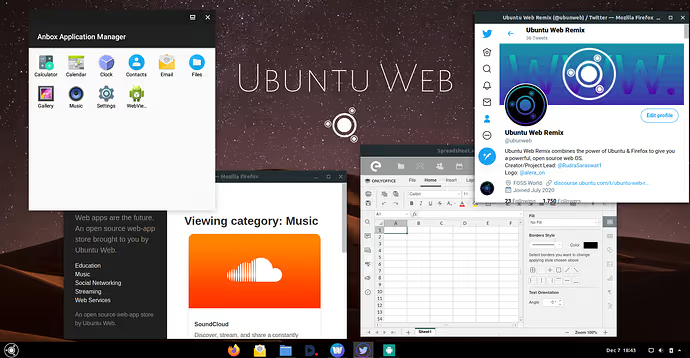
Ubuntu Web is an Ubuntu remix that aimed for something ambitious: replacing Chrome OS without sending your data to Google. Developed by the community, it promised a familiar web-focused desktop built on Firefox and featuring a full set of open-source services from the /e/ Foundation. Sounds like a privacy enthusiast's dream.
The problem is that the dream got stuck in 2021. The last release, Ubuntu Web 20.04.3 (October 2021), and the project website ubuntu-web.org no longer opens. Yet the concept of a web OS without Google hasn't gone anywhere: Chrome OS Flex from Google, privacy-respecting Linux distributions, and cloud services not running on advertising rails remain in demand.
Let's break down what made Ubuntu Web good, why it stalled, and what to use now if you want a desktop that respects your privacy.
💡 Quick overview:
- What Ubuntu Web is and why there was hype around it: Firefox instead of Chrome, /e/ instead of a Google account, Android apps out of the box.
- Installation and first launch: live mode, compatibility with older hardware, a critical manual update bug.
- Honest verdict: the project is dead but the idea lives on, what to install in 2026 instead.
What is Ubuntu Web
Ubuntu Web is an unofficial Ubuntu remix created by an enthusiast under the nickname rs2009. The project first appeared on Ubuntu Discourse in November 2020 and positioned itself as a privacy-focused replacement for Chrome OS / Chromium OS.
The main difference from standard Ubuntu: instead of Chrome or Chromium as the system browser, it used Firefox. The entire ecosystem was tied to services from /e/ Foundation, a nonprofit organization building a "de-Googled" alternative to the standard suite of Google apps. Users got:
- Cloud email on their own domain like
@e.emailthrough /e/ Mail; - Cloud storage via /e/ Drive with 1 GB free and plans up to 2 TB;
- Calendar, contacts, notes, and tasks, a full equivalent of Google Calendar + Keep + Contacts;
- Photo management with the ability to share albums.
The idea: turn on your computer, sign into your /e/ account, and immediately get a full web environment. No ties to Google, no sending data to advertising corporation servers.
Under the hood, Ubuntu 20.04 LTS with GNOME, the Adapta theme, and Papirus icons. The distribution used Wayland by default and supported Android apps through Anbox, and later WayDroid (a more performant container for Android on Linux).
How to install Ubuntu Web
Installing Ubuntu Web is virtually identical to installing regular Ubuntu. If you've ever installed Linux, the process will be familiar.
Download the ISO image. The distribution used to be available on ubuntu-web.org and the Dark Penguin mirror. The project site no longer works now, but images may remain on some mirrors. Important: the filename must contain the word livecd, as versions without it may not boot.
Write the image to a USB drive. Etcher, Rufus, or Ventoy will work. A bootable flash drive lets you either try the system in live mode or install it to a hard drive.
Boot from USB. At startup, select boot from the flash drive. The live session gives a fairly accurate impression of the system, but some features (especially Android apps through WayDroid) only work on a fully installed OS.
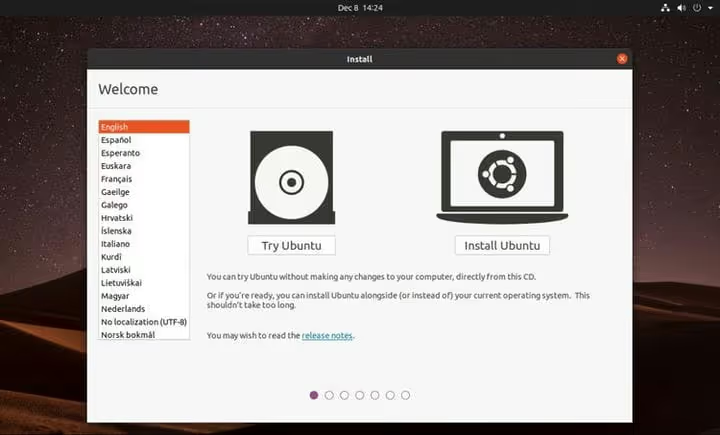
The interface intuitively resembles Chrome OS: a bottom panel with pinned web apps, a minimalist menu, few distracting elements. Only instead of Chrome, there's Firefox, and no information goes to Google's servers.
Select Install Ubuntu to begin installation. The installer will ask a few standard questions; default settings work in most cases.
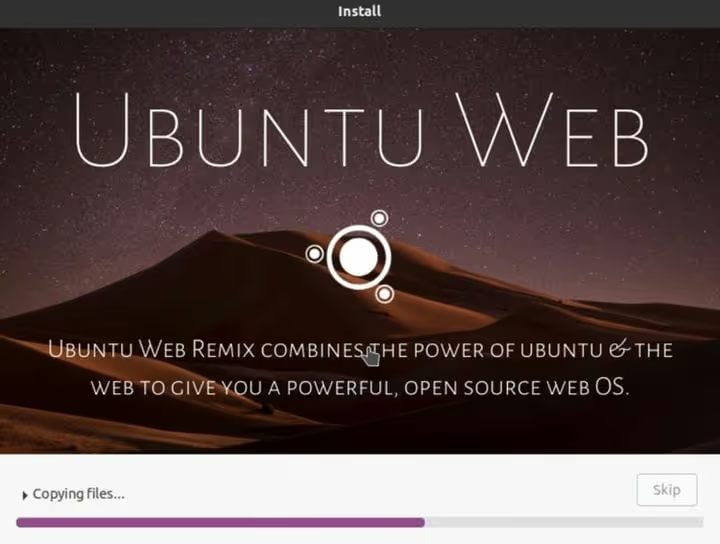
⚠️ The installation process will erase the contents of the hard drive. Make sure all necessary data is backed up separately before running the installer.
Connecting to /e/ cloud
After installation and reboot, you'll see an unusual sight: a second login screen, separate from the one you created during Ubuntu installation. This is the login for the /e/ Foundation ecosystem.
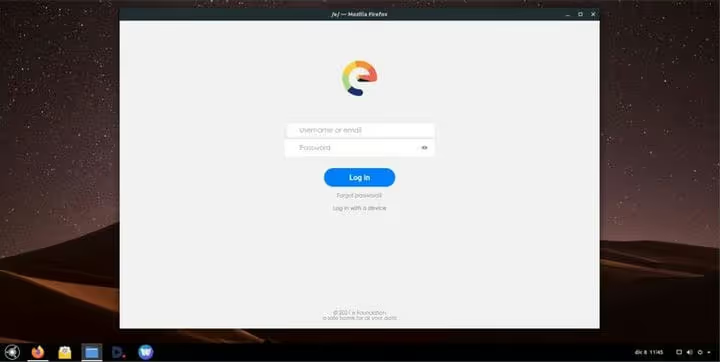
/e/ Foundation is a French nonprofit organization founded by Mandrake Linux creator Gaël Duval. Their flagship product, /e/OS, is a de-Googled firmware for smartphones. In Ubuntu Web, /e/ serves as the central cloud system: email, files, calendar, contacts, and tasks all sync through an /e/ account.
If you already have an /e/ account (for example, from a phone running /e/OS), use it. If not, registration takes about a minute and is free.
What you can do in Ubuntu Web
After signing into your /e/ account, the applications menu opens. The selection includes several local tools:
- Anbox, an environment for running Android apps (replaced by WayDroid in later builds);
- File manager, a classic local filesystem browser;
- Terminal, for experienced users wanting to customize the system.
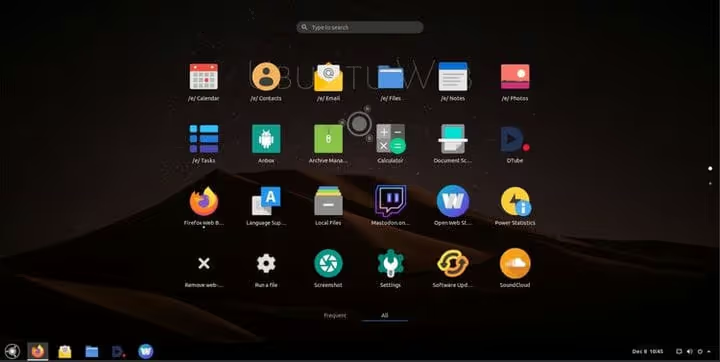
Key web applications are pinned to the bottom taskbar:
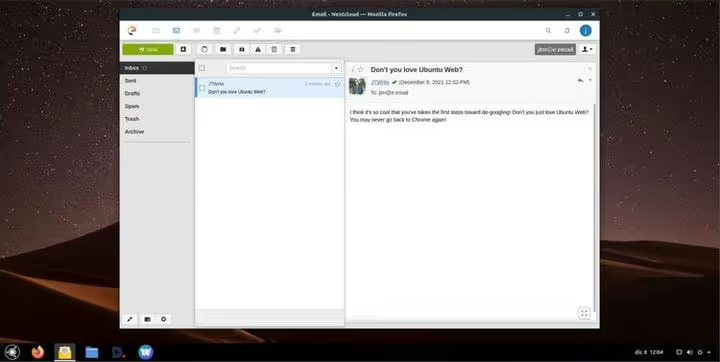
Email** /e/ Mail.** The interface resembles Outlook Web, with customizable layouts, colors, and folders. Upon registration, an address like your_name@e.email is automatically created. You can also use third-party email clients via IMAP.
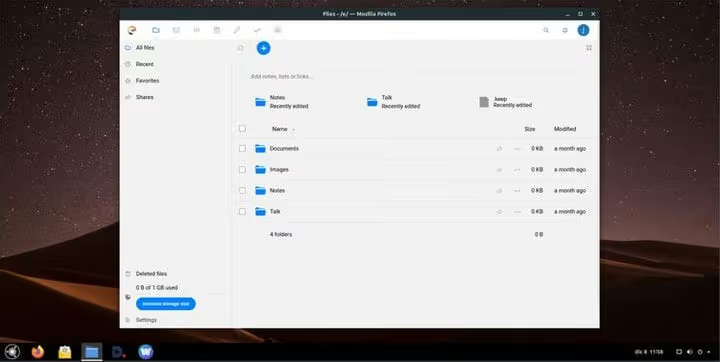
Files /e/ Drive. Similar to Google Drive with 1 GB of free space. Paid plans expand storage up to 2 TB. Files are accessible through the web interface and sync with other devices running /e/OS.
Calendar /e/ Calendar. A full-featured calendar with events, meetings, and reminders. It syncs via CalDAV, so you can connect third-party calendar clients (Thunderbird, GNOME Calendar).
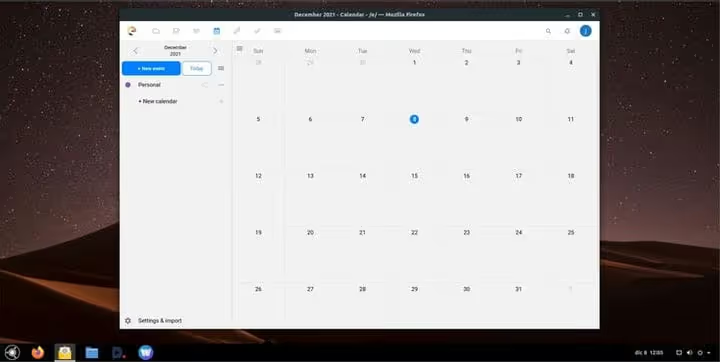
Besides these three applications, the /e/ ecosystem includes a web contact manager, notes, a task list, and photo management. The concept is clear: a complete set of everyday tools without any ties to Google.
Why the project stalled
Ubuntu Web showed promise but never matured into a finished product. Several factors contributed to this:
Unofficial status. The project was never part of the Ubuntu flavours family. One enthusiast developer without Canonical support meant there weren't enough resources for long-term maintenance.
Based on Ubuntu 20.04. Standard support for Ubuntu 20.04 LTS ended in April 2025. Even if the project had continued, migration to a newer LTS release would have been necessary, and that's a significant amount of work.
Critical manual update bug. During testing, it was discovered that running an update through the standard Software Updater application broke system boot without possibility of recovery. Ubuntu Web was designed for Chrome OS-style auto-updates: background package downloads with application on reboot. But the manual update bug undermined this mechanism: one wrong click, and the system required reinstallation.
WayDroid required real hardware. Android apps through WayDroid didn't work in virtual machines or live sessions. For users who wanted to test the distribution in VirtualBox first, this was a serious obstacle.
The ubuntu-web.org site no longer responds, and the last commits in the Ubuntu Web GitHub organization date to 2021-2022. The project is dead.
What to use in 2026 instead of Ubuntu Web
The idea of a privacy-oriented web OS hasn't gone anywhere. Here's what actually works now:

Option | Base | Privacy | For whom |
|---|---|---|---|
Chrome OS Flex | Gentoo (Google) | Partial (Google account) | Owners of older hardware, schools, businesses |
Peppermint OS | Debian/Devuan | Full (no vendor lock-in) | Fans of lightweight web-oriented DEs |
GalliumOS | Xubuntu LTS | Full | Chromebook owners (hardware-optimized) |
Endless OS | Debian | High (offline content) | Regions with poor internet, education |
/e/OS Desktop (in development) | Ubuntu? | Full | Direct Ubuntu Web replacement for /e/ fans |
Chrome OS Flex is Google's official solution for turning old PCs and Macs into Chromebook-like devices. Fast boot, auto-updates, Google Assistant support. But it requires a Google account, which is a compromise for hardcore privacy users.
Peppermint OS is closest in spirit to Ubuntu Web: a lightweight, web-oriented distribution on Debian with minimal resource consumption. Not tied to anyone's ecosystem, you choose the browser, cloud services, and applications yourself.
GalliumOS was created specifically for Chromebooks: optimized for their hardware (touchpads, media keys, battery savings). If you have a Chromebook and want full Linux instead of Chrome OS, this was the best choice. However, the project has also slowed down, with the last stable release 3.1 based on Ubuntu 18.04. The community now recommends MrChromebox firmware plus a regular lightweight distribution (Peppermint, Lubuntu, MX Linux).
Endless OS is interesting for its offline capabilities: encyclopedia, educational materials, office suite, all preinstalled and working without internet. An immutable root filesystem (like Chrome OS) protects against breakage during updates.
/e/OS for desktop is still in development, but if you already use /e/ on your phone, it's the logical continuation. /e/ Foundation announced work on a desktop version of their OS that should deliver that same "web OS without Google" experience that Ubuntu Web promised.
⁉️🤔 Frequently asked questions
Can Ubuntu Web still be downloaded?
Images may exist on the Dark Penguin mirror, but the official ubuntu-web.org site doesn't work. Even if you find an ISO, installing Ubuntu 20.04 with expired standard support in 2026 is unsafe, as there are no more security updates.
Can Ubuntu Web be used on an old laptop?
Ubuntu Web was indeed well-suited for older hardware: GNOME in a stripped-down variant, minimal background processes, fast boot. For this same task now, you're better off with Peppermint OS, Lubuntu, or Chrome OS Flex, which are current and receive security updates.
How is /e/ Foundation different from Google?
/e/ Foundation is a nonprofit organization that builds services without an advertising-based monetization model. Their revenue comes from paid cloud storage plans, not selling user data. Technically, /e/ services are forks of proven open-source projects: email based on Postfix/Dovecot, cloud based on Nextcloud.
What about Android app support in alternatives?
Waydroid is the main tool for running Android apps on Linux in 2026. It works on most distributions with a kernel built with binder and ashmem support. Installation:
sudo apt install waydroid. It doesn't work on virtual machines and requires disabling Secure Boot on some systems.
Is it worth trying Ubuntu Web in 2026?
As a daily system, no. As a historical experiment or nostalgic tour through the world of Linux remixes, sure. But for real work, choose actively developed distributions from the table above.
What to install if you want "like Chrome OS, but without Google"
The concept that Ubuntu Web promoted is alive and well in 2026. It has simply spread across several projects, each doing its part better than one enthusiast could manage.
Want a ready-to-use "turn on and work" solution with auto-updates? Install Chrome OS Flex. Willing to configure the system yourself for full privacy? Peppermint OS awaits. If you have a Chromebook you want to free from Google, MrChromebox firmware plus Lubuntu or MX Linux will give your hardware a second life.
Ubuntu Web showed the direction. Other projects paved the road. Try Peppermint OS or wait for the desktop version of /e/OS, and you'll get that same experience, just without the fear that one update will kill the system.

A professional team of writers and editors specializing in creating quality content.