













⚡ Emmet trainer from epixx.github.io: learn speed coding in an hour
Half an hour to lay out a simple email. Ten minutes for a five-row table. An hour for a landing page with repeating cards. And that's without revisions, just typing tags, not missing a closing one, not messing up the nesting.
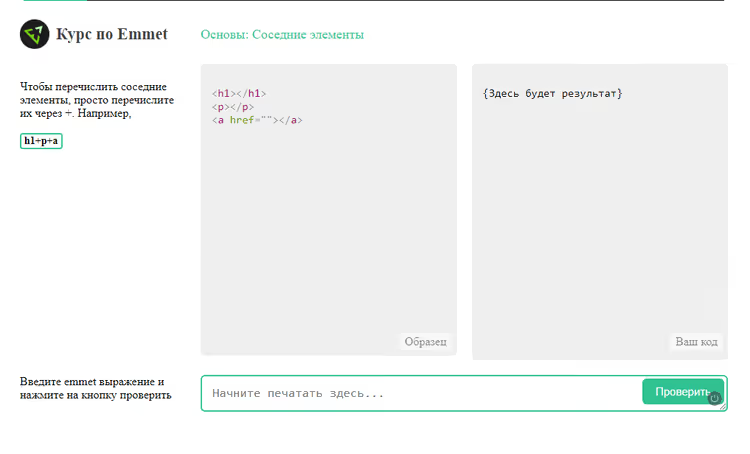
Sound familiar? Routine kills speed, and your eyes glaze over after the thirtieth <tr><td>...</td></tr>. You want to write one line, press a button, and get a ready DOM.
Emmet does exactly that. The plugin expands short CSS-like expressions into clean HTML in a fraction of a second. And the epixx.github.io team has packaged the syntax into an interactive trainer with live validation that takes an hour to complete and requires no installation.
💡 Quick overview:
- What Emmet is, where it came from, and why it's built into VS Code by default
- Step-by-step walkthrough of the Epixx trainer: how assignments and the built-in course work
- Key syntax operators with a real example: a three-row table from a single abbreviation
- Resources for going deeper: documentation, screencasts, and a cheat sheet
What Emmet is and why it's still in the game
Emmet is a code editor plugin that transforms abbreviations into full HTML or CSS. You type ul>li*5>a, press Tab, and get a bulleted list of five elements with links. No copy-paste, no manually writing each tag.
The project started in 2008 as Zen Coding (author: Sergey Chikuyonok), was later renamed to Emmet, and has become the standard for fast markup today. Since 2022, the plugin has been built into VS Code out of the box: you open the editor and start working immediately, no installation needed. It's also available for Sublime Text, WebStorm, PHPStorm, and other editors through the marketplace on the Emmet website.
The main advantage over classic snippets is dynamic expansion. A snippet is hardcoded and doesn't change on the fly. An Emmet expression can be extended, restructured, or wrapped around existing code. The abbreviation table>tr*3>td>img+p+a will yield different results when you change the multiplier *3 to *5 or add a class .footer-row, all in one line without redefining templates.
Emmet can also:
- quickly jump between nodes (Go to Edit Point);
- wrap selected code with a new tag (Wrap with Abbreviation);
- balance selection, expanding or narrowing it to the parent or child tag;
- generate "Lorem Ipsum" of any length;
- increment numbers in repeating elements using
$.
The Epixx trainer: practice instead of lectures
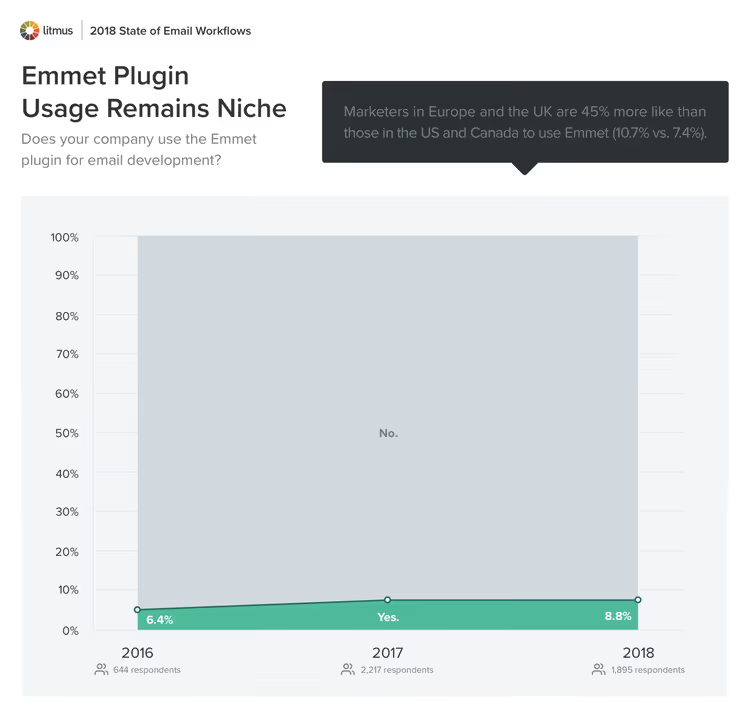
The Epixx trainer is a web course that takes you from zero to confident mastery of the syntax. No installation: you open the page in a browser and start the assignments immediately.
The mechanics are simple. On the left, you see theory and a sample result. On the right, there's an input field for an Emmet expression. You write the abbreviation, click "Check," and see the generated HTML. If it matches the sample, you move to the next assignment. If not, you try again until you get it right.
The course is divided into logical blocks:
- basic elements and nesting;
- multiplication and numbering operators;
- classes, IDs, and attributes;
- text nodes and "Lorem Ipsum";
- climbing up a level (
^) and grouping.
Each assignment provides exactly as much theory as needed to complete it. This isn't a lecture; it's a gym: you read the minimum, you write the maximum. Mistakes aren't punished; you simply enter a new expression and immediately see what changed.
While using the trainer, keep an editor with Emmet support (VS Code, Sublime) open and repeat the techniques on a real HTML file. Muscle memory kicks in faster when your fingers memorize the abbreviations, not just your eyes.
Emmet syntax: from simple to complex
Let's break down the key operators with a specific task. You need a table with three rows, each cell containing an image, a paragraph, and a link.
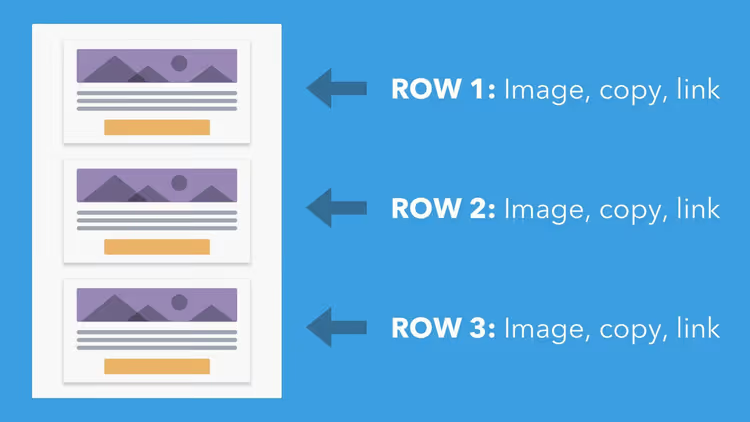
Instead of manually typing each tag and copying rows three times, you write one line:
1 table>tr*3>td>img+p+a
After pressing Tab (or Ctrl+E, depending on your editor), Emmet expands it into a ready structure:
1 <table> 2 <tr> 3 <td> 4 <img src="" alt="" /> 5 <p></p> 6 <a href=""></a> 7 </td> 8 </tr> 9 <tr> 10 <td> 11 <img src="" alt="" /> 12 <p></p> 13 <a href=""></a> 14 </td> 15 </tr> 16 <tr> 17 <td> 18 <img src="" alt="" /> 19 <p></p> 20 <a href=""></a> 21 </td> 22 </tr> 23 </table>
Now for the operators:
>is a child element.table>trmeans "trinsidetable."*Nis multiplication.tr*3gives three rows.+is a sibling element at the same level.img+p+acreates three elements in a row inside one parent.^climbs up a level. It helps when you need to jump out of deep nesting without a new expression.$is auto-increment.li.item$*3gives<li class="item1">and so on up to item3.
For attributes, use square brackets. A table with cellpadding and cellspacing is written like this:
1 table[cellpadding=0 cellspacing=0]>tr*3>td
A text node uses curly braces: a{Click here} expands to <a href="">Click here</a>. For quick placeholder text generation, the word lorem is enough, and Emmet outputs a filler paragraph. lorem10 gives exactly 10 words.
Many developers use Emmet not only for initial markup but also for wrapping existing code: select a block, run the Wrap with Abbreviation command, enter a wrapper tag. Done, without manually dragging the closing tag.
Where to learn more: trusted resources
After completing the Epixx trainer, you should solidify the skill on real tasks and learn techniques from experienced developers. Here's a collection of materials, from official documentation to screencasts.
- Official Emmet documentation: the complete reference for syntax, actions, and configuration. Start here when you need a precise answer about a specific operator or filter.
- CSS-Tricks screencast: "Emmet is Awesome": a short video with real-time techniques from one of the most authoritative resources in the front-end community.
- Smashing Magazine: Goodbye Zen Coding, Hello Emmet: a historical article about the transition from Zen Coding to Emmet. Useful for understanding the tool's philosophy.
- Atomic Object: Easy HTML with Emmet: a practical introduction with a focus on everyday use rather than a syntax reference.
And for a quick syntax refresher before work, keep the Emmet cheat sheet handy: all operators on one screen.
Video: Emmet in 15 minutes
If text format isn't your thing, watch the screencast from Web Dev Simplified. Kyle demonstrates the workflow with real examples: from simple tags to complex nesting with classes and text nodes.
⁉️🤔 Frequently asked questions
Do I need to install Emmet separately?
Not in VS Code. Since 2022, Emmet has been included in the editor's standard distribution and works right after launch. For Sublime Text, WebStorm, PHPStorm, and other editors, install the plugin from the marketplace, the "Download" tab on the official website. VS Code uses Emmet 2.0 syntax, which is slightly stricter about spaces in expressions. If an abbreviation doesn't expand, make sure the file is saved as HTML, not plaintext.
Can I use Emmet for CSS?
Yes. Abbreviations like
m20expand tomargin: 20px;, andbdrs5expands toborder-radius: 5px;. Emmet also generates vendor prefixes (-webkit-,-moz-) and gradients. The complete list of abbreviations is in the "CSS Abbreviations" section of the official documentation.
How is Emmet different from regular snippets?
A snippet is a rigid template: what you coded is what you get. An Emmet expression is dynamic: you change the multiplier, add a class, wrap it with another tag, and the result rebuilds on the fly. A snippet for
table>tr*3>tdwon't give youtable>tr*7>tdwithout creating a new template, but Emmet will by instantly changing one digit.
Why use the Epixx trainer if there's documentation?
Documentation explains "what," while the trainer practices "how." After completing the course, your fingers automatically type
ul>li.item$*5>a{Item $}without reaching for the mouse. The difference is like that between a driving manual and hours behind the wheel: theory is useful, but only practice builds skill.
Does Emmet work with JSX and templates?
Yes. VS Code supports Emmet in JSX files; enable the
emmet.includeLanguagesoption and mapjavascriptreacttohtml. Similar settings exist for Vue and Angular. Classes with dots and IDs with hash signs work as usual.
Are there alternatives to Emmet in 2026?
There are no direct alternatives with the same "short string to ready structure" approach. AI tools like Copilot and ChatGPT generate code from descriptions but require formulating a prompt and verifying the result. Emmet is faster for routine markup: four keystrokes, and you have a ready structure of ten nested tags with classes and attributes. These tools don't compete; they complement each other.
Learn in an hour, pay off in a week
Emmet doesn't require deep study. Completing the Epixx trainer in full takes from thirty minutes to an hour. Put the cheat sheet on your second monitor and try every expression in a real project. In a couple of days, you'll stop noticing that you're using Emmet; it will become an extension of your keyboard.
If you're building HTML emails, landing pages, or interface components, an hour of learning will pay off by the end of the first week. And the Epixx trainer will make that hour as packed as possible. Open epixx.github.io/emmet and try the first assignment right now: no installation needed, results visible immediately.

A professional team of writers and editors specializing in creating quality content.