













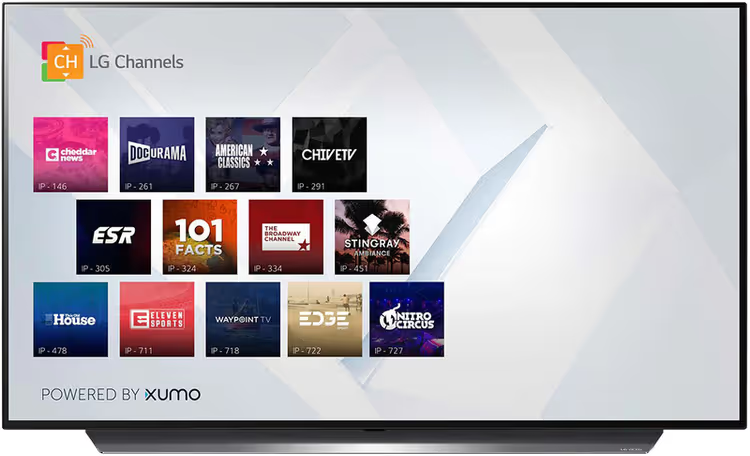
📺 What is SMART TV and how to choose a TV in 2026
Bought a TV five years ago, and it already can't handle new apps? Familiar story. The interface lags, half the services aren't supported, and the remote with the "Smart Hub" button has been gathering dust. Even though the screen itself is still fine.
SMART TV technology has made a huge leap forward in the last couple of years. Voice control, cloud gaming, a unified smart home hub, all of this is already reality, not a trade-show concept. And no, you don't have to sell a kidney to get access to it.
Let's break down what modern smart TVs can do, which display technologies are relevant in 2026, and how to pick a model that won't become obsolete in two years.
💡 Quick overview:
- A SMART TV is a TV with a built-in OS: streaming, apps, and browser run directly on the screen, no external boxes needed.
- Evaluate the key features: streaming services, cloud gaming, voice assistants, and smart home control.
- Narrow your choice down to three parameters: screen size, panel type, and operating system. We'll go through each in detail.
What a SMART TV is and how it works
A SMART TV is a television with a built-in processor, RAM, and its own operating system. Essentially, a computer inside a TV casing, purpose-built for content consumption.
Unlike a regular TV that needs an external box (Apple TV, Chromecast, Android TV Box) to get online, a smart model connects to Wi-Fi or a cable directly. You turn it on, enter the network password, and a minute later you're scrolling through YouTube.
Modern platforms, Tizen (Samsung), webOS (LG), Google TV (Sony, TCL, Hisense), Fire TV (Amazon), Roku TV, are full-fledged ecosystems with app stores, voice search, and smartphone integration. Each has its own pros and quirks, but more on that later.
What modern smart TVs can do
Streaming is the baseline. Netflix, YouTube, Disney+, Apple TV+, Prime Video, and local online cinemas work in 4K with HDR (Dolby Vision or HDR10+ where supported). A separate plus is the Continue Watching feature that syncs across devices: you start a movie on the TV, finish it on a tablet.
Gaming has moved beyond "Snake on a big screen." Cloud services like GeForce NOW and Xbox Cloud Gaming stream AAA titles directly to the TV, connect a gamepad via Bluetooth, and you're in cyberpunk. Samsung Gaming Hub and LG Game Optimizer add low latency (ALLM) and variable refresh rate (VRR) for console players with PlayStation 5 and Xbox Series X.
Voice assistants are built right into the remote or the TV's microphone. "Hey Alexa, play 'The Last of Us'" works without any hassle. You can also ask for the weather, set a timer, or turn off the living room lights if the bulbs are tied into the same ecosystem.
The smart home is gradually moving onto the TV screen. Samsung SmartThings and LG ThinQ display cameras, sensors, and smart plugs right on the quick-access panel. The TV becomes a hub that is always on and always in sight.
Display technologies: what's behind picture quality
There are dozens of marketing acronyms, but only four real technologies.
LED (with Direct Lit or Edge Lit backlight). The budget segment. A liquid crystal panel is backlit by LEDs from behind (Direct) or from the edges (Edge). The picture is decent in daylight, but black is more like dark gray. For a kitchen, kid's room, or summer house, it's ok. Example: Haier 43" Full HD Smart TV with Direct LED.
QLED (Quantum Dot LED). The same LED panel, but with a layer of quantum dots between the backlight and the screen. They convert blue light into pure red and green. The result: higher brightness (up to 2000 nits on flagships), richer colors, and no pixel burn-in. Samsung is the main proponent of QLED. A good choice for a bright living room where the sun shines half the day.
Mini-LED. An evolution of LED: the backlight LEDs are shrunk to 0.2 mm in size, with thousands of them instead of hundreds. Local dimming zones become more precise, blacks are deeper, and halos around bright objects are smaller. TCL, Hisense, and Sony are actively pushing Mini-LED as "almost OLED for less money."
OLED (Organic LED). Each pixel is its own backlight. When black is needed, the pixel simply turns off. Infinite contrast, perfect viewing angles, instant response time. LG is the king of OLED (C4, G4 panels), with Sony and Samsung (QD-OLED) catching up. The downside is the risk of burn-in from static elements (channel logos, HUDs in games), although the technology has seriously improved over five years. For movie buffs in a dark room, it's still the gold standard.
Resolution: 4K is the de facto standard for screen sizes of 43 inches and up. 8K exists on Samsung and LG flagships, but native 8K content is still scarce, just a couple of YouTube videos and demo reels in stores. Full HD remains in the 32-40 inch segment: kitchens, kid's rooms, offices.
How to choose a SMART TV for your needs
Three steps that will cut out 90 percent of the selection headache.
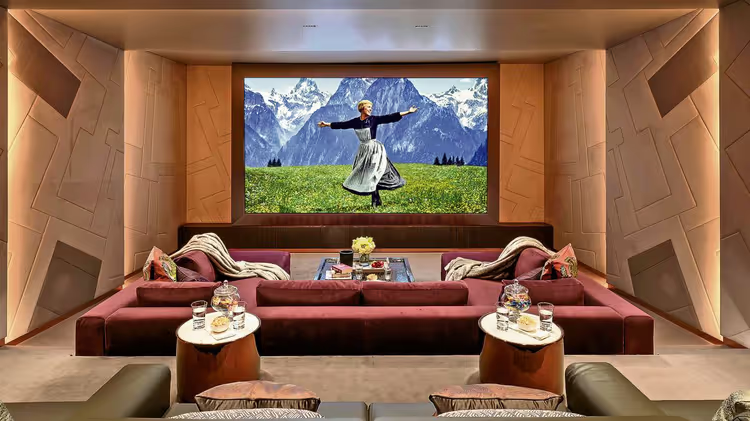
Step one: size. Screen size is matched to the distance from your eyes to the screen. For 4K, the formula is simple: divide the distance in centimeters by 2.5 to get the diagonal in centimeters, then convert to inches (by dividing by 2.54). If you sit two meters from the wall, your size is 55-65 inches. For a bedroom or kitchen, 32-43 inches is enough. For a home theater, 75 inches and above.
Step two: panel. If you mostly watch in the evening in semi-darkness, go for OLED. If the room is flooded with sunlight, QLED or Mini-LED (brightness will overpower reflections). For a gaming scenario (PS5 / Xbox Series X), look for HDMI 2.1, VRR, ALLM, and a 120 Hz refresh rate. On a budget under 400 dollars, a quality LED with Direct LED backlighting.
Step three: operating system. Here's where the devil is in the details. Tizen (Samsung) is fast and logical, but its app store is narrower than the competition. webOS (LG) has the convenient Magic Remote "pointer" and excellent compatibility with Apple devices (AirPlay 2). Google TV has the widest app library and Chromecast built in, but the interface is overloaded with recommendations. Fire TV is cheap and cheerful, but Amazon aggressively pushes its own content.
Even an affordable smart TV today comes with a 4K HDR panel, a technology that was the prerogative of flagships just five years ago. So the entry price threshold for a "good picture" has dropped significantly.
⁉️🤔 Frequent questions
How is a SMART TV different from a regular TV with a box?
A regular TV is just a display. To watch Netflix or YouTube, you need an external device: Apple TV, Chromecast, Android TV Box. A SMART TV does all of this on its own, with built-in Wi-Fi, a processor, and an app store inside the casing. No extra wires or remotes.
What about older TVs?
If you have a good screen without SMART, a box (Apple TV 4K or Google TV Streamer for 100-150 dollars) will solve the problem. But a smart TV's native interface is always faster and more stable than an external one, no need to juggle HDMI inputs and two remotes.
What is the lifespan of a modern SMART TV?
The panel lasts 7-10 years with an average load of 5-6 hours a day. The processor and apps become outdated faster; after 4-5 years, the interface starts to slow down, and some new services stop being supported. So a sensible strategy is: a mid-range segment (QLED / Mini-LED) with a margin on HDMI standards, replaced every 5-7 years.
Does OLED burn in over time?
Modern OLED panels (LG C4/G4, Samsung S95D) have several levels of protection: pixel shift, logo dimming for static elements, and automatic brightness reduction during prolonged idle periods. With mixed viewing (not the same news channel 24/7), burn-in is unnoticeable. RTINGS has been testing OLED in a CNN mode since 2018, and the results are encouraging.
Do I need 8K in 2026?
Practically, no. 8K TVs are available from Samsung, LG, and Sony in sizes of 65 inches and up, but native 8K movies are few and far between (a handful of documentaries on YouTube and Vimeo). Upscaling from 4K to 8K works great, but the difference compared to a good 4K screen is only noticeable when viewing from an arm's length away on a huge screen. Buying 8K only makes sense if your budget is truly unlimited and you want something "future-proof" for 5+ years.
Is it worth paying extra for Dolby Vision and Dolby Atmos?
If you watch a lot of movies on Netflix, Disney+, and Apple TV+, yes. Dolby Vision provides dynamic metadata (brightness and color are adjusted frame by frame, not with one setting for the whole movie), and the difference from standard HDR10 is visible to the naked eye. Dolby Atmos is spatial audio that actually works even on mid-range built-in speakers. For sports and news, it's not critical.
What to put in the living room: the final breakdown
For movie buffs, OLED 55-65 inches (LG C4 or Samsung S90D), a dark room, a soundbar with Dolby Atmos. For families with a bright living room, QLED or Mini-LED (Samsung Q80D, TCL C845), daytime viewing without reflections. For gamers, HDMI 2.1, VRR, ALLM, 120 Hz (LG C4, Samsung S90D, Sony X90L). The budget option, 43-50 inch LED with Google TV (TCL, Hisense), covers 80 percent of scenarios for reasonable money.
The main rule: don't skimp on screen size. "Better a 65-inch mid-range than a 55-inch flagship" is that case where size really does matter.
Before buying, open a table on your phone with the distance from the sofa to the wall, go to the store, and stand exactly at that distance in front of the screen. Everything else is just details.

A professional team of writers and editors specializing in creating quality content.