













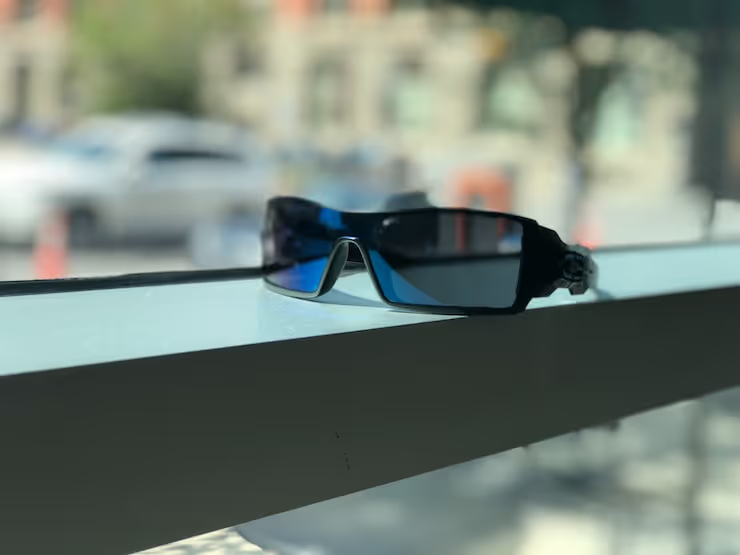
👓 Sunglasses for computer users: how to choose and not make a mistake
Eyes tired by lunchtime? By evening the image on the monitor blurs, and focusing takes a couple of extra seconds? You are not alone. According to a survey by the American Optometric Association, 58% of adults experience symptoms of digital eye strain when working at a screen for more than two hours straight. The cause is not only blue light, but also constant fixation of the gaze at a close distance without breaks.

Properly chosen sunglasses or computer glasses solve two problems at once: they block excess blue light and reduce glare from the monitor. But choosing a model is not just "the first tinted lenses you come across." You need to consider light transmission, frame shape for your face type, and the specific use scenario. Below, a complete breakdown: from the physics of blue light to specific VLT figures.
Watch a short overview of the best blue light blocking glasses:
💡 Quick overview:
- Assess your conditions: whether you work by a window, how many hours a day you spend at the screen, whether there is glare
- Determine your face type: a round face requires angular frames, a square face, rounded ones
- Choose light transmission: for sunglasses, aim for category 1-2 on the VLT scale, for computer glasses, maximally transparent lenses
- Check the anti-reflective coating: without it, even the right lenses produce ghosting from side light
- Buy from a trusted seller: trying on or returns are mandatory, ordering by photo alone misses the mark more than half the time
Why eyes get tired from a screen
Blue light with a wavelength of 380-500 nm is the highest-energy light in the visible spectrum. It is emitted by both the sun and the LED backlighting of monitors. The problem is not that it is "dangerous" in itself. The problem is the dose and the distance. The screen is 50-70 cm from your eyes, and you look at it for hours without a break.
The ciliary muscle inside the eye is constantly strained with this kind of focusing. Add glare from a window or overhead light, and the eyes begin to squint reflexively. The result: dryness, burning, headache in the second half of the day. In 2023, a Cochrane review of 17 clinical trials showed: blue light filtering glasses alone have a minimal effect against visual fatigue. But in combination with proper ergonomics and a break regimen, they work.
Computer glasses vs sunglasses: what is the difference
Many people confuse these two types. The difference is fundamental:
- Computer glasses are transparent or have a slight yellowish tint. They filter one-fifth to one-third of blue light in the 400-430 nm range. They are intended strictly for indoor use. They do not darken the image, so they are suitable for color work.
- Sunglasses are tinted lenses with UV400 protection. They block virtually all ultraviolet and most visible light. They are not suitable for the office at a monitor: the image becomes too dark, the pupil dilates and receives even more stray light.
If you work from home by a window or often go outside with a laptop, it makes sense to have both pairs. But for a stationary workplace at a desktop PC, computer glasses with anti-reflective coating are more useful.
How to choose a frame for your face shape
The rule is simple: the frame should contrast with the face shape. This is not an aesthetic whim; an incorrectly chosen frame presses on the temples or the bridge of the nose and causes discomfort within an hour.
- Round face. Choose rectangular or square frames. They visually elongate the proportions. Avoid round and oval ones, they will emphasize roundness.
- Square face. Your choice is round, oval, or aviators. They soften the angularity of the jaw. A thin metal frame works better than thick plastic.
- Oval face. The most versatile type. Rectangular, round, and "cat-eye" all work. Here, focus on wearing comfort.
- Heart-shaped face. The bottom of the frame should be wider than the top to balance a broad forehead and a narrow chin. Aviators and round models are your option.
A general rule for computer glasses: the frame should fit snugly, but without pressure. The temples should not slide down when you tilt your head toward the monitor. It is better to choose models with adjustable nose pads.
Light transmission and lens color
Light transmission is measured in VLT (Visible Light Transmission) percentage. The lower the percentage, the darker the lens:
Category | VLT | For what conditions |
|---|---|---|
0 | 80-100% | Indoors, overcast day |
1 | 43-80% | Cloudy, city |
2 | 18-43% | Variable cloudiness |
3 | 8-18% | Bright sun, beach |
4 | 3-8% | High mountains, water (not for road use) |
For computer glasses, VLT should be maximal (category 0 per ISO 12312-1 standard): the lens is almost transparent. For sunglasses used outdoors, category 1-2 is optimal: enough darkening for comfort, but the laptop screen remains readable.
Lens color also affects perception. Neutral gray preserves natural color rendering and suits most scenarios. Brown and amber increase contrast but distort colors; they are not suitable for designers and layout artists. The yellow filter of computer glasses cuts the blue spectrum more aggressively but makes the image warmer, which takes getting used to.
Additional ways to protect your eyes
Glasses are only part of the solution. Without the other habits, the effect will be half-measured:
- The 20-20-20 rule. Every 20 minutes, shift your gaze to an object 20 feet (6 meters) away for 20 seconds. The simplest way to let the ciliary muscle relax. The method is recommended by the American Optometric Association.
- Anti-glare screen. A physical filter on the monitor eliminates the vast majority of glare from windows and lamps. It costs from 500 to 1500 UAH depending on the diagonal.
- OS night mode. Windows Night Light, macOS Night Shift, f.lux reduce the screen's color temperature after sunset. Blue light suppresses melatonin, and falling asleep after nighttime work at a bright monitor is indeed harder.
- Lubricating eye drops. During prolonged screen work, the blink rate drops by 2-3 times. Preservative-free drops replenish the tear film.

Where to buy glasses
An optical store with the option to try on in person is always preferable to a blind online order. But if you know your exact parameters (bridge width, temple length, lens width), online stores offer a wider assortment.
You can find sunglasses with blue spectrum filtering at https://opticaluxor.ua/catalog/sontsezakhisni-okulyari. Before ordering, check the lens VLT and the presence of anti-reflective coating; a reputable seller indicates these parameters on the product card.
⁉️🤔 Frequent questions
Is blue light from a monitor harmful to the retina?
Laboratory studies on cell cultures showed retinal cell damage under intense blue light. But in practice, monitor brightness is 100-1000 times below the dangerous threshold. The main risk to the eyes from screens is visual fatigue and dryness, not irreversible retinal damage.
Can you wear sunglasses at the computer?
Not recommended. Tinted lenses cause the pupil to dilate, and more scattered light from the monitor and surroundings enters the eye. The image on the screen becomes unreadable. For indoor use, wear computer glasses with transparent lenses and anti-reflective coating.
How to check that glasses really block blue light?
Ask the seller for a lens spectrogram, a graph showing the blocking percentage by wavelength. At home, you can use a blue laser pointer: direct the beam through the lens onto a white sheet. A quality filter noticeably weakens the spot. But exact figures are only given by a spectrophotometer in an optical lab.
Are computer glasses needed if you have perfect vision?
Yes, if you spend 6+ hours a day at a screen. They do not correct vision, but reduce the load on the eye muscles through anti-reflective coating and filtering of peak blue spectrum values. No prescription is required.
How often should computer glasses be replaced?
Lenses with anti-reflective coating last 1-2 years with daily use. The coating wears down with micro-scratches from cleaning, and rainbow streaks appear. The frame lives longer, but if the temples loosen and the glasses slide down, replace them.
The bottom line: glasses or a screen filter?
Do not choose just one. A screen filter eliminates glare, glasses protect the eyes, the 20-20-20 rule gives the accommodative muscle a rest. The three components together give the maximum effect, while individually they help by exactly a third.
If the budget is limited to one purchase, get computer glasses with anti-reflective coating from a trusted brand. This is the most targeted investment: the effect is felt immediately, and a pair of quality lenses lasts up to two years.

A professional team of writers and editors specializing in creating quality content.