













🚀 Where to find the best Elementor templates: 12 sources in 2026
Elementor speeds up site layout by a factor of several. But even with it, every project starts from a blank canvas, and drawing headers, forms, card grids and footers by hand every time is painful. That's why ready-made templates aren't a luxury, they're a working tool: you take a pre-built structure, change the content, and a landing page is ready in an hour instead of a day.
The problem is that Elementor doesn't have a single official template marketplace like Elegant Themes. Templates are scattered across dozens of platforms, from marketplaces like ThemeForest to niche sites of individual developers. Some require third-party plugins, some are only sold in bundles, and some have no preview before purchase.
Below is a verified list of 12 Elementor template sources, from free to premium. Each item has been tested hands-on: what's inside, how much it costs, whether Elementor Pro is required, and whether there are any pitfalls.
💡 Quick overview:
- Set your budget. Free templates are available from Elementor Pro Library, WPBuilt and Elementor Den, premium ones start from $6 per bundle on ThemeForest and go up to $50 per kit on Creative Market.
- Check compatibility. Some templates require Elementor Pro (Theme Builder widget, dynamic data), some work on the Free version (KitPapa, WPBuilt).
- Evaluate the format. JSON templates import directly in the editor (Pagebuildertemplates.com), others require a separate import plugin or third-party addons (KitPapa, Crocoblock).
- Check the license. Some sources give unlimited usage (Katka, Elementorism), others limit to 1 site (Elementor Pro, individual items on ThemeForest).
Source comparison table
Source | Format | Price from | Elementor Pro? | Third-party addons? | Sites |
|---|---|---|---|---|---|
Elementor Pro | Built-in library | $49/year | Yes | No | 1 |
ThemeForest | JSON / ZIP | $6/bundle | Yes | Depends on author | 1 |
Envato Elements | JSON / ZIP | $14.50/month | Yes | Depends on author | Unlimited |
Pagebuildertemplates | JSON | $29/template | Yes | No | Unlimited |
MonsterONE | JSON / ZIP | $14.90/month | Yes | Depends on author | Unlimited |
Crocoblock | Plugin + JSON | $80/year | Yes | Yes (JetPlugins) | 1 |
WPBuilt | JSON | Free | Not always | Depends on author | Unlimited |
Elementorism | JSON / ZIP | $49/year | Yes | No | Unlimited |
KitPapa | JSON + addons | $19/template | No | Yes | 1 |
Katka | JSON | $49 (one-time) | Yes | No | Unlimited |
Creative Market | JSON / ZIP | $15/template | Yes | Depends on author | 1 |
Elementor Den | JSON | Free | Yes | No | Unlimited |
1. Elementor Pro
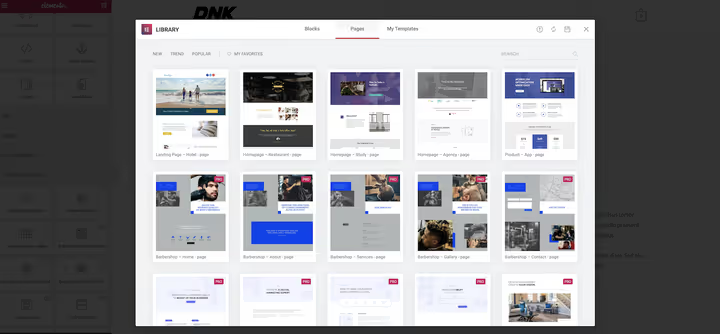
The built-in template library is the first place to look. The free version of Elementor gives access to several dozen templates, but Pro unlocks over 300 ready-made designs and more than 90 widgets, including Theme Builder for headers, footers and post templates.
Templates are organized by page type and niche. They insert with one click and edit visually. No third-party import plugins needed, everything works inside Elementor. Downsides: the Pro license for 1 site costs $49 per year, and that's enough for exactly one project. In practice, for regular client work it's more cost-effective to get Agency for $199/year (up to 100 sites).
Pros: direct import without intermediaries, constant updates, support from Elementor developers. Cons: templates only for Pro users, license for 1 site in the basic plan.
🔗 Elementor Pro on official website
2. ThemeForest
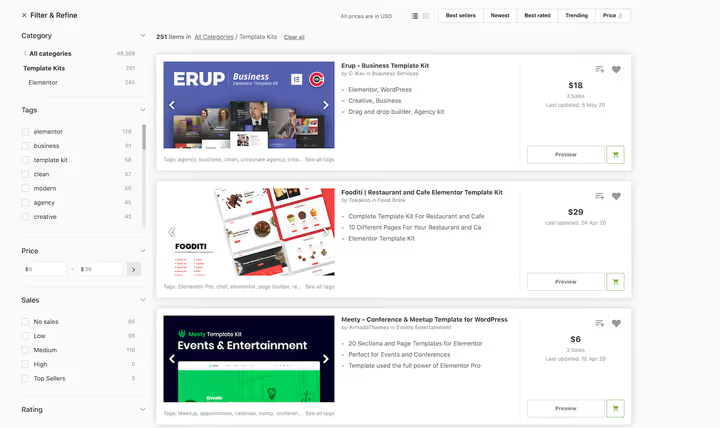
ThemeForest is the largest WordPress theme marketplace, and Elementor templates are separated into a dedicated Template Kits category. As of 2026, the catalog has over 15,000 Elementor-compatible items: from single-page landings to complete sets of 10-15 pages with unified styling.
Prices start at $6 for a small bundle. An average set of several pages costs $19-29. Before buying, check the description: some authors use their own addons, without which the template won't work. In our experience, items marked "Elementor Pro only" are worth getting, they're built on native widgets and don't require third-party software.
Pros: huge selection for any niche, low entry threshold, live site preview before purchase. Cons: quality varies by author, support depends on specific seller, no unlimited license.
🔗 Elementor Template Kits on ThemeForest
3. Envato Elements
Envato Elements is a subscription service from the same company as ThemeForest. For $14.50 per month you get access to hundreds of Elementor template bundles plus over 2,000 individual pages. Unlike ThemeForest, you don't need to pay for each bundle separately, download as many as you need.
Import goes through the free Envato Elements plugin, which installs directly from the WordPress admin panel. The catalog has both free and premium items, the latter unlock with a subscription. All downloaded templates remain with you even after canceling the subscription, but only for sites where you imported them during the active period.
Pros: all-inclusive model, new additions weekly, free import plugin. Cons: monthly payment (no one-time purchase), not all templates are equally polished.
🔗 Envato Elements, Template Kits
4. Pagebuildertemplates.com

Pagebuildertemplates.com is a specialized store where all templates are delivered in clean JSON format. No additional import plugins: downloaded the file, opened Elementor editor, clicked Import, done. In our experience, this saves 15 to 30 minutes on each project compared to sources that require a separate importer.
All templates are built exclusively on native Elementor widgets (Free and Pro). No third-party addons. The catalog has both individual pages ($29) and discounted multi-template bundles. Some designs include light CSS/JS animation, basic CSS knowledge is sufficient for editing. The license gives unlimited website usage and lifetime support.
Pros: clean JSON without plugins, only native widgets, unlimited usage. Cons: requires at least basic CSS for customization, no free tier.
5. MonsterONE
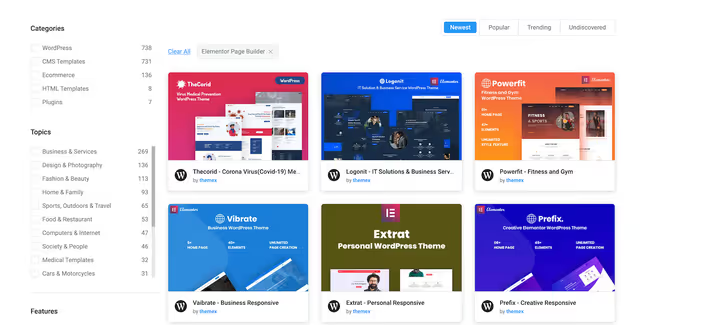
MonsterONE is a subscription service from TemplateMonster, launched instead of their previous "pay per product" model. With a subscription from $14.90 per month you get access to 700+ Elementor templates, plus WooCommerce themes and plugins, all in one package.
Templates are organized by niche and page type. Each bundle includes several designs (home, about, services, contact), so one set is enough for a complete site. Import is through the proprietary MonsterONE plugin. For those who don't want to renew the subscription indefinitely, there's lifetime membership for $599 or annual for $179.
Pros: single subscription for everything, large catalog, WooCommerce templates available. Cons: requires proprietary import plugin, not all templates are fresh.
6. Crocoblock

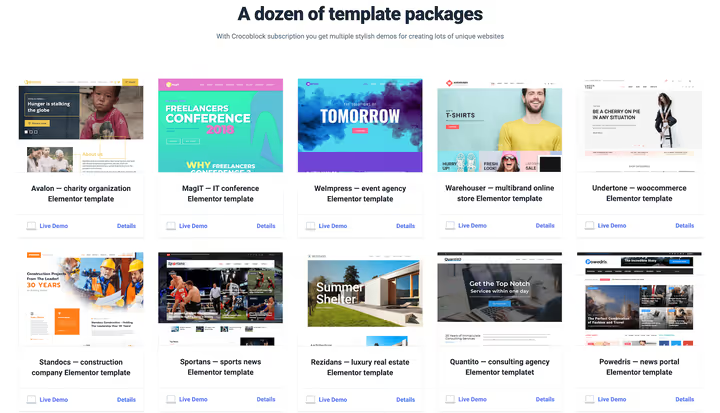
Crocoblock is a complete toolset for Elementor, not just a template store. The subscription includes JetPlugins (20+ addons for dynamic content, grids, popups), as well as ready-made templates for different industries: from dentistry to SaaS.
Each template bundle includes several pages built with JetPlugins. This means without installing Crocoblock addons the template won't work, which is a plus or minus depending on the task. Subscription price: $80 per year for 1 site or $750 for unlimited lifetime. Special mention goes to Dynamic Templates, pre-coded booking forms, AJAX filters and editable user profiles directly in Elementor. For custom projects with non-trivial logic, this is a serious advantage.
Pros: powerful JetPlugins ecosystem, dynamic templates with coded logic, regular updates. Cons: mandatory Crocoblock plugin installation, price above average, entry barrier for beginners.
🔗 Crocoblock, pricing | 🔗 Dynamic Templates
7. WPBuilt
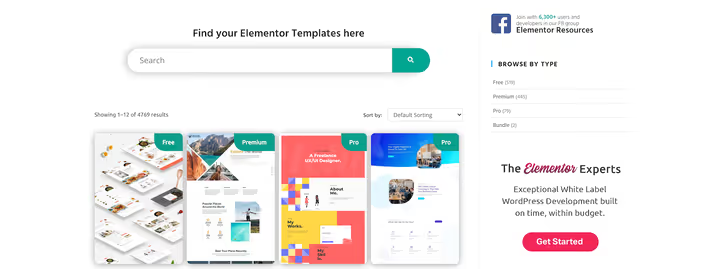
WPBuilt is a catalog aggregator that collects Elementor templates from Elementor itself and third-party developers. Essentially, it's a filter over scattered sources: you enter, choose a niche, view suitable options.
The database has over 800 templates, and a significant portion is free. Important nuance: not all free templates work on the free version of Elementor. Some use Pro widgets and won't open without a Pro license, but this is always noted in the description. WPBuilt doesn't sell templates itself, but redirects to the author's site, so prices and terms vary.
Pros: huge catalog of free templates, convenient niche filtering, no registration required. Cons: not their own product (traffic goes to authors), quality unpredictable, no technical support.
8. Elementorism
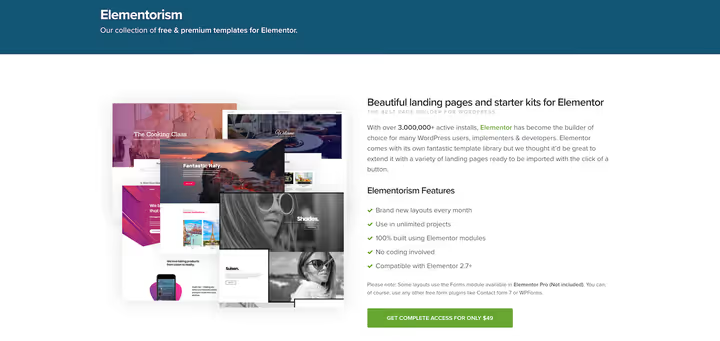
Elementorism is a project from the CSSIgniter team, known for their WordPress themes. It's a collection of 50+ landing pages and starter kits for Elementor, organized by niche: from restaurants to portfolios.
Some templates are free, full access unlocks with a subscription of $49 per year. This price includes a year of updates and support. Templates can be used on an unlimited number of sites, which favorably distinguishes Elementorism from most competitors with their "1 license = 1 site". New templates are added weekly, the collection is growing.
Pros: unlimited usage, regular additions, year of support in subscription. Cons: collection is smaller than competitors, only landing pages (no complete bundles).
9. KitPapa

KitPapa is a specialized Elementor template store with a twist: almost all designs here do NOT require Elementor Pro. This is the only major source in our list where you can buy a polished template and import it on the free version of Elementor.
The flip side: instead of Pro widgets, KitPapa authors use third-party Elementor addons (mostly free). Check the list of required plugins in the description before purchasing, installation will take 5 minutes, but without them the template won't assemble. Prices start at $19 per individual page, bundles from $39. No subscription, each template is purchased one-time. Documentation is detailed, support responds within a day.
Pros: no Elementor Pro needed, one-time purchases without subscription, quality documentation. Cons: requires third-party addons, no out-of-the-box bundles for a complete site.
10. Katka Template Pack
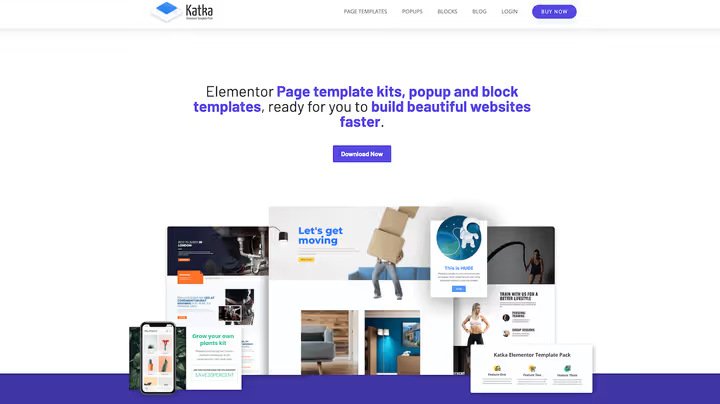
Katka is a pack of 240 section blocks, 118 Pro pages and 114 popups, purchased once for $49. No subscriptions, no cloud account ties. Downloaded ZIP, imported JSON, and work on an unlimited number of personal and client projects.
A special plus is the WooCommerce template collection: product cards, cart, checkout. For Elementor-based online stores, this is a rare find. The free version of Katka (240 blocks) also exists and works without Pro, but pages and popups are only available in the paid version.
Pros: one-time purchase, unlimited usage, strong WooCommerce collection. Cons: no subscription with updates (bought it, use the version you have), only English language layouts.
11. Creative Market

Creative Market is a platform where designers from around the world sell graphics, fonts and templates. The Elementor Templates section here is smaller than on ThemeForest, but quality is on average higher: each author goes through moderation, and the marketplace targets professional designers.
Prices are higher than ThemeForest, from $15 per individual template, bundles from $35-50. Delivery format depends on the author, but most provide JSON files for direct import. Convenient filtering: you can filter by price, color scheme, style. A good option when you need to find a non-standard design for a commercial project.
Pros: high design quality, filtering by style and color, direct JSON imports. Cons: prices above average, Elementor section smaller than competitors.
12. Elementor Den
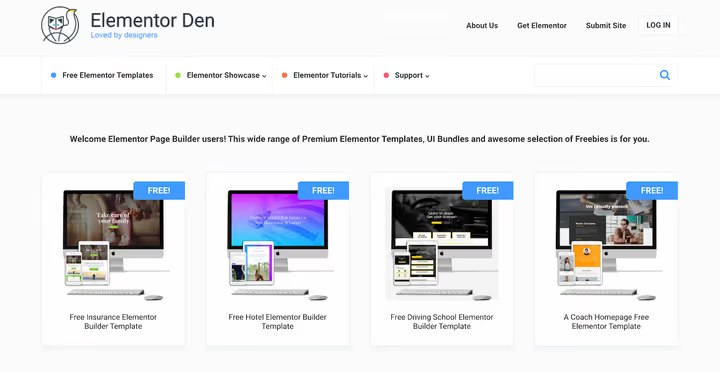
Elementor Den is a subsidiary project of Divi Den, completely focused on Elementor. All templates here are free and are single-page designs: landings, portfolios, business cards.
The downside is obvious: these aren't bundles for a complete site, but individual pages. You can assemble a unified project from them, but the styles of different templates aren't coordinated with each other. The upside is that in 5 minutes you get a ready landing that just needs to be filled with text. For one-off campaigns, test pages and quick prototypes, it's an excellent option.
Pros: completely free, quick import, no registration. Cons: only single-page templates, styles not unified, small collection.
🔗 Elementor Den, Free Templates
Before moving to conclusions, a short video on the topic. The WPTuts channel author shows five Elementor template sources in 12 minutes, including Envato Elements and ThemeForest, with live import and result comparison.
⁉️🤔 Frequently asked questions
Do I need to pay for Elementor Pro to use ready-made templates?
Not always. Sources like KitPapa and WPBuilt offer templates that work on the free version of Elementor. But most quality templates (ThemeForest, Envato Elements, Crocoblock) use Pro widgets, Theme Builder, dynamic data, forms. In our experience, without Pro you are seriously limited in choice. Elementor Pro price starts at $49 per year for 1 site.
Can I use one purchased template on multiple sites?
Depends on the specific seller's license. Katka, Elementorism and Pagebuildertemplates give unlimited usage. ThemeForest and Creative Market sell templates with a license for 1 site (Regular License), each new project needs a separate purchase. Always read the License section before payment.
What format are templates delivered in and how do I import them?
Three main formats. JSON: direct import through Elementor editor (Pagebuildertemplates, Creative Market). ZIP with JSON inside: downloaded, unpacked, imported each JSON separately. Import plugin: Envato Elements and MonsterONE require installing a proprietary plugin that pulls templates from the cloud itself.
What to do if the template "broke" after import?
Two typical reasons. First: required third-party addon not installed (KitPapa, Crocoblock). Check the template description, dependencies are always listed. Second: default fonts and colors differ from your global Elementor settings. Go to Site Settings and reset Default Colors/Fonts, in most cases this fixes the layout.
Is it safe to download free templates from unverified sites?
No, if the site isn't from the list above. A template in JSON format can technically contain malicious code inside HTML widgets. All sources from our list are verified: WPBuilt aggregates templates from known authors, Elementor Den and Elementorism have existed for years with transparent reputation. Be cautious about "premium templates for free" on warez forums.
Which Elementor template source to choose?

If you have one project and a limited budget, start with the built-in Elementor Pro library: 300+ templates for $49/year cover most typical tasks.
Regularly building sites on commission? Envato Elements for $14.50/month gives access to thousands of templates without download limits, it's the most cost-effective model for those with more than 3 projects per year.
Value flexibility and don't want to depend on others' addons? Get Pagebuildertemplates.com: clean JSON, only native widgets, no import plugins.
And if Elementor Pro isn't purchased and you don't plan to buy it soon, KitPapa remains the only source of polished templates that work on the free version.
Bookmark this page: the list updates as new worthy platforms appear.

A professional team of writers and editors specializing in creating quality content.