













 AIIllustrative image: AI-generated
🥇 10+ best WordPress themes with multiple menu support 2026
One menu in the header is enough for a five-page blog. But as your site grows (catalog, blog, multilingual, WooCommerce, separate mobile navigation), you quickly hit the theme's ceiling: only one or two menus are registered, everything else will require code-level registration and layout.
The difference between themes is critical. One gives three menu registration areas out of the box, another gives twelve plus a visual Header Builder and mega menu without plugins. In practice, most popular themes limit themselves to header and footer: a third menu (sidebar, pre-header, single-page anchor navigation) requires editing functions.php and CSS.
Below are 10+ WordPress themes with support for multiple menus simultaneously: for restaurants, eCommerce, news portals, financial services, portfolios and universal options. We tested each on a test site: counted the actual number of menu areas, customization flexibility and mobile adaptation.
💡 Quick overview:
- Compare 10+ themes with multiple menu support in one table by key parameters
- Examine each theme in detail with screenshots, pros and cons
- Answer common questions and provide a final selection matrix for your task
Comparison table of themes with multiple menus
Theme | Niche | Price | Menu (areas) | WooCommerce | Page Builder |
|---|---|---|---|---|---|
Restro | Restaurants | $39 | 3+ | ❌ | ❌ |
Kalium | Portfolio/Creative | $59 | 3+ (Header Builder) | ✅ | WPBakery/Elementor |
Ristora | Restaurants | $29 | 3+ | ❌ | WPBakery |
Onyx | Corporate | $79 | 4+ | ❌ | ❌ |
Grand News | News/Magazine | $59 | 5+ | ✅ | Drag&Drop |
Grand Restaurant | Restaurants | $64 | 3+ | ❌ | Drag&Drop |
MinimogWP | eCommerce | $59 | 5+ (mega menu) | ✅ | ❌ |
Pearl | Multi-niche | $59 | 4+ | ❌ | WPBakery |
PeakShops | WooCommerce | $59 | 5+ | ✅ | ❌ |
Resty | Restaurants+WooCommerce | $46 | 3+ | ✅ | Elementor |
Backpack Traveler | Travel/Blog | $79 | 3+ | ❌ | Elementor |
WoodMart | WooCommerce | $59 | 5+ (mega menu) | ✅ | WPBakery |
Avantage | Consulting/Finance | $69 | 4+ | ❌ | ❌ |
FinPath | Finance/Fintech | $59 | 4+ (Header Builder) | ✅ | Elementor |
Nouveau | Universal | $79 | 4+ (mega menu) | ❌ | ❌ |
1. Restro
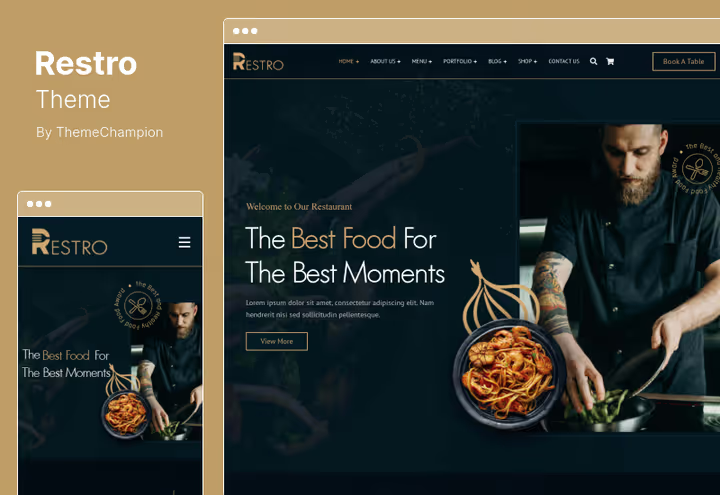
Restro, a free open-source restaurant theme. Lightweight, without unnecessary dependencies, three menu registration areas out of the box: main in the header, compact in the footer and separate for mobile version. Suitable for restaurants, bars, bakeries with minimal eCommerce requirements.
The built-in customizer allows changing colors, fonts and layout without code. Responsive layout, Google Maps for contact page, several header variations for different layouts.
- Pros: open source, small size (less than 1 MB), fast loading, several header variations
- Cons: no WooCommerce, basic documentation
- Price: $39 on ThemeForest (6 months support)
2. Kalium

Kalium, a creative theme with a 4.94 rating based on 2400+ reviews on ThemeForest. Suitable for photographers, designers and creative agencies. Visual Header Builder and Footer Builder: assemble navigation by drag-and-drop, main menu plus sidebar for portfolio categories plus footer for service pages.
Over 30 starter sites for different niches, WooCommerce for selling prints or services, live customizer, lazy loading, global colors and font manager with 17,000+ typefaces.
- Pros: visual Header/Footer Builder, 30+ starter sites, WooCommerce, Elementor and WPBakery to choose from
- Cons: price higher than niche themes, abundance of options requires time to master
- Price: from $59 per year (Personal), $199 lifetime license
3. Ristora
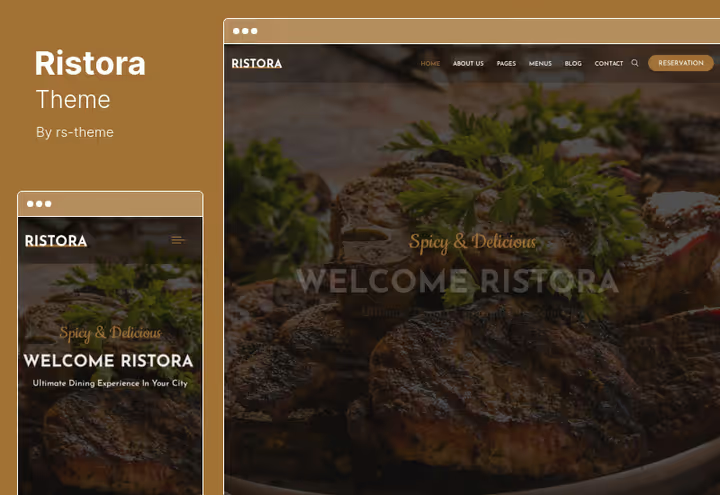
Ristora, a specialized theme for restaurants, cafes and fast food. Ten demo homepage variations with different navigation layouts: from classic top menu to sidebar with dish category icons. WPBakery Page Builder included, ready table booking page.
Several contact layouts, child theme for customization, responsive layout.
- Pros: 10 ready demos, WPBakery included, booking page, most affordable price in the list
- Cons: typical restaurant design, no WooCommerce
- Price: $29 on ThemeForest
4. Onyx
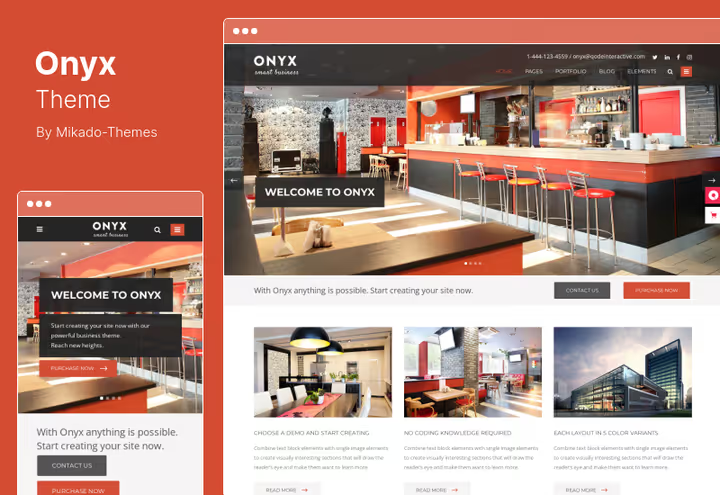
Onyx stands out with support for simultaneous vertical sidebar menu and horizontal header navigation. The sidebar remains fixed on scroll, convenient for service portfolios, architectural firms, manufacturing companies. Full-screen menu is available as an additional navigation mode.
Over 600 Google Fonts, Retina-ready, responsive for all screens, extended admin panel.
- Pros: unique combination of sidebar and top menu, full-screen mode, 600+ fonts
- Cons: no WooCommerce, price above average
- Price: $79 on ThemeForest (lifetime updates, 6 months support)
5. Grand News
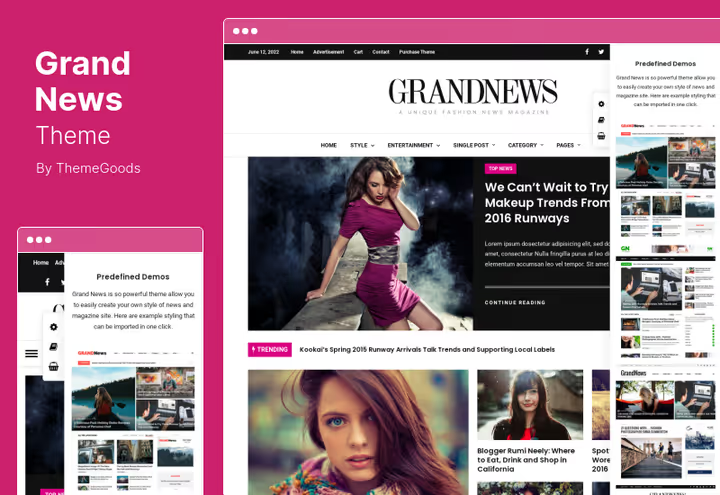
Grand News is designed for news and magazine sites. Supports multiple menu-layout combinations: top with dropdown sections, sidebar for archive, mobile with simplified structure. Built-in Drag&Drop Content Builder composes pages without plugins.
One-click demo import, WooCommerce integration for paid content or merch, dozens of preset page layouts for editorial tasks.
- Pros: multiple menu combinations, Drag&Drop builder, WooCommerce, quick demo import
- Cons: tailored for news format (other niches require adaptation)
- Price: $59 on ThemeForest (6 months support)
6. Grand Restaurant
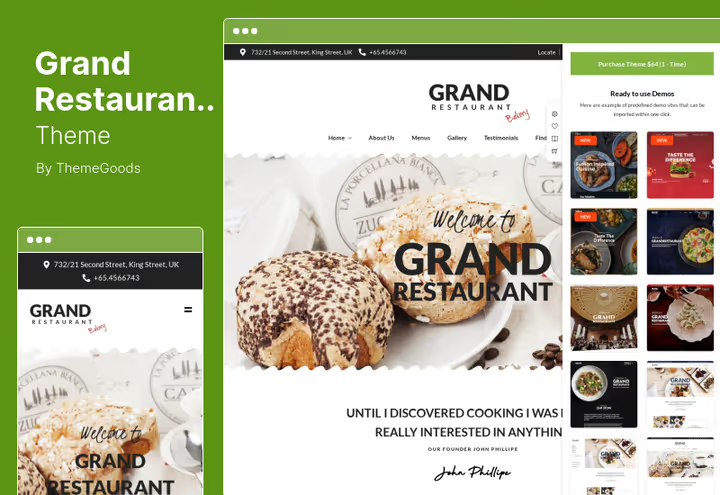
Grand Restaurant emphasizes visuals: full-screen images create an immersive effect. Suitable for restaurants, cafes, catering companies. Three menu layouts plus four contact templates, can embed Google maps for multiple venue addresses.
Drag&Drop Content Builder, six blog templates, WordPress Customizer integration, boxed and wide layout support.
- Pros: visually strong theme, multiple maps on contact page, 6 blog templates
- Cons: restaurant niche only, basic menu system (3 layouts)
- Price: $64 on ThemeForest (6 months support, lifetime updates)
🔗 Grand Restaurant on ThemeForest
7. MinimogWP
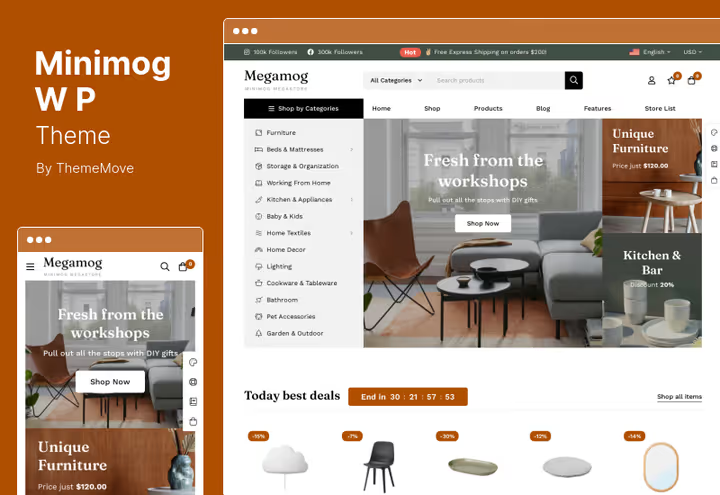
MinimogWP is positioned as a high-converting WooCommerce theme. The main feature for eCommerce, Ultimate Mega Menu: build multi-level product categories with icons and banners inside the dropdown menu. Over 10 product page layouts, variable grids, Ajax loading in blog.
Out of the box: countdown timer for promotions, Product Bundles, product video gallery, color and font customization without code.
- Pros: powerful mega menu for store, 10+ product layouts, Ajax blog, high conversion
- Cons: strictly for WooCommerce (overkill for content projects)
- Price: $59 on ThemeForest
8. Pearl
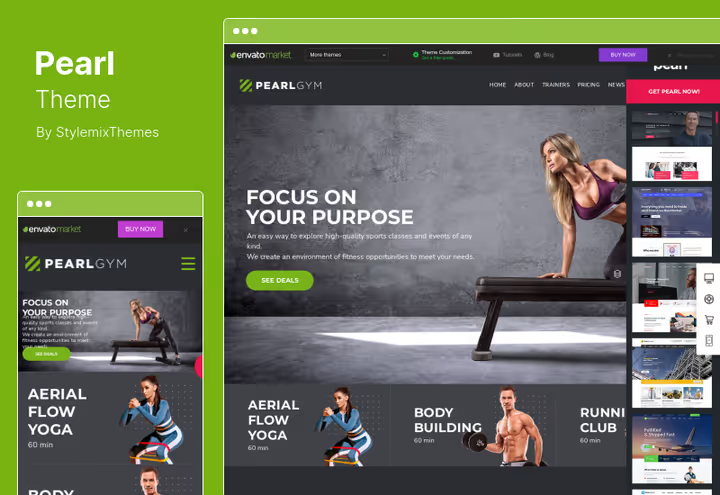
Pearl, a multi-niche corporate theme with demos for specific industries. Enhanced dropdown menus, stock function easily activated from admin. Over 200 UI modules for page building, library reduces layout time.
WPBakery Page Builder integrated, menu areas assigned individually for each demo. Suitable for medium and large business.
- Pros: 200+ ready UI modules, WPBakery, industry demos, enhanced dropdown menus
- Cons: overloaded with options (learning curve), price slightly above niche themes
- Price: $59 on ThemeForest (6 months support)
9. PeakShops
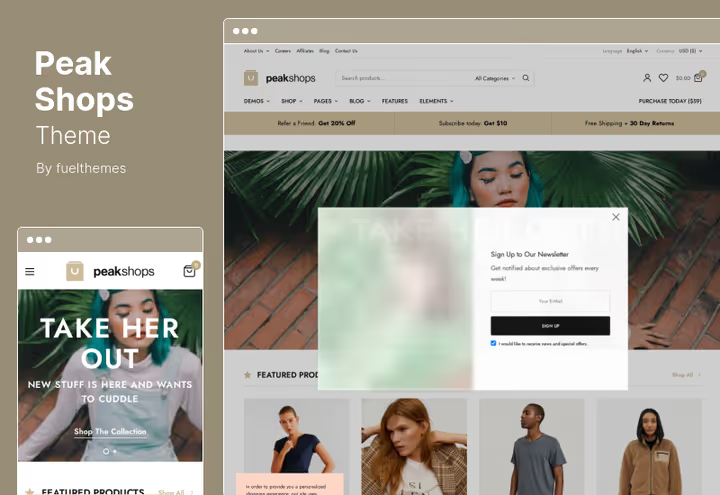
PeakShops, a modern WooCommerce theme with mega menu and multiple menu support. Responsive layout, Retina graphics, compatibility with YITH Wishlist and WooCommerce Multilingual. Lazy load for images, MailChimp integration for email collection.
RTL support, language and currency switchers right in menu, several dropdown panel styles, separate margin settings for precise brand alignment.
- Pros: RTL and multilingual, currency switchers in menu, Lazy load, MailChimp
- Cons: WooCommerce stores only, not suitable for content projects
- Price: $59 on ThemeForest
10. Resty

Resty, a restaurant WooCommerce theme on Elementor, tailored for cafes, delivery and venues with online ordering. Three homepage styles, two navigation menu variants (light and standard), four layouts for food menu: 2 or 3 column grid, category tabs and "dish of the day".
WooCommerce integrated natively, can accept orders and payment on site. Admin panel on Codestar Option Framework, one-click demo import, responsive layout, clean HTML5/CSS3 code, cross-browser compatibility.
- Pros: Elementor out of the box, 4 food menu layouts, WooCommerce, 3 homepage styles
- Cons: relatively new product (fewer reviews), restaurant niche only
- Price: $46 on ThemeForest
11. Backpack Traveler
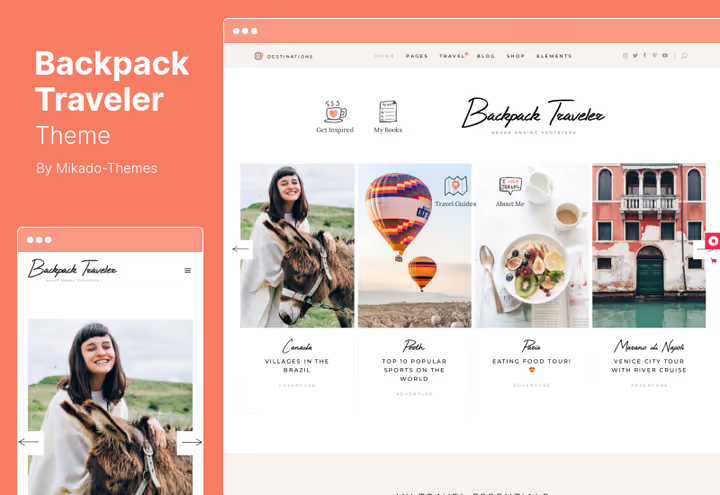
Backpack Traveler, a theme for travel blogs and lifestyle publications. Extensive widget library and custom shortcodes, multiple menu areas for different sections: main, social, travel category directory. Elementor Page Builder compatible, although Visual Composer and Slider Revolution are included.
Retina-ready, responsive, Google Maps with customization, one-step demo content import.
- Pros: 2 premium plugins included, travel-format widgets, Elementor compatibility
- Cons: tied to travel niche, two page builders in bundle can conflict
- Price: $79 on ThemeForest
🔗 Backpack Traveler on ThemeForest
12. WoodMart
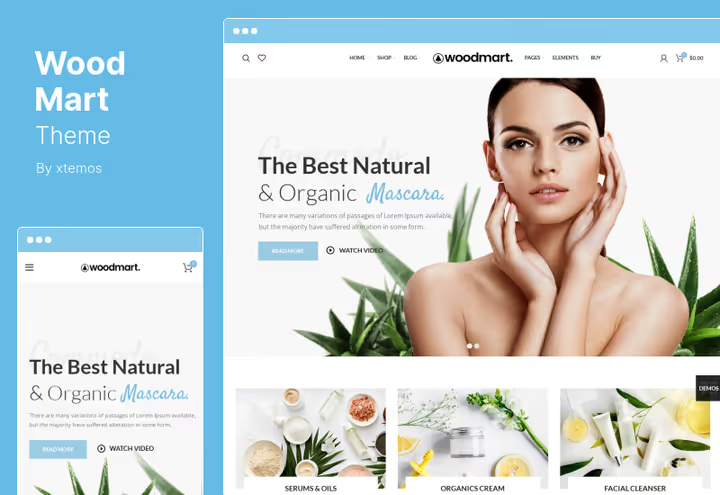
WoodMart, one of the best-selling WooCommerce themes on ThemeForest. Mega menu with multi-level structure, CSS optimization (minification and concatenation out of the box), Ajax search and product filtering, variable product grid. Theme settings panel provides full-fledged store customizer.
Passes Google Page Speed test with high scores thanks to clean code and smart asset handling.
- Pros: ThemeForest top seller, speed optimization, Ajax filters, powerful customizer
- Cons: depends on WooCommerce, makes no sense for non-stores
- Price: $59 on ThemeForest
13. Avantage
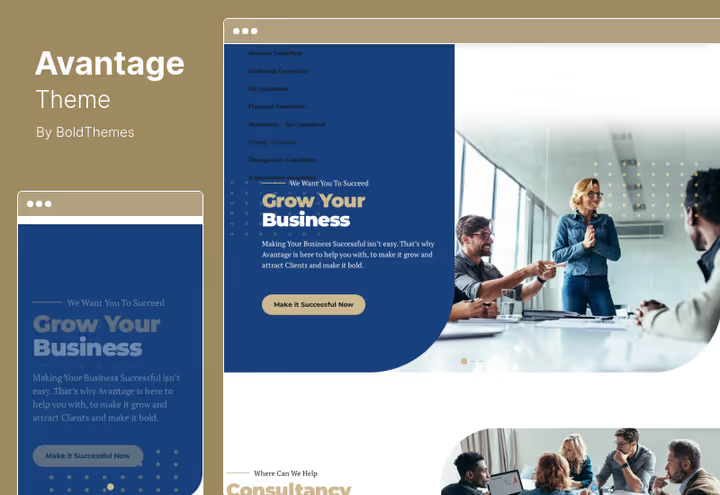
Avantage is designed for consulting, marketing and financial services. Clean professional design, demo variants for B2B niches. Parallax effect, RTL support, mobile adaptation, child theme. Menu areas: main (with mega dropdown for services), footer (legal information), single-page navigation (anchors).
Online documentation, claimed 24/7 support, multilingual.
- Pros: B2B design, parallax, RTL, child theme, single-page navigation
- Cons: niche-specific (consulting/finance only), claimed support may be slow
- Price: $69 on ThemeForest (lifetime updates, 6 months support)
14. Nouveau
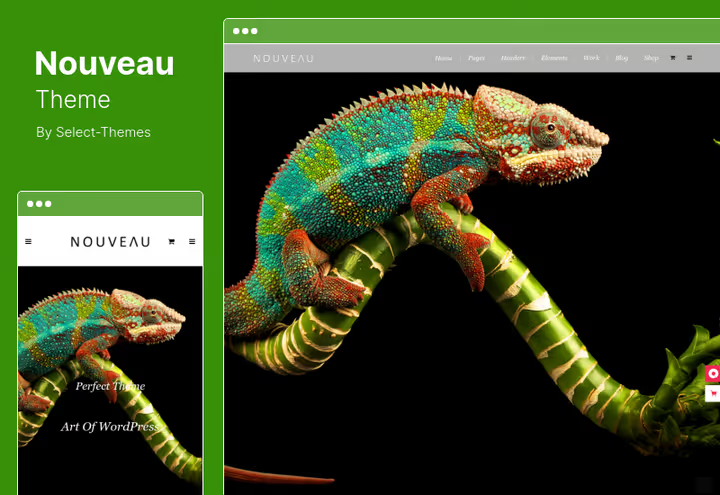
Nouveau, a universal multi-purpose theme for creative studios, photographers, portfolios and corporate sites. Retina-ready, responsive, with light and dark color scheme support. Customizable mega menu, parallax slider with video background, expandable search field right in menu.
Video backgrounds for sections, compact presentation of large content volume, accent blocks for key features.
- Pros: light/dark scheme, parallax video, custom mega menu, universality
- Cons: price above average, visual style slightly dated (released 2014, still updated)
- Price: $79 on ThemeForest
The video above (EN) shows step-by-step how to create multiple menus and dropdown navigation in WordPress. The tutorial covers menu area registration, dropdown item setup and custom navigation block placement. If you're setting up multi-menu for the first time, watch before choosing a theme.
⁉️🤔 Common questions
Is it necessary to get a theme with declared multiple menu support?
Yes, if you go beyond one navigation panel. A standard theme registers one or two menu areas (header and footer). A theme with multiple menu support gives three to five or more areas plus flexible dropdown, mega menu and mobile navigation settings out of the box. Technically any theme can be extended via
register_nav_menus()in functions.php, but this requires code edits and custom CSS for each new area. Themes from this list solve the task natively, you just assign ready areas in the customizer.
Which theme is best for a WooCommerce store with mega menu?
WoodMart and MinimogWP, two leaders in mega menu functionality for WooCommerce. WoodMart wins on loading speed (CSS optimization out of the box, high Google Page Speed scores) and ThemeForest sales volume. MinimogWP gives more flexible mega menu (Ultimate Mega Menu with icons and banners) and 10+ product layouts. For a store with large catalog (500+ products) get WoodMart. For a store emphasizing visuals and promotions get MinimogWP.
Will these themes work for a multilingual site?
Yes, most themes are translation-ready. Kalium, PeakShops and Avantage specifically support RTL, multilingual and currency or language switchers right in menu. For full multilingual use WPML or Polylang, all themes are tested for compatibility. Note: themes with visual page builders (WPBakery, Visual Composer) require separate page content translation through these plugins' translation modules.
What if expensive themes don't fit the budget?
The cheapest option in the list: Ristora for $29. For a restaurant project this is a complete theme with WPBakery, demo and booking page. For a restaurant with WooCommerce Resty for $46 gives WooCommerce plus four food menu layouts on Elementor. Universal budget path: get any theme from the list and use free Elementor instead of built-in paid page builder, all modern themes are compatible with it.
Is a separate mobile menu necessary in 2026?
Yes, it's a requirement, not an option. According to Statista data for 2025, the share of mobile traffic on WordPress sites exceeds 55 percent. All themes in the list are responsive, but there's a difference in mobile navigation: Onyx and PeakShops offer separate mobile menu layouts, while themes with mega menu (WoodMart, MinimogWP) give touch-optimized dropdowns.
Can you add multiple menus to any theme via plugin?
You can, but with limitations. Plugins like Max Mega Menu or WP Mega Menu add mega menu functionality on top of existing areas, but don't increase the number of registration areas themselves. If the theme needs an additional menu in a non-standard location (sidebar, pre-header, between sections), the plugin won't help, you'll have to edit theme templates. Themes from the list immediately give multiple registered areas, and mega menu can be added with a plugin if needed.
Which theme to choose for your task
Launching a restaurant site with booking: get Restro (budget, lightweight) or Grand Restaurant (visually stronger). Restaurant with online ordering and WooCommerce: Resty on Elementor for $46. WooCommerce online store: WoodMart (performance and mega menu) or MinimogWP (conversion and promotions). Universal corporate site with sidebar menu: Onyx is unmatched. News portal: Grand News with its five menu-layout combinations. Photo portfolio or creative agency: Kalium with Header Builder and 30+ starter sites. Financial project: FinPath (fintech, modern Elementor) or Avantage (consulting, classic B2B design).
All themes have live demos on ThemeForest. Open, click through the menus in action, compare with how navigation works on your current site. This is the best way to understand if the theme fits your user scenario. And remember: even a perfect theme requires menu setup for your content. Plan an hour or two for customization after installation.

A professional team of writers and editors specializing in creating quality content.