














🏅 16 best WordPress themes for video magazines 2026
A WordPress video site requires a theme that understands video as the center of the architecture, not as "just another content type." Automatic YouTube previews, playlists, lazy loading of embed codes, VideoObject schema for search engines, a universal out-of-the-box theme won't provide this.
We selected 16 themes that work on real projects: from video magazines and news portals to membership streaming and UGC communities. Each item has been verified for relevance in July 2026: the themes are active, updated and available on ThemeForest.
All prices are according to ThemeForest data as of July 2026; each item includes a direct link to the purchase page.
💡 Quick overview:
- Check the comparison table: all 16 themes with prices, site type and key video features on one screen.
- Decide on the scenario: membership streaming, Aztec or Streamit; studio portfolio, Plexx or Joker; video magazine, VideoPro or True Mag; video community, Netube or VideoTube.
- Refer to the FAQ at the end: it contains answers about self-hosted video, choosing a builder and free alternatives.
Comparison table of themes
Theme | Price | Site type | Video features | Builder |
|---|---|---|---|---|
True Mag | $41 | Video magazine, blog | Autoplay, video ads, shortcodes | No (native) |
Vlog | $59 | Video blog, podcasts | Import from YouTube/Vimeo, playlists, auto previews | No (200+ layout combinations) |
NewsTube | $38 | Magazine, news | Video styles (3 types), sliders | No (native) |
Netube | $59 | Viral video, blog | Video channels, playlists, front-end submits | Bootstrap |
VideoMag | $49 | Video blog, news | Native WP effects, Customizer | No (Customizer) |
Tuber | $59 | Video blog, podcasts | YouTube integration, galleries, Elementor | Elementor |
Video News | $59 | Newspaper, magazine | Responsive video, Font Awesome | Drag-and-drop |
Plexx | $39 | Portfolio, studio | Video gallery, Packery grids | No (native blocks) |
Joker | $59 | Photographer, videographer | Portfolio, WooCommerce, WPML | Visual Composer |
Aztec | $69 | Streaming, membership | Video player, seasons/episodes, rating | Drag-and-drop |
907 | $59 | Multipurpose | 24 demos, 135 blocks, parallax | Block-based |
Pelicula | $75 | Cinema, festivals | Movie lists, portfolio shortcodes, parallax | Elementor |
Streamit | $59 | OTT streaming | Registration, rating, movie admin panel | Built-in |
VideoTube | $49 | Video community | Front-end submits, playlists, lightbox | WPBakery |
VideoPro | $59 | Video site (any type) | Lightbox, floating player, video screenshots | Built-in |
VidoRev | $59 | Video magazine, blog | Series, playlists, subscriptions, budget-friendly | Built-in |
1. True Mag
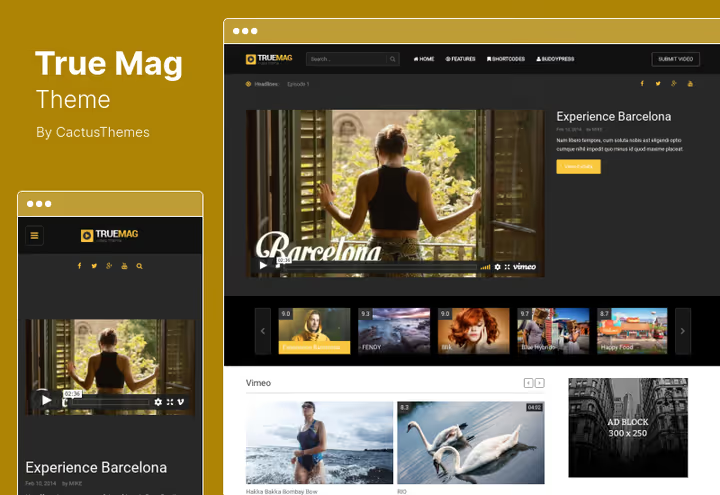
True Mag, one of the most affordable video themes on the market. At a price of $41 you get a full-featured video magazine engine: self-hosted video support, video ad integration, shortcodes for inserting videos and automatic playback.
The main advantage of the theme is Smart Content Box. This is a system that composes content blocks without a page builder: you set criteria (category, tag, date), and the block automatically pulls posts in the desired layout. In practice, this saves an hour of manual layout work with each homepage update.
- Pros: Smart Content Box, video ads out of the box, mega menu, unlimited colors and fonts
- Cons: no built-in membership, no YouTube playlist import
- Price: $41 on ThemeForest
🔗 True Mag on ThemeForest | 🔗 Live demo
2. Vlog
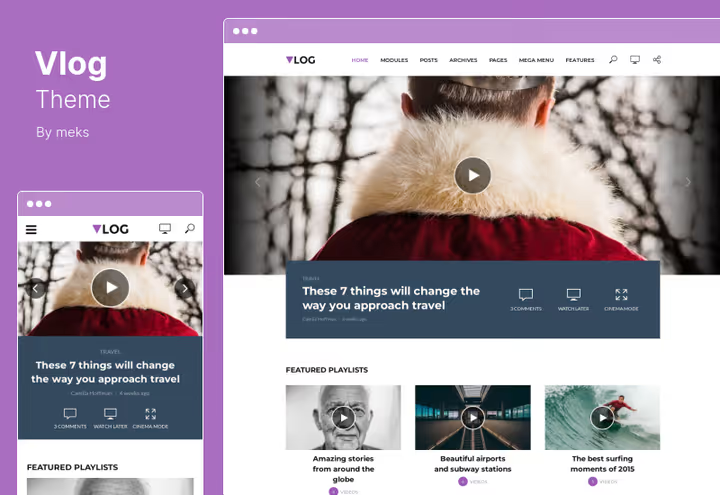
Vlog is optimized for content-heavy sites. Its feature is more than 200 post layout combinations: grid, list, carousel, masonry or classic blog. The homepage won't look templated.
For video editorial teams, something else is more important: automatic video import from YouTube and Vimeo. Vlog automatically picks up videos from a link, generates previews and assembles playlists. No manual setup needed. Suitable for podcasts, video courses and viral compilations.
- Pros: auto import from YouTube/Vimeo, 200+ layouts, playlist grouping, monetization
- Cons: no built-in player for self-hosted video
- Price: $59 on ThemeForest(/go-themeforest?to=/item/vlog-video-blog-magazine-wordpress-theme/15968884) | 🔗 Live demo
3. NewsTube

NewsTube is a budget option for a classic video magazine or news site. At a price of $38 you get a rich selection of sliders, navigation styles and blog types, plus lifetime updates.
Three separate video styles allow you to present video differently in different sections: news as a list; reports in a large grid; author columns with a sidebar. Retina readiness and full responsiveness are included.
- Pros: lifetime updates, rich selection of sliders, styles and blog types
- Cons: no YouTube import, no video membership, basic set of video tools
- Price: $38 on ThemeForest
🔗 NewsTube on ThemeForest | 🔗 Live demo
4. Netube
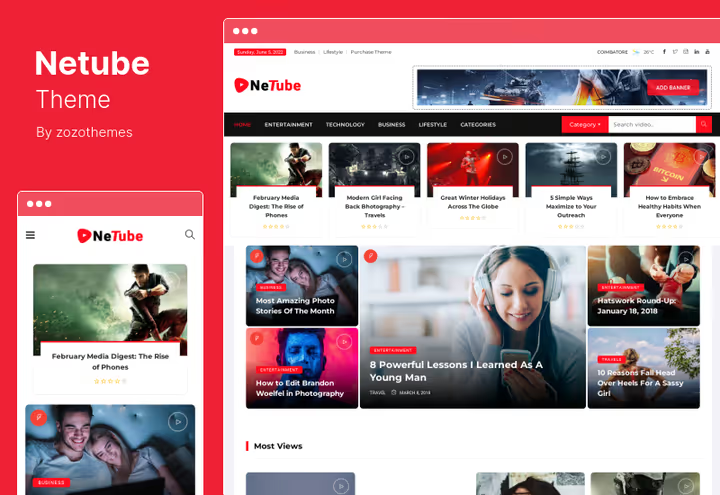
Netube was created as a theme for viral video and user-generated content. The key difference is front-end submits: visitors send videos directly from the site, without admin access. In our experience, for communities this is one of the most requested features.
The theme has a built-in post rating system, video channels and playlists. Special mention should be made of video ad support: banners, pre-roll and overlays are embedded through the admin panel without third-party plugins.
- Pros: front-end submits, rating system, video channels, ads in player
- Cons: fewer category layouts than Vlog
- Price: $59 on ThemeForest
🔗 Netube on ThemeForest | 🔗 Live demo
5. VideoMag
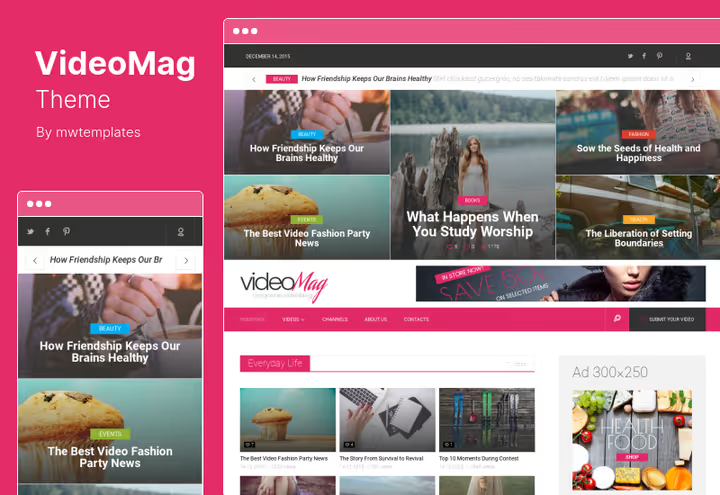
VideoMag is interesting in its approach: it doesn't drag along a heavy page builder, but works on native WordPress tools. All settings are through Customizer: colors, fonts, block placement. No need to learn a new builder interface.
The theme is built on Bootstrap 3, which for 2026 is not ideal (Bootstrap 5 is already standard), but guarantees a predictable grid and compatibility with most plugins. A good choice if you value simplicity and don't want to deal with drag-and-drop.
- Pros: Customizer instead of builder, simplicity, flexible widgets, one-click demo data
- Cons: Bootstrap 3 is outdated, no video playlists, limited support
- Price: $49 on ThemeForest
🔗 VideoMag on ThemeForest | 🔗 Live demo
6. Tuber

Tuber is a bright and modern theme for video blogs, podcasts and YouTube channels. Unlike classic magazine themes, Tuber is optimized for streaming video content: YouTube integration out of the box, podcast support and live streaming.
The theme is compatible with Elementor, which allows you to build a unique homepage without code. Built-in galleries for photos and videos, event support and WooCommerce integration make Tuber an interesting choice for independent content creators and small video production companies.
- Pros: YouTube and podcast integration, Elementor, galleries and events, WooCommerce
- Cons: no BuddyPress/bbPress, no built-in ad system
- Price: $59 on ThemeForest
🔗 Tuber on ThemeForest | 🔗 Live demo
7. Video News

Video News is a theme for those who need a classic newspaper layout, but with video instead of photos. Fully responsive, with a sticky header, custom logo and drag-and-drop modules for page composition.
Widgets and modules are dragged with the mouse: you can assemble a homepage, category and post page from ready-made blocks in half an hour. Supports Font Awesome and custom gallery. Suitable for a news video portal with newspaper recognition.
- Pros: drag-and-drop, sticky header, custom logo, Font Awesome
- Cons: no video playlists, no YouTube import
- Price: $59 on ThemeForest
🔗 Video News on ThemeForest | 🔗 Live demo
8. Plexx
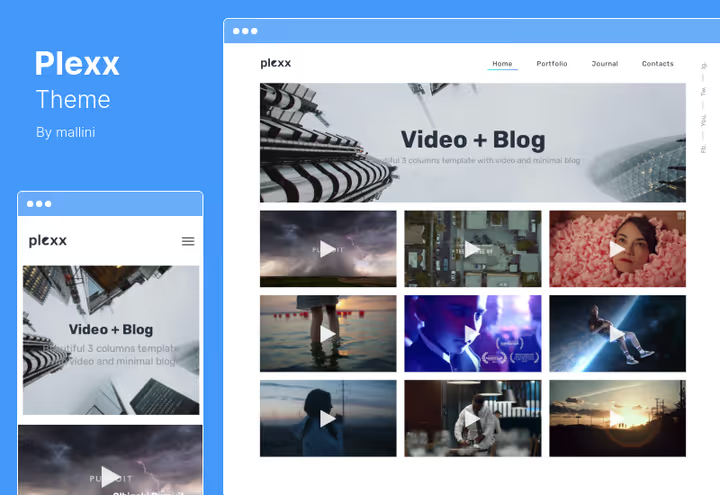
Plexx is not so much a video magazine as a portfolio engine for agencies and production studios. Six-column Packery grids, smooth scroll, hundreds of Google fonts to choose from, animated transitions. The theme is optimized for visual impact.
An important plus: Plexx doesn't require paid plugins. Everything you need for a video portfolio is included: galleries, video blocks, custom footer with widgets. Some themes ask you to buy additional plugins upon activation. Not here.
- Pros: doesn't require paid plugins, Packery grids, hundreds of fonts, animations
- Cons: not suitable for news video site, no playlists
- Price: $39 on ThemeForest
🔗 Plexx on ThemeForest | 🔗 Live demo
9. Joker
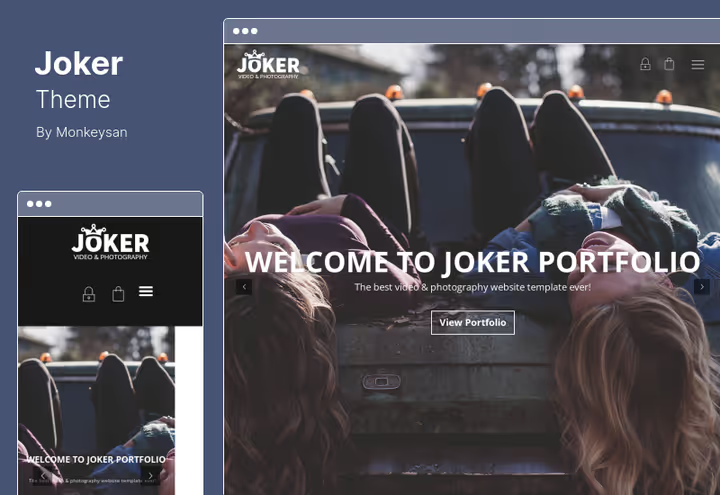
Joker is a theme for a personal brand: photographer, videographer or small creative studio. Built-in WooCommerce support allows you to sell prints or video materials directly from the site, and WPML readiness lets you translate the portfolio into multiple languages.
Animated preloader, CSS animations, retina optimization and Visual Composer elements for portfolio give a professional look without involving a designer. Cross-browser compatibility is full.
- Pros: WooCommerce, WPML-ready, animated preloader, retina
- Cons: not for video magazine, no video playlists, tied to Visual Composer
- Price: $59 on ThemeForest
🔗 Joker on ThemeForest | 🔗 Live demo
10. Aztec
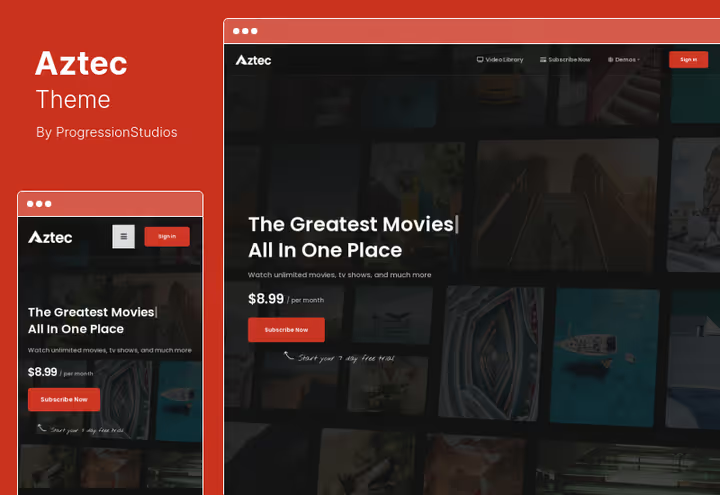
Aztec is one of the few themes with a full-featured membership system out of the box. You can create paid subscriptions for video content, divide videos into seasons and episodes, add watchlists and ratings.
The built-in video player works with local files, YouTube, Vimeo and external embed codes. It also supports audio players. If you're launching video streaming with paid access, Aztec has virtually no competitors in this price range.
- Pros: membership out of the box, seasons/episodes, watchlists, rating, drag-and-drop
- Cons: more complex to set up, limited support period
- Price: $69 on ThemeForest
11. 907
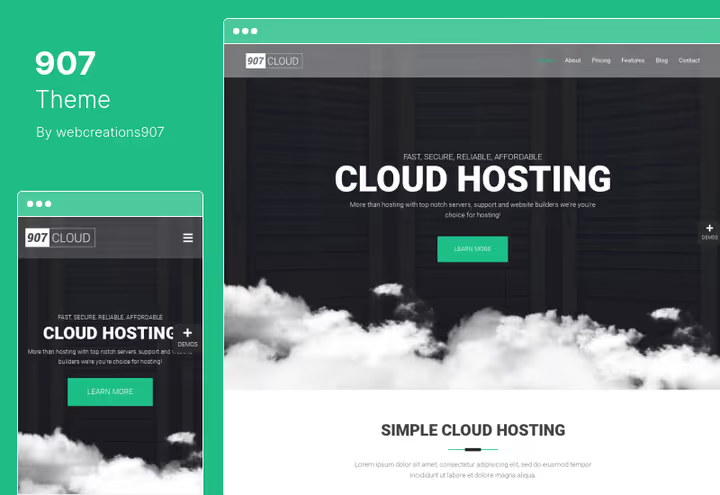
907 is a multipurpose theme with 24 ready-made demos and 135 blocks that can be combined in any order. Suitable for a video site thanks to built-in parallax effects, WooCommerce support and Contact Form 7 integration.
Unlimited portfolios, sidebars and navigation levels give flexibility rare for themes in this price range. Google Fonts and several blog design options allow you to configure a unique style.
- Pros: 24 demos, 135 blocks, parallax, unlimited portfolios and sidebars
- Cons: no specialized video tools, multipurpose (not optimized for video)
- Price: $59 on ThemeForest
🔗 907 on ThemeForest | 🔗 Live demo
12. Pelicula
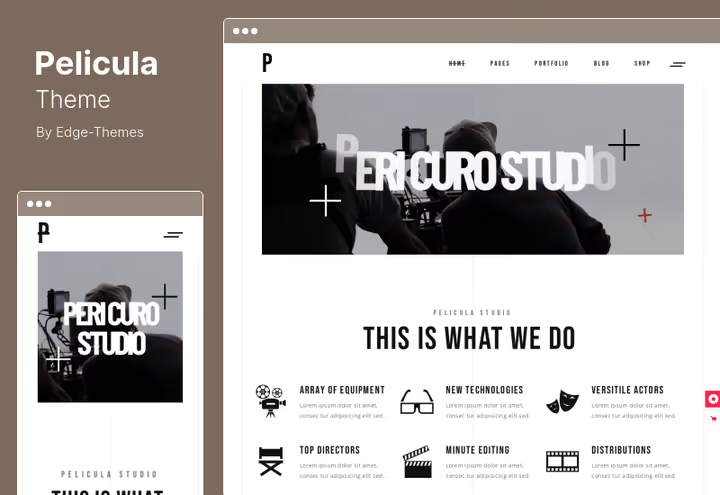
Pelicula is a specialized theme for cinema, festivals and video production. At a price of $75, the highest in the collection, but justified: full Elementor compatibility, Slider Revolution included, parallax sections and shortcodes for movie lists.
Multiple loading spinner options and custom portfolio shortcodes reveal attention to detail. For a festival site where visual presentation decides everything, Pelicula is the best choice in this niche.
- Pros: Elementor + Slider Revolution, movie shortcodes, parallax, multiple loading spinners
- Cons: narrow specialization (cinema and festivals), no membership
- Price: $75 on ThemeForest
🔗 Pelicula on ThemeForest | 🔗 Live demo
13. Streamit
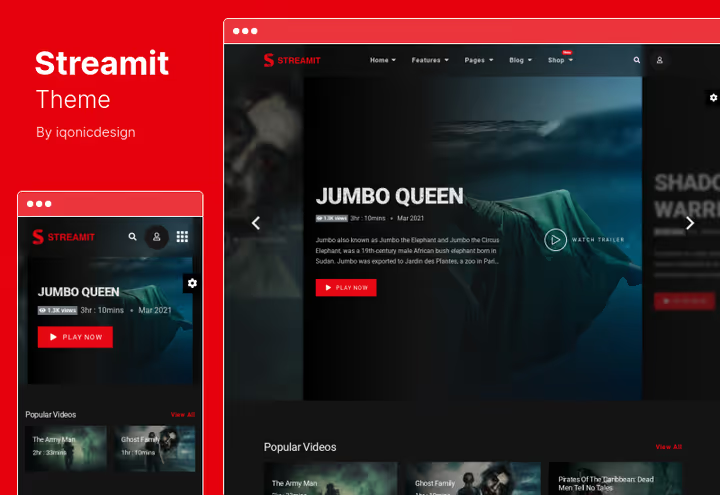
Streamit is designed as an OTT platform: user registration, personal account, movie rating and admin panel for adding content. Essentially, it's a ready-made mini-Netflix on WordPress.
The theme is adapted for high loads: cross-browser optimization, clean code, hover effects without lags. Suitable for both a classic video site and niche streaming: online courses, corporate TV.
- Pros: user registration, rating, content admin panel, OTT architecture
- Cons: membership functionality weaker than Aztec
- Price: $59 on ThemeForest
🔗 Streamit on ThemeForest | 🔗 Live demo
14. VideoTube

VideoTube is a flexible theme for video communities and user-generated content platforms. The key feature is front-end submits: visitors upload videos from YouTube, Vimeo, Dailymotion or Hulu directly through a form on the site, without admin access.
Built-in "like" system, automatic previews for each video and WPBakery builder support make VideoTube a good choice for a UGC platform. The theme also supports self-hosted video and flexible grid customization through homepage widgets.
- Pros: front-end submits, auto previews, WPBakery, self-hosted video support
- Cons: no membership, design less modern than competitors
- Price: $49 on ThemeForest
15. VideoPro
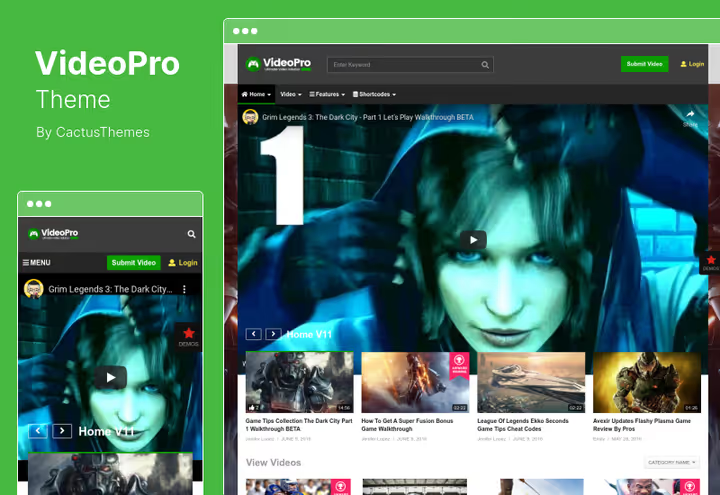
VideoPro is one of the most popular video themes on ThemeForest. Its key feature is a floating player: video continues playing in the corner of the screen while the user scrolls the page. This increases engagement and time on site.
In addition to the floating player, the theme provides video lightbox, video screenshots, "video actors" (custom taxonomy) and social locker. Suitable for any type of video site: from gaming portal to popular science publication.
- Pros: floating player, lightbox, screenshots, social locker, versatility
- Cons: no membership
16. VidoRev
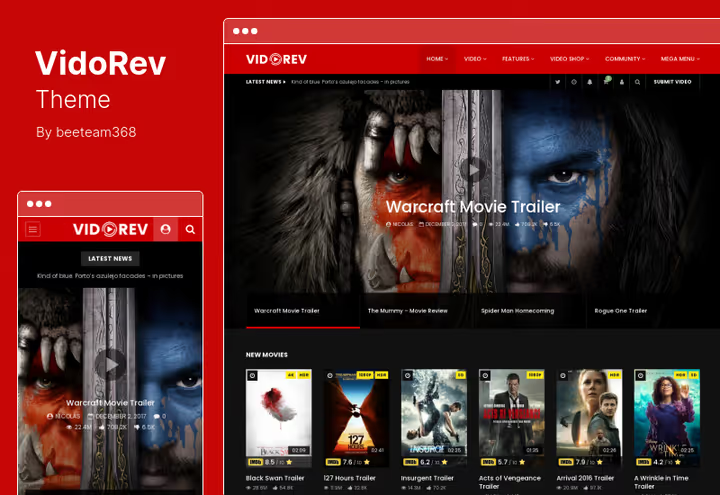
VidoRev is a budget alternative to VideoPro with emphasis on video series and subscriptions. The theme allows viewers to subscribe to channels (video series), which turns the site into a YouTube-like ecosystem inside WordPress.
Supports playlists, automatic video preview creation and several grid options for the homepage. Simple interface doesn't require code knowledge, everything through admin panel.
- Pros: series and subscriptions, playlists, auto previews
- Cons: no floating player, no membership
- Price: $59 on ThemeForest
🔗 VidoRev on ThemeForest | 🔗 Live demo
🎬 How to choose a theme for a WordPress video site
Watch the overview of key approaches to video presentation from the Themeisle team, it will help you decide on the type of theme before purchase.
⁉️🤔 Frequently asked questions
Can I use a free theme for a video magazine?
Free themes from the WordPress.org repository rarely have built-in video tools: YouTube import, playlists, video ads and floating player. You can insert embed videos through the standard WordPress block, but without automation and without special layout for video content. For an amateur video blog this is enough. For a commercial video site, it's better to get a premium theme from the collection, the price difference pays off in time saved on manual layout.
Which theme is best for video streaming with paid access?
Aztec is the only theme in the collection with a full-featured membership system out of the box: subscriptions, seasons and episodes, watchlists, rating. Streamit also has user registration and personal account, but its membership functionality is weaker and more suitable for an OTT catalog with open access.
Is a page builder necessary for a video theme?
Not required. True Mag, VideoMag and NewsTube work through native WordPress tools (Customizer + own settings). If you're used to Elementor, get Pelicula or Tuber; to drag-and-drop, Video News or Aztec; to Visual Composer, Joker; to WPBakery, VideoTube. The choice of builder is a matter of habit, not technical necessity.
Which theme should I choose for a news video portal?
Video News is specifically designed for news with drag-and-drop module composition. True Mag wins with Smart Content Box and video ads. If budget is limited, NewsTube with lifetime updates for $38.
Do these themes work with self-hosted video?
Yes, all themes in the collection support self-hosted video through the WordPress HTML5 player or their own built-in players. True Mag, Aztec and VideoPro have additional tools for managing self-hosted content: shortcode inserts, custom fields for video URLs, batch uploading.
How does Tuber differ from Vlog?
Vlog is a powerful video magazine with YouTube auto-import and 200+ layouts. Tuber is a lighter theme with emphasis on podcasts, streaming and Elementor integration. If you have a video blog with emphasis on podcasts and live streaming, Tuber. If it's a content-heavy magazine with dozens of sections, Vlog.
Which video theme to install in 2026
The collection of 16 themes covers almost any scenario. A short final breakdown for specific tasks.
- Video magazine or news portal: get VideoPro or True Mag. The first provides a floating player and maximum video tools, the second provides Smart Content Box and the best price in the collection.
- Membership streaming: get Aztec, there are virtually no alternatives in this price category.
- Studio video portfolio: Plexx; for photographer-videographer, Joker.
- Video community with UGC: Netube (frontend submits + ads in player) or VideoTube (lightbox + WPBakery).
- Podcasts and video blog: Tuber, optimized for YouTube integration and live streaming.
- Budget news portal with lifetime updates: NewsTube at the lowest price in the collection.
All themes are sold on ThemeForest with support and lifetime updates. Try the demos before purchase, each theme has a live demo via the link above. And if you've already chosen and launched a video site, tell us in the comments which theme and why.

A professional team of writers and editors specializing in creating quality content.