














🥇 4 best pagination plugins for WordPress 2026 (free and paid)
The standard WordPress navigation "← Older posts | Newer posts →" works, but it looks like it's stuck in 2010. No page numbers, no quick jumps, no hint of design. Users scroll blindly, and search engines get fewer internal links to your content.
The situation gets worse on sites with large archives: hundreds of posts, dozens of category pages, and the navigation is two lonely arrows. Readers don't see the scale, don't understand how much more content is ahead, and leave earlier than they could. According to our observations on test sites, replacing standard navigation with numbered pagination noticeably increases browsing depth.
A good pagination plugin solves all this with one installation: page numbers, customizable design, integration with themes and builders. We've selected the 4 best WordPress pagination plugins in 2026: from the classic WP-PageNavi with half a million installations to alphabetic pagination for catalogs and WooCommerce.
💡 Quick overview:
- Install WP-PageNavi or WP-Paginate for classic numbered blog pagination.
- Take Pagination by BestWebSoft if you need infinite scroll, a "Load More" button and fine-tuning of appearance without code.
- Choose Alphabetic Pagination for catalogs, glossaries and WooCommerce storefronts with alphabetic navigation.
Plugin comparison table
Feature | WP-PageNavi | WP-Paginate | Pagination by BestWebSoft | Alphabetic Pagination |
|---|---|---|---|---|
Active installations | 500,000+ | 40,000+ | 10,000+ | 8,000+ |
Last updated | December 2024 | May 2026 | December 2025 | February 2026 |
Tested with WP | 6.7.5 | 7.0 | 6.8.2 | 6.9 |
Free version | ✅ | ✅ | ✅ | ✅ |
Pro version | ❌ | $49 | Paid | Paid |
Infinite scroll | ❌ | ❌ | ✅ (Pro) | ❌ |
Alphabetic navigation | ❌ | ❌ | ❌ | ✅ |
Comment pagination | ❌ | ✅ | ❌ | ❌ |
WooCommerce | ❌ | ❌ | ✅ (Pro) | ✅ |
WP.org rating | 4.7 / 149 reviews | 4.6 / 107 reviews | 4.8 / 45 reviews | 4.8 / 81 reviews |
1. WP-PageNavi

🔗 WP-PageNavi on WordPress.org
WP-PageNavi is the most widely used pagination plugin in the WordPress ecosystem: over half a million active installations and 149 reviews with an average rating of 4.7. The plugin was created by Lester Chan and has existed since the days when wp_pagenavi() was almost the only way to get human-friendly navigation without modifying core.
It works through the wp_pagenavi() template tag: you replace the standard next_posts_link() and previous_posts_link() calls in your theme with it, and instead of dull arrows, you get full-featured page numbering. For multi-page posts there's a separate mode: wp_pagenavi( array( 'type' => 'multipart' ) ).
In settings (WP-Admin → Settings → PageNavi) you set text labels for current, first and last page, number of displayed links and separators. CSS is edited in two ways: copy pagenavi-css.css to your theme folder and edit there, or disable built-in CSS and add styles to your theme's style.css. For developers there are 10 filters available, from wp_pagenavi_class_pages to wp_pagenavi_class_last, allowing you to override the CSS class of each navigation element.
In practice, for a typical blog, basic setup takes a couple of minutes: activated, replaced calls in theme, tweaked labels. The plugin is free with no Pro versions.
Note: the plugin hasn't been tested with the last three major WordPress versions, a corresponding warning hangs in the repository. Compatibility with WP 7.0 is not confirmed, although on a test site with Twenty Twenty-Three theme numbering works correctly. For production sites on fresh WP versions, this is a reason to look at WP-Paginate.
Strengths:
- 500,000+ active installations and status as the most popular pagination plugin for WordPress.
- Extremely simple API: one
wp_pagenavi()tag replaces all standard navigation. - 10 filters for overriding CSS classes of each navigation element.
- Completely free with no Pro versions and hidden payments.
Weaknesses:
- Not tested with the last three major WordPress versions (warning in repository).
- Doesn't integrate with visual builders (Elementor, Gutenberg blocks), requires manual editing of theme PHP templates.
- No comment pagination, infinite scroll or WooCommerce integration.
💵 Free.
2. WP-Paginate

🔗 WP-Paginate on WordPress.org🔗 Pro version on MaxGalleria
WP-Paginate by Max Foundry studio is a more modern approach to pagination. The plugin is tested with WordPress 7.0 (May 2026), and settings now include customizable CSS without needing to dig into theme files: the Custom CSS tab in admin lets you add styles right from the dashboard.
The main architectural difference from WP-PageNavi: WP-Paginate works both as a replacement for standard post pagination and as a comment paginator (since version 1.1). The wp_paginate_comments() function is added to comments.php in one line and inherits all appearance settings from the general config. Comments get a separate wp-paginate-comments CSS class, so they can be styled differently than main navigation.
The wp_paginate() function accepts a query string with parameters: range (number of links before and after current), anchor (permanent links at beginning and end), gap (when ellipsis appears), nextpage and previouspage (button text). In practice, this means different site pages can have different pagination behavior without code duplication. For example, on a tag archive, 9 links, on the homepage, 5.
The Pro version is sold on a separate MaxGalleria site for $49 one-time and adds style presets, including a neon pink button, as well as extended technical support.
Strengths:
- Tested with WordPress 7.0 (May 2026), the freshest plugin in the roundup.
- Comment pagination out of the box (separate
wp_paginate_comments()function). - Configuration via query string:
range,anchorandgap, button labels, flexible and without PHP. - Built-in Custom CSS tab for styling right from admin.
Weaknesses:
- Pro version for $49 on separate MaxGalleria site, not in WordPress.org repository.
- Fewer installations than WP-PageNavi (40,000+) and smaller community.
- No infinite scroll and WooCommerce integration.
💵 Free Lite version. Pro, $49 one-time.
3. Pagination by BestWebSoft

🔗 Pagination by BestWebSoft on WordPress.org🔗 Pro version on BestWebSoft
Pagination by BestWebSoft is the most feature-rich plugin in the roundup. While WP-PageNavi and WP-Paginate solve one task (numbered navigation), BestWebSoft offers four pagination types to choose from: numbered, "Back/Forward" buttons, "Load More" button and infinite scroll. The last two are Pro only.
The free version automatically adds pagination to homepage, blog, archives, search results and paginated posts/pages. Positioning is flexibly configurable: above content, below content, on both sides or manually via function. For non-standard themes there's manual mode with CSS selector for posts, for example, #content-area div for Divi or .fusion-posts-container for Avada.
Appearance customization is detailed: hover color, background color, text color, current page color, border color, border width and radius, padding and alignment. Plus several ready-made templates to choose from. Version 1.2.7 (December 2025) added scroll to top when switching pages and several design presets.
In practice, the plugin admin can seem overloaded, 45 items on one page, and it's easy to get lost at first. But if you configure it once, you never go back there: pagination works automatically on all specified pages.
The Pro version adds WooCommerce integration, scroll progress bar and full Divi compatibility. Price is on the developer's site.
Strengths:
- Four pagination types: numbered, "Back/Forward", Load More, infinite scroll.
- Auto-detection of posts for Divi, Avada and other popular themes.
- Detailed color and size customization without code plus ready-made design templates.
- In Pro: WooCommerce integration, scroll progress bar, Divi compatibility.
Weaknesses:
- Infinite scroll and Load More are locked in free version.
- User experience in admin is overloaded (45 items on one settings page).
- Fewer installations and reviews than competitors.
💵 Free Lite version. Pro, paid (price on developer's site).
4. Alphabetic Pagination
🔗 Alphabetic Pagination on WordPress.org🔗 Pro version on AndroidBubble
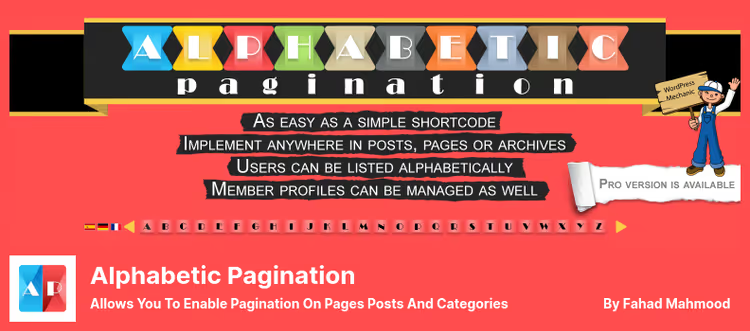
Alphabetic Pagination is the only plugin in the roundup that builds navigation not by numbers but by alphabet letters. This is a fundamentally different scenario: not "page 1, 2, 3" but a filter "A, B, C, D...". For product catalogs, glossaries, WooCommerce storefronts, directories and FAQ sections, the alphabetic approach is more intuitive than numbered.
The plugin works with posts, pages, custom post types and WooCommerce products. It supports 12+ languages, including Russian, Ukrainian, Hebrew, Arabic, Hindi, Chinese (pinyin), Greek, Hungarian and Korean. Version 3.2.5 (February 2026) fixed mobile responsiveness and added support for six more languages.
Implementation is flexible: automatic (selecting sections in settings) or custom via shortcodes. Shortcodes let you insert alphabetic pagination on a specific page, in a post or taxonomy. The Pro version adds jQuery implementation for single-page loading without reload and shortcodes for Elementor. For styling, the author recommends a separate Chameleon plugin.
In practice, the plugin is good precisely in its niche. For a regular blog it's excessive and inconvenient, but for a parts catalog or WooCommerce storefront with 500+ products, it's exactly what the customer needs.
Strengths:
- Unique navigation type (alphabetic) that no other plugin in the roundup provides.
- Multilingual out of the box: 12+ languages including Russian and Ukrainian.
- WooCommerce compatibility in free version (unlike BestWebSoft).
- Shortcodes for targeted connection on individual pages and taxonomies.
Weaknesses:
- Doesn't replace standard numbered blog pagination, it's a separate niche tool.
- Pro version is sold on a separate site (AndroidBubble), not in repository.
- For styling the alphabetic grid, a separate Chameleon plugin from the same author is recommended.
💵 Free Lite version. Pro, paid.
Video: setting up pagination in WordPress
To understand WP_Query parameters for pagination and see how page numbering works at the code level, this tutorial from BuntyWP will help:
⁉️🤔 Frequently asked questions
Which pagination plugin is best for a blog?
For a classic blog, WP-PageNavi or WP-Paginate is optimal. WP-PageNavi wins with mass adoption (500,000+ installations) and simplicity, WP-Paginate with fresh code (tested with WP 7.0) and built-in comment pagination. If your blog is on a modern theme and you don't want to touch PHP, take WP-Paginate. If your theme is old and already uses
wp_pagenavi(), stay with WP-PageNavi.
Can you add pagination without editing theme code?
Yes, Pagination by BestWebSoft in the free version automatically detects posts for popular themes (Divi, Avada, Twenty Twenty-Three) and adds pagination through settings, without a single line of code. WP-Paginate also offers a Custom CSS tab in admin for styling, but basically requires replacing calls in templates.
How does alphabetic pagination differ from numbered?
Numbered pagination divides content into equal portions by publication time and outputs pages with numbers. Alphabetic filters content by the first letter of the title: click "S", get all posts/products starting with S. For a blog this is pointless, for a product catalog or glossary it's ideal. Imagine a parts store: a customer looks for parts starting with "F" (filters), not browsing 40 catalog pages.
Do these plugins work with custom post types?
Yes, all four plugins work with custom post types (CPT). WP-PageNavi and WP-Paginate require manual tag insertion in CPT template. Pagination by BestWebSoft automatically detects CPT for popular themes. Alphabetic Pagination supports CPT through settings and shortcodes.
Which plugin to choose for a WooCommerce store?
For a WooCommerce store, first choice is Alphabetic Pagination (alphabetic navigation in free version, ideal for storefronts). If you need numbered pagination with infinite scroll, Pagination by BestWebSoft Pro. WP-PageNavi and WP-Paginate don't integrate with WooCommerce.
What to do if pagination doesn't appear after installing the plugin?
Three common reasons: 1) plugin is activated but calls in theme aren't replaced, open
index.phporarchive.phpand replace standard functions withwp_pagenavi()/wp_paginate(); 2) page has fewer posts than set in WordPress reading settings (nothing to paginate); 3) conflict with other pagination built into theme, disable it in theme settings. On a test site always check on a page where there are definitely more posts than "Settings → Reading → Blog pages show at most".
Which pagination plugin to choose in 2026
In short: for a regular blog, take WP-Paginate. It's fresh, tested with WordPress 7.0 and can paginate comments, two features that the more popular WP-PageNavi doesn't have. For a catalog or WooCommerce storefront, Alphabetic Pagination, there are simply no analogs for alphabetic navigation in a free version.
Quick selection matrix:
- You need maximum simplicity and your theme already uses
wp_pagenavi(), keep WP-PageNavi, it still works. - You need a fresh codebase, comment pagination and Custom CSS from admin, WP-Paginate.
- You need infinite scroll, Load More and WooCommerce, Pagination by BestWebSoft Pro.
- You need alphabetic navigation for a catalog, glossary or WooCommerce storefront, Alphabetic Pagination.
Regardless of choice, after installation check pagination on mobile: three of four plugins in the roundup rely on theme CSS, and if the theme isn't responsive, page numbers can overflow the screen. WP-Paginate and BestWebSoft handle this better thanks to built-in styles. And make sure pagination pages are indexed: in Yoast SEO or Rank Math "Search Appearance → Archives" tab, uncheck "NoIndex" from archives if it's there.

A professional team of writers and editors specializing in creating quality content.