













💬 4 blockquote plugins for WordPress: what to install in 2026
Have you noticed that people don't read website text the way they read a book? Users scan with their eyes, picking out headings, images and patches of color. A gray paragraph with a vertical line on the left, the standard Gutenberg quote block, just goes unnoticed.
Meanwhile, a boldly styled quote does exactly what you need: it stops the scroll. Someone catches sight of a colored box, sees the key idea and remembers it even without finishing the page. This works for SEO too: search engines are more likely to pull pages with semantically highlighted fragments into rich snippets.
The catch is that the standard WordPress quote block is extremely bare. No background, no font change, no icon. Elementor doesn't provide its own quote block at all. We tested four plugins that solve this problem from different angles, from a lightweight shortcode to a full widget library. Choose one based on your page builder and needs.
💡 Quick overview:
- Install Qi Addons for Elementor if your site runs on Elementor and you need maximum free widgets
- Install Master Addons for Elementor if you need header, footer and popup builders alongside quotes
- Install Spectra if your site is on Gutenberg and page speed is critical
- Install Quotes and Tips by BestWebSoft if you only need random quote rotation and nothing extra
Comparison table for all four plugins:
Plugin | Page builder | Free blocks | Pro version | Key feature |
|---|---|---|---|---|
Qi Addons for Elementor | Elementor | 60+ | $69/year | Largest free widget library |
Master Addons for Elementor | Elementor | 55+ | $59/year | Theme Builder + Popup Builder in one |
Spectra | Gutenberg | 30+ | $59/year | Extension for the native block editor |
Quotes and Tips by BestWebSoft | Any | Fully | $29/year | Random quote and tip rotation |
All plugins were tested on a test environment: WordPress 6.9, PHP 8.2, default Twenty Twenty-Five theme. None caused conflicts with the core or noticeably slowed page load speed. Each was tested separately: installation, activation, inserting a quote block, mobile resolution check in Chrome DevTools. Full cycle per plugin, about 15 minutes.
1. Qi Addons for Elementor
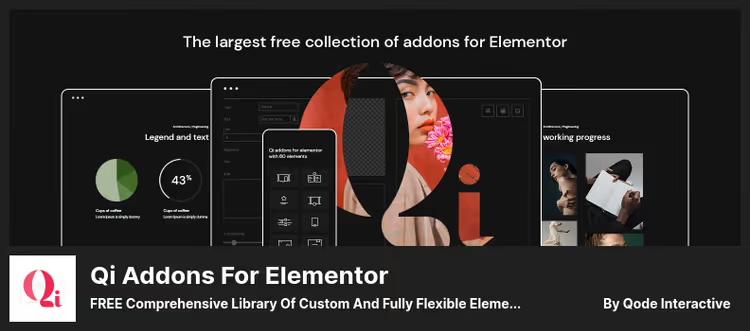
The largest free widget collection for Elementor, 60+ elements, with blockquote among them. Behind the plugin is Qode Interactive, a team with years of premium theme experience on ThemeForest. This is the key point: you install Qi Addons for quotes and also get tabs, galleries, charts, progress bars and SEO blocks. One plugin instead of a bunch of separate ones.
The quote block is highly customizable without diving into CSS. Change font, background, colors, add an icon or author photo. Two modes available: boxed (quote inside a colored frame) and inline (embedded in text without paragraph break). All edits are visible instantly in Elementor's live mode, without saving and reloading the page.
The free version covers 90% of real use cases. The Pro tier (from $69 per year) adds 40+ more widgets, including gradient text, Google Maps and animated timelines, but for blockquote this is excessive. Version 1.10 was released in May 2026, the plugin is actively updated.
- Pros: 60+ free widgets, live editing without reload, lightweight code without bloat, full compatibility with free Elementor, Russian interface
- Cons: Elementor only, useless for Gutenberg sites, bulky if you only need blockquote
- Price: free; Pro, from $69/year
- Download: 🔗 Qi Addons for Elementor on WordPress.org
2. Master Addons for Elementor
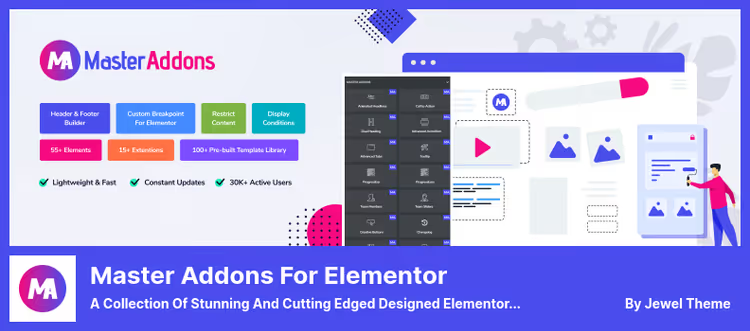
Master Addons takes a different approach: this isn't just a set of widgets, but a mini site builder inside Elementor. 55+ elements, 20+ extensions and most importantly, Theme Builder, Popup Builder and even Widget Builder for your own HTML/CSS/JS snippets. The blockquote widget is just one detail here, but a well-developed one.
What really sets Master Addons apart from Qi Addons is Theme Builder. With it you build headers, footers, post templates and 404 pages directly in the Elementor interface, without a separate plugin. Popup Builder provides popups with flexible triggers: scroll to 50% of page, cursor exit beyond window, user inactivity. For a site owner this means: don't breed a zoo of five plugins for popups, templates and mega menus, everything in one.
The blockquote widget offers stylized quotation marks, decorative dividers and detailed typography settings for the author name. Dual Heading lets you color keywords in the heading differently, useful for accents. Version 3.1.3, updated mid-June 2026.
- Pros: Theme Builder + Popup Builder in one plugin, Widget Builder for custom snippets, mega menu out of the box, 55+ widgets in free version
- Cons: bloated if you only need blockquote, Pro extensions (News Ticker, Domain Checker, Restrict Content) only in paid version, interface more complex than Qi Addons
- Price: free; Pro, from $59/year (Agency $99/year with white label)
- Download: 🔗 Master Addons on WordPress.org 🔗 Plugin website
3. Spectra
Spectra is an extension over WordPress's native block editor, and that says it all. No separate page builder: the plugin extends Gutenberg with 30+ blocks, hundreds of ready templates and a site builder on the block editor. Behind the project is Brainstorm Force, the same team that makes the Astra theme. The plugin changed its name from Ultimate Addons for Gutenberg to Spectra in 2022, but the slug in the repository stayed the same (ultimate-addons-for-gutenberg).
Spectra's blockquote block is deeply customizable: background, border, color, quotation mark icon. You can add the author's name, photo and a "Click to Tweet" button, which generates a link to share the quote on Twitter/X with one click. Blocks group into containers: all quotes on the page inherit unified styling.
But Spectra's main advantage is performance. The plugin works on top of the native block editor, without its own rendering engine. Styles and scripts load only for those blocks actually inserted on the page. On a typical blog, Spectra's blockquote block added less than 2 KB to page size, and only on pages where it's used. Other site pages are unaffected. Version 2.19.28, May 2026.
- Pros: native block editor without separate page builder, 30+ free blocks, Starter Templates for quick start, Popup Builder and Coming Soon Mode included, local Google Fonts loading (GDPR-friendly)
- Cons: Gutenberg only, doesn't work with Elementor and other page builders, Pro features (Loop Builder, Dynamic Content) from $59/year, block settings panel overloaded with options
- Price: free; Pro, from $59/year
- Download: 🔗 Spectra on WordPress.org 🔗 Plugin website
4. Quotes and Tips by BestWebSoft
The lightest plugin in the lineup. Not tied to Elementor or Gutenberg, works via the shortcode [quotes_and_tips]. If you don't need a page builder, just quote output in sidebar, footer or inside a post, this is your tool.
Settings are simple: background (solid color, image or video), font, text color, quotation mark position. Main feature is random rotation. The quote changes either on each page reload or by timer. You can specify the author and their position, the plugin displays them under the quote text.
Limitations: quotes and tips display in one block, no category separation in the free version. Admin interface is old school, without live preview. But for the simple scenario "output random quote of the day in sidebar" the tool honestly delivers. Current version 1.47, April 2026, the project is alive and maintained.
- Pros: independent of page builder, simple shortcode, random rotation with timer, background video (Pro), multilingual with RTL support
- Cons: old interface without live preview, quotes and tips mixed in one block, no categories in free version
- Price: free; Pro, $29/year (import/export, Gutenberg block, manual quote change button)
- Download: 🔗 Quotes and Tips on WordPress.org
Before moving to conclusions, a short video. Using real sites as examples, you can see how blockquote blocks differ across plugins and what visual effect a properly styled quote delivers:
⁉️🤔 Frequently asked questions
Do you need a separate plugin for blockquote if the site already runs on Elementor?
A standard Elementor installation doesn't include a quote block. Technically you can manually build a quote through the text editor and add CSS, but repeating this for every publication is unnecessary hassle. A plugin like Qi Addons or Master Addons provides a drag-and-drop widget with ready styling. Bonus: by installing Qi Addons for blockquote, you also get tabs, galleries, progress bars and SEO blocks. One solution instead of five.
Are Spectra and Ultimate Addons for Gutenberg different plugins?
No, this is the same plugin. Brainstorm Force renamed Ultimate Addons for Gutenberg to Spectra in 2022. The slug in the WordPress.org repository stayed the same,
ultimate-addons-for-gutenberg. The blockquote block didn't go anywhere: it's in the Social Blocks category with a full set of background, border, quotation mark icon settings and a "Click to Tweet" button.
Can you use Spectra and Elementor on one site simultaneously?
Technically there's no conflict, the plugins don't interfere with each other. But architecturally this solution makes no sense: Spectra extends Gutenberg, Elementor is a separate page builder. On one editing screen you use one or the other. The scheme "Elementor + Qi Addons/Master Addons" and the scheme "Gutenberg + Spectra" are two parallel paths. Choose one and don't mix.
Which plugin loads the site the least?
Quotes and Tips by BestWebSoft, absolute minimum: does exactly one job and doesn't drag along a widget library. Among plugins with extended functionality, Spectra: works on top of WordPress's native block editor and loads only CSS/JS for blocks actually used on a specific page. Elementor widgets (Qi Addons, Master Addons) inevitably depend on Elementor itself, so their final page "weight" is higher.
What to do if a plugin you like hasn't updated in over a year?
Most likely the author abandoned it, look for an alternative. A plugin without updates accumulates discrepancies with the WordPress core and becomes a security hole. All four solutions in this lineup are actively maintained: Qi Addons, Master Addons and Spectra get updates every 1-3 weeks, Quotes and Tips once every 1-2 months, last update in April 2026.
What to install in 2026: final breakdown by page builder
Everything comes down to one question: what is your site built on. Here's the matrix:
- Elementor, need maximum free widgets, Qi Addons for Elementor. 60+ elements, live editing, free forever.
- Elementor, need Theme Builder and popups, Master Addons for Elementor. Same price (free), but you get header/footer builder and Popup Builder without additional plugins.
- Gutenberg, speed is important, Spectra. Minimal overhead, local font loading, tailored for the native block editor.
- Any page builder, only quotes and nothing extra, Quotes and Tips by BestWebSoft. Shortcode, random rotation, weight is negligible.
All four plugins are free in the base version: each has a WordPress.org page with a "Download" button. Start with the free version, the functionality is enough to understand whether the plugin solves your problem. Pro tiers (from $29 to $69 per year depending on the plugin) should be added when free becomes insufficient, for example, you need quote import/export or dynamic content.

A professional team of writers and editors specializing in creating quality content.