














🥇 6 button plugins for WordPress 2026 (free and Pro)
A button without design is just a blue link. And a button that's invisible on mobile is a lost lead. A good button plugin for WordPress solves two problems: it gives visual control without CSS and doesn't tank site speed. We've selected 6 tools that actually work in 2026, from free lightweight solutions to all-in-one suites with hundreds of widgets.
Each plugin in this roundup has an active install base, fresh updates, and real scenarios it's built for. No "best for everyone," only "best for your task."
💡 Quick overview:
- Define your task: share buttons, CTA, floating call or custom design, each scenario has its own tool
- Check the comparison table below, filter out unsuitable options by price, type and site load
- Install the free version of a suitable plugin on a test subdomain, verify speed and conversion before connecting Pro
Comparison table: 6 button plugins for WordPress in 2026
Plugin | Button type | Free version | Pro price | Active installs | Last update |
|---|---|---|---|---|---|
Qi Addons for Elementor | Elementor widgets (buttons, CTA, info) | Yes, 60+ widgets | $49/year | 60,000+ | May 2026 |
AddToAny Share Buttons | Share buttons, floating | Yes | ❌ | 500,000+ | May 2026 |
Call Now Button | Call button (mobile) | Yes | ❌ | 100,000+ | May 2026 |
MaxButtons | Button builder, social icons | Yes | $24 | 60,000+ | September 2025 |
Floating Action Button | Floating button with sub-buttons | Yes | ❌ | 4,000+ | August 2025 |
Sticky Side Buttons | Side floating buttons | Yes | ❌ | 20,000+ | July 2025 |
1. Qi Addons for Elementor
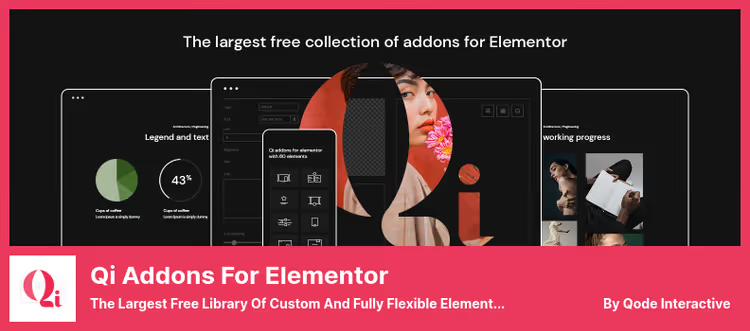
The largest set of free widgets for Elementor on the market. The package includes 60+ elements, three of which are specialized button widgets: standard button, Info Button with expandable details, and "add to cart" button for WooCommerce.
On top of that, a separate CTA widget that assembles a complete call-to-action section with heading, text and button. Without a line of code.
In practice, this means: if the site is already built on Elementor, additional button plugins aren't needed. Qi Addons covers the topic with room to spare.
Pros:
- 60+ widgets in the free version, including three button widgets and CTA
- SVG shapes and gradient backgrounds for buttons without a designer
- Full compatibility with Elementor Free and Pro
Cons:
- Only for Elementor, doesn't work with Gutenberg or other builders
- Conflicts with some caching plugins (Masonry widgets)
Price: Free version on WordPress.org; Pro, $49/year.
🔗 Qi Addons for Elementor on WordPress.org🔗 Pro version on Qode Interactive site
2. AddToAny Share Buttons
The number one tool for sharing content, both by install count (500,000+) and service coverage. Supports more platforms than any other share plugin: from standard Facebook and X to Mastodon, Telegram and Buffer.
Buttons can be displayed in two modes: static (before or after content) and floating, via breakpoint that works with any theme. SVG icons are pixel-perfect at any resolution and load asynchronously without blocking page render.
A separate plus is built-in integration with Bitly for tracking clicks on shortened links and Google Analytics for measuring traffic from each button.
Pros:
- 500,000+ active installs, 15+ years on the market
- Floating and static buttons with custom positioning
- Asynchronous loading, doesn't slow down the site
Cons:
- Only share functionality, can't create CTA and custom buttons
- Interface in English, no Russian localization
Price: Completely free plugin.
🔗 AddToAny Share Buttons on WordPress.org
3. Call Now Button

A narrow but critically important tool for sites where phone calls are the main conversion channel. Places a "Call" button at the bottom of the mobile visitor's screen. Setup, three clicks: downloaded, activated, inserted number.
Settings are flexible: button position, size, color, custom text. The button can be hidden on specific pages, for example, not shown in the blog but displayed on landing pages.
Integration with Google Ads: conversion tags record the call as a target action, and Google Analytics tracks clicks. But: lazy loading of some themes can cover custom text with the standard "Call Now" inscription.
Pros:
- Simplest installation and setup, three fields and done
- Tracking calls as conversions in Google Ads
- Free, no ads and Pro upgrades
Cons:
- Only one button, no additional actions
- Conflict with lazy loading: custom text may be covered
Price: Free.
🔗 Call Now Button on WordPress.org
4. MaxButtons
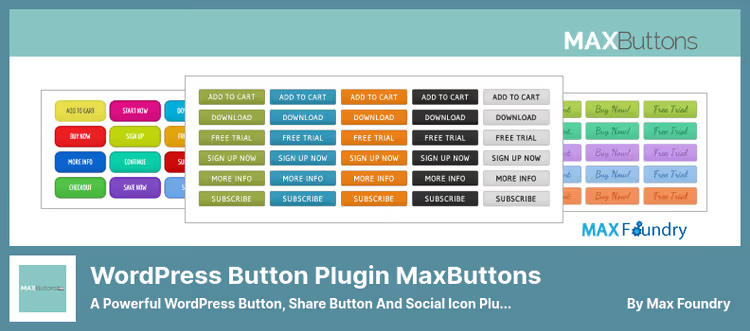
The first and most popular button builder for WordPress. On the market for more than 15 years, 1,000+ five-star reviews and over 3.5 million downloads. The reason is simple: you create a button in the visual editor with live preview, get a shortcode, insert it anywhere.
The free version already provides CSS3 buttons with shadows, gradients, rounded corners and responsiveness. Pro ($24) adds Google Fonts, second text line, import/export and Google Analytics integration. Button sets (6,000+ in the library) and icons are sold separately.
The shortcode is flexible: [maxbutton id="17" text="Text" url="https://..."], text and link can be overridden on the fly without creating a new button.
Pros:
- 15+ years of development, 3.5 million downloads, 1,000+ five-star reviews
- Visual editor with live preview, no CSS needed
- Shortcode with parameters: text and URL override without button duplication
Cons:
- Pro needed for icons, fonts and analytics (from $24)
- Last update, September 2025 (rare, but plugin is stable)
Price: Free Lite version; Pro, $24.
🔗 MaxButtons Lite on WordPress.org🔗 MaxButtons Pro on developer site
5. Floating Action Button
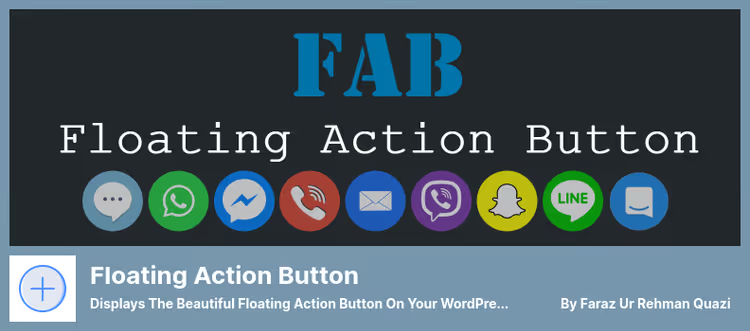
A lightweight free plugin that adds a round floating button to the site with a fan of sub-buttons on hover. Each sub-button is a separate action: WhatsApp with click-to-chat, Facebook Messenger, call, email, Viber and even Snapchat.
Setup is simple: choose the sub-button type, enter the number or username, set the icon. The button appears on the frontend and expands by trigger. No extra options, only what's needed for quick contact.
For sites with mobile audience and messenger culture, a "set and forget" solution.
Pros:
- 9 types of sub-buttons: WhatsApp, Messenger, Viber, call, email and others
- Extremely simple interface, setup in 2 minutes
- Free and no ads
Cons:
- Only 4,000+ active installs, small community
- Button design is limited in customization
Price: Free.
🔗 Floating Action Button on WordPress.org
6. Sticky Side Buttons
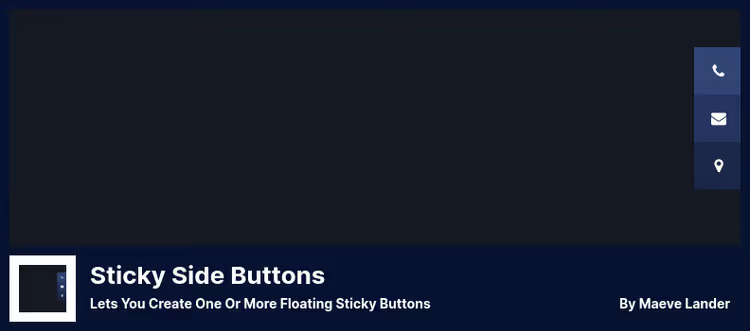
A solution for sites that need permanent side contact buttons: phone, email, social networks, address. Buttons attach to the right edge of the screen and remain visible when scrolling.
The z-index of each button is configured separately, this is important for themes with high z-index on the header or popup elements. If the button "disappeared" behind a theme element, raise the z-index in settings and it's on top again.
The plugin is simple: create a button, specify data (number, address, social network link), save, and the button is on the site.
Pros:
- Multiple buttons simultaneously in one side panel
- Manual z-index control, resolves conflicts with themes
- Phone, email, address and social networks in one plugin
Cons:
- Minimal design, no custom icons and fonts
- Last update, July 2025
Price: Free.
🔗 Sticky Side Buttons on WordPress.org
A quick way to understand which button plugin will handle your task is to watch how WordPress developers set up conversion elements in real time:
⁉️🤔 Frequently asked questions
Can you use multiple button plugins simultaneously?
Technically, yes. But each plugin adds its own scripts and styles. Two or three button plugins on one site means extra requests and potential CSS conflicts. Better to choose one tool that covers all scenarios. Qi Addons covers buttons, CTA and cart in one package. For share buttons it makes sense to add AddToAny, it's asynchronous and doesn't intersect with Elementor widgets.
What's the difference between the builder approach of MaxButtons and Qi Addons widgets?
MaxButtons is an isolated builder: you create a button in a separate editor and insert it with a shortcode anywhere (post, sidebar, popup). Qi Addons is an Elementor widget: the button lives inside a page built in Elementor and inherits theme styles. If the site is on Elementor, Qi Addons is more native. If the builder isn't used or buttons are scattered across sidebars and popups, MaxButtons is more universal.
Which plugin is better for an online store on WooCommerce?
Qi Addons provides a special "add to cart" widget with appearance customization, this is a direct upgrade of the standard WooCommerce button. Call Now Button adds mobile calling, for stores with a consultation sales model this is a plus. MaxButtons can style any CTA button, including "buy" and "go to catalog."
Do floating buttons annoy users or help?
According to specialized studies, a floating call button significantly increases conversion to contact, especially in niches with a consultation sales model. But an overloaded screen (3+ floating elements) really annoys and increases bounce rate. The rule: one floating button per screen. Sticky Side Buttons for desktop, Floating Action Button for mobile-first traffic.
Do you need a Pro upgrade for a button plugin?
For a typical blog or small site, no. The free versions of Call Now Button, AddToAny and Floating Action Button are more than enough. Pro makes sense when: you need click analytics in Google Analytics (MaxButtons Pro, $24), you need icon sets and Google Fonts for branded buttons (MaxButtons Pro), or you need 60+ widgets with Elementor premium features (Qi Addons Pro, $49/year).
Which button plugin to install in 2026
If the site is built on Elementor, take Qi Addons. It provides buttons, CTA sections and WooCommerce integration in one package for free, and you won't have to install separate plugins for each task.
When Elementor isn't used, MaxButtons remains the gold standard of button builders. 15 years of development, 3.5 million downloads and a shortcode that can be overridden on the fly is a tool that won't let you down.
For specific tasks the logic is simple: share buttons, AddToAny, mobile calling, Call Now Button, floating contact panel, Sticky Side Buttons or Floating Action Button. Try the free version on a test subdomain and look at real conversion, numbers will show better than any rating.

A professional team of writers and editors specializing in creating quality content.