














📞 6 best click to call plugins for WordPress 2026 (free and paid)
A visitor lands on your site from their smartphone, sees the phone number in the header, tries to memorize it, minimizes the browser, opens the dialer and gets a digit wrong. Three taps they didn't make, three missed leads.
A Click-to-Call button eliminates the entire chain: one tap, and the call is already connecting. Right from the browser.
But not every call button is created equal. Some plugins just stick a phone icon on the page and call it a day. Others collect leads, connect WhatsApp and Telegram, sync with Google Analytics and offer visual customization without a line of code. We tested six current WordPress plugins for one-click calling: from minimalist free solutions to tools with browser-based telephony and AI receptionists.

💡 Quick overview:
- Identify the plugin type for your use case: direct call button (Call Now Button, WP Call Button), callback and lead collection (Bazz CallBack, Popup4Phone), cloud widget with visual builder (Elfsight Click to Call) or browser telephony with AI receptionist (WebCallHub)
- Install the plugin from the WordPress.org repository or upload manually, enter your phone number and customize the button appearance to match your brand
- Set up click tracking through Google Analytics and conversion events to see which pages generate calls
- Test the button on mobile and desktop: it should be noticeable, not block content and open the dialer without delay
Plugin comparison table
Plugin | Free version | Pro price | Call type | Callback | Google Analytics | Installs / Rating | |
|---|---|---|---|---|---|---|---|
Call Now Button | ✅ | from €4.99/mo | Direct | ❌ | ✅ (Pro) | ✅ | 200K+ / 5.0 |
WebCallHub | ✅ | from $19/mo | Browser VoIP | ❌ | ❌ | ❌ | Commercial |
WP Call Button | ✅ | - | Direct | ❌ | ❌ | ✅ | 40K+ / 4.6 |
Bazz CallBack Widget | ✅ | - | ❌ | ✅ | ❌ | ❌ | 4K+ / 4.3 |
Popup4Phone | ✅ | from $4/mo | ❌ | ✅ (form) | ❌ | ✅ | Commercial |
Elfsight Click to Call | ✅ | from $5/mo | Direct | ❌ | ❌ | ❌ | Commercial |
1. Call Now Button

The most popular click-to-call plugin for WordPress: 200,000+ active installations and a 5.0 rating on WordPress.org. In our test the button proved instant: turned it on, entered a number, and calling worked without a single additional setting. Developer StudioStacks (formerly Jerry Rietveld) transformed a simple call button into the NowButtons ecosystem with support for a dozen channels.
The basic version is free. You enter the number, choose the button position, bottom of screen, top, left, right, eight options, and color. Without text on the button the visitor sees a clean round phone icon that doesn't distract from content. With text: a full-width "Call" bar across the entire screen.
Out of the box: display scheduler by business hours, click tracking in Google Analytics, conversion tags for Google Ads and page visibility restrictions. The Pro plan (NowButtons PRO, from €4.99/mo) adds multi-channel buttons, WhatsApp chat, appointment scheduler and content windows. In practice one button unfolds into a mini-panel: call, chat, map, email.
Pros:
- 200K+ installations and 5.0 rating, plugin proven by years of use
- Instant setup: turn on, enter number, save, 30 seconds
- Multi-channel in Pro: WhatsApp, Telegram, Messenger, maps, email in one button
Cons:
- Advanced features like WhatsApp chat and button templates only in NowButtons PRO
- No dynamic number replacement for different pages, for that you need CallRail or similar
🔗 Call Now Button on WordPress.org
2. WebCallHub

WebCallHub goes beyond the usual tel: link: the visitor clicks the button, and the call goes straight through the browser using WebRTC technology. No phone lines. No equipment. You answer from your laptop or phone, the call comes in like a regular call, but over the internet.
The main feature, AI receptionist. When you're busy or outside business hours, artificial intelligence answers the call, qualifies the lead and can book an appointment. Live call transcription and call recording are available on paid plans. If a call is missed, the system saves the name, email and reason for contact, the lead isn't lost.
Multi-agent routing directs the call to the right employee. The widget is customizable by color and position, and page targeting lets you show the button only on specific landing pages. The free plan gives 30 minutes of calls per month forever, without a card and no trial period.
Pros:
- Browser VoIP without telephony: visitor calls from browser, you answer from anywhere
- AI receptionist 24/7 qualifies leads and books appointments without your participation
- Live transcription, call recording and multi-agent routing
Cons:
- Requires registration on webcallhub.com, not a fully self-contained WordPress plugin
- Free limit of 30 minutes per month, active sales departments need a paid plan
- Plugin is new: fewer than 10 active installations on WordPress.org, community not yet formed
🔗 WebCallHub on WordPress.org | 🔗 Live demo
3. WP Call Button
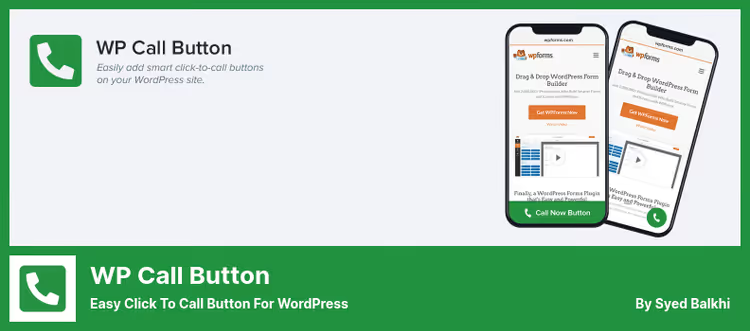
WP Call Button from Syed Balkhi (WPBeginner): a minimalist plugin that does exactly what it promises. Adds a clickable call button, and nothing extra. 40,000+ active installations and 63 reviews on WordPress.org with an average rating of 4.6.
The plugin's philosophy, "do no harm". Code is ultra-lightweight, optimized for Core Web Vitals, no bloated scripts. Smart number input field with country code auto-fill eliminates typo risk. Floating button scrolls with the user: sticky behavior keeps the button in view throughout the entire journey down the page.
Four floating button layouts, static variant via [wp_call_button] shortcode or Gutenberg block, sidebar widget and mobile-only display option. Integration with Google Analytics Events: you see which pages generate calls, without any hassle. And all of this free, without Premium upsell.
Pros:
- Ultra-lightweight code, virtually no impact on load speed
- Smart number field with country code auto-detection
- Completely free: all features available immediately, no Premium wall
Cons:
- Only calling, no WhatsApp, no Telegram, no email
- No callback or visitor number collection
- No A/B testing and advanced analytics
🔗 WP Call Button on WordPress.org
4. Bazz CallBack Widget
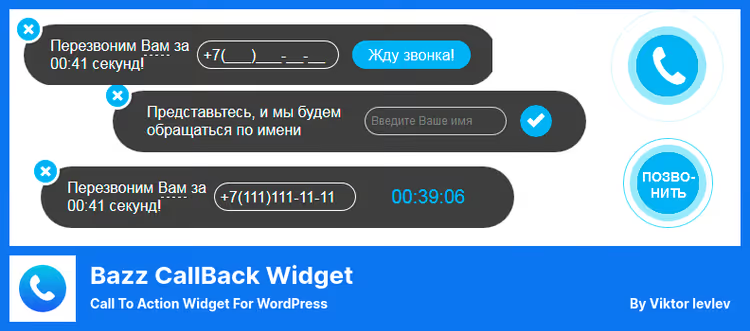
Bazz CallBack solves the reverse problem: the visitor doesn't call you, but leaves their number, and you call back. Classic callback widget: button in the corner of the screen opens a form with a phone field, request goes to administrator by email.
Completely free, with open source code. Supports 15+ languages, including Russian and Ukrainian. Setup is minimal: email for notifications, business hours and color scheme. Version 3.25 (June 2026) added responsive support: widget displays correctly on any screen.
Of interest: custom event bazzSuccessSubmit, which can be listened to for integration with Yandex.Metrica and Google Analytics. Button automatically hides outside business hours, and the form collects not only phone but also name. For those who need exactly callback without extra bells and whistles, the simplest solution.
Pros:
- Absolutely free, no Premium versions or hidden fees
- Multilingual out of the box: 15+ languages, Russian and Ukrainian included
- Easy customization via JavaScript events
Cons:
- This is callback, not a call button: visitor waits for you to call back
- No instant VoIP connection
- 4,000+ installations, modest community and few reviews
🔗 Bazz CallBack Widget on WordPress.org
5. Popup4Phone
Popup4Phone: lead collection popup form, optimized for phone numbers. Unlike traditional popup plugins, email here is an optional field. The main thing, phone number, and all logic is built around it.
The plugin automatically shows the popup after a specified delay following page load, with customizable repeat interval for one visitor. All leads are saved in the WordPress database with traffic metadata: referrer, UTM tags, submission page URL and list of visited pages. CSV export, in one click.
Integration with Google Analytics gives the full picture: you can see which advertising campaign brought the visitor who left a call request. The free version covers basic needs; Premium adds custom headers for different pages, CSS rules for hiding the popup, for example on WooCommerce checkout page, and spam protection.
Pros:
- Leads are saved locally in WordPress, no third-party services
- UTM attribution and advertising campaign tracking out of the box
- Flexible display management: delay, interval, CSS selectors
Cons:
- This is a callback request form, not an instant connection button
- No CRM integration "out of the box", only CSV export
- Admin interface is spartan
6. Elfsight Click to Call
Elfsight Click to Call: cloud widget builder that integrates into WordPress via the official Elfsight plugin. The button is configured in the visual editor on the Elfsight site without entering the WordPress admin: chose icon, color, position, text, got embed code.
On mobile devices the button transforms into a phone icon in the corner of the screen. Visitor taps, call connects instantly. On desktop the full number or button bubble is shown. The free version includes basic appearance settings; Pro adds icon customization, appearance animation and click statistics.
Elfsight's strength, an ecosystem of 80+ widgets managed from a single panel. If the site already has Elfsight for chat, Instagram feed or reviews, a new call button is added in two clicks.
Pros:
- Visual editor without code: setup in five minutes
- Unified ecosystem: all Elfsight widgets managed from one panel
- Automatic mobile adaptation: button changes appearance on phone
Cons:
- Dependency on Elfsight cloud service: if they have problems the button disappears
- Elfsight branding in free version
- On desktop the number shows only on click, not on hover
🔗 Elfsight Click to Call, live demo
Watch a 15-minute overview of WordPress features you can add to your site for free, including clickable call buttons and other conversion tools:
⁉️🤔 Frequently asked questions
Is a call button needed if the number is already listed in the site header?
In our experience, a number string in the header generates 3-4 times fewer calls than a floating button on mobile. The visitor scrolls the landing page, sees the service, wants to call, but the number already scrolled up with the header. A floating button stays in view always. On desktop the difference is less pronounced, but for B2B sites with long pages a sticky button also works better than a static number.
Which plugin is suitable for a WooCommerce online store?
WebCallHub with browser telephony: a visitor on a product page clicks the button and instantly connects with a manager through the browser, without copying the number or switching to the dialer. AI receptionist picks up calls outside business hours and qualifies the buyer. If VoIP is not required, WP Call Button provides a lightweight alternative with click tracking in Google Analytics and zero impact on speed.
Does a call button plugin affect page load speed?
WP Call Button is optimized for Core Web Vitals and adds virtually no weight to the page. Call Now Button is slightly heavier due to integration with the NowButtons cloud. Bazz CallBack and Popup4Phone load scripts for forms, but the difference is measured in tens of kilobytes. All plugins in the selection don't block rendering: the button loads asynchronously. We recommend checking PageSpeed Insights after installing any plugin.
Can the button be shown only during business hours?
Call Now Button does this through a built-in scheduler in the Pro version. Bazz CallBack Widget automatically hides the button outside business hours: just specify the start and end time of the business day in settings. Popup4Phone through Premium allows display management by CSS selectors. WP Call Button has no scheduler: the button is visible always, if enabled.
What to choose if you need both calling and writing to WhatsApp?
Call Now Button paired with NowButtons PRO provides WhatsApp chat, Messenger buttons, Telegram and 10+ more channels. One button, and underneath, call, chat, map and email. From free alternatives: WP Call Button for calling plus a separate Click to Chat plugin from HoliThemes (700K+ installations) for WhatsApp. The combo is simpler than one all-in-one, but takes up two slots on screen.
Do these plugins work with Gutenberg and Elementor?
All plugins in the selection are compatible with Gutenberg. WP Call Button provides a native Gutenberg block for a static button. Elfsight Click to Call is specifically designed as an Elementor widget: integration via the official Elfsight plugin. Call Now Button, Bazz CallBack and Popup4Phone work via shortcodes that render correctly in any block editor.
Which clickable call plugin to install in 2026?
Call Now Button remains the gold standard: 200,000+ installations, 5.0 rating, multi-channel in Pro. If you need just a button and nothing but a button, WP Call Button does it with surgical precision and zero impact on speed.
For lead collection instead of instant calls: Bazz CallBack, free callback to email; Popup4Phone, popup form with UTM attribution and flexible display triggers. If you want browser telephony with an AI receptionist that answers around the clock, WebCallHub covers this scenario with a free starter plan.
If the site already hosts the Elfsight ecosystem, their Click to Call will be added in two clicks and won't require separate settings.
Choose for your funnel, not someone else's rating. Install the plugin, enable click tracking in Google Analytics from day one and compare numbers in a week. A button that brings 20 calls a day on your site is better than the most popular button sitting on a competitor's site.

A professional team of writers and editors specializing in creating quality content.