














📁 9 best AJAX category filters for WordPress 2026 (free and paid)
A visitor enters a store, sees 200 products in a category, and leaves after 15 seconds. Not because the products are bad, finding what you need among two hundred items without a filter is impossible. Standard WordPress categories don't solve the problem: they're static and require a page reload with every click. Three reloads, and the customer loses patience.
AJAX category filtering changes this mechanism. Users check boxes, products load instantly, without page flicker. Filtering by price, attributes, rating, and stock availability happens in fractions of a second. For WooCommerce store owners or content site managers, this is a direct path to increased conversion and time on site.
Below, nine AJAX filters for WordPress: from free solutions to professional tools with Elementor integration. Each plugin has been tested on a live site, is updated in 2026, and solves a specific filtering task. Prices are current as of June 2026.
💡 Quick overview:
- Get BeRocket AJAX Product Filters if you need a universal WooCommerce filter with WPML support and fine-grained customization, best price-to-features ratio
- Choose Filter Everything when you need to filter ANY content (posts, custom types, WooCommerce) with SEO-friendly URLs, the most flexible plugin for non-WooCommerce tasks
- Use JetSmartFilters if your site is built on Elementor or Gutenberg and you need deep integration with the Crocoblock ecosystem, filters without code
- For a completely free solution without compromises on functionality, install Annasta WooCommerce Product Filters, autocomplete, Featured and On Sale filters without spending a penny
Comparison table
Plugin | Free version | Pro version | WooCommerce | Elementor | WPML | WP.org rating |
|---|---|---|---|---|---|---|
BeRocket AJAX Filters | ✅ | $44 | ✅ | ✅ | ✅ | 4.5 ★ |
WooBeWoo Product Filter | - | $89 | ✅ | ✅ | - | - |
Search & Filter Pro | ✅ | $20 | ✅ | - | ✅ | 4.0 ★ |
WOOF | ✅ | $39 | ✅ | - | - | 4.5 ★ |
YITH Ajax Product Filter | ✅ | $88 | ✅ | - | ✅ | 4.5 ★ |
Filter Everything | ✅ | $40 | ✅ | ✅ | - | 4.5 ★ |
Annasta Product Filters | ✅ | - | ✅ | - | - | 4.5 ★ |
Category Ajax Filter | ✅ | $33 | - | - | - | 5.0 ★ |
JetSmartFilters | - | $24 | ✅ | ✅ | - | 4.5 ★ |
1. BeRocket AJAX Product Filters
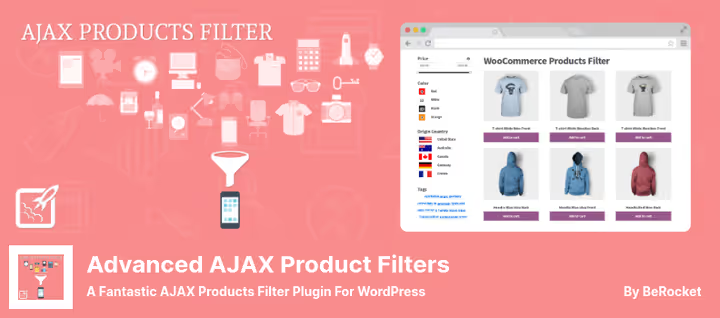
The most balanced AJAX filter for WooCommerce among all contenders in this roundup. The plugin from the BeRocket team handles filtering by price, attributes, custom taxonomies, post status, and rating, all without page reload.
Filters are displayed as checkboxes, radio buttons, dropdowns, and collapsible blocks. The "Update Button" widget deserves special mention: it shows the number of products matching selected filters before applying them. Users immediately see whether the search has narrowed down to a reasonable number of items.
Polylang and WPML work out of the box, a multilingual store filters without hassle. Price ranges are embedded directly into checkboxes. Filter appearance is adjusted via custom CSS and color scheme settings, without editing templates.
Pros:
- Full multilingual support (WPML + Polylang)
- Product count preview widget before applying filter
- Deep customization via CSS without PHP edits
- Filtering by price, attributes, taxonomies, and post status
Cons:
- Free version doesn't include rating filter
- Settings interface is overwhelming for beginners
💵 Lite version free on WordPress.org, Pro, $44 on BeRocket site.
🔗 Download free version🔗 Go to BeRocket site (Pro)
2. WooBeWoo Product Filter
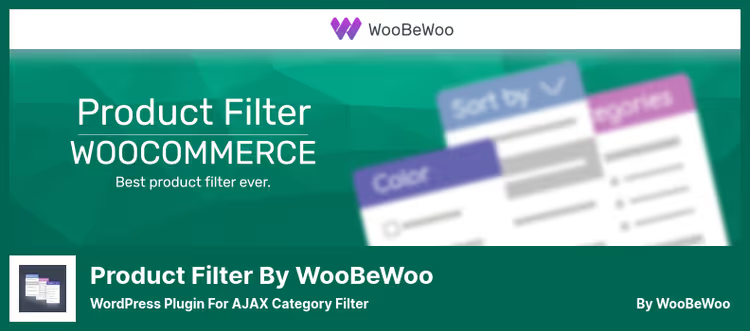
WooBeWoo Product Filter is built for one task, filtering WooCommerce products by category with live AJAX search, and does it well. Users can check as many boxes simultaneously as they want, the filter triggers immediately, without pressing an "Apply" button.
The main feature, native Elementor integration. The filter is added as a widget directly to the editor canvas, with live preview, no shortcodes. For online stores built on Elementor, this saves an hour or two of compatibility wrestling.
Sorting is flexible: by popularity, price, rating, newness, and alphabetically. The price slider is customizable by color and currency symbol position. Frontend variation display helps shoppers visually assess the range of options.
Pros:
- Full Elementor widget with live preview
- Instant filtering without "Apply" button
- Customizable price slider
- Correct mobile device operation
Cons:
- Pro version noticeably more expensive than competitors
- No built-in Polylang and WPML support
💵 Pro version, $89 on WooBeWoo site (previously on WordPress.org, now vendor-only).
3. Search & Filter Pro

Search & Filter occupies a unique niche: this is NOT purely a WooCommerce plugin. It filters ANY WordPress content, posts, custom post types, products, archives, by categories, tags, taxonomies, date, and publication type. For content sites or blogs with custom structure, this is perhaps the only adequate choice from the entire roundup.
The mechanism is built on drag-and-drop: filter fields are dragged by mouse in the desired order. Display, checkboxes, dropdowns, radio buttons, or multiple select. AJAX loads results, and jQuery range slider adds range filters.
Special case: you can completely remove the search bar and leave only the filter. You get a navigation tool for a blog or article catalog, not a search form.
Pros:
- Filters not only WooCommerce, but any post types
- Drag-and-drop form builder without code
- Embedding via widget or shortcode
- Compatibility with WP eCommerce and WooCommerce
Cons:
- No Gutenberg block integration
- Admin interface looks outdated
💵 Free version, on WordPress.org, Pro, $20 on official site.
🔗 Download free version🔗 Go to Search & Filter site (Pro)
4. WOOF, WooCommerce Products Filter

WOOF (WooCommerce Products Filter), a niche veteran with cult status on CodeCanyon. Filters products by categories, taxonomies, attributes, tags, and price. Display, checkboxes, dropdowns, radio buttons, or any other format of choice.
Dynamic product recount shows how many items match the filter, even before applying. Infinite scrolling loads products as you scroll. SKU search handles the "I know the article number, want to find it instantly" scenario.
Step-by-step filtering works like a selection wizard: the customer sequentially answers clarifying filter questions and arrives at 3-5 relevant products instead of scrolling through hundreds of items. For stores with complex product ranges, this radically reduces bounce rate.
Pros:
- SKU (article number) search out of the box
- Infinite product scrolling
- Step-by-step filter wizard
- Search query statistics for demand analysis
Cons:
- No Elementor integration
- Interface not translated to Russian
💵 Lite, free on WordPress.org, Pro, $39 on CodeCanyon.
🔗 Download free version🔗 Go to CodeCanyon (Pro)
5. YITH WooCommerce Ajax Product Filter
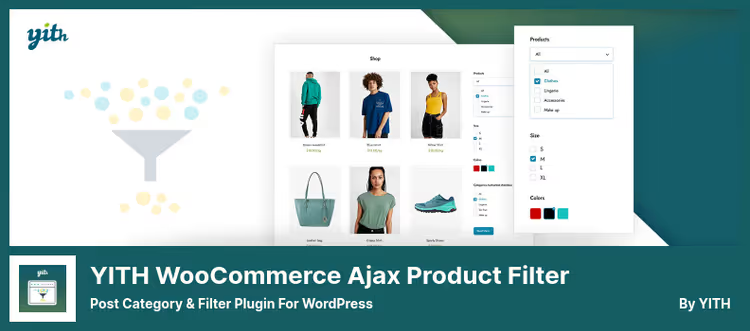
YITH WooCommerce Ajax Product Filter handles the "need unlimited filters, and each category gets its own" scenario. Users create filter sets tied to specific product categories: in the "Clothing" category, size and color, in "Electronics", brand and specs.
Filter placement is flexible: shop page, custom page, widget, or shortcode. Gutenberg block allows building presets without quantity limits, as many filter sets as there are categories on the site.
WPML works out of the box, four display layouts (horizontal, vertical, dropdown, combined), adaptive filtering (hiding irrelevant options on the fly), filter position reset, and color customization. Price slider, with unlimited number of ranges.
Pros:
- Unlimited filter sets per category
- Built-in Gutenberg block
- Four display layouts
- Adaptive filtering (hiding irrelevant options)
Cons:
- Doesn't support language filtering (unlike Filter Everything)
- Pro version, one of the most expensive
💵 Lite, free on WordPress.org, Pro, $88 on YIThemes.
🔗 Download free version🔗 Go to YIThemes site (Pro)
6. Filter Everything
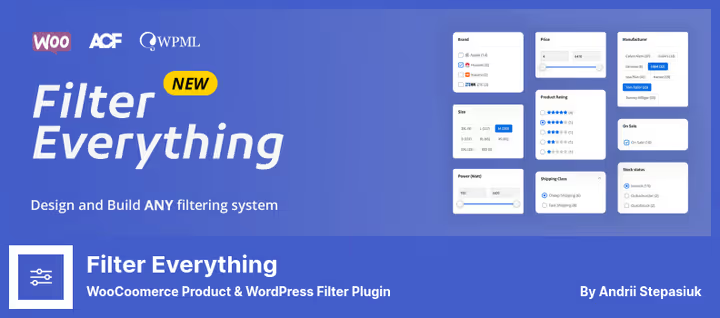
Filter Everything lives up to its name: it filters literally EVERYTHING. Posts, products, custom post types, any taxonomies, custom fields, and even custom WP_Query. On each content type you can create unlimited filter sets.
SEO-filtering, the plugin's strongest side. Filter Everything generates clean, indexable URLs for each filter combination. For a content site, this means pages like /category/news/?filter=seo can get into search engine indexes and bring traffic. Most AJAX plugins don't change URLs, here it's a fundamentally different approach.
Filters are displayed as checkboxes, radio buttons, dropdowns, sliders, and buttons. Sorting, by any field, plus a separate "in stock only" checkbox for WooCommerce. The free version already includes an Elementor widget, which is rare.
Pros:
- SEO-friendly filter URLs (search engine indexing)
- Filters ANY content, not just WooCommerce
- Elementor widget in free version
- Cyrillic support in filter slugs
Cons:
- Setting up SEO rules takes time
- No built-in multilingual support
💵 Lite, free on WordPress.org, Pro, $40 on CodeCanyon.
🔗 Download free version🔗 Go to CodeCanyon (Pro)
7. Annasta WooCommerce Product Filters

Annasta, a completely free filter without ads, without crippled functionality, and without Pro upgrade. Covers basic WooCommerce store needs: filtering by categories, attributes, tags, price, rating, Featured and On Sale statuses.
Autocomplete in the search bar speeds up navigation for regular customers who already know what they're looking for. Filters apply via AJAX instantly, without a separate "Apply" button. WPML support is present, a multilingual store works normally.
The settings interface is minimalist. Fewer options means less configuration time, for a small store this is a plus, not a minus. Complex scenarios like step-by-step wizard or SEO-URLs aren't provided here, the plugin consciously remains in the "just works" niche.
Pros:
- Completely free, no limitations
- Search bar autocomplete
- Featured and On Sale filters out of the box
- WPML support for multilingual stores
Cons:
- No advanced features (SEO-URLs, step-by-step wizard)
- Fewer display options than competitors
💵 Completely free on WordPress.org.
8. Category Ajax Filter

Category Ajax Filter (CAF) solves a narrow task: filtering posts and custom post types by categories via AJAX. This is NOT a WooCommerce plugin. It's for blogs, news sites, portfolios, and article catalogs, where there are no products, but lots of content.
The filter is displayed as buttons, checkboxes, or a dropdown list. AJAX pagination loads results without reload. Built-in click analytics shows which categories users filter most often, in practice this helps understand which content is worth developing.
Pro version adds custom taxonomies, title search, and shortcode for insertion anywhere. The free version is enough for a typical blog with 4-7 categories. The plugin is regularly updated: as of June 2026, version 2.8.5.1.
Pros:
- Built for posts and CPT, not WooCommerce
- Built-in filter click analytics
- AJAX pagination out of the box
- 5.0 rating on WordPress.org
Cons:
- Doesn't filter WooCommerce products
- Appearance customization requires CSS
💵 Lite, free on WordPress.org, Pro, $33 on TrustyPlugins.
🔗 Download free version🔗 Go to TrustyPlugins (Pro)
9. JetSmartFilters

JetSmartFilters, part of the Crocoblock ecosystem, sharpened for visual site building. If your site is built on Elementor or Gutenberg with JetEngine and JetWooBuilder plugins, JetSmartFilters handles filtering organically, without style conflicts and extra scripts.
Filters: checkboxes, radio buttons, dropdowns, search, price range, and visual color filter. Rating as stars is added via a separate JetReviews widget. AJAX applies filters without reload, and filter indexing is supported by switching to standard URL format.
For a store on Elementor + WooCommerce, this is a ready solution without needing to configure compatibility. The downside, the plugin is paid and requires other Crocoblock components for full functionality (JetEngine at minimum).
Pros:
- Deep integration with Elementor and Gutenberg
- Visual color filter and rating filter (via JetReviews)
- AJAX + optional URL indexing
- Part of unified Crocoblock ecosystem
Cons:
- Requires JetEngine for full functionality
- No free version
💵 $24 on Crocoblock.
⁉️🤔 FAQ
What is an AJAX filter and how does it differ from a regular one?
An AJAX filter updates the product list without reloading the page. The user checks "size M", and products appear instantly. A regular filter submits the form, the server reloads the entire page, it's slow and annoys the customer. In practice, AJAX filtering noticeably reduces bounce rate in categories with large numbers of products.
Do I need an AJAX filter if I have 20-30 products?
Probably not. The standard WooCommerce filter widget handles small quantities. AJAX filtering makes sense when a category has more than 50 products or when interaction speed matters, for example, a clothing store with hundreds of color and size variations.
Which filter should I choose for a blog, not a store?
Filter Everything and Category Ajax Filter. Both work with any post types, not just WooCommerce. Filter Everything provides SEO-friendly URLs for filter pages, which is critical for content sites. Category Ajax Filter is simpler to set up and includes filter click analytics.
Can I use two AJAX filters simultaneously?
Technically yes, but you shouldn't. Two filters create JavaScript conflicts, slow loading, and confuse customers. If the current filter doesn't satisfy functionality-wise, replace it completely, don't add a second one. Before replacing, make a full site backup and test on a staging copy.
Does AJAX filtering affect SEO?
Depends on the plugin. Most AJAX filters do NOT change URLs, search engines only see the original category page. Filter Everything, on the contrary, generates indexable URLs for each filter combination. If SEO for filter pages matters, this is the only plugin in the roundup that handles the task.
What to install in 2026: final breakdown
In short: for each task, its own plugin. There's no universal solution, and that's normal.
If you have a pure WooCommerce store on Elementor and you're willing to pay for setup speed, get WooBeWoo Product Filter. The Pro version at $89 isn't cheap, but the live Elementor widget with preview saves hours of layout work, and instant filtering without an "Apply" button really boosts conversion.
If your store is WooCommerce but Elementor isn't used and budget is limited, BeRocket AJAX Product Filters at $44 (Pro) gives maximum features per dollar: multilingual support, custom CSS, product count widget, and filtering by every imaginable parameter. The free version is also worthy.
If the site is NOT WooCommerce (blog, article catalog, portfolio), Filter Everything at $40 (Pro). SEO-URLs for filters, works with any post types, and Elementor integration in the free version. For a completely free option in this same niche, Category Ajax Filter with built-in click analytics.
Site on Elementor + Crocoblock, only JetSmartFilters. The native ecosystem doesn't cause compatibility failures, which is critical for a production store.
Budget equals zero, but you want AJAX, Annasta WooCommerce Product Filters. Completely free, without crippled functionality and hidden upgrades. Covers most needs of a typical WooCommerce store.
Before installing any plugin, back up your site and test the filter on a staging copy. Every store is unique, and what works perfectly on a demo site may conflict with your theme or another plugin. Check first, then deploy to production.

A professional team of writers and editors specializing in creating quality content.