













 AIIllustrative image: AI-generated
🚀 4 best frontend publishing plugins for WordPress 2026 (free and pro)
Content creation drives every website. But handing out admin access to every author, guest blogger, or client is like giving your server room keys to the first person you meet. Sooner or later, someone will break the layout, delete another person's post, or install a "helpful" plugin from an unverified source.
User registration and role management only solve half the problem. People still need an interface that's simple and clear, without Settings → Writing → Discussion menus. An interface where the "Publish" button is visible immediately, and the editor doesn't intimidate with a control panel that looks like a spaceship cockpit.
Frontend publishing plugins deliver exactly this: a post submission form right on the site, without logging into /wp-admin. In our experience, a properly configured frontend form reduces support questions from authors by three times: people simply fill out the fields and wait for publication. We tested four current solutions on WordPress 7.0, running each through typical scenarios from guest posts to paid subscriptions. Here's what we found.
💡 Quick overview:
- First, choose your content intake type: open guest posts, registration with a user dashboard, or paid subscriptions with publication limits
- Then configure the form: drag-and-drop builder, custom fields, media uploads, and Google reCAPTCHA or Cloudflare Turnstile for spam protection
- After that, determine who moderates incoming posts: automatic publication or manual admin approval, this affects how much junk reaches your site
- Finally, connect email notifications for new submissions and configure post-submission redirects, this closes the user experience loop without a single admin visit
Comparison table: 4 plugins in 30 seconds
Plugin | Free version | Pro (from) | Active installs | Form builder | Guest posts | AI features |
|---|---|---|---|---|---|---|
Frontend Post Submission Manager | ✅ WP.org | $13 | 2,000+ | Drag-and-drop, 20+ templates | ✅ | ❌ |
Front Editor | ✅ WP.org | $149 | 10,000+ | Drag-and-drop | ✅ | ❌ |
Easy Post Submission | ✅ WP.org | - | 3,000+ | Shortcodes, ready pages | ✅ | ❌ |
User Frontend (WPUF) | ✅ WP.org | $196 | 20,000+ | Drag-and-drop, Gutenberg block | ✅ | ✅ AI form builder |
1. Frontend Post Submission Manager, free builder with 20+ templates
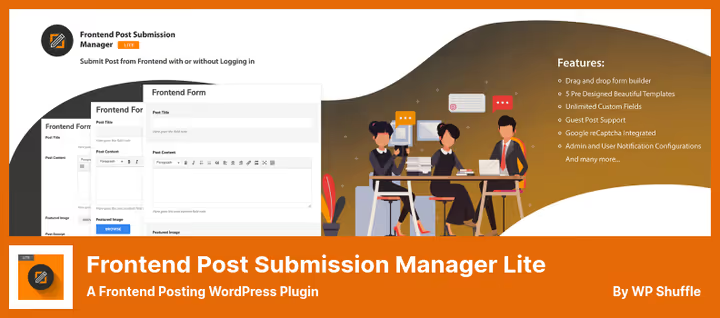
If you need a quick start without digging through documentation, this is your plugin. Five design presets, built-in Google reCAPTCHA, and a drag-and-drop builder where forms assemble in minutes. Users can submit posts either logged in or anonymously, you decide in settings.
The plugin supports unlimited forms with different restrictions. For example, one form for guest posts without media files, another for registered authors with image uploads directly in the content editor. Custom fields display in the backend, and before submission users see a form preview.
Downsides: the Pro version sells only on CodeCanyon, support through marketplace tickets. For commercial projects this isn't critical, but updates arrive with delays compared to the WordPress.org repository.
Pros:
- 20+ ready form templates, design needs no style tweaks
- Support for custom post types and taxonomies
- Form preview before submission
Cons:
- Pro version only on CodeCanyon, no official site
- No built-in subscription and membership system
💵 Free version on WordPress.org. Pro, $13 one-time on CodeCanyon.
🔗 Download free | 🔗 Pro version on CodeCanyon
2. Front Editor, frontend editor with account management
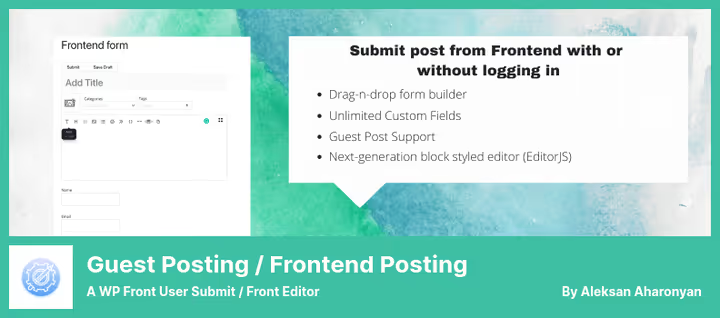
Front Editor goes beyond simple post submission: users get a complete personal dashboard on the frontend. Profile management, featured image uploads through WP Media Uploader, selecting multiple categories for one post, all without a single admin login.
The drag-and-drop builder here is as intuitive as the previous plugin, but with one important difference: admins flexibly manage access through the backend, while users see only what they're allowed. This works well for sites with multi-level author systems: editor, columnist, guest blogger, each with their own form and field set.
In tests on WP 7.0 the plugin showed stable performance, but with a caveat confirmed by our experience: the Gutenberg ↔ Front Editor combination sometimes glitches when switching editor modes. The developer warns about this in the plugin description, keep this in mind if your site actively uses blocks.
Pros:
- User dashboard on the frontend
- Image uploads through native WP Media Uploader with gallery creation
- Flexible role management from the backend
Cons:
- Unstable when switching Gutenberg ↔ Front Editor
- Pro version notably more expensive than competitors, pricing starts at $149
💵 Free version on WordPress.org. Pro, $149 on the official site.
🔗 Download free | 🔗 Pro version on site
3. Easy Post Submission, minimalist post intake without admin

The youngest plugin in the roundup, and the simplest. Easy Post Submission by ThemeRuby does exactly what it promises: a frontend post submission form without excessive settings. No drag-and-drop builder, instead you get ready pages through a setup wizard (one "Get Started" button), shortcodes for inserting forms, and a minimalist interface that doesn't conflict with themes.
The plugin supports both guests and registered users. Each author sees their personal dashboard with drafts and published posts, can edit, delete, upload featured images in WEBP. Built-in spam protection: Google reCAPTCHA or Cloudflare Turnstile to choose.
Version 2.6.0 (May 2026) added WordPress 7.0 compatibility and improved the UX for replacing featured images, now clicking an image immediately opens the media library. Limitations: no support for custom post types and custom fields, interface only in English.
Pros:
- Instant launch through setup wizard, one button
- Lightweight, doesn't burden the site
- Spam protection via Google reCAPTCHA and Cloudflare Turnstile
Cons:
- No support for custom post types and custom fields
- Interface only in English, no translations to other languages
- No Pro version, only free functionality
💵 Completely free plugin, no Pro version.
4. User Frontend (WPUF), AI powerhouse with subscriptions, membership and user directory
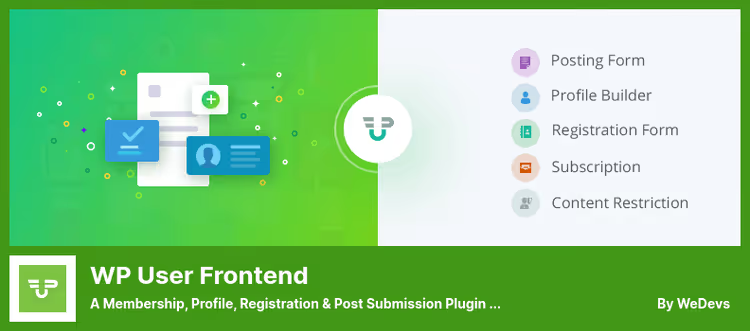
WP User Frontend by weDevs is no longer just a plugin for accepting posts, but a full platform for building membership sites. 20,000+ active installs, 532 reviews, updated June 2026, the numbers speak for themselves.
In the free version you get: drag-and-drop form builder, AI field generator (describe the form in words, the plugin assembles it), n8n integration for workflow automation, guest publishing, image uploads, Elementor widgets and Gutenberg block for inserting forms. Users edit profiles and manage posts through a frontend dashboard, the admin is completely inaccessible to them.
Pro version (from $196 lifetime) adds content restrictions by roles and subscriptions, recurring payments, conditional logic in forms, 20+ premium modules (Stripe, Mailchimp, BuddyPress, Zapier, SMS notifications, QR codes and more), user directory with search and filtering, SEO module for user posts, and multi-step forms.
WPUF suits sites where frontend publishing is just the tip of the iceberg, and beneath the surface are paid access, membership, author directory, and complex content moderation funnels.
Pros:
- AI form builder: describe the task in words, form is ready
- Free version includes basic user directory and one-time payments
- Lifetime Pro license without annual renewals
- 20+ premium modules and n8n/Zapier integration
Cons:
- High barrier to entry: abundance of settings requires time to master
- Some modules (Stripe, SMS, QR codes) only in Pro
- Pro version scales in price: from $196 to $557 depending on sites and modules
💵 Free version on WordPress.org. Pro, from $196 lifetime (Personal, 1 site), Professional, $334 (5 sites), Business, $557 (15 sites).
🔗 Download free | 🔗 Pro version on weDevs
Video: how to set up frontend publishing in 10 minutes
If you prefer to see the process hands-on rather than read, here's a visual tutorial on WP User Frontend. The Engramium channel shows the complete cycle: from plugin installation to the first guest publication through a frontend form.
⁉️🤔 Frequently asked questions
Can I allow guest publishing without registration?
Yes, all four plugins from this roundup support guest posts. Frontend Post Submission Manager and User Frontend allow fine-tuned permissions: for example, a guest submits a post with name and email, the system automatically creates an account, and the admin manually approves publication. Easy Post Submission additionally offers a choice between reCAPTCHA and Cloudflare Turnstile for protecting guest forms from bots.
Which plugin is best for a directory site or classifieds board?
User Frontend (WPUF). It's designed for scenarios where users don't just publish content but manage listings through a personal dashboard. The Pro version adds a user directory with search, an SEO module for user post metadata, and subscriptions with pay-per-post, the classic classifieds board model assembles without writing code.
What if the plugin conflicts with Gutenberg?
Front Editor warns about possible conflicts when switching editor modes. Solution: use the classic editor in forms (separate setting in each plugin) or switch to Frontend Post Submission Manager or Easy Post Submission: they don't touch Gutenberg since they work through their own shortcodes and pages.
Do I need a separate plugin for spam protection?
No. All four plugins have built-in protection: Google reCAPTCHA for Frontend Post Submission Manager and Front Editor; reCAPTCHA + Cloudflare Turnstile to choose for Easy Post Submission and User Frontend. A separate plugin like CleanTalk or Akismet makes sense only with very high volumes of user-generated content.
Can I charge for post publication?
Yes, but only with WP User Frontend Pro. Subscriptions with pay-per-post, limiting publication count by package, and recurring payments through Stripe/PayPal are exclusive WPUF features. Free plugins from this roundup don't handle money: their model is content intake and moderation, monetization isn't included.
What to install in 2026: final breakdown by task
The choice comes down to your scenario, not a feature list. Go through your task and pick the corresponding plugin.
You need a simple form for guest posts, nothing extra. Get Easy Post Submission. The setup wizard will launch content intake in a minute, the interface isn't overloaded, spam protection out of the box.
You need custom fields, taxonomies and 20+ templates. Get Frontend Post Submission Manager. Flexible builder, custom post type support and form preview, free on WordPress.org.
You need an author dashboard with profile management. Get Front Editor. Users see their dashboard, upload media files, change profiles, and never log into
/wp-admin.You need a platform with membership, subscriptions and AI forms. Get User Frontend. This is no longer a plugin but infrastructure for a membership site. Yes, setup requires time, but in return you get everything: from AI field generator to user directory, from pay-per-post to n8n automations.
⚡ All four plugins are active and updated in 2026. Install, configure the form for your scenario, and move content creation where it belongs: to the frontend, to your authors.

A professional team of writers and editors specializing in creating quality content.