














🚚📅 6 best estimated delivery date plugins for WooCommerce 2026 (free and pro)
A customer adds an item to their cart and closes the tab. Not because they changed their mind. But because they don't know when they'll receive the order.
WooCommerce out of the box shows shipping methods, but doesn't let you choose a day or time slot. For a clothing store, this is a minor issue. For flowers, pizza, or furniture, it's critical: the customer needs certainty before clicking "Checkout."
We've selected 6 estimated delivery date plugins for WooCommerce that actually work in 2026. From free solutions on WordPress.org to premium tools with flexible date calculation rules and time slots.
💡 Quick overview:
- Determine what your store needs: simple date selection at checkout or complex rules with time slots and zones
- To start without a budget, install
Order Delivery Date for WooCommerce(Lite), 20+ features for free - If you need automatic calculation of "from order date + N days,"
Estimated Delivery Date for WooCommercefrom PluginHive - For scenarios with slots, carriers, and Google Calendar,
YITH WooCommerce Delivery DateorDelivery & Pickup Date Time for WooCommercePro - When the delivery time depends on a specific product,
WooCommerce Estimated Shipping Date per Product
Comparison table
Plugin | Model | Free version | Time slots | Zone compatibility | Price (from) |
|---|---|---|---|---|---|
Delivery & Pickup Date Time for WooCommerce | Freemium | ✅ | ✅ (Pro) | ✅ (Pro) | $0 / Pro from $49 |
YITH WooCommerce Delivery Date | Premium | ❌ | ✅ | ❌ | $99.99/year |
Order Delivery Date for WooCommerce | Freemium | ✅ | ✅ (Lite) | ✅ (Pro) | $0 / Pro $149 |
Estimated Delivery Date for WooCommerce | Premium | ❌ | ❌ | ✅ | $69/year |
WooCommerce Delivery | Premium | ❌ | ✅ | ❌ | $69.95/year |
WooCommerce Estimated Shipping Date per Product | Premium | ❌ | ❌ | ❌ | $29 |
1. Delivery & Pickup Date Time for WooCommerce

A free plugin from CodeRockz that covers the basic need: the customer selects a delivery or pickup date and time directly on the checkout page. Compatible with WooCommerce block checkout, supports HPOS, and doesn't conflict with Elementor, Divi, or CartFlows.
On wordpress.org, the plugin has 280+ ratings with an average of 4.9/5 and 5,000+ active installations. The date selection calendar is localized in 60+ languages, including Russian and Ukrainian. Updated June 2026, version 1.3.85.
Pros:
- Completely free version with basic delivery and pickup functionality
- Compatibility with WooCommerce block checkout
- Calendar localized in 60+ languages
Cons:
- Time slots and pickup location management only in Pro
- No estimated delivery date calculation on product page
Price: free (Lite) / Pro from $49
🔗 Delivery & Pickup Date Time on WordPress.org🔗 Pro version on CodeRockz site
2. YITH WooCommerce Delivery Date
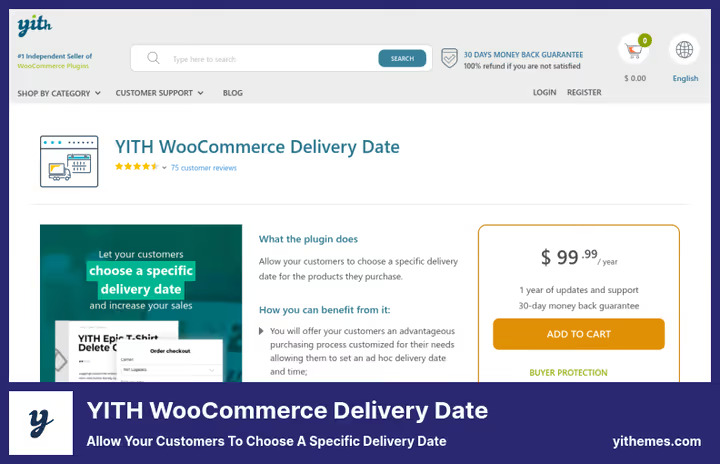
One of the oldest and most stable plugins on the market, 7,578+ customers, rating 4.51/5, version 2.54.0 (updated May 2026). YITH provides detailed carrier management: for each carrier you can set delivery days, time slots, and minimum order processing time.
The main feature is flexible deadline settings by product and category. For furniture, processing is 5 days, for accessories, 1 day. The plugin automatically calculates the first available date and shows it to the customer. Compatible with WP 6.8 and WC 10.6.
Pros:
- Granular processing time settings by product and category
- Full carrier management with separate schedules
- Regular updates (compatibility with WP 6.8 and WC 10.6)
Cons:
- No free version
- Limited WooCommerce Shipping Zones support
Price: $99.99/year (including updates and support)
🔗 YITH WooCommerce Delivery Date on YITH site
3. Order Delivery Date for WooCommerce

The most popular free plugin in the niche: 10,000+ active installations on wordpress.org, 62 ratings. Developer, Tyche Softwares, a studio with a portfolio of 12+ premium WooCommerce plugins. Updated May 2026, version 4.5.3.
The Lite version provides 20+ features: date and time selection at checkout, blocking weekends, minimum lead time settings in hours, order limits per day, delivery calendar in admin. The Pro version adds real-time Google Calendar sync, schedules by shipping method, WooCommerce Subscriptions support with automatic date substitution for recurring orders.
Pros:
- Powerful free version with 20+ features
- Two-way Google Calendar sync (Pro)
- Auto-fill first available date at checkout
Cons:
- Some users complain about support quality
- Pro features (Google Calendar, category filtering) locked behind $149
Price: free (Lite) / Pro $149 ($1 trial period)
🔗 Order Delivery Date on WordPress.org🔗 Pro version on Tyche site
4. Estimated Delivery Date for WooCommerce
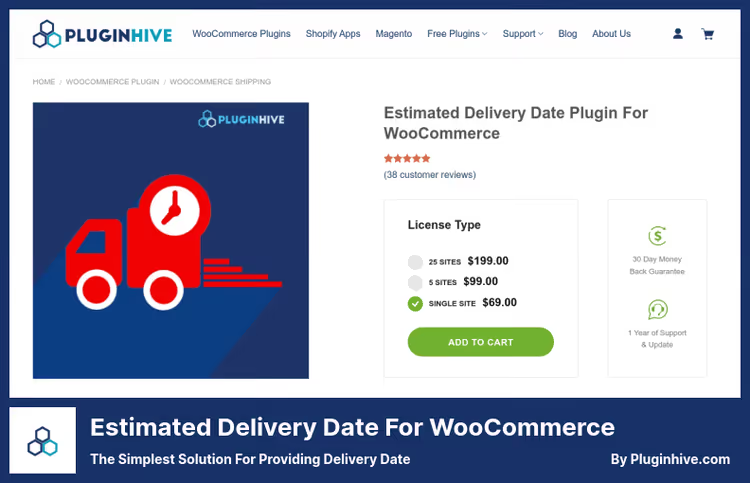
A plugin from PluginHive that solves a fundamentally different task: not "choose a convenient day," but "we've calculated when it will arrive." Estimated Delivery Date shows an estimated date on the product page, in the cart, and at checkout, without any action from the customer.
Calculation rules are flexible: the delivery time can be set by shipping zones, methods, shipping classes, or stock status. The plugin supports WooCommerce Subscriptions and correctly handles backorder items. Rating 4.93/5 based on 46 reviews.
Pros:
- Automatic delivery date calculation without customer involvement
- Rules based on zones, methods, and shipping classes
- Date display on product page, in cart, and at checkout
Cons:
- No free version
- No time slots, date only
Price: $69/year
🔗 Estimated Delivery Date on PluginHive site
5. WooCommerce Delivery

A plugin from German studio welaunch.io with a 5/5 rating based on 31 reviews. Positioned as a comprehensive delivery solution: date, time slots, store hours, delivery radius via Google Distance Matrix API.
The key feature is restricting order placement to store business hours only. A pizzeria accepts orders from 5:00 PM to 9:00 PM, outside this window checkout is closed, but the cart is saved. For flower shops and food delivery, this is an ideal scenario. Unlimited number of time slots.
Pros:
- Store hours with checkout blocking outside schedule
- Delivery radius via Google Distance Matrix API
- Unlimited number of time slots
Cons:
- No free version
- No separate product-level deadline settings
Price: $69.95/year
🔗 WooCommerce Delivery on welaunch.io site
6. WooCommerce Estimated Shipping Date per Product
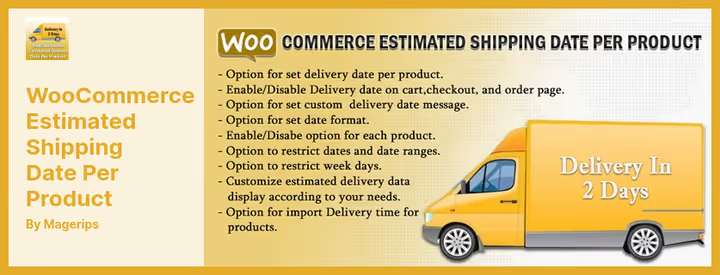
A niche plugin from CodeCanyon for cases when the delivery time is tied to a specific product, not to a method or zone. The plugin automatically adjusts the date based on the selected order type and distance to the customer.
Works with WPML, allows customizing date format and minimum delivery time, supports date display on product page via AJAX. 12 months of support and free updates included. The most affordable premium solution in the collection.
Pros:
- Delivery time tied to specific product
- WPML compatibility for multilingual stores
- Lowest price among premium solutions
Cons:
- Only on CodeCanyon, not on wordpress.org
- No time slots or carrier management
Price: $29 (one-time)
🔗 WooCommerce Estimated Shipping Date per Product on CodeCanyon
⁉️🤔 Frequently asked questions
What's the difference between estimated delivery date and delivery date selection?
Estimated delivery date is calculated automatically: you set a rule "Europe zone = 5 days + exclude weekends," the plugin shows the customer "expected date: June 23." Delivery date selection works differently: the customer sees a calendar and clicks "deliver June 20, 2:00 PM to 4:00 PM." The first approach is convenient for international shipping with fixed delivery times, the second for local delivery with flexible schedules.
Which plugin should I choose for flower or pizza delivery?
WooCommerce Deliveryfrom welaunch.io. It's the only one that lets you set store hours and block checkout outside the schedule, while preserving the customer's cart. Plus delivery radius via Google Distance Matrix API. In practice: a pizzeria accepts orders from 5:00 PM to 9:00 PM, delivery within a 10 km radius. A customer opens the site at 10:00 AM, adds items to the cart, but can only place the order after 5:00 PM. No "sorry, we're closed" after checkout, the system simply won't process payment before opening.
Are there free plugins with full functionality?
No. All free versions have limitations: usually missing time slots, calendar sync, or zone filtering. But
Order Delivery Date for WooCommerceLite provides 20+ features, enough for a small store. If your budget is limited, start withOrder Delivery Date for WooCommerce(Lite) orDelivery & Pickup Date Time for WooCommerce. Both are free, both work with checkout, both are regularly updated.
Which plugin works best with WooCommerce Subscriptions?
Order Delivery Date for WooCommercePro. It has a separate addon for WooCommerce Subscriptions that automatically updates the delivery date for recurring orders. Also, WC Subscriptions support is declared inEstimated Delivery Date for WooCommerce. When a subscription is automatically renewed, the delivery date is substituted without customer involvement, no need to select it every month.
Iconic WooCommerce Delivery Slots no longer works, what should I replace it with?
In 2025, the IconicWP brand shut down, and its plugins either disappeared or merged into Kadence Shop Kit (part of the Liquid Web ecosystem). To replace delivery slots functionality, we recommend
Delivery & Pickup Date Time for WooCommerce, free on WordPress.org, actively maintained (updated June 2026). The Pro version adds delivery calendar, reports, and pickup location management, analogous to what Iconic provided.
A detailed video review from LearnWoo showcasing the 9 best delivery date plugins in real time, setting up each takes less than 5 minutes.
What to install in 2026

If your store is just starting and budget is limited, Delivery & Pickup Date Time for WooCommerce will cover your needs for free. If you need automatic date calculation without customer involvement, Estimated Delivery Date for WooCommerce for $69 per year solves the task. For complex scenarios with carriers and processing times by product, YITH WooCommerce Delivery Date. For food delivery with fixed business hours, WooCommerce Delivery. And when the date depends on a specific product, WooCommerce Estimated Shipping Date per Product.
Choose for your task, not someone else's rating. Install the one that covers your scenario and test it on staging before going to production.

A professional team of writers and editors specializing in creating quality content.