














🔐 5 best WooCommerce role management plugins 2026 (free and paid)
WooCommerce standard roles work fine until your first real project. As soon as you have a wholesale client, an intern, and a content editor, Shop Manager starts seeing financial reports they shouldn't access. Retail and wholesale customers end up in the same basket. You can't create corporate accounts with employee teams using core features alone.
We've reviewed the available options and selected five plugins that actually work in 2026: from a free permissions editor to B2B tools with corporate accounts. For more on the basic permissions model, see our step-by-step guide to WordPress roles.
💡 Quick overview:
- Need a versatile role editor for daily use? User Role Editor: 700,000+ active installations, free.
- Want fine control over WooCommerce menus and sections? PublishPress Capabilities: the most flexible option for agencies and editorial teams.
- Zero budget? Members is completely free, including all add-ons.
- Need subscriptions with automatic membership? Groups Integration for WooCommerce assigns customers to groups based on orders.
- Corporate B2B store with employee teams? Extend B2B handles it without custom development.
WooCommerce role management plugins comparison
Plugin | For whom | Price | Key feature |
|---|---|---|---|
Any store | free / from $29/year | 700,000+ installations | |
Agencies, editorial teams | free / from $69/year | WooCommerce menu control | |
Content stores | free | All add-ons included | |
Subscription stores | Auto-groups by order | ||
Wholesale B2B | Corporate accounts |
Look at how the WooCommerce role system works under the hood before choosing a specific plugin.
1. User Role Editor

User Role Editor manager was developed by Vladimir Garagulya. Over 700,000 active installations make it the most popular role manager for WordPress. The principle is straightforward: select a role, check or uncheck the needed capabilities, save. No hooks in functions.php. No developer needed.
In practice, this is the fastest way to restrict an intern: hide part of the admin panel or close access to WooCommerce sections. The free version covers most tasks. Pro adds content restriction by post ID and taxonomies, menu item blocking for specific users, and role set export between sites. Version 4.65 was released in May 2026 and supports WordPress 7.0.
Pros:
- Visual checkbox interface editing without code
- Multiple role assignment to one user
- Role set export and import between sites
Cons:
- No B2B features: can't create corporate accounts with teams
- Individual record restriction by ID only available in Pro
Price: free + Pro from $29/year for one site
🔗 User Role Editor on WordPress.org
2. PublishPress Capabilities
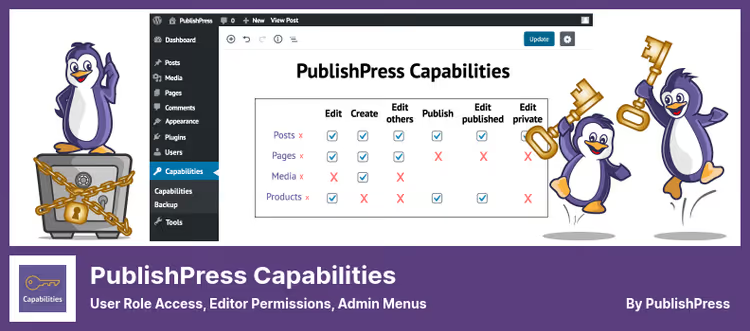
PublishPress Capabilities plugin covers more than just roles. The plugin controls access to posts, pages, media files, menu items, and WooCommerce sections: orders, products, and coupons.
In our test, this turned out to be the most flexible option for editorial teams and agencies with multiple authors. 100,000+ active installations and 4.7/5 rating. Version 2.45.0 from June 11, 2026, with WordPress 7.0 support shows the team actively develops the project. Previously called Capability Manager Enhanced, but functionality grew substantially after the PublishPress team took over. Pro unlocks role restrictions for WooCommerce content and role synchronization across all multisite network sites.
Pros:
- Menu item management for each role
- Access restriction to WooCommerce orders, products, and coupons
- Role copying and cloning
- WordPress multisite support
Cons:
- WooCommerce restrictions partially behind paywall
- Interface gets cluttered with many plugins having custom capabilities
Price: free + Pro from $69/year for one site
🔗 PublishPress Capabilities on WordPress.org | 🔗 Pro version
3. Members
Members was originally written by Justin Tadlock, now maintained by the MemberPress team. All previously paid add-ons are included in the free version. Free and complete. 300,000+ active installations and 4.9/5 rating based on 1,259 reviews.
The plugin's main strength: content restriction right from the post editor. Select which roles can see a specific post or page. In our experience, Members handles private catalogs excellently: just hide some categories from guests and Subscribers without touching others. Version 3.2.22 was released May 28, 2026, with WordPress 7.0 support.
Pros:
- Completely free, including all add-ons
- Content restriction (posts, pages) by role without code
- Shortcodes and widgets for conditional block display
- Hierarchical role structure
Cons:
- No B2B corporate account tools
- Sidebar widgets can't be hidden by role directly
Price: completely free
4. Groups Integration for WooCommerce
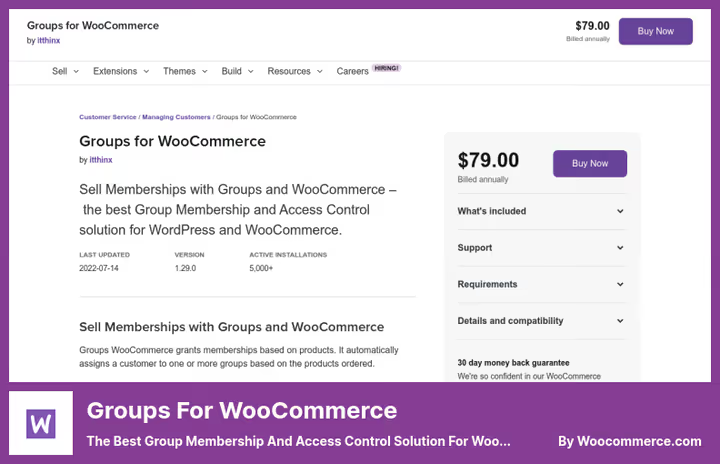
Groups Integration for WooCommerce by itthinx solves a specific task: automatically assigns customers to groups based on their orders. Bought a "Wholesale" subscription, gets into the group with wholesale prices, closed categories, and special terms. When the subscription ends, access is revoked automatically.
The plugin works together with the free Groups from the repository, which manages the group structure itself. Over 5,000 active installations, version 4.2.0, compatibility with WooCommerce 10.4 and WordPress 6.9. In our experience, this is the best choice for stores with subscriptions where membership needs to be tied to specific products.
Price increased from $79 to $89/year after rebranding: plugin renamed from "Groups for WooCommerce" to "Groups Integration for WooCommerce."
Pros:
- Automatic group assignment based on order
- Restricted content for members (posts, pages, resources)
- Temporary and permanent membership
- Compatibility with free plugin Groups
Cons:
- No free version
- Requires separate Groups plugin as dependency
Price: $89/year for one site (updates and support for 1 year)
🔗 Groups Integration for WooCommerce
5. Extend B2B Roles & Permissions for WooCommerce
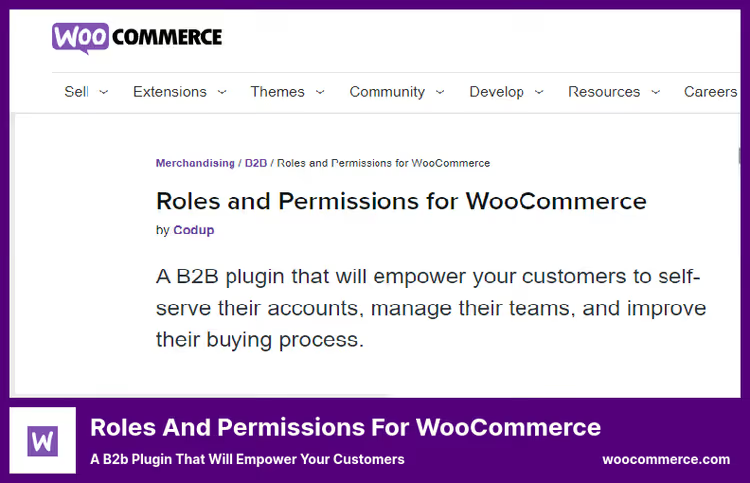
While previous plugins work with individual users, Extend B2B tool operates with corporate accounts as a whole. One company account, multiple employees with different permissions. Someone adds products to cart, someone only views the catalog, someone places orders.
In practice, the tool is in demand in two scenarios: wholesale platforms with buyer teams and corporate clients with separate permissions by department. The plugin sets credit limits for companies, configures a B2B self-service portal, and disables the standard customer account in favor of corporate. For a small retail store, it's excessive. For a wholesale platform with corporate clients, it's a ready solution without development. Former name "Roles and Permissions for WooCommerce," price $99/year unchanged.
Pros:
- Corporate accounts with team and role hierarchy
- Credit limit for B2B clients
- Self-service portal for customers
- Full WooCommerce checkout integration
Cons:
- No free version
- Excessive for stores without B2B clients
Price: $99/year for one site
🔗 Extend B2B on WooCommerce Marketplace
⁉️🤔 Frequently asked questions
How are standard WooCommerce roles limited?
WooCommerce includes five built-in roles: Administrator, Shop Manager, Customer, Subscriber, and Guest. Shop Manager sees orders, products, and reports, but hiding specific sections or adding intermediate roles using core features is impossible. For agencies, B2B stores, and multi-user editorial teams, this isn't enough.
Can you assign multiple roles to a user in WooCommerce?
By default, WordPress supports one role per user. User Role Editor and Members remove this limitation: a user gets, for example, both Subscriber and Wholesale Customer roles simultaneously with combined capabilities from both roles.
How to manage access for B2B clients in WooCommerce?
Two approaches. Groups Integration for WooCommerce automatically assigns a client to a group based on purchasing a needed product or subscription. Extend B2B creates a corporate account with employee team and different permission levels: suitable for pure B2B without public retail sales.
Is it safe to give extended permissions to Shop Manager role?
Within reasonable limits, yes. By default, Shop Manager doesn't have access to plugins, themes, and WordPress core settings, only WooCommerce sections. PublishPress Capabilities allows additionally hiding financial reports or closing coupon management for this role.
Is a paid plugin needed if the store is small?
For a store with one or two managers, free User Role Editor or Members is enough. Paid version is justified when you need automatic membership control (Groups Integration) or full corporate B2B accounts (Extend B2B). PublishPress Capabilities Pro is useful for editorial teams with multiple authors or multisite.
Which WooCommerce role plugin to choose?
Five plugins cover different scenarios: from a simple permissions editor to a full B2B platform. Free options are enough for most standard stores.
- If you need a versatile role editor, take User Role Editor: free, 700,000+ installations, no code.
- If fine control over WooCommerce menus and sections matters, choose PublishPress Capabilities.
- If there's zero budget, Members gives everything included and completely free.
- If the store runs on subscriptions, Groups Integration automates group assignment without manual work.
- If you need corporate B2B structure with teams and credit limits, Extend B2B covers everything out of the box.
Start with free User Role Editor: install, configure a test role, and verify that permissions management flexibility is worth five minutes of installation. Read our detailed guide on basic principles of WordPress user role management.

A professional team of writers and editors specializing in creating quality content.