














🥇 6 best visitor counter plugins for WordPress in 2026 (free and premium)
A visitor counter on your site isn't just a number in the footer. For clients it's social proof: "people visit here, so it's worth trusting." For you, a quick traffic snapshot without opening Google Analytics.
But installing the first plugin you find is a mistake. A heavy counter slows down the site. An outdated one creates security holes. And some "free" ones quietly send your data to third-party services.
We tested 6 WordPress plugins on a real site and selected those that work reliably in 2026. No fluff. With specific use cases.
💡 Quick overview:
- Want serious analytics with Google Analytics integration, get MonsterInsights, it pulls the most data.
- Need private statistics without data sharing, WP Statistics or Independent Analytics will handle the job with room to spare.
- Need a simple post views counter for readers, Post Views Counter installs in a minute and doesn't load the site.
- Want a classic visitor counter with a frontend widget, WPS Visitor Counter or StatCounter provide ready-made output "out of the box."
Plugin | Type | Active installations | Free version | Pro price |
|---|---|---|---|---|
| GA integration | 3M+ | ✅ Lite | from $199/year |
| Private analytics | 600K+ | ✅ full | - |
| Views counter | 200K+ | ✅ full | - |
| Web statistics | 70K+ | ✅ basic | from $19/month |
| Frontend counter | 10K+ | ✅ full | - |
| Private analytics | 100K+ | ✅ full | - |
1. MonsterInsights

The most popular Google Analytics plugin for WordPress. Installs, connects to GA4 in a couple of clicks and displays key metrics right in the admin, without switching between tabs.
In practice this means: you see traffic sources, popular pages, WooCommerce conversions and user behavior, all inside WordPress. No need to log into Google Analytics for routine checks.
Pros:
- GA4 and Google Search Console integration in one dashboard
- WooCommerce conversion tracking: revenue, average order value, popular products
- Real-time report: who's on the site right now
- No code editing required, all setup through wizard
Cons:
- Pro version from $199/year, not cheap for small projects
- Free Lite version is limited in conversion functionality
- Dependency on Google Analytics: data on external servers
Price: free Lite version on WordPress.org; Pro, from $199/year.
🔗 MonsterInsights on WordPress.org🔗 MonsterInsights Pro
2. WP Statistics

If Google Analytics isn't your choice, because of GDPR, cookie banners or simply not wanting to feed Google your data, WP Statistics is the best replacement. 600 thousand active installations, 756 ratings, tested on WP 7.0.
The plugin stores ALL data on your server. Not a single request goes outside. Meanwhile the functionality isn't inferior to GA: traffic sources, visitor geolocation, search queries, statistics by authors and categories.
Pros:
- Completely free, no Pro version, all functionality available
- Data on your server: full GDPR/CCPA compliance without cookie banner
- Charts, CSV export, email reports
- 600K+ installations, active community, plugin regularly updated
Cons:
- No real-time "who's on site now" counter (focus on aggregated statistics)
- Interface is functional but not as "polished" as MonsterInsights
- For e-commerce funnels deeper than page views, better to get a specialized tool
Price: completely free.
🔗 WP Statistics on WordPress.org
3. Post Views Counter

If the task is simpler, showing readers how many times an article was viewed, Post Views Counter from dFactory handles it best. 200 thousand installations, 4.8★ rating, tested on WordPress 7.0.
The plugin doesn't try to be analytics. It does exactly one thing: counts post and page views and displays them wherever you say, with a shortcode, in a widget, automatically before content or in admin. That's it.
Pros:
- Instant installation: activated, counter already works
- Flexible display: shortcode
[post-views], PHP functionpvc_post_views(), widget or auto-insert - Counting interval setting (every 24 hours, weekly, etc.), excludes inflation
- Fast and light: doesn't create database load
Cons:
- Only post views, geo, sources, demographics not tracked
- No visual counter widget for sidebar "currently N people on site"
- Won't suit deep analytics, this is a counter, not analytics
Price: completely free.
🔗 Post Views Counter on WordPress.org
4. StatCounter

StatCounter, a web statistics veteran. The service is over 20 years old, and the WordPress plugin is updated for WP 7.0 and has 70 thousand active installations.
The trick is that data is stored on the StatCounter.com side, your server isn't loaded. Meanwhile the dashboard is more detailed than most "server-side" alternatives: visitor path through pages, visit duration, returns, search phrases.
Pros:
- Detailed per-session analytics: path, visit duration, exit points
- Doesn't load WordPress database, all data on external service
- Free plan covers basic needs (last 500 visits)
- Tested on WP 7.0, active updates
Cons:
- Data on third-party servers, not for projects with strict GDPR requirements
- Free plan limited: only summary statistics, no page breakdown
- Premium with detailed analytics from $19 per month, more expensive than alternatives
Price: free basic plan; Premium from $19/month.
🔗 StatCounter on WordPress.org
5. WPS Visitor Counter
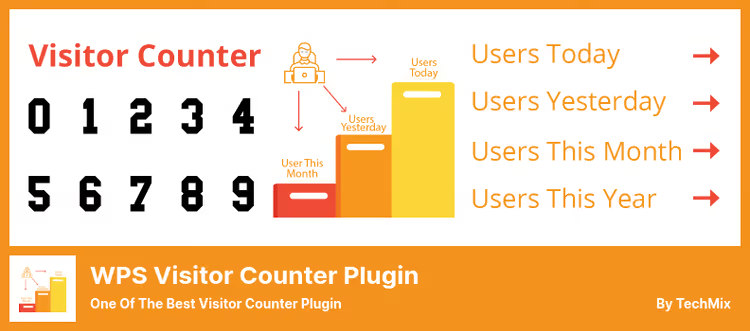
Classic frontend counter: you place a widget, and visitors see "Today: 247, Yesterday: 512, Total: 48,391". WPS Visitor Counter from techmix does this without third-party services and with minimal settings.
The plugin shows statistics by days, weeks, months and years. Displayed through shortcode [wps_visitor_counter], Gutenberg block or widget. Data stored locally in WordPress database.
Pros:
- Three display modes: shortcode, Gutenberg block, classic widget
- Data on your server, no external APIs
- Shows statistics for today, yesterday, week, month, year and total count
- Free, no Pro versions and "limited" functionality
Cons:
- 10K installations and 8 ratings, more modest than competitors
- Only counter, no analytics (sources, geo)
- Widget design minimalist, customization limited
Price: completely free.
🔗 WPS Visitor Counter on WordPress.org
6. Independent Analytics

The youngest but most ambitious plugin in the selection. 100 thousand installations, averaged 4.9★, tested on WP 7.0. The author, Ben Sibley, is known for the Author theme for WordPress.
Positioned as "Google Analytics without Google": all statistics inside WordPress, not a single request goes outside. Features: UTM tag tracking, 404 pages, external link clicks. Visually, the cleanest dashboard of all six.
Pros:
- All data on your server: not a single external request
- UTM tracking, 404 error tracking and outbound clicks "out of the box"
- Most pleasant interface, large numbers, minimal clutter, intuitively clear
- Regular updates (author active, tested with WP 7.0)
Cons:
- No real-time monitoring (data updates with delay)
- Fewer integrations than MonsterInsights (no WooCommerce funnels)
- Relatively young project, add-on ecosystem not yet present
Price: completely free.
🔗 Independent Analytics on WordPress.org
Before choosing, see the comparison in action. We found a current video review on the topic:
⁉️🤔 Common questions
How does a visitor counter differ from full analytics?
A counter shows ONE number: how many people visited. Analytics (MonsterInsights, WP Statistics, Independent Analytics) gives the full picture: where they came from, what they viewed, how long they stayed, from which devices. If you only need "200 people visited today," get WPS Visitor Counter or Post Views Counter. If you need to understand your audience and grow traffic, get analytics.
Is it necessary to install Google Analytics if I use WP Statistics?
No. WP Statistics is a self-sufficient tool. It stores data locally and doesn't require connection to Google. But if you use Google Search Console for SEO, MonsterInsights combines GA4 and GSC data in one window, which is convenient. And WP Statistics is for those who value privacy and independence from Google.
Which plugin loads the site least?
Post Views Counter and WPS Visitor Counter are the lightest. Both work on minimal SQL queries without external API calls. Independent Analytics is also light but collects more metrics. StatCounter doesn't load the WordPress database at all (external service), but adds one JavaScript file.
Can you use two counters simultaneously?
Technically yes, they don't conflict. But there's little practical sense: two analytics plugins (say, MonsterInsights + Independent Analytics) will duplicate data collection and load the admin. The combination "analytics + frontend counter" is ok. For example: WP Statistics for yourself + Post Views Counter for readers.
Will these plugins work for WooCommerce?
MonsterInsights is the best choice for a store: tracks conversions, revenue, average order value, popular products. WP Statistics sees product pages and categories, but without e-commerce funnel. Other plugins are only views, without sales tie-in.
Are counter plugins safe for GDPR?
WP Statistics, Independent Analytics and Post Views Counter store data on your server and don't send it to third parties, this is the most GDPR-safe option. StatCounter sends data to an external service (cookie banner needed). MonsterInsights works through Google Analytics, legally requires user consent for cookies in EU.
Which visitor counter plugin to choose in 2026
There's no "best" plugin for everyone. There's a best one for your task.
If you run a commercial project and already use Google Analytics, MonsterInsights will save you an hour a day on switching between tabs. Yes, Pro for $199/year, but time is more expensive.
If you need analytics without Google, GDPR and cookie banners, WP Statistics. 600 thousand installations don't lie: this is a mature product with full functionality and zero price.
If the task is simple, show readers an article view counter, Post Views Counter handles it 60 seconds after activation.
If you need a classic "Currently on site: N" widget, WPS Visitor Counter does exactly that. Free and without extras.
And if you value a modern interface and want UTM tracking without external services, Independent Analytics is your tool.
Choose for your task, not someone else's rating. And don't install two analytics plugins simultaneously, zero benefit, and admin bloats.
Try the one that fits your scenario, and write in the comments which tool met your need.

A professional team of writers and editors specializing in creating quality content.