














👀 5 view counter plugins for WordPress 2026
You published a post, checked the admin panel a week later, 12 views. Sound familiar? Without a counter, an editor is reading tea leaves. With one, they know exactly what lands and what the reader skipped after the second paragraph.
Post views aren't a vanity metric. They're a compass for editorial strategy: which topics hook the audience, which headline worked, and which post needs an update or a rewrite. For a content site, losing the counter means losing feedback.
We tested a dozen view-counting plugins and picked five, from a super-lightweight standalone solution to a full analytics system. Four out of five are free, and each covers its own scenario. Below, what to install and when.
💡 Quick overview:
- If you need a simple counter without external scripts and Google Analytics, Post Views Counter. Three counting modes, manual number editing, import from three plugins when migrating.
- If you already work with Google Analytics or want deep behavioral analytics, choose between MonsterInsights and ExactMetrics. The first is friendlier to beginners, the second gives more data in the free version.
- If visitor privacy and ditching Google are critical, Independent Analytics. Statistics are stored on your server, no cookies or external requests, 100% coverage with no losses from blockers.
Plugin | For whom | Price | Main feature |
|---|---|---|---|
Post Views Counter | Bloggers, content sites | Free (Pro from $39/year) | Simple counter without GA, 3 counting modes |
MonsterInsights | Stores, small business | Free / Pro from $99.50/year | Google Analytics in WordPress admin |
ExactMetrics | Analysts, medium business | Free / Pro from $99.50/year | Extended GA analytics, PPC tracking |
Page View Count | Lightweight sites, beginners | Free | Minimalist counter with Gutenberg block |
Independent Analytics | Privacy, ditching GA | Free (Pro from $99/year) | Local analytics without cookies or external servers |
1. Post Views Counter
Post Views Counter by dFactory, the most popular standalone counter in the WordPress catalog: 200,000+ active installations and over 1,200 reviews on WordPress.org. If you need clean view numbers without tying to Google, this is the first candidate.
The plugin counts views in three ways: PHP, JavaScript, or REST API. PHP mode doesn't pull external scripts and doesn't depend on server caching. JavaScript mode bypasses caching plugins like WP Rocket, the counter fires even when the page is served from cache. REST API works with headless sites and custom frontends.
A sortable "Views" column appears in the admin, you immediately see which posts are on top. Since version 1.7.11, weekly email reports were added: a summary arrives by email, without logging into the admin. Manual counter adjustment helps after content import: you set real numbers from the old site and continue from them. Data import from WP-PostViews, Statify, and Page Views Count is done in one click. In practice, this saves an hour or two when migrating.
- Pros: three counting modes for any stack, manual counter editing, import from three popular plugins, weekly email reports
- Cons: Pro features (CSV export, author reports, integrations with builders) are paid, from $39 per year
- Price: Free, Pro from $39/year
- Download: 🔗 Post Views Counter on WordPress.org
2. MonsterInsights

MonsterInsights, the most popular Google Analytics plugin for WordPress: 3+ million active installations. It displays key GA reports right in the WordPress admin, eliminating the need to switch between a dozen analytics.google.com tabs.
The free version connects Google Analytics in two clicks and shows basic statistics: views, traffic sources, popular pages. The plugin automatically sets up tracking for outbound links, file downloads, and page scrolling. Doing this manually in GA would require setting up events through Google Tag Manager, a dozen tags for a basic picture.
The Pro version adds enhanced eCommerce for WooCommerce and Easy Digital Downloads: you see not just product views but the complete funnel from landing on the page to purchase. The Publisher report shows the most-read articles, best affiliate links, and scroll depth. Popular Posts templates (20+ variants) display "Most read" blocks without code. In our test, setting up eCommerce tracking took less than five minutes, doing it manually with GA4 would have required configuring events through GTM.
- Pros: GA setup without a developer, real-time reports in admin, enhanced eCommerce out of the box, 20+ popular post templates
- Cons: free version doesn't show statistics by content types and individual authors; Pro from $99.50/year, pricey for a personal blog
- Price: Free, Pro from $99.50/year (up to 5 sites)
- Download: 🔗 MonsterInsights on WordPress.org | 🔗 MonsterInsights Pro
3. ExactMetrics
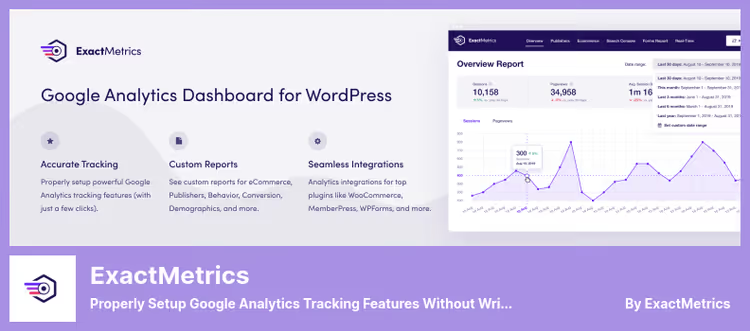
ExactMetrics (formerly GADWP, Google Analytics Dashboard for WP) does the same thing as MonsterInsights: displays Google Analytics in the WordPress admin. The difference is in the details and audience. ExactMetrics is geared toward those who need deeper analytics without constantly switching to the GA interface.
In the free version, ExactMetrics shows real-time traffic, visitor demographics, referral sources, and site speed based on Google PageSpeed data. The plugin automatically tracks clicks on affiliate links, email addresses, and phone numbers, no need to set up events in GA.
The Pro version adds A/B testing through Google Optimize, eCommerce and coupon reports, and PPC campaign tracking (Google Ads, Meta, TikTok, LinkedIn). A paid subscription for 5 sites costs the same as MonsterInsights Pro, $199.50/year, but ExactMetrics gives more flexibility in dashboard customization. In practice, for an agency running PPC campaigns for clients, this out-of-the-box set is a serious argument.
- Pros: rich free version, A/B tests through Google Optimize, PPC tracking out of the box, site speed report
- Cons: interface slightly less friendly than MonsterInsights; Pro pricing comparable to competitor
- Price: Free, Pro from $99.50/year
- Download: 🔗 ExactMetrics on WordPress.org | 🔗 ExactMetrics Pro
4. Page View Count

Page View Count by a3rev, a minimalist counter that does exactly one task: shows visitors and the administrator how many times a page was opened. 10,000+ active installations, the plugin is regularly updated (latest release, June 2026) and tested with current WordPress versions.
On the frontend, an icon and view number below or above the content, configured in one click. Icon color and size change without CSS. For Gutenberg, there's a separate Page Views block, for Elementor, a shortcode and widget. Developers have access to a PHP tag for manual insertion in the theme.
The main technical feature: the counter by default works through REST API with a fallback to admin-ajax. This solves the caching problem, the counter fires even with aggressive page cache. Manual editing of total views and views per day is available from the meta box on the post edit screen. In our experience, for a lightweight blog with 20-30 posts, this is more than enough.
- Pros: super-lightweight, Gutenberg block out of the box, manual counter editing, REST API + admin-ajax fallback
- Cons: the icon can't be completely disabled, only replaced or hidden via CSS; statistics are not aggregated into a single dashboard
- Price: Free
- Download: 🔗 Page View Count on WordPress.org
5. Independent Analytics

Independent Analytics, a full analytics system that lives completely inside WordPress. No external servers, cookies, or accounts on third-party sites. 100,000+ active installations, and by growth rate, this is one of the fastest-growing plugins in the niche.
The plugin shows views, unique visitors, sessions, bounce rate, traffic sources, geography, and devices, all in real time right in the admin. Data is stored in your database and not transmitted to third parties. For GDPR compliance, this is an ideal scenario: a consent banner is not needed because personal data is not collected. And the absence of an external script means 100% coverage, ad blockers don't cut statistics, unlike Google Analytics, where losses can reach 30-40% of the audience.
The free version includes all basic reports, export to CSV and PDF, sortable columns in the post list, and a public view counter. The Pro version adds click tracking, forms, eCommerce (WooCommerce, EDD, SureCart), UTM campaigns, and a real-time dashboard with live visitors. By functionality, this is a replacement for Google Analytics + MonsterInsights in one plugin, without connecting to Google.
- Pros: complete autonomy (data on your server), no cookies or consent banners, 100% coverage (no losses from blockers), built-in eCommerce in Pro
- Cons: no integration with Google Analytics (for those who need it); Pro features (form tracking, clicks) from $99/year
- Price: Free (basic analytics), Pro from $99/year
- Download: 🔗 Independent Analytics on WordPress.org
⁉️🤔 Frequently asked questions
How is Post Views Counter different from Google Analytics for counting views?
Post Views Counter counts views on the server side and stores data in your database. Google Analytics collects statistics through JavaScript on external Google servers. The first gives precise numbers without losses, ad blockers don't cut the server counter. The second gives deep behavioral analytics. For editorial decisions, Post Views Counter is enough, for marketing, GA.
Can you use two view plugins at the same time?
Technically yes, but each database request creates additional load. In practice, it's better to choose one tool for the main task: a counter (Post Views Counter or Page View Count) or analytics (MonsterInsights, ExactMetrics, or Independent Analytics). Duplicating metrics confuses the editorial team and doesn't add accuracy.
Which plugin doesn't cut site speed?
Post Views Counter in PHP mode adds one SQL query and doesn't load external scripts. Page View Count uses REST API and is just as lightweight. Independent Analytics executes one optimized database query without external dependencies. MonsterInsights and ExactMetrics load the Google Analytics script (around 45 KB), but it's async and cached by the browser, in practice the delay is imperceptible.
What to do if the counter resets after a plugin update?
Counters store data in WordPress tables, plugin updates don't touch them. If the numbers zeroed out, most likely a database cache cleanup triggered or an optimizer like WP-Optimize touched the counter tables. Check the optimizer settings and exclude the plugin tables from cleanup. Just in case, make a weekly database backup, using standard hosting tools or through UpdraftPlus.
Can you skip the plugin and count views through a code snippet?
You can, through
update_post_meta()and thewp_headhook. But a manual solution requires maintenance: bot protection, excluding your own visits, protection against multiple hits from one IP. Plugins like Post Views Counter cover these edge cases out of the box. Code makes sense only if you know exactly why you need a custom solution and are ready to maintain it.
What to install for your task: final breakdown
Five plugins cover the entire spectrum, from a lightweight counter to a full Google Analytics replacement. Which one to take depends on what you already use and how deep analytics you need.
- If you have a content site or blog and you just want to see what people read, Post Views Counter. Free, no external scripts, three counting modes for any hosting.
- If you already work with Google Analytics but are tired of its interface, MonsterInsights. Displays everything in the WordPress admin and saves time.
- If you already have Google Analytics and want more data without paying extra, ExactMetrics. The free version here is more generous: demographics, site speed, A/B tests.
- If the site is lightweight, the budget is zero, and you just need to show view numbers to readers, Page View Count. Minimalist, stable, with a Gutenberg block.
- If you're deliberately moving away from Google and privacy is important, Independent Analytics. Data only on your server, no cookies, 100% coverage with no losses from blockers.
And which plugin for counting views do you use? Write in the comments, interested to compare experiences.

A professional team of writers and editors specializing in creating quality content.