













 AIIllustrative image: AI-generated
🎮 8 CSS games for learning layout: flexbox, grids and selectors (2026)
CSS is a tricky thing. Hundreds of properties, a dozen ways to center a block, and justify-content with 12 values that also combine with safe and unsafe. Cheat sheets help at first, but real understanding only comes with practice. Preferably not on production at three in the morning.
Fortunately, the frontend community came up with a better way: games. Yes, real browser games where you control frogs, defend towers, save aliens, and unknowingly master flexbox, grids, and selectors. No theory for theory's sake, just code you can see in action immediately.
I've collected 8 free CSS games that actually work in 2026. Each covers a specific topic, from basic selectors to 3D transforms. Plus at the end, a video with a complete walkthrough of the most popular game, in case you get stuck on a level.
💡 Quick overview:
- Start with Flexbox Froggy: the best starting point for beginners, 24 levels with instant visual feedback, covering all key flexbox properties.
- Move to Grid Garden and playfully master CSS Grid, 28 levels from the same authors at Codepip.
- Level up your selectors in CSS Diner (32 levels): after this, no
:nth-child()will scare you. - Master advanced techniques: Flexbox Defense for battle mode, Unfold for 3D transforms, Roadmap for reading source code.
Quick comparison: which game to choose
Game | Topic | Levels | Time | Difficulty |
|---|---|---|---|---|
Flexbox Froggy | Flexbox | 24 | ~30 min | Beginner |
Flexbox Defense | Flexbox | 12 | ~45 min | Intermediate |
Grid Garden | CSS Grid | 28 | ~30 min | Beginner |
CSS Diner | Selectors | 32 | ~20 min | Beginner-intermediate |
Unfold | 3D transforms | 1 (scroll) | ~10 min | Intermediate |
Roadmap |
| 1 (arcade) | ~15 min | Advanced |
Carnival | Checkboxes, animation | 1 (arcade) | ~5 min | Intermediate |
Tic-Tac-Toe | Checkboxes, logic | 2 difficulties | ~5 min | Intermediate |
Video: complete Flexbox Froggy walkthrough with explanation of each property. If you're stuck on a level, check the timestamp in the description.
1. Flexbox Froggy
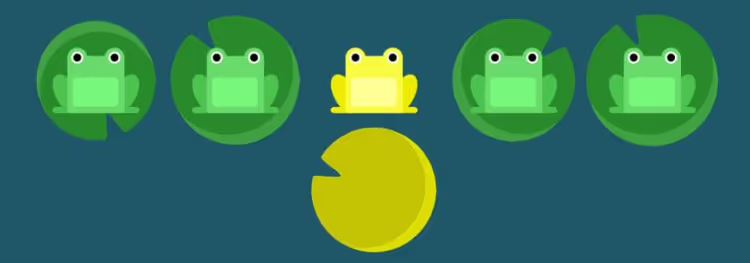
This is probably the most famous CSS game in the world. Made by Codepip studio, it takes you through 24 levels, from simple justify-content: flex-end to tricky combinations like flex-direction, align-items, align-content, flex-wrap, flex-flow and order. The mechanics are simple: you write a CSS property, the frog jumps to the right lily pad.
The last level, 24, is legendary. It requires flex-direction: column-reverse together with flex-wrap: wrap-reverse and align-content: space-between. If you pass it on the first try, you've mastered flexbox perfectly.
🔗 Flexbox Froggy | 🔗 Source code on GitHub
2. Flexbox Defense
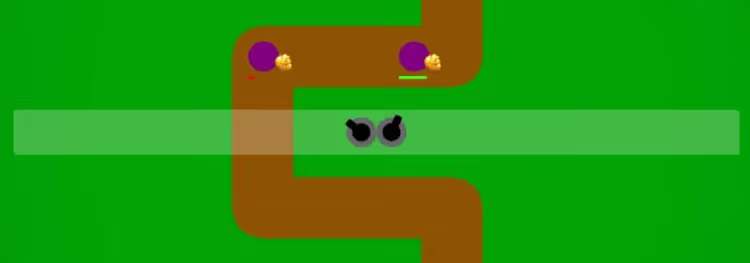
Tower Defense where instead of turrets, CSS properties. Your towers are arranged on a grid, and to aim them at enemies, you write justify-content and align-items. 12 levels cover align-items, justify-content, flex-direction, align-self and order.
The last 4 levels are a serious challenge even for those who've already completed Flexbox Froggy. No hints: just you, the browser, and waves of enemies. The author, Channing Allen, released the game on GitHub completely open.
🔗 Flexbox Defense | 🔗 Source code
3. Grid Garden
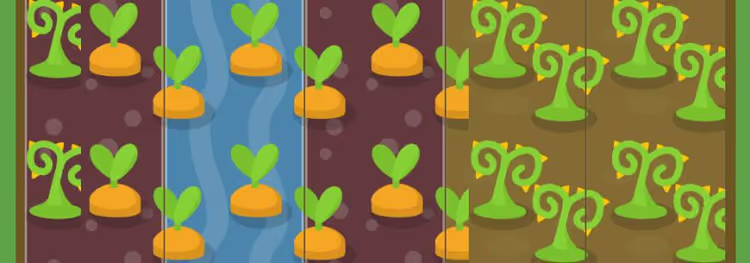
From the authors of Flexbox Froggy, same idea but for CSS Grid. You water carrot beds by writing grid-column-start, grid-column-end, grid-row-start, grid-row-end, grid-template-columns, grid-template-rows, grid-area and order. 28 levels, 4 more than Froggy.
The game goes deeper than basic grid-template-columns: 1fr 1fr. At levels 25+, you work with grid-area using named areas, a technique that in real projects replaces most flexbox hacks for grids.
4. CSS Diner
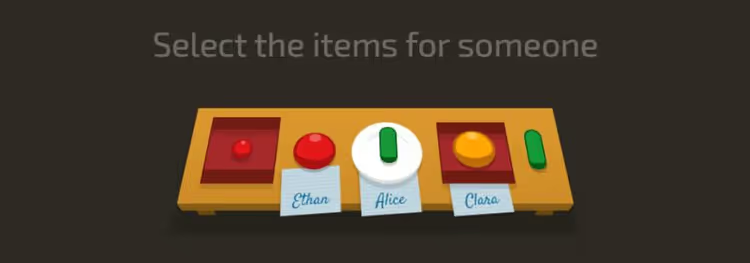
32 levels on CSS selectors, from simple plate to plate:only-child and apple:not(.small). You "order" elements from the table by writing a selector in the editor on the right. Real-time highlighting shows exactly what you've selected.
The most valuable part here is the levels with pseudo-classes. After CSS Diner, constructions like :nth-child(2n+3), :last-of-type, :only-of-type stop making you want to open MDN. And level 32 (plate pickles + apple:not(.small)) is a worthy finale for those who want to call themselves selector experts.
5. Unfold

Technically this is not a game but an interactive presentation of CSS 3D transforms by Chris Ruppel. You scroll, and the page unfolds in three-dimensional space. rotateX, rotateY, translateZ, perspective: everything that sounds scary in the documentation is shown visually here.
No need to write a single line of code. Just scroll, watch a flat rectangle transform into a cube, and read the author's comments. After this, 3D transforms stop seeming like black magic.
6. Roadmap

A small arcade by Victor Darras: a car moves along the road, and you control it with the mouse. The entire game is written in pure CSS and HTML, not a single line of JavaScript. This means you can open DevTools and see exactly how clip-path, transform, and @keyframes animations work.
The game itself doesn't teach CSS directly. But studying the source code is a mini-course on advanced techniques. It took me 8 attempts to win.
7. Carnival
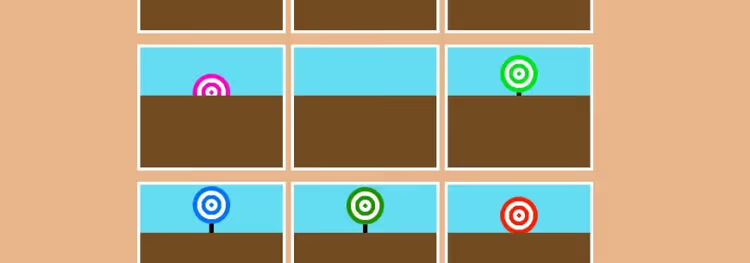
A shooting gallery in pure CSS by Una Kravets from the Google Chrome team. You have 8 seconds to hit all targets. All the logic is on checkboxes and CSS animations: targets move, appear and disappear without a single line of script.
The CodePen link below leads to the full source code, you can fork it, tweak the timings in @keyframes and make your own version. An excellent exercise for understanding how far you can go with CSS alone.
8. Tic-Tac-Toe

A classic in an unexpected execution: tic-tac-toe without JavaScript. Alvaro Montoro implemented the game logic exclusively with checkboxes, the :checked pseudo-class, and CSS animations. Two difficulty levels, on the second the computer "thinks" a bit better (as much as possible without scripts).
Practical benefit: after examining the source code, you'll understand how adjacent selectors (+), :checked work, and how to build complex logic with styles alone. For pet projects and demos, an invaluable technique.
⁉️🤔 Frequently asked questions
Will these games help a complete beginner who doesn't know CSS at all?
Yes, that's exactly what they were created for. Start with Flexbox Froggy, the game will take you from
justify-content: flex-startto complex combinations without any prior knowledge. Keep the MDN Flexbox documentation open in parallel for context. In 2-3 evenings you'll completely cover the flexbox topic.
Is there any point in going through the games for an experienced developer?
Yes, but selectively. Instead of Flexbox Froggy (will be boring on the first 15 levels) take Flexbox Defense right away, combat atmosphere and stricter constraints. Grid Garden is useful even for those who write
grid-template-columnsdaily: levels 25+ withgrid-areashow techniques rarely found in tutorials. CSS Diner on levels 25-32 is the best test for knowledge of pseudo-classes.
Why games instead of a video course or documentation?
Games provide instant visual feedback, you wrote
align-items: centerand immediately saw the frog jump to the center. This is the fundamental difference from passively watching video: muscle memory forms because you're writing code yourself. Plus the element of challenge: the desire to pass the next level keeps you engaged better than any deadline.
Do these games match modern CSS specifications (2026)?
Yes. Flexbox and Grid are mature specifications, their basic properties haven't changed in years. New features like
align-contentin normal flow (2024) orif()conditions (2025) are not covered in these games, but these are niche functions not needed in daily work. For the vast majority of real layouts, what these games teach is enough.
What should I do if a game doesn't work in my browser?
All 8 games were tested in Chrome and Firefox, no problems found. If a game doesn't load: check if JavaScript is blocked (Flexbox Defense and Roadmap require scripts); try opening in incognito mode (extensions sometimes break layout). Tic-Tac-Toe and Carnival on CodePen may require clicking "Run" to launch.
Is it worth playing CSS games in 2026?
These 8 games are not just entertainment for an evening. Each closes a specific gap: Flexbox Froggy plus Flexbox Defense give complete flexbox coverage from different angles, Grid Garden is the most painless entry into CSS Grid, CSS Diner is selectors without memorization, and Roadmap, Carnival, and Tic-Tac-Toe show how deep you can go with CSS alone.
If you're a beginner, start with Froggy, then Grid Garden, then Diner. Three evenings, and you'll master most of what you actually need in work. If experienced, skip the first 15 levels of Froggy, but definitely complete CSS Diner to the end and examine the source code of Carnival. Both will take less than an hour.
All 8 games are free, open (except Roadmap, source code is readable directly in DevTools) and work in 2026 without changes. No registration, no paid plans. Open the first game and write CSS.

A professional team of writers and editors specializing in creating quality content.