













 AIIllustrative image: AI-generated
🥇 8 poll and voting plugins for WordPress 2026
A poll on your site without responses is just wasted sidebar space. A good polling and survey plugin turns traffic into data: you understand what your audience wants, which content resonates, and what to fix before the next launch.
The problem is there are dozens of suitable tools for WordPress. Some are built for one-click voting, others collect detailed surveys with logic and branching. Prices range from free to several hundred dollars per year, and the difference in capabilities is huge.
In this roundup, 8 plugins for polls, surveys and quizzes on WordPress that actually work in 2026. Each has been verified for relevance: active repository, compatibility with the current WordPress version, reasonable price.
💡 Quick overview:
- Quick poll on your site: install
YOP PollorCrowdSignal, launch in a minute without coding. - Deep survey with branching:
Formidable FormsorQuiz and Survey Masterwith conditional logic, multi-page forms and Google Sheets export. - Polls only, nothing extra:
Modal Surveyis focused on question-answer with result visualization in charts. - All-in-one:
Gravity Formswith Survey addon, forms, polls and payments in a single interface.
Comparison table
Plugin | Type | Free version | Pro price | WP.org rating | Polls | Quizzes | Payments |
|---|---|---|---|---|---|---|---|
| Polls | ✅ (limited) | $15/month | -- | ✅ | ❌ | ❌ |
| Forms + polls | ✅ | $149/year | 4.7/5 | ✅ | ✅ | ✅ |
| Quizzes + polls | ✅ | $47 | 4.8/5 | ✅ | ✅ | ❌ |
| Polls | ❌ | $35 | -- | ✅ | ✅ | ❌ |
| Quizzes + polls | ✅ | $79/year | 4.9/5 | ✅ | ✅ | ❌ |
| Voting | ✅ | $17 | 4.5/5 | ✅ | ❌ | ❌ |
| Forms + polls | ❌ | $59-259/year | -- | ✅ | ✅ | ✅ |
| Forms + polls | ❌ | $39 | -- | ✅ | ✅ | ✅ |
1. CrowdSignal
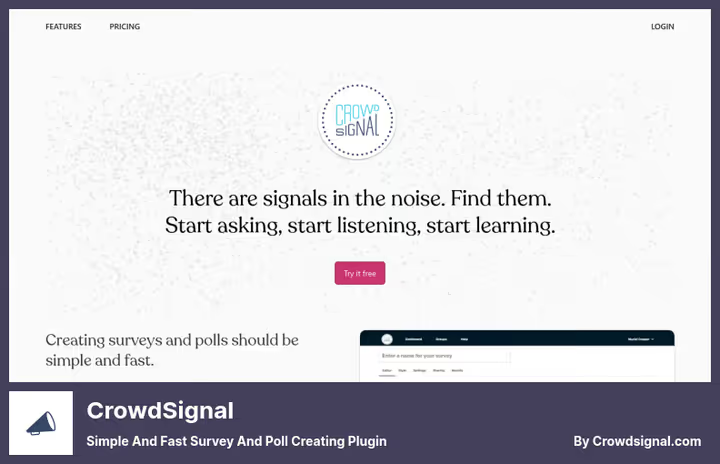
CrowdSignal, a polling service from Automattic, the company behind WordPress.com and WooCommerce. Main advantage: polls can be sent directly in email body. Users vote without leaving the site, inbox stays open, response goes instantly. Doesn't work with all email clients, but Gmail and Apple Mail support it.
In practice this gives conversion 2-3 times higher than "take our poll on the website" links. On top of that, color and font customization for your brand without code, responsive layout for mobile, and export results to Google Sheets or Excel.
Pros:
- Polls inside emails, unique feature among competitors
- Developed by Automattic: stable updates, active support
- Unlimited polls on one site
Cons:
- Price higher than average for a pure polling tool
- No branching logic and quizzes, only straight polls
Price: free version with limitations, Pro, $15/month.
🔗 CrowdSignal on developer site
2. Formidable Forms
Formidable Forms evolved from a form builder into a full-featured powerhouse: contact forms, multi-page surveys, quizzes, calculators and even payment processing through Stripe and PayPal. The Pro level is tailored for polls, where NPS scales, Likert, star ratings and image choice appear.
300+ ready-made templates at launch. Branching logic works without glitches even at 4-5 nesting levels. Results are collected in WordPress admin and displayed as charts, no need to export to Google Sheets for basic analysis.
Separate plus, visual form styler. Change colors, fonts and spacing in real time, without CSS. For agencies delivering sites to clients, this saves hours on design adjustments.
Pros:
- Powerful branching logic and conditional logic already in Pro
- Visual styler without code, rare for a form builder
- NPS, Likert, star ratings, full survey arsenal
Cons:
- Pro more expensive than specialized polling tools
- Free version limited on polls, only simple forms
Price: Lite, free, Pro, $149/year.
🔗 Formidable Forms on WordPress.org🔗 Pro version on developer site
3. Watu Quiz

Watu Quiz, a veteran of the niche, in development for over 12 years. Main focus, on quizzes and exams with a flexible scoring system. Assign points to each answer, assign a grade or result to each score range. Works for polls too: survey mode disables the concept of "right/wrong" and turns the quiz into a survey.
Embeds via shortcode into any post or page. Mobile version out of the box, quizzes work on phones without horizontal scrolling. Export results to CSV for further processing.
WatuPRO, the paid version, adds question categories, advanced analytics, and student logins. For simple polls the free version is enough, but for educational projects Pro pays off quickly.
Pros:
- 12+ years in development, predictable stability
- Flexible scoring system with negative points for wrong answers
- Generous free version: polls, quizzes, CSV export
Cons:
- Admin interface outdated, shows the plugin's age
- Pro version sold not on WordPress.org, but on separate site, inconvenient
Price: Lite, free, Pro, $47 one-time.
🔗 Watu Quiz on WordPress.org🔗 WatuPRO on developer site
4. Modal Survey
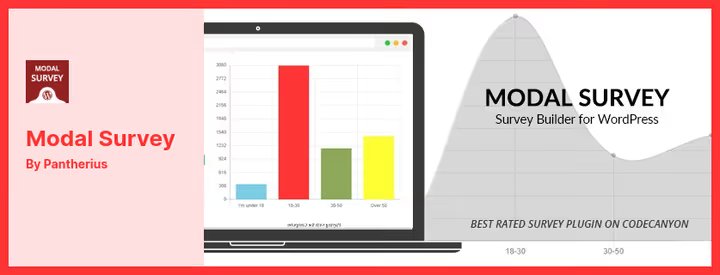
Modal Survey from CodeCanyon, pure polling without extras. Not a form, not a page builder, not email marketing, only surveys, polls and quizzes. Thanks to this narrow specialization the interface is minimalist, and setup takes minutes.
Built-in themes solve the design question. Social sharing buttons activate with one click, poll results can be shared on Twitter or Facebook. Redirect setup: after a specific answer the user lands on the needed site page.
Results display as pie and bar charts right in admin. You can set up percentage display after voting, the user sees how answers distributed, and this encourages them to return.
Pros:
- Strictly focused on polls, no bloated functionality
- Built-in themes and visual elements save time on design
- Redirects by answers, useful for lead generation
Cons:
- Only CodeCanyon, no free version, no trial period
- Support included for one year, for long-term projects cost grows
Price: $35 one-time, support, 12 months.
5. Quiz and Survey Master
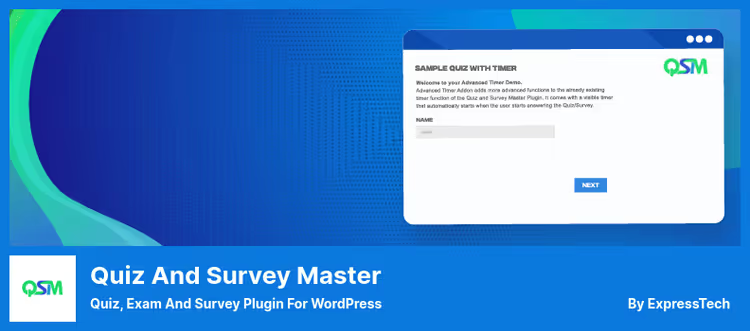
Quiz and Survey Master (QSM), the highest-rated plugin in this roundup on WordPress.org: 4.9 stars. Supports 17 question types, from simple multiple choice to drag-and-drop matching and radio grid in Pro. Separate block editor on Gutenberg: assemble surveys by dragging blocks, no shortcodes.
Main Pro feature, Reporting and Analysis. Builds charts, heatmaps of answers and cross-tabulations without exporting to third-party tools. For those conducting marketing research on their own audience, this is an argument to upgrade from free to Pro.
QSM leads on integrations: Mailchimp, ActiveCampaign, Zapier, Campaign Monitor, GetResponse, all out of the box. Lead generation through built-in contact form works without additional plugins.
Pros:
- 4.9/5 on WordPress.org, highest rating in roundup
- Block editor for Gutenberg, visual assembly without shortcodes
- 17 question types, including drag-and-drop matching
Cons:
- Pro more expensive than average for simple polls
- Key addons (logic, export) only in Pro
Price: basic version, free, Pro, $79/year.
🔗 Quiz and Survey Master on WordPress.org
6. YOP Poll
YOP Poll underwent a major overhaul in 2025, version 7.0 rewritten from scratch on modern web technologies. Admin interface became reactive: create a poll, switch templates, view results, all in real time, without page reload.
Main scenario, voting on site. One question, several answer options, launch in sidebar or inside post with shortcode. Works with multiple choice and "Other option", user types their own answer.
Shortcodes are flexible: [yop_poll id="-1"] shows current active poll, id="-2" shows latest, id="-3" shows random. You can run multiple polls simultaneously and set up schedule, poll opens and closes automatically on specified dates. Protection from cheating: blocking by cookie, IP and username, plus built-in Cloudflare Turnstile support.
Pros:
- Completely rewritten in 2025, modern code, fast interface
- Shortcodes for random/latest poll, convenient for A/B testing
- Built-in antispam with Cloudflare Turnstile
Cons:
- One question per poll, not suitable for multi-page surveys
- Free version covers most needs, Pro rarely needed
Price: basic version, free, Pro, $17.
7. Gravity Forms
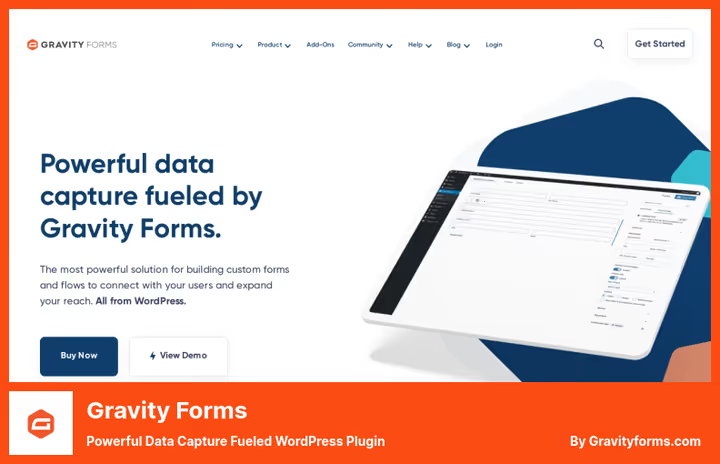
Gravity Forms, industry standard among WordPress developers. 30+ field types, drag-and-drop editor, conditional logic of any complexity, and most importantly, an ecosystem of hundreds of addons. But for polls you need Survey Addon, which only comes in Elite plan.
With Survey addon the plugin turns into a machine for marketing research: Likert scales, ranking, NPS, matrix questions. Results aggregate in real time with filtering by date, user and answers.
Main argument "for", when the site already uses Gravity Forms for contact forms and payments, adding polls to the same interface simplifies maintenance. Main argument "against", price for "polls only" task is unjustified.
Pros:
- Addon ecosystem, integrations with HubSpot, Salesforce, Slack and dozens of services
- Survey Addon provides enterprise-level NPS, Likert and matrix questions
- Standard for web studios, clients often already know the interface
Cons:
- Elite with Survey Addon, most expensive option in roundup
- Without addon poll functionality is minimal, simple forms, not surveys
Price: Basic, $59/year (without Survey), Elite, $259/year (with Survey Addon).
🔗 Gravity Forms on developer site
8. eForm
eForm from CodeCanyon combines forms, polls, quizzes and payment collection in one plugin. Template library divided by categories: polls, payment forms, instructor evaluations, start not from blank slate.
Built-in Zapier integration opens thousands of automation scenarios: poll result goes to Google Sheets, participant added to mailing list Mailchimp, admin receives notification in Slack. Stripe and PayPal connect with a couple clicks for collecting paid registrations through survey.
Multi-page polls with sliders. Result visualization, reports with trends, useful for data-driven decision making. WooCommerce integration for complex scenarios: product survey with dynamic pricing that adds item to cart.
Pros:
- Lowest price for full functionality among Pro participants
- Zapier + Stripe + PayPal out of the box without additional addons
- Template library saves time at launch
Cons:
- Only CodeCanyon, updates depend on single developer
- Admin interface less intuitive than leaders (Formidable, Gravity)
Price: $39 one-time, support, 12 months.
🔗 eForm on CodeCanyon🔗 Live demo
Video: WordPress polling plugins overview
Watch a 9-minute overview from Elegant Themes, comparison of 12 polling plugins in real time, from installation to publishing first survey:
⁉️🤔 Frequently asked questions
How does a poll differ from a feedback form?
A poll collects structured data on a specific question with immediate result visualization (percentages, charts). A feedback form simply sends a message to admin. For polls critical are: anonymity, protection from repeat voting and displaying statistics to participant after answering.
Do I need a separate polling plugin if Contact Form 7 is already installed?
Contact Form 7, is an email form, not a polling tool. It lacks: protection from double voting, result visualization, conditional logic "if answered X, show Y", and Likert/NPS scales. For one question "like / dislike" CF7 is enough. For a survey of 5+ questions with analytics, getFormidable FormsorQuiz and Survey Master.
Which plugin to choose for quick voting in sidebar?
YOP Poll. Free, version 7.0 completely rewritten in 2025, modern interface, shortcodes for random poll, built-in antispam through Cloudflare Turnstile. Launches in 2 minutes: installed, created question with options, inserted shortcode in widget.
Can you create a poll in WordPress with images instead of text options?
Yes.
Formidable FormsPro andQuiz and Survey Mastersupport image choices, participant selects option by clicking on image, not on text radio button. For e-commerce stores this is a way to collect feedback on product visuals.
Which plugin to choose for marketing research with 20+ questions?
Gravity Formswith Survey Addon, if budget allows. OrFormidable FormsPro, it has all the same (NPS, Likert, multi-page forms, charts), but cheaper. Third option,Quiz and Survey Masterwith Reporting Addon, if you need deep answer analytics without exporting to third-party services.
What to do if nobody takes the poll?
Three typical reasons. First: poll hangs in sidebar below the fold, move it to beginning of post or to popup. Second: too many questions, reduce to three, put most important first. Third: no incentive, show participant results after answering (what percentage answered like them), this stokes interest and starts word of mouth.
What to install for your task
No universal answer, plugin is selected for scenario. For quick voting in sidebar get YOP Poll: free, fast, just rewritten. For polls inside email newsletters, CrowdSignal from Automattic, unique feature with voting right in email body. For full-featured marketing surveys with analytics, Formidable Forms Pro: best price/capability balance. For educational quizzes and exams, Watu Quiz with its 12-year history and flexible scoring system.
If budget is minimal and polls needed "yesterday", Quiz and Survey Master in free version covers most scenarios. If the site already has Gravity Forms, buy Survey Addon and don't multiply plugins.
Choose for task, not for someone else's rating. And write in comments which tool you chose and why, real experience is more valuable than any roundup.

A professional team of writers and editors specializing in creating quality content.