














🚀 7 best WooCommerce currency switcher plugins (2026)
International sales through WooCommerce open access to a huge market. But there's a problem: when a customer from Germany sees prices in dollars, they spend extra seconds converting in their head. Some visitors simply leave without figuring out the exchange rate.
According to Baymard Institute research, 22% of users abandon their cart precisely because of unclear additional costs, and foreign currency is at the top of that list. The solution is simple: show the price in the currency familiar to the buyer.
We've compiled 7 current currency switcher plugins for WooCommerce that solve this problem. Each has been tested on a real store: geolocation, multi-currency payments, compatibility with WordPress 6.5+. Including detailed installation instructions for the market leader.
💡 Quick overview:
- Determine your needs: if you only need geolocation, get Price Based on Country; if you need unlimited currencies, FOX Currency Switcher; if you're looking for a balance of simplicity and functionality, YayCurrency.
- Install your chosen plugin through the "Plugins" → "Add New" section in WordPress. This will take 3-5 minutes for any plugin from the list.
- Immediately after activation, configure the exchange rate source (aggregator) and verify that checkout displays the same currency the buyer selected.
Plugin comparison table
Plugin | Free version | Premium | Active installations | Rating | Geolocation | Multi-currency payments |
|---|---|---|---|---|---|---|
FOX Currency Switcher (WOOCS) | Yes | Budget | 50,000+ | 4.4 | Yes | Yes |
Price Based on Country | Yes | Medium | 20,000+ | 5.0 | Yes | Yes |
Open Currency Converter | Yes | No | 1,000+ | 4.7 | No | No |
Currency Exchange for WooCommerce | Yes | No | 4,000+ | 4.3 | No | No |
YayCurrency | Yes | Medium | 8,000+ | 4.8 | Yes | Yes |
Currency Switcher for WooCommerce | Yes | Premium | 5,000+ | 4.5 | Yes | Yes |
CURCY - Multi Currency | Yes | Budget | 10,000+ | 4.6 | Yes | Yes |
1. FOX - Currency Switcher Professional for WooCommerce
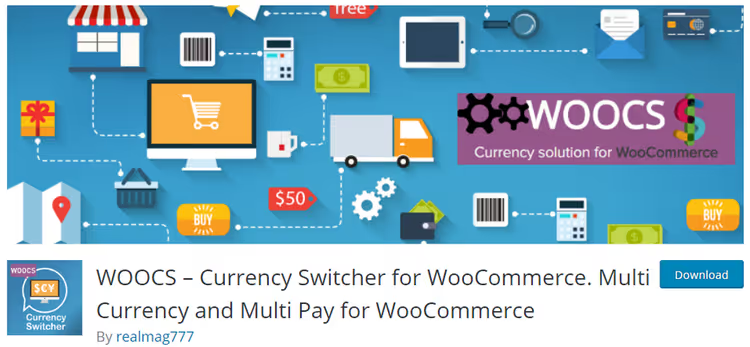
FOX - Currency Switcher Professional (formerly known as WOOCS) from realmag777, the most popular free plugin in this niche. 50,000+ active installations, version 1.4.9, updated June 12, 2026.
The plugin does three things out of the box: currency switcher widget (client chooses themselves), converter (sees recalculated price), and exchange rate table. All in real time through your chosen aggregator: Yahoo Finance, Open Exchange Rates, ECB, and 5 more sources.
Key features:
- Geolocation: automatically displays currency based on visitor's country, no need to guess where the buyer came from
- Three display modes: dropdown list, country flags, sidebar, fits any design
- Compatibility with major payment gateways: PayPal, Stripe, Authorize.net
- Exchange rate caching, doesn't load the server on every page refresh
- Integration with WooCommerce PDF Invoices & Packing Slips, invoices are generated in the order currency
The free version is limited to two active currencies. The premium version removes this limit and adds advanced conditions, such as different currencies for different product categories. License price, one of the lowest in the niche.
Plugin installation and configuration
Installing FOX Currency Switcher is standard for any WordPress plugin. Go to the admin panel, hover over "Plugins", click "Add New" and enter "FOX Currency Switcher" or "WOOCS" in the search.

Click "Install Now", then "Activate".
After activation, a new item appears in the WooCommerce menu. Go to WooCommerce → Settings → "Currency" tab. Here you'll see the main configuration interface.

The interface is divided into logical tabs: on the first, general settings, on the second, specific parameters for each currency.

On the "Options" tab, configure the welcome currency (the one visitors see by default), select the exchange rate aggregator, and set the update frequency. On the "Currencies" tab, add the necessary currencies, set the symbol, description, and flag for each.
Important point: go to the "Advanced" tab and set "Multi allowed" to "Yes". Without this, buyers won't be able to pay for orders in the selected currency, only in the base one.

This is where critically important options are concentrated: multi-currency payments, caching, and checkout behavior.

On the "Side switcher" tab, you can enable a floating panel, currencies will appear on the right side of the screen, and the client can select the needed one with one click.

Final step, widget placement. Go to "Appearance" → "Widgets", find the "WooCommerce Currency Converter", "WooCommerce Currency Rates", and "WooCommerce Currency Switcher" blocks.

All three widgets are displayed in the standard WordPress list, drag any one to the sidebar or footer.

Drag the needed widget to the sidebar or footer. That's it, multi-currency functionality on the site is working.
🔗 FOX Currency Switcher on WordPress.org
2. Price Based on Country for WooCommerce
Price Based on Country for WooCommerce uses built-in WooCommerce geolocation and automatically determines the visitor's country. 20,000+ active installations, 5.0 rating on WordPress.org. Version 4.3.2, updated May 2026.
The buyer doesn't need to think about switching at all: came from Mexico, saw pesos, from Poland, zloty. This reduces friction at entry and is especially effective for stores with a wide customer geography.
Key features:
- Two pricing methods: automatic calculation through exchange rate API or manual price setting for each product in each country, suitable for stores with different margins by market
- Instant cart, checkout, and order preview updates when changing country, without page reload
- Shipping cost conversion, including flat rate and international flat rate
- Compatibility with WPML for multilingual stores
- Country switcher widget: if automation didn't work, the client changes the country manually
The free version covers the basic scenario "geolocation + rates". The Pro version with annual subscription adds advanced country groupings, role-based pricing, and compatibility with caching plugins.
Downside: if you sell digital products and geographical binding isn't needed, manual switching from competitors is more flexible.
🔗 Price Based on Country on WordPress.org
3. Open Currency Converter

Setup comes down to selecting a currency pair and API source, minimum fields, maximum speed.

Open Currency Converter, a specialized tool for those who need exactly a converter, not a full multi-currency engine. Supports 170+ currencies and works through open API sources. Version 1.5.0, rating 4.7.
The plugin is embedded in a post or page via shortcode. This is not a switcher for buyers, but exactly a converter: a widget with an amount input field and currency pair selection. Suitable for informational sites, financial blogs, and pricing pages, where you need to show a price equivalent, not accept payment in another currency.
Key features:
- Auto-updating rates from selected API on schedule
- Manual addition of custom rates if you don't trust aggregators or work with exotic currencies
- Result caching: one API request serves many visitors
- Full customization via PHP, you can add your own rounding logic or add an exchange rate source
The plugin has a modest 1,000+ installations, last update April 2025. For a basic converter this is enough, the functionality is stable. But if you need integration with cart and checkout, get the options above.
Downside: no geolocation, no multi-currency payments. This is a pure converter, not a switcher.
🔗 Open Currency Converter on WordPress.org
4. Currency Exchange for WooCommerce
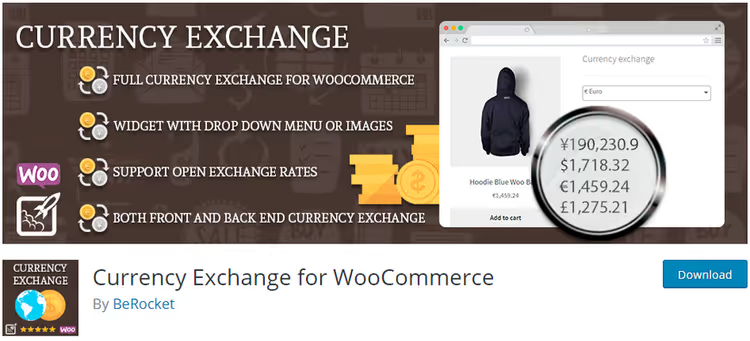
Currency Exchange for WooCommerce provides basic but reliable functionality: multiple currencies with customizable rates, dropdown widget, and shortcode for insertion anywhere in the store. Version 3.6.2.7, updated May 2026.
The plugin is lightweight and doesn't overload the admin panel. Setup comes down to three steps: add currencies, set the rate (automatic or manual), place the widget. No geolocation and complex conditions, just works.
Key features:
- Single set of currencies for products, pages, and posts, no need to configure separately
- Dropdown menu in widget, doesn't clutter the interface
- Manual rate adjustment: you can fix a favorable rate for a week or month
If the store needs "just to have two or three currencies and the client chooses themselves", this is enough. For more serious scenarios, look at the plugins above.
Downsides: no automatic geolocation, no multi-currency payments. WordPress 4.0+ in requirements looks archaic, but with WP 6.5+ the plugin works without complaints.
🔗 Currency Exchange for WooCommerce on WordPress.org
5. YayCurrency - WooCommerce Multi-Currency Switcher

YayCurrency, the fastest-growing plugin in the niche. 8,000+ installations, 4.8 rating, version 3.3.4, updated May 2026. It came to replace the closed CBX Currency Converter, which was removed from the WordPress.org repository, and offers all the same and even more.
The plugin automatically determines the visitor's country, shows the price in local currency, and lets the client switch manually through a widget or shortcode. Works with 50+ popular WooCommerce extensions, from B2B plugins to subscriptions.
Key features:
- Automatic geolocation and instant price updates across the entire site, including checkout
- Payment in selected currency: not just display, but actual transaction
- Customizable markups and rounding, you can add a small markup to the converted price or round to.99
- Widget and shortcode: place in header, sidebar, or menu
- Compatibility with WPML, Polylang, and major payment gateways
The free version provides full functionality for most stores. The Pro version with annual subscription adds advanced rates, more aggregators, and priority support.
Downside: fewer installations than leaders, the community is still growing. But the update pace and support quality (109 reviews, 100+ five-star) speak to a healthy product.
🔗 YayCurrency on WordPress.org🔗 YayCurrency live demo
6. Currency Switcher for WooCommerce
Currency Switcher for WooCommerce from WPExperts bets on smart geolocation: the plugin determines both the country and language of the visitor, then selects the currency by double criteria. 5,000+ active installations, version 2.16.6, updated March 2026.
Interesting detail: on the checkout page, the client is shown a button to return to the store's base currency. This is useful if geolocation made a mistake or the buyer wants to pay in dollars under any circumstances.
Key features:
- Double determination: country + browser language, more accurate than pure geolocation
- Country flags in switcher, visually clear to any user
- Automatic rate updates on schedule
- Different formats for each currency: separators, symbol position, number of decimal places
Downsides: the free version is limited by number of currencies. The Pro version, one of the most expensive in the selection, which small stores should consider.
🔗 Currency Switcher for WooCommerce on WordPress.org
7. CURCY - Multi Currency for WooCommerce
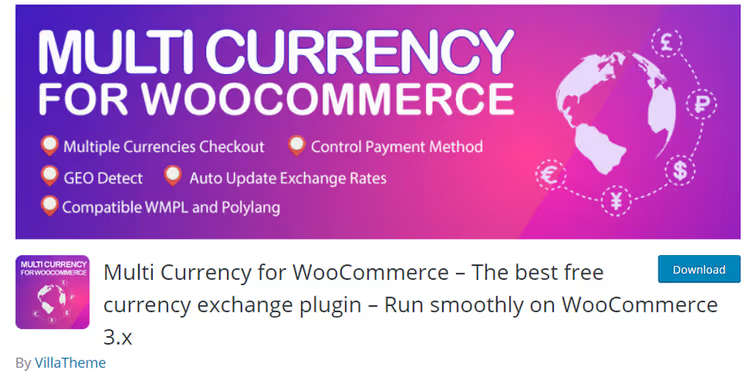
CURCY - Multi Currency for WooCommerce closes the list with a plugin that has grown to 10,000+ installations. Version 2.2.14, updated April 2026, rating 4.6. The free version, one of the most functional in the selection.
CURCY stands out with setup speed: activation → currency selection → rate source → done. No unnecessary configuration, but everything for serious work is there.
Key features:
- Multiple currencies for payment: the buyer pays in the selected currency, not just sees the recalculated price
- Auto-updating rates in real time, no need to clear cache after a Forex jump
- Currency symbol customization, if the standard designation doesn't fit the design
- Widget and shortcode: place anywhere, even in a popup
The premium version, one of the most affordable in the niche. Includes advanced geolocation, rate fixing, and currency reports.
Downside: the settings interface is sometimes overloaded, a beginner may need a couple of minutes to find the needed option.
⁉️🤔 Frequently asked questions
Does a small store need multi-currency?
If at least 5% of visitors come from countries with a different currency, yes. In practice, even one international order per week pays for the setup time. According to Baymard Institute data, eliminating currency friction raises conversion by 3-5% for international traffic.
What's the difference between a converter and a currency switcher?
A converter shows the price equivalent in another currency, but doesn't change the checkout currency, the buyer still pays in the base currency. A switcher changes the currency of the entire cart and checkout: the client selects euros and pays in euros. For sales you need a switcher, for informational pages a converter is enough.
Is a free plugin enough or should I get premium?
For a start, FOX Currency Switcher (free, 2 currencies) or YayCurrency (free, no currency limit, with basic geolocation) is enough. Premium is needed when specifics appear: different price for one product by market, category binding, multilingual plus multi-currency.
Which exchange rate aggregator to choose?
Yahoo Finance, free and reliable for most pairs. Open Exchange Rates provides more exotic currencies, but the free plan is limited to 1,000 requests per month. ECB (European Central Bank), the standard for European currencies, updated daily on business days.
What to do if geolocation is wrong?
All plugins from the list (except Open Currency Converter) give the user a manual switcher, hangs in the header or sidebar. A client from Russia who geolocation identified as Kazakh will switch from tenge to rubles with one click. Plus Currency Switcher for WooCommerce shows a return to base currency button right on checkout.
Which currency switcher plugin to install in 2026?
The choice comes down to three scenarios. If the store works with 5+ markets and geolocation without user involvement is critical, install Price Based on Country: automation that doesn't make mistakes. If you need maximum currencies and fine-tuning, FOX Currency Switcher: 50,000 installations don't lie. And if you're launching right now and want a balance of simplicity and power, YayCurrency: fresh, fast, and free with no currency limit.
Bookmark the video tutorial on setup, it will save 20 minutes on first launch.
Still have doubts, write in the comments under the post. Which plugin you chose and why, also write: real cases are more useful than any reviews.

A professional team of writers and editors specializing in creating quality content.