













 AIIllustrative image: AI-generated
🌐 7 best multilingual and translation plugins for WordPress 2026 (free and paid)
You launch a WordPress site in two languages at once. You install a translation plugin, set up language flags in the menu, and run auto-translation. A month later you discover: the Russian version indexes poorly, booking forms in English don't work, and when you try to switch plugins the translations simply vanish. Sound familiar?
The problem isn't WordPress and it isn't you. Multilingual architecture comes in three fundamentally different types, and if you pick the wrong one from the start, migration will cost more than the site itself.
We tested seven plugins on real installations, from lightweight Polylang on bare core to enterprise Ray Enterprise with a translation management system. There's a working solution for every scenario, the question is just at what cost and with what limitations.
💡 Quick overview:
- Site in 2-3 languages with manual authoring translation, Polylang, free and no lock-in
- Need visual translation with instant preview, TranslatePress, result visible right on the page
- WooCommerce store with multi-currency, WPML, mature integration out of the box
- Don't want to load your server, Weglot or GTranslate, everything in the cloud
- Vendor independence is critical, MultilingualPress, content remains even when plugin is disabled
- Corporate site with translation protocols and approvals, Ray Enterprise Translation on top of Polylang
The short video overview above shows interfaces and key plugin differences live, if there's no time for the full text, 10 minutes will answer the question.
Let's compare key parameters before detailed breakdown:
Plugin | For whom | Price (minimum) | Architecture | Lock-in |
|---|---|---|---|---|
TranslatePress | Bloggers, small business | €99/year | Visual editor in frontend | Medium |
WPML | Stores, agencies | €39/year | Translation editor in admin | Medium |
Weglot | Multi-platform projects | €15/mo | Cloud SaaS proxy | High |
Polylang | DIY translation, budget projects | Free | Language taxonomies | Low |
GTranslate | Fast AI translation without limits | $25/mo | Cloud Translation Delivery Network | High |
MultilingualPress | Multisite, enterprise | $149/year | WordPress Multisite | Zero |
Ray Enterprise | Corporate TMS | Free (20K words) | Layer over Polylang + cloud TMS | Low |
1. TranslatePress: visual translator with live preview
TranslatePress, the only plugin in this roundup where translation is done directly from the frontend. You open a page, click on a text string, edit the translation, and it immediately displays right there, without switching to admin and without guessing "how does this actually look." In our experience, for a blog in 2-3 languages this saves hours per week compared to a classic translation editor.
The plugin works with Google Translate and DeepL: machine draft ready in minutes. Then you can polish manually, SEO titles, alt texts, shortcode content, even text in images. WooCommerce and most themes work out of the box. Content publishes only after full language translation, the site doesn't look "raw" to visitors.
- Pros: visual editor in frontend without switching to admin; integration with Google Translate and DeepL; translation of images and sliders; content publishes only after language translation is complete
- Cons: free version, only one additional language; SEO package (URL translation, sitemap), only in paid tiers
- Price: Free on WordPress.org. Pro: Personal €99/year (1 site, 50K AI words), Business €199/year (3 sites), Developer €349/year (unlimited)
- Download: 🔗 TranslatePress on WordPress.org | 🔗 TranslatePress Pro
2. WPML: veteran with proprietary AI engine and full SEO control
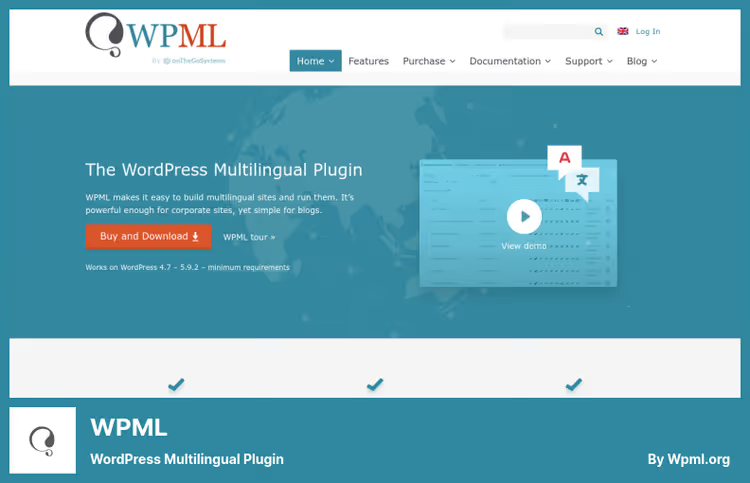
WPML, the oldest multilingual plugin for WordPress. Over a decade and a half it has grown integrations with practically everything: Yoast SEO, WooCommerce, Elementor, ACF, Gutenberg. The main event of 2026, its own AI translation engine PTC (Private Translation Cloud). Quality comparable to DeepL, and the price is lower: 1 credit per word versus 2 for Google Translate. In practice this means translating a large store costs half what it did a year ago.
Each language version gets its own URL, hreflang tags and sitemap. Search engines see the structure without any hassle. Separate WooCommerce Multilingual module translates products, categories, attributes and manages multi-currency. For agencies, built-in integration with professional translation bureaus and role separation: translator sees only their tasks, editor proofreads, administrator publishes.
- Pros: compatibility with practically any theme and plugin; proprietary AI engine PTC (cheaper than alternatives); full control of language version URLs; integration with professional translation bureaus; separate WooCommerce module
- Cons: no free version, only paid license; interface heavier than TranslatePress, beginner needs time to learn
- Price: Multilingual Blog €39/year (without String Translation and Translation Management), CMS €99/year (full functionality), Agency €199/year (unlimited sites)
- Download: 🔗 WPML, official site
3. Weglot: cloud SaaS translation without server load
Weglot works differently than all the others: it's not a translator plugin, but a cloud SaaS proxy. It scans the site, takes content to Weglot cloud and serves translated pages through its infrastructure. Load on your server, zero, all translation, caching and delivery happens on the service side.
First-layer AI translation happens automatically on DeepL, Microsoft and Google engines. After that you can order professional translation through the built-in marketplace or edit manually in the visual editor. Important plus, Weglot works not only with WordPress, but also with Shopify, BigCommerce and Webflow. If you're planning multi-platform, this is a strong argument.
- Pros: zero server load; visual editor with context; built-in professional translation ordering; supports WordPress, Shopify, BigCommerce and Webflow
- Cons: monthly payment, over time more expensive than competitors; translated word limit by tier; when subscription is disabled translations disappear
- Price: Free (2000 words, 1 language). Starter €15/mo (10K words), Business €29/mo (50K words, 3 languages), Pro €79/mo (200K words, 5 languages)
- Download: 🔗 Weglot on WordPress.org | 🔗 Weglot, site
4. Polylang: free foundation with zero lock-in
Polylang, the only plugin in this roundup that doesn't store translations in its own tables. It binds languages to posts through WordPress taxonomies: one post, one language. In practice this means that when you delete Polylang the content in all languages remains in the database, only the language binding is lost. No lock-in.
The free version on WordPress.org has 700,000+ active installations, it's the most popular multilingual plugin in the ecosystem. No automatic translation "out of the box": you translate content manually or connect Lingotek / Ray Enterprise. But for a blog in 2-3 languages with authoring translation this is rather a plus: no dependency on third-party API, credits and monthly bills.
In our experience, the Polylang (language structure) + TranslatePress Free (draft machine translation) combination covers small blog needs completely free. When the project grows, you buy Polylang Pro or migrate to WPML.
- Pros: free core with full functionality; language via taxonomies, without content duplication; hreflang and Open Graph out of the box; language switcher in menu, sidebar and via shortcode; zero lock-in
- Cons: no built-in auto-translation; themes and plugins translate only through.po/.mo files; for machine translation you need an additional plugin
- Price: Free on WordPress.org. Polylang Pro: €99 (1 site, one-time payment), up to €495 for 25 sites
- Download: 🔗 Polylang on WordPress.org | 🔗 Polylang Pro
5. GTranslate: cloud AI translation without word limits
GTranslate (formerly Google Language Translator) grew from a simple Google Translate widget into a full Translation Delivery Network. The plugin serves 500,000+ sites. In paid tiers translated pages are hosted in GTranslate cloud and get their own URLs, site.com/es/ or es.site.com, with full SEO indexing.
Key advantage of GTranslate over Weglot: AI translation on Google neural networks goes without word limits. No need to count how many words were translated this month and whether you've hit the limit. Free version, just a language switching widget without SEO, but 15-day trial of paid tiers lets you check if it's worth it.
- Pros: Google AI translation without word limits; own URLs for each language; zero server load (cloud proxy); 15-day trial of paid tiers
- Cons: free version not indexed by search engines; dependency on cloud service, when subscription is disabled translations disappear; management interface on external site, not in WordPress admin
- Price: Free (widget, no SEO). Startup $25/mo, Business $35/mo, Enterprise $50/mo (all tiers with AI translation and SEO)
- Download: 🔗 GTranslate on WordPress.org | 🔗 GTranslate, site
6. MultilingualPress: multisite with zero lock-in
MultilingualPress uses the built-in WordPress Multisite mechanism: each language, a separate site in the network, linked to the original through API. Architecturally this is the strongest solution in the roundup. Disabled the plugin, content in all languages remained, because these are physically independent sites.
In version 5.1 (April 2026) AI auto-translation appeared through DeepL, OpenAI and Amazon Translate, each requires its own API key, but quality is on par with the best neural networks. The plugin works with ACF, WooCommerce and Yoast SEO. For developers, full WP-CLI. Price is above average, but for large projects where vendor independence matters, this is justified.
- Pros: complete absence of lock-in, content remains on deactivation; WordPress Multisite architecture, each language isolated; AI translation through DeepL, OpenAI and Amazon Translate; compatibility with WooCommerce and Yoast SEO; WP-CLI for developers
- Cons: requires WordPress Multisite, doesn't work on regular installation; price above average; more complex to set up for beginner
- Price: Starter $149/year (2 languages), Professional $499/year (6 languages), Advanced $899/year (12 languages), Enterprise $1,499/year (unlimited)
- Download: 🔗 MultilingualPress, site
7. Ray Enterprise Translation: professional TMS inside WordPress
Ray Enterprise Translation (formerly Lingotek Translation), not a standalone plugin, but a layer over Polylang. You manage languages through Polylang, and Ray Enterprise adds cloud Translation Management System: machine translation through Microsoft Translator API, professional translation ordering from certified translators and crowd translation by employees.
Free tier gives 20,000 processed words. For corporate sites with regulated translation processes, legal proofreading, multiple approvers, terminology glossaries, this is the only tool in the roundup with full TMS.
- Pros: professional TMS paired with Polylang; three modes: machine translation, crowd translation, professional translation; full transparency of translation stages; 20,000 words free
- Cons: requires Polylang installation; interface more complex than typical WordPress plugin; machine translation through Microsoft Translator, quality below DeepL and Google
- Price: Free (20,000 words, machine + community translation). Professional translation and enterprise tiers, on request
- Download: 🔗 Ray Enterprise Translation on WordPress.org
⁉️🤔 Frequently asked questions
How does TranslatePress differ from WPML in practice?
TranslatePress, a visual editor in the frontend: you click, translate, see the result. Ideal for a blog where the author translates themselves. WPML, a translation management system with role separation, AI engine and integration with translation bureaus. For an online store with a team of translators WPML wins on all fronts: WooCommerce, multi-currency, SEO control. TranslatePress is simpler, WPML is more powerful.
Is WordPress Multisite required for MultilingualPress?
Yes, MultilingualPress works only on WordPress Multisite. Each language, a separate satellite site with its own table database. Plus: when you disable the plugin the content doesn't go anywhere. Minus: Multisite is more complex to configure, not every theme works correctly in a network, and restoring from backup requires experience. For a simple blog multisite is excessive.
Which plugin is best for WooCommerce?
WPML with WooCommerce Multilingual module, the most mature option: translates products, categories, attributes and manages multi-currency. TranslatePress also works with WooCommerce, but currency management is weaker. MultilingualPress is suitable for multisite. Weglot and GTranslate translate the storefront, but don't support multi-currency, you need a separate plugin.
Can you translate a site completely free?
Yes. Polylang (free core) + manual translation, without limits on words and languages. For machine draft: TranslatePress Free + Google Translate (you need your own API key). GTranslate Free, just a widget without SEO. Weglot Free, 2,000 words for one additional language. Full free combination: Polylang (structure) + TranslatePress Free (draft translation) + manual proofreading.
Which plugin won't break the site when removed?
Polylang and MultilingualPress. Polylang stores translations as separate posts with language taxonomy, when deleted posts remain, only the language binding disappears. MultilingualPress uses physically separate sites in multinetwork, content is completely independent. Other plugins store translations in their own tables: when deleted translations disappear. For a project that may grow and change plugins, this is a critical criterion.
What to choose if you need AI translation but don't want to overpay?
WPML with PTC engine, 1 credit per word, twice cheaper than Google Translate. GTranslate, Google AI translation without word limits at all in paid tiers. TranslatePress, Google Translate and DeepL, but free version only for 1 additional language. If content volume is large (thousands of pages), GTranslate is most profitable, because there's no word counter.
What to install in 2026: breakdown by scenarios
Seven plugins cover the full spectrum of tasks: from a blog in two languages to corporate multisite with professional TMS. The choice comes down to three questions: budget, architecture and translation depth.
If you need visual translation without diving into admin, take TranslatePress. In practice this is the fastest start: installed, connected Google Translate, in 10 minutes the site is already bilingual.
If SEO, WooCommerce and integration with professional translators matter, WPML. Proprietary AI engine PTC made it noticeably cheaper to operate, and maturity of integrations saves weeks of debugging.
If you don't want to load the server and are ready to pay monthly, Weglot or GTranslate. GTranslate wins with absence of word limits, Weglot, with multi-platform support and built-in translator marketplace.
If budget is minimal and you translate yourself, Polylang. Free, no lock-in, 700,000+ active installations can't be wrong. Add TranslatePress Free for draft machine translation, get a working pipeline for €0.
If you have multisite and vendor independence is critical, MultilingualPress. Architecturally the cleanest solution: disabled the plugin, content remained.
If professional TMS with protocols and approvals is required, Ray Enterprise Translation on top of Polylang. The only tool in the roundup with full translation management system for corporate sector.
Start with free Polylang + TranslatePress Free combination. In a week it will become clear what your specific project lacks, then upgrade precisely. What plugin do you use? Write in the comments, experience with multisite and WooCommerce is especially interesting.

A professional team of writers and editors specializing in creating quality content.