














📺 Setting up Plex Media Server and Apple TV: a step by step connection guide
A movie collection sits on a hard drive, but you want to watch on the big screen via Apple TV. Sure, you could run an HDMI cable from your laptop to the TV and shuffle files with a flash drive. But when Plex Media Server is already running in the next room and a silver Apple TV box sits on the stand, why bother with all that?
Plex can organize a media library on your computer and stream content to any device on your home network. With the arrival of Apple TV 4K, the task was solved in a minute with an app from the App Store. However, owners of 2nd and 3rd generation Apple TV need PlexConnect, a proxy that turns the Trailers button into a Plex portal without jailbreaking.
Below is a step-by-step guide for both scenarios. Tested on Windows 11, macOS 15 Sequoia, Apple TV 4K (tvOS 18), and Apple TV 3.
💡 Quick overview:
- Install Plex Media Server on your computer and add folders with media files to libraries.
- For Apple TV 4K and HD: download the Plex app from the App Store and link your account via
plex.tv/link. - For 2nd and 3rd generation Apple TV: install Python, PlexConnect, the certificate, and manually configure the DNS server.
Step 1: installing Plex Media Server on your computer
Plex Media Server is a free program that scans content folders and makes media files available to clients over the network. The server component installs in a couple of minutes on any platform.
Download the installer from the official Plex website, selecting the version for your OS: Windows (64-bit .exe), macOS (.dmg), Linux, or NAS (Synology, QNAP). After installation, launch the server; it will open the web interface at http://localhost:32400/web. Create a Plex account or sign in to an existing one, as you will need it for authorization on Apple TV.
Next, set up libraries: click "Add Library," choose the content type (Movies, TV Shows, Music), and specify the folder with files. Plex will automatically fetch posters, descriptions, and metadata from the internet. For a library of 200-300 movies, the initial scan takes 5-10 minutes.
Check server visibility: open Settings → Remote Access. For home streaming, you don't need to configure remote access; it's enough for your computer and Apple TV to be on the same local network (same router, wired or Wi-Fi).
Important note: Plex Media Server must run in the background the entire time you're watching. Close the program, and the stream stops. On Windows, the server minimizes to the system tray; on macOS, it stays in the menu bar.
Step 2: Apple TV 4K and HD, official app
The simplest scenario. Apple TV starting from the 4th generation (2015) runs on tvOS with access to the App Store, and a full-featured Plex app exists for it.
Turn on your Apple TV and open the App Store. Type "Plex" in the search; the app with the orange icon and triangle will appear first in the results. Click "Get"; it's free.
After installation, launch Plex. The screen will display a four-digit code and prompt you to go to plex.tv/link. Open this address in a browser on your computer or phone and enter the code. Linking takes about 10-15 seconds, after which the app will pick up your account and show all libraries from your server.
Server not showing up? Check three things: the computer is not in sleep mode, Windows firewall is not blocking port 32400, and both devices are on the same router subnet. Usually, restarting the server and reconnecting Apple TV to Wi-Fi is enough.
Your media library is immediately available: select a movie or TV show and press Play. Plex for Apple TV supports Direct Play for most formats (H.264, H.265/HEVC, MKV, MP4) without transcoding, provided the file is encoded in a supported codec. In 2025, Plex completely redesigned the interface for Apple TV: new navigation, large posters, faster access to libraries. If you have an old version, update via the App Store.
Step 3: Apple TV 2 and 3, PlexConnect
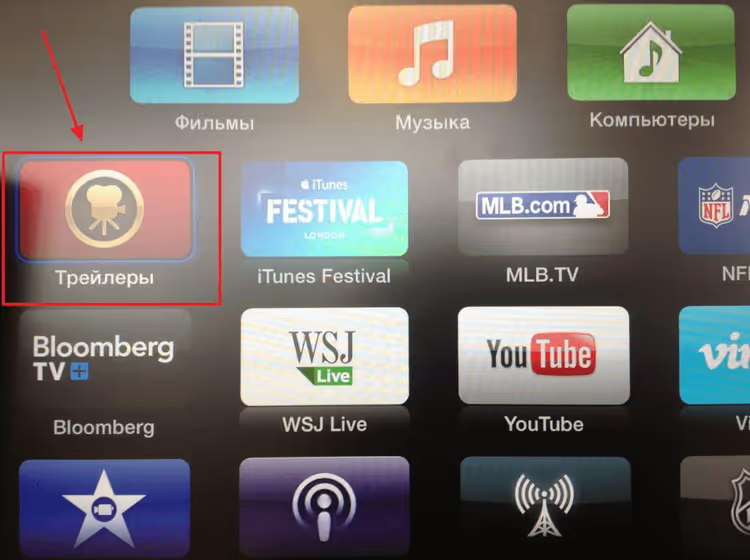
The 2nd and 3rd generation Apple TV have neither an App Store nor tvOS; they are silver boxes with no way to install the official Plex app. The solution is PlexConnect: a Python-based proxy program that intercepts DNS requests from the set-top box to trailers.apple.com and, instead of Apple's servers, returns a local web interface with your Plex media library.
How it works: Apple TV queries DNS for the address of trailers.apple.com → PlexConnect intercepts the request and redirects the set-top box to your computer with the Plex interface → you press the Trailers button on the remote and see your media library.
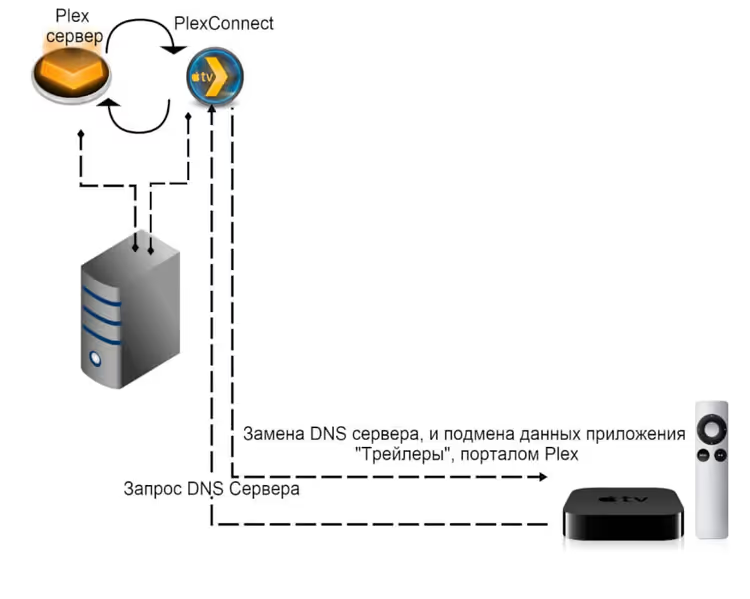
PlexConnect was developed from 2013 to 2015 and stopped receiving updates after Apple TV 4 was released. The code is written in Python 2.7, incompatible with Python 3, and although Python 2.7 has been officially unsupported since 2020, the installer is still available on python.org. On Plex forums, the topic is still active, with Apple TV 3 owners continuing to use this method.
Installing PlexConnect on PC
First, install Python 2.7.x, download from python.org, and be sure to check "Add python.exe to PATH." Then download the PlexConnect archive from GitHub (Code → Download ZIP) and extract the Plex_Connect folder to the root of the C:\ drive. The main executable file is PlexConnect.py inside this folder.
Create a shortcut for C:\Plex_Connect\PlexConnect.py on your desktop. You need to run the script every time you start your computer; double-clicking the shortcut opens a console window. After launching, press the Trailers button on the Apple TV remote:
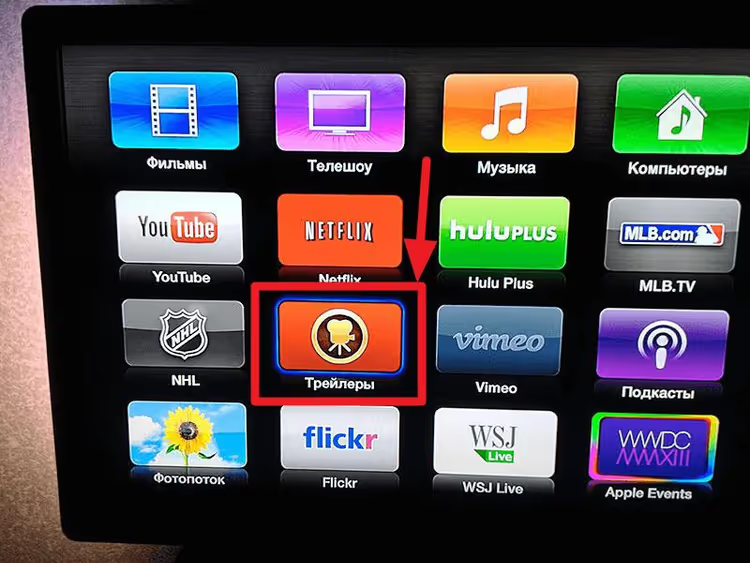
If everything works correctly, the Plex interface will open instead of the standard Trailers app:

This result is achieved without jailbreaking: Apple TV "thinks" it's communicating with Apple's servers, but actually receives content from your computer. Here's what a correctly running PlexConnect looks like in the console:
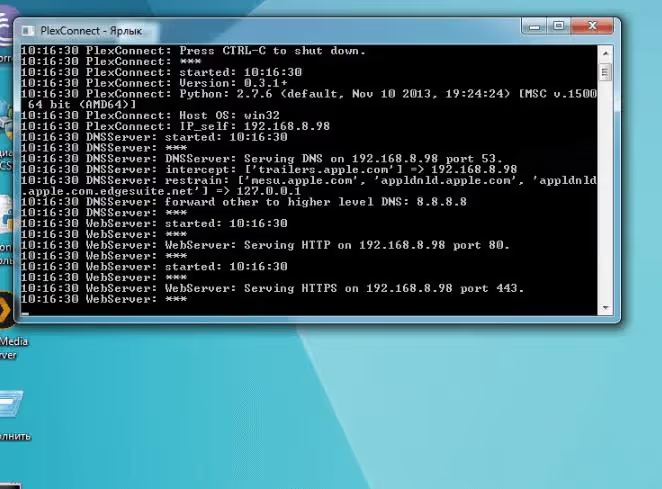
To keep the console window out of the way, run the script in minimized mode. Create a file PlexConnectStart.vbs with the following content:
1 Dim oShell 2 Set oShell = WScript.CreateObject("WSCript.shell") 3 oShell.run "C:\Plex_Connect\PlexConnect.py", 2 4 Set oShell = Nothing
Save it and add to startup: Win + R → shell:startup → copy the .vbs shortcut to the folder that opens. Now PlexConnect will start in the background every time you turn on your computer.
Installing the certificate on Apple TV
PlexConnect uses an SSL certificate so that Apple TV trusts the spoofed DNS responses. The certificate is installed on both the computer and the set-top box.
Make sure iTunes or the "Apple Devices" app (for Windows 11) is installed on your computer. Then you'll need iPhone Configuration Utility, a program discontinued by Apple, but the distribution is available on archive resources. Download and install it.
Get a micro USB cable (Apple TV 3 has the port on the back panel) and connect the set-top box to your computer. Disconnect the HDMI cable during setup. You don't need to launch iTunes.
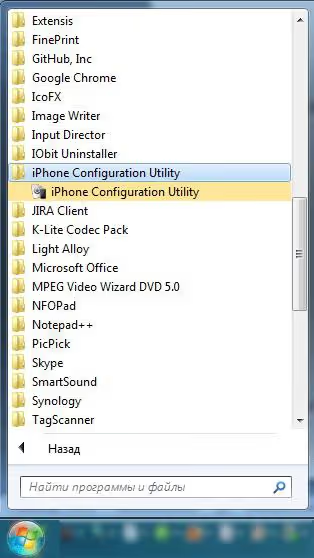
Launch iPhone Configuration Utility from the Start menu:
In the C:\Plex_Connect\assets\certificates folder, find the certificate file:
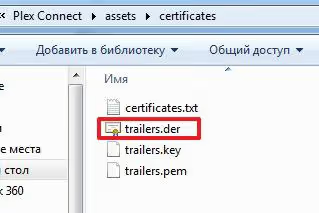
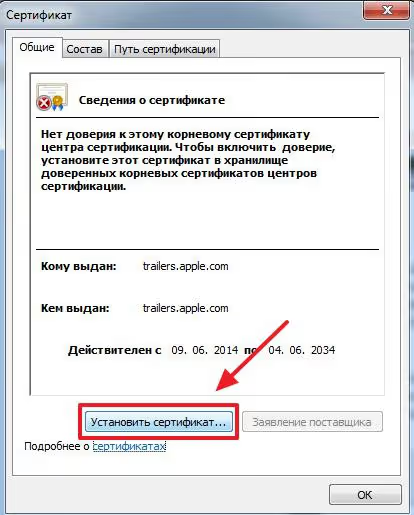
Double-click the trailers.der file. In the window that opens, click "Install Certificate" and follow the wizard steps, leaving all values at default.
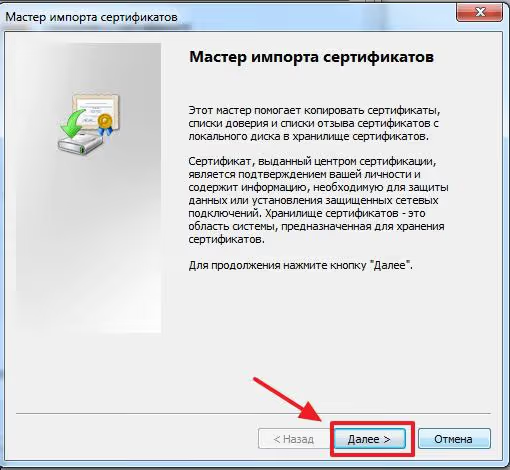
First screen, selecting the store location:
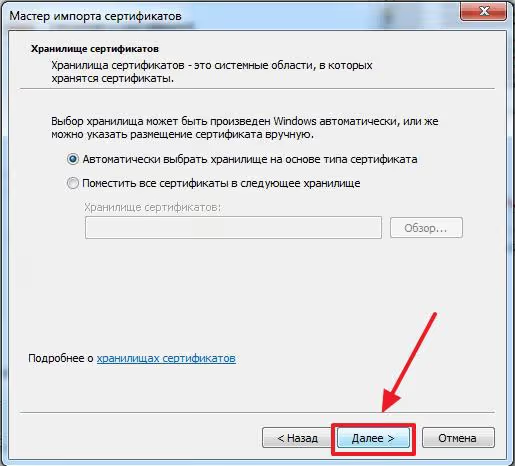
Second step, confirming the certificate file to import:
On the third screen, select the "Trusted Root Certification Authorities" store:
Fourth step, final confirmation:
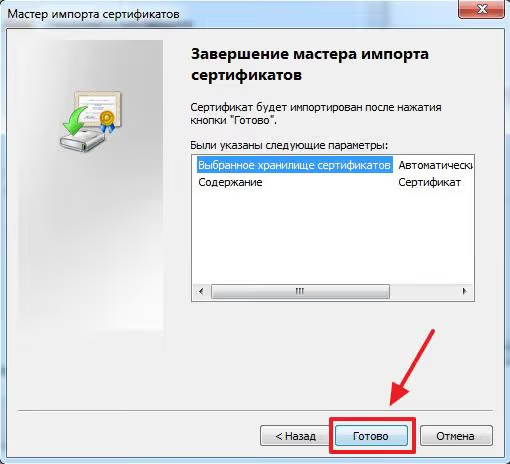
The system will warn about installing a root certificate; click "Yes":
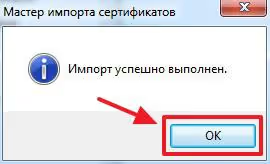
Final window with successful import message:
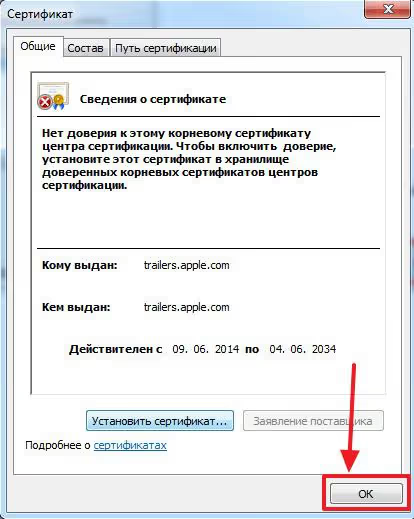
The certificate is installed on the PC. Now, for Apple TV. In the iPhone Configuration Utility window, make sure the set-top box appears in the DEVICES section (if not, check the micro USB cable and restart the utility).
Select Apple TV in the device list:
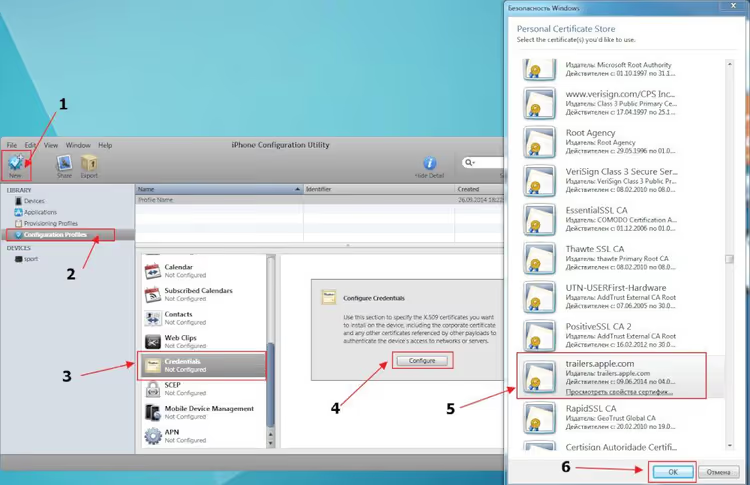
Go to the Configuration Profiles tab:
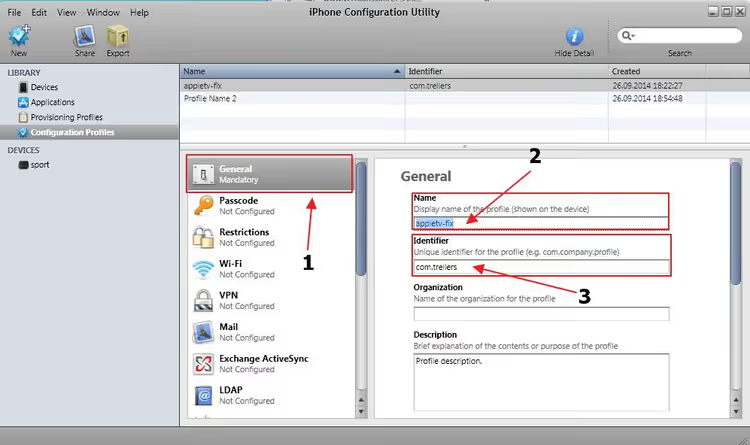
Click the add profile button and select the trailers.der certificate:
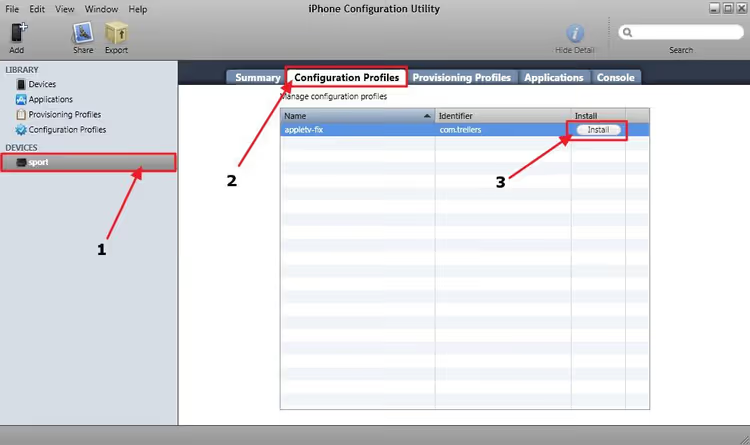
After successful installation, the button next to the certificate will change from "Install" to "Remove":

Disconnect Apple TV from the computer. The certificate is in place; let's move on to DNS.
DNS configuration and final connection
Before configuring, make sure the Plex server is running and PlexConnect is launched on your computer. Connect Apple TV to the network (cable or Wi-Fi).
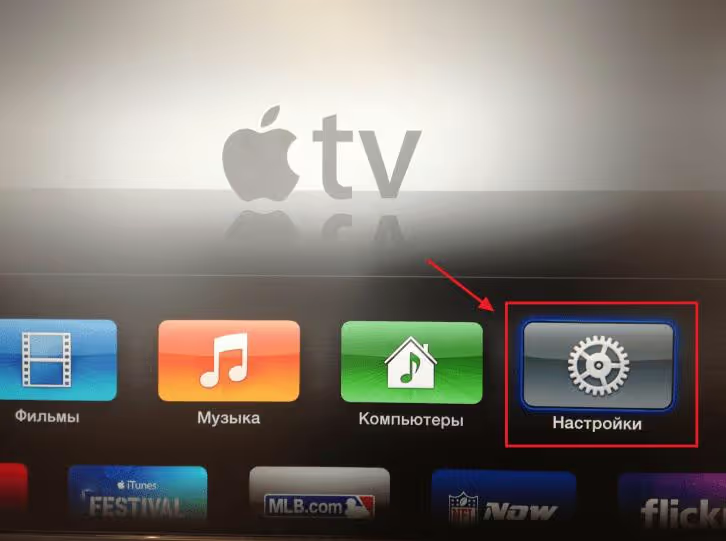
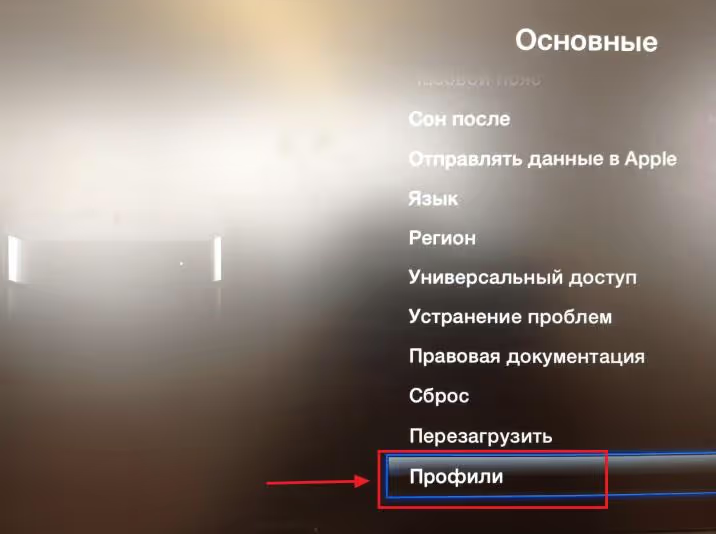
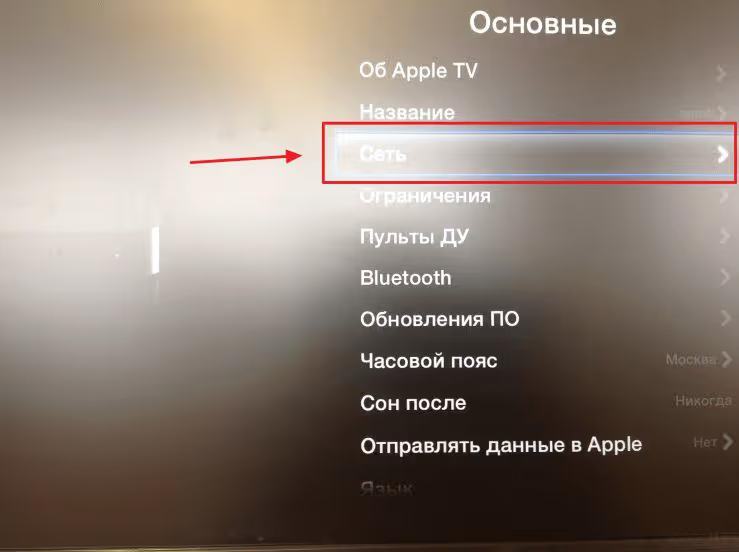
Go to the set-top box settings and open the "General" section:
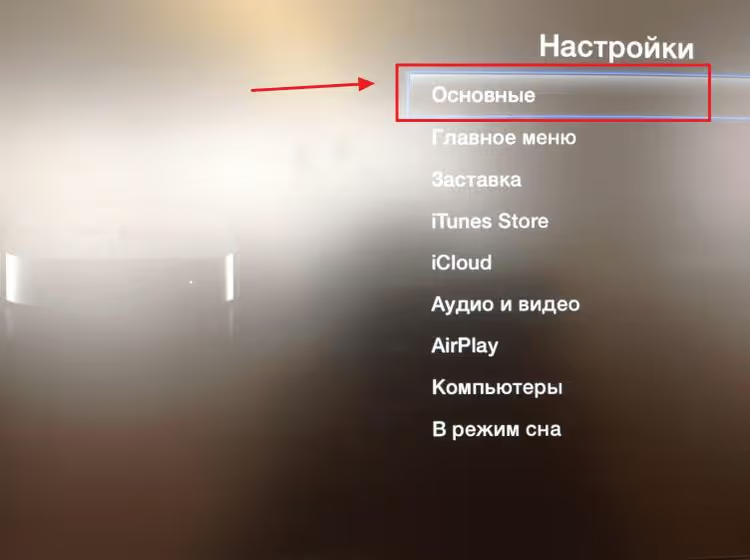
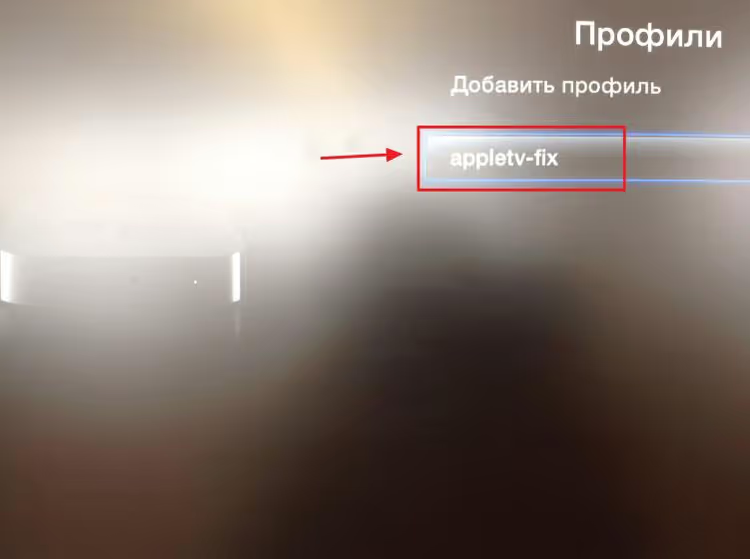
Select "Profiles" to view installed configurations:
The list should display the PlexConnect profile:
Make sure the profile is active and has a "Verified" status:
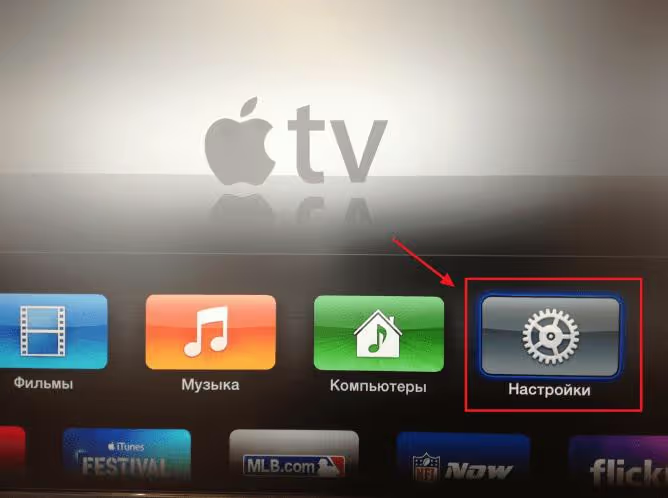
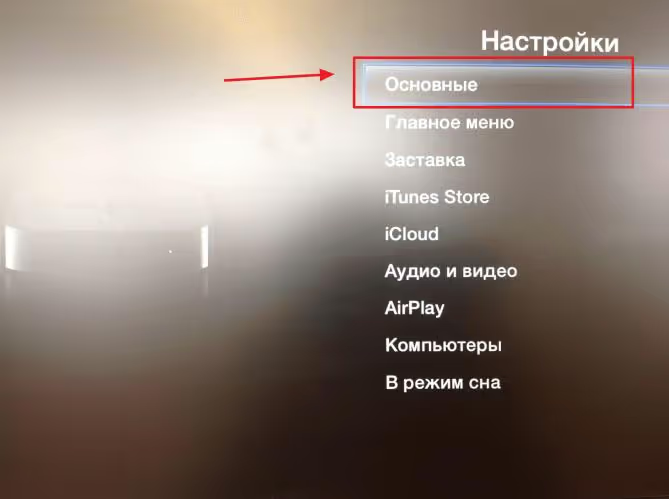
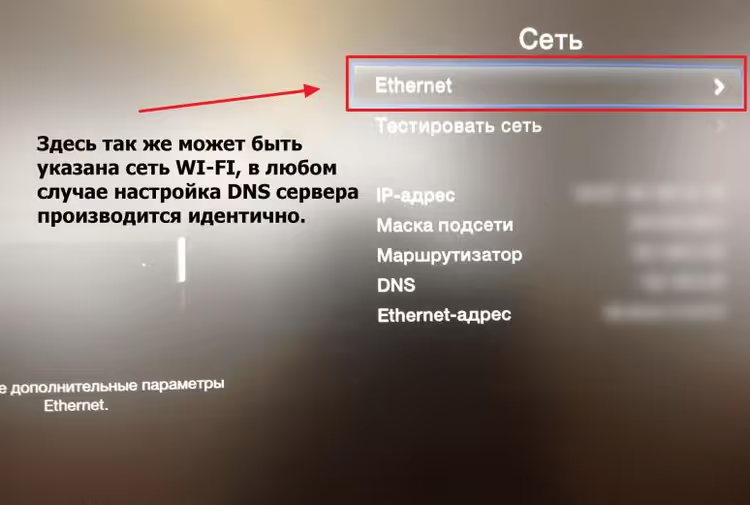
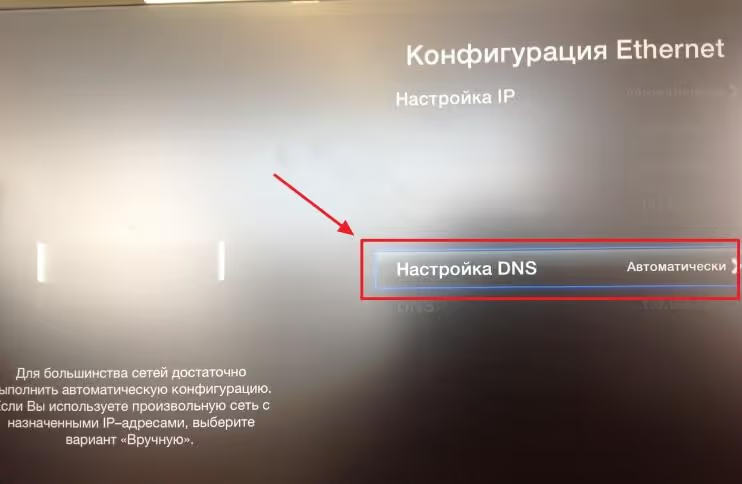
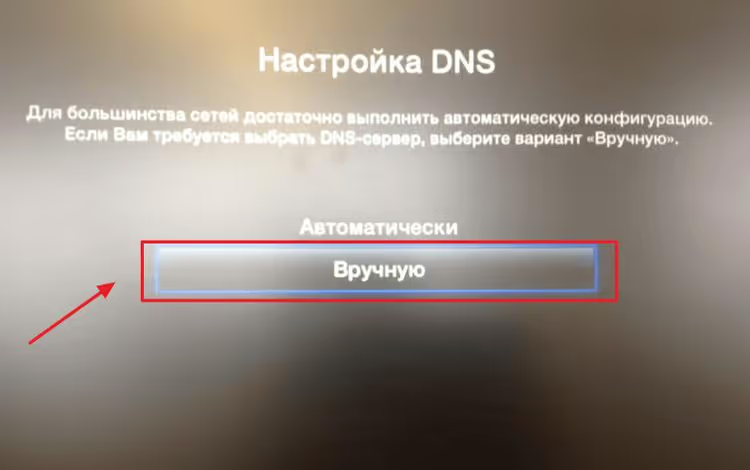
Now DNS. Go to Settings → Network → Wi-Fi (or Ethernet), select your current connection, and proceed to manual DNS configuration.
Open network settings:
Select your connection:
Scroll down to "Configure DNS":
Switch DNS from "Automatic" to "Manual":
A field for entering the DNS server address will appear:
Enter the local IP address of the computer running PlexConnect. You can find it using the ipconfig command in the Windows command prompt or through System Settings → Network on macOS. The address should be from your router's private range:
Click "Done" to save:
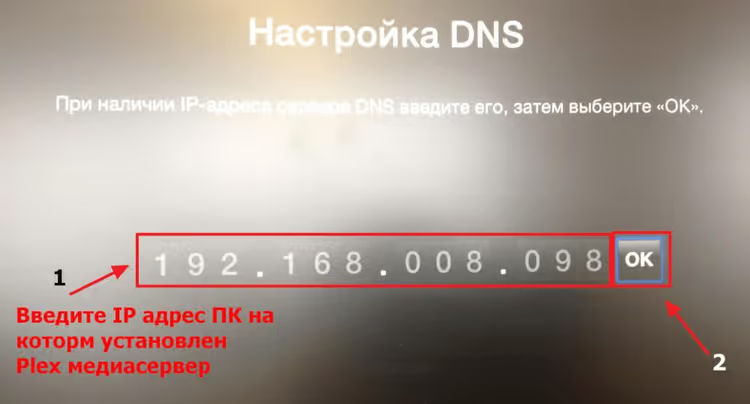
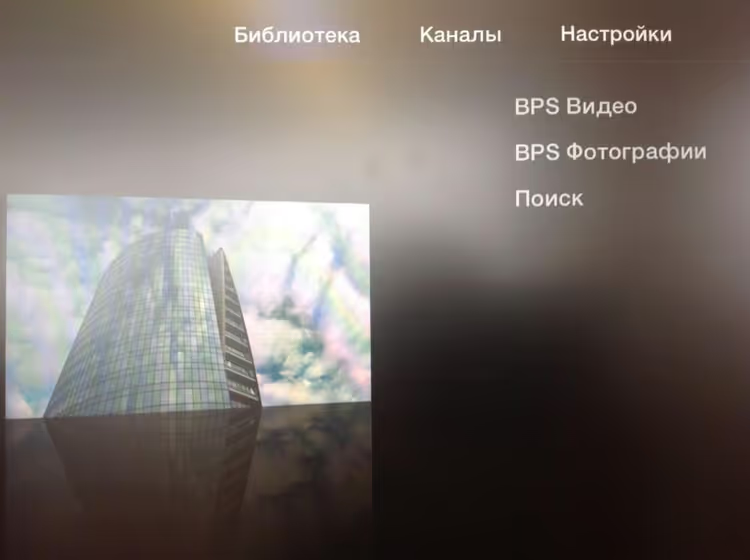
Save the settings and return to the home screen. Press the Trailers button; if everything is done correctly, the Plex media library will open:
Movie library with posters and descriptions, just like in a full-featured app:
If the standard Apple Trailers section appears instead of Plex, check three things: PlexConnect is running and not showing errors in the console, the DNS IP address matches the computer's address, and Windows firewall allows incoming connections on ports 80 and 443 for Python.exe.
⁉️🤔 Frequently asked questions
Do I need Plex Pass for Apple TV?
Basic functionality (streaming from your server to Apple TV on your home network) works for free, without a subscription. Plex Pass adds hardware transcoding, downloading content for offline viewing, intro and credits skipping, and parental controls. The subscription starts at $4.99 per month; a lifetime Plex Pass is also available (current pricing). For home use, the free version is more than enough.
Why doesn't PlexConnect see my Plex server?
In most cases, the problem is DNS: Apple TV can't reach the computer running PlexConnect. Verify that the IP address in DNS settings matches the computer's local IP; the
ping <IP>command from the command prompt should succeed. The second likely culprit is the firewall: addPython.exeto Windows firewall exceptions for the private network. When connecting via Wi-Fi, make sure your router doesn't isolate wireless clients from each other (AP Isolation setting).
Can I watch 4K content through Plex on Apple TV?
Apple TV 4K supports 4K HDR (Dolby Vision) through the official Plex app. Direct Play of 4K HEVC without transcoding works with a wired connection (Ethernet) or stable 5 GHz Wi-Fi. On 2.4 GHz, the bitrate may not be sufficient, and the server will start transcoding to 1080p. Apple TV 2/3 via PlexConnect are limited to 1080p due to hardware capabilities.
What should I do if the Trailers button disappeared after updating Apple TV 3?
Apple has changed the position of Trailers in the interface of older set-top boxes several times. Go to Settings → General → Parental Controls and check whether the Trailers section is hidden. If it is, enable it again. In some cases after major updates, reinstalling the certificate was required.
PlexConnect shows an SSL error on startup; what's wrong?
Most likely, the
trailers.dercertificate is installed incorrectly or is missing from the system store. Reinstall the certificate following the instructions above, making sure to select the "Trusted Root Certification Authorities" store. Another possible cause is incorrect system time on your computer: the certificate is sensitive to the date. Synchronize the clock via Settings → Time & Language → Sync now.
What to use for your situation
If you have an Apple TV 4K or HD, use the official Plex app from the App Store. It's free, regularly updated, supports 4K, Dolby Vision, Atmos, and requires no certificate or DNS hassles. A "set it and forget it" solution.
For 2nd and 3rd generation Apple TV, there are no alternatives to PlexConnect: Apple stopped updating firmware for older set-top boxes long ago, and the App Store was never architecturally supported on them. Yes, initial setup takes about half an hour and requires understanding IP addresses. But if an Apple TV 3 is collecting dust in a drawer, PlexConnect gives it a second life as a Plex client without jailbreaking.
A common rule for both scenarios: the computer running Plex Media Server must stay on the entire time you're watching. Configure sleep prevention during active network connections: in Windows, Power Options; on macOS, System Settings → Energy.
The vast majority of Apple TV users in 2026 go through the official app, which is the simple and reliable path. But if your set-top box dates from 2012-2013 and lacks the App Store, welcome to the world of PlexConnect.

A professional team of writers and editors specializing in creating quality content.