













 AIIllustrative image: AI-generated
🍽️ 13 best free WordPress plugins for restaurants (2026)
A restaurant website in 2026 is no longer just a business card with a phone number. It's a sales channel: menu with prices, table reservations, delivery, map with geolocation, reviews with stars in search results. And all of this can be assembled on WordPress without hiring a developer and without monthly subscriptions.
The problem is that a bare WordPress installation can't do any of this. No menu, no reservation form, no online ordering. Buying premium plugins for each task is expensive, especially when starting a business. And sifting blindly through 60,000+ items in the repository means playing roulette with your site's security and performance.
We combed through the official WordPress.org catalog, filtered out the obviously dead and abandoned ones, ran the live ones through a test installation, and selected 13 that actually work, are regularly updated, and solve real restaurant website needs. None require programming skills: install, configure, and you're running.
💡 Quick overview:
- Install Food and Drink Menu or MotoPress Restaurant Menu, get a menu with prices, categories, and schema markup
- Connect Five Star Restaurant Reservations or ReDi, guests book tables directly from the site
- Deploy RestroPress or WPPizza, accept online orders for delivery and takeout
- Add The Events Calendar, announce themed evenings and live music
- Place WP Store Locator, visitors see the nearest restaurant on a map
- Install Easy Notification Bar and Speed Contact Bar, promotions and contacts in the most visible spot
Plugin | Active installations | Rating | Key task |
|---|---|---|---|
The Events Calendar | 700,000+ | ★ 4.5 | Event calendar |
WP Store Locator | 70,000+ | ★ 4.5 | Map with locations |
RestroPress | 50,000+ | ★ 4.5 | Online food orders |
Food and Drink Menu | 40,000+ | ★ 5.0 | Restaurant menu |
MotoPress Restaurant Menu | 30,000+ | ★ 4.5 | Menu + shortcodes |
Five Star Restaurant Reservations | 20,000+ | ★ 5.0 | Table reservations |
Five Star Business Profile | 20,000+ | ★ 5.0 | Contact info + schema |
Order Hours Scheduler | 7,000+ | ★ 5.0 | Store hours |
Good Reviews for WordPress | 5,000+ | ★ 5.0 | Reviews + schema |
Easy Notification Bar | 5,000+ | ★ 5.0 | Notification bar |
ReDi Restaurant Reservation | 10,000+ | ★ 4.5 | Table reservations |
Speed Contact Bar | 2,000+ | ★ 5.0 | Contact bar |
WPPizza | 1,000+ | ★ 5.0 | Pizza shop orders |
1. Food and Drink Menu
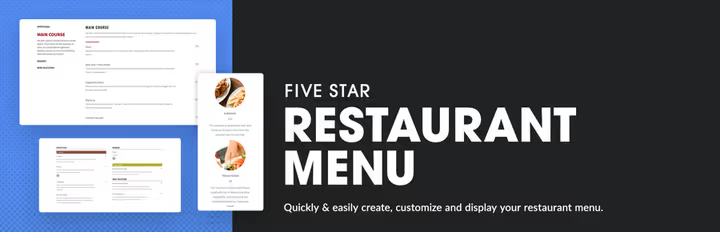
Let's start with the menu, it's the foundation of any restaurant site. Food and Drink Menu (formerly Five Star Restaurant Menu) builds menus with intuitive logic: first create individual items through the custom post type "Menu Items," then group them into sections through "Menus." One section equals one menu section: appetizers, entrees, desserts, drinks.
The plugin works with Gutenberg out of the box, menus insert via native block. Choose between one or two column layouts. For each group of items you can add explanatory text, for example "Served with rice" or "Spicy, alert your server." Schema markup for search engines is built in, the menu page gets structured data automatically. The developer, Five Star Plugins, is the author of two more plugins from this collection.
Pros:
- Clear logic: items, sections, menus
- Native Gutenberg block, not shortcode
- Built-in schema markup
Cons:
- Custom menu templates edited via CSS
Price: free.
🔗 Food and Drink Menu on WordPress.org🔗 Live demonstration
2. MotoPress Restaurant Menu
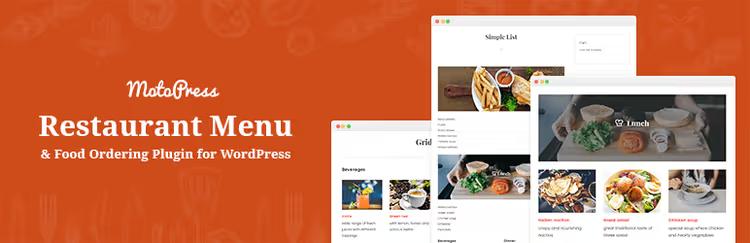
MotoPress Restaurant Menu is an alternative for those who need to embed menus anywhere, not just on a separate page. The shortcode lets you place the menu in a sidebar, in the body of a post, or even inside a page builder column. Categories, unlimited items, tags and ingredients, everything configures through the familiar WordPress interface.
The main strength of the plugin is the ecosystem of premium addons from MotoPress: online ordering, delivery, surcharges. If basic menu functionality becomes insufficient over time, you buy only the module you need rather than migrating to another plugin.
Pros:
- Menu via shortcode anywhere on site
- Unlimited items
- Premium addons for expanded functionality
Cons:
- Default menu design is modest, requires manual styling
Price: free. Addons for ordering and delivery sold separately.
🔗 MotoPress Restaurant Menu on WordPress.org🔗 Live demonstration
3. Five Star Restaurant Reservations
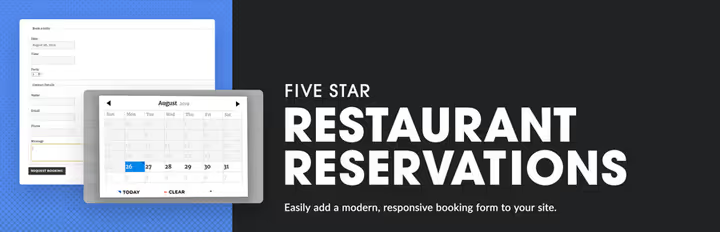
Table booking from the website, that very function that turns a visitor into a guest without a phone call. Five Star Restaurant Reservations adds a customizable reservation form via shortcode or Gutenberg block.
The plugin automatically blocks reservations during non-business hours and sends email notifications to customers about receipt, confirmation, or rejection of requests. The administrator sees a reservations dashboard in the admin panel and manages requests in a couple clicks. No monthly payments and no commission on reservations. For a single restaurant with simple seating, this is the gold standard.
Pros:
- Form via shortcode or Gutenberg block
- Automatic email notifications to customer
- Reservation restrictions by business hours
Cons:
- No synchronization with external calendars
Price: free.
🔗 Five Star Restaurant Reservations on WordPress.org🔗 Live demonstration
4. ReDi Restaurant Reservation

ReDi is an alternative to Five Star with a focus on managing seating capacity. You set restaurant hours, maximum number of seats, and restrictions by day of week, the system automatically shows visitors available tables for the selected time.
The reservation page updates every 15 minutes, double bookings are eliminated. The plugin supports multiple locations simultaneously and allows managing reservations from mobile or tablet. If you have a restaurant chain or a hall with complex seating, ReDi handles this task natively.
Pros:
- Seating management by day of week
- Auto-refresh of reservations every 15 minutes
- Support for multiple restaurants in one installation
- Mobile management panel
Cons:
- Free version limited to one admin user
Price: free. Pro version with multi-user access sold separately.
🔗 ReDi Restaurant Reservation on WordPress.org🔗 Live demonstration
5. RestroPress
RestroPress is WooCommerce for food. The plugin adds a custom post type for dishes, groups them by categories, connects payment gateways, taxes, delivery and pickup. After configuration you see order and payment statuses directly in the WordPress admin.
Ideologically RestroPress works like WooCommerce, but is tailored for food ordering. No need to build "products" with variations and attributes, all the logic is already set up for restaurant menus. The built-in reporting system shows revenue, popular items, and average check. 50,000+ active installations and a 4.5 star rating confirm the product is mature and battle-tested.
Pros:
- Full-featured online ordering system, not just a menu
- Pickup and delivery with flexible zones
- Built-in sales reporting
Cons:
- Requires WooCommerce-compatible theme
- Advanced payment gateways in addons
Price: free. Addons for additional payment gateways sold separately.
🔗 RestroPress on WordPress.org🔗 Live demonstration
6. WPPizza

WPPizza was originally created for pizzerias, but its flexibility allows use in any restaurant with delivery. The plugin manages online menus, accepts cash-on-delivery orders, and generates sales reports.
Each menu item can have multiple prices for different portion sizes: 25cm pizza, 33cm, 45cm. Supports 140+ currencies. Premium extensions add custom ingredients and multi-level delivery with surcharges based on distance. As of June 2026 the plugin is updated to version 3.20.1 and fully compatible with current WordPress 6.6.
Pros:
- Multiple prices for different sizes of one item
- Support for 140+ currencies
- Sales reports out of the box
Cons:
- Admin interface looks archaic
Price: free. Premium extensions for ingredients and delivery sold separately.
🔗 WPPizza on WordPress.org🔗 Live demonstration
7. Order Hours Scheduler for WooCommerce

Simple but critical task: your restaurant doesn't operate 24/7, but WooCommerce doesn't know that. Order Hours Scheduler lets you set schedules for each day of the week and automatically disables order checkout during non-business hours.
The main feature of the plugin is the Take Out & Delivery addon from BizSwoop. It turns the basic scheduler into a mini-system for accepting takeout and delivery orders: configure pickup time slots, delivery zones, and restrictions, for example free delivery within a mile radius. The scenario "customer ordered at 2 AM but kitchen is closed" is eliminated without a single line of code.
Pros:
- Fine-tuned scheduling for each day of the week
- Automatic checkout disabling during non-business hours
- "Open" or "Closed" banner for visitors
- Flexible addon for delivery and pickup
Cons:
- Core functionality tied to WooCommerce
Price: free. Take Out & Delivery addon sold separately.
🔗 Order Hours Scheduler on WordPress.org🔗 Live demonstration
8. The Events Calendar

A restaurant is not just food. Live music on Fridays, open mic on Wednesdays, tasting evening, barbecue weekend, events that guests should know about in advance rather than discovering from stories an hour before they start.
The Events Calendar from Modern Tribe is the most popular free calendar for WordPress with 700,000+ active installations. Add unlimited events, link venues and organizers, switch viewing modes: calendar grid, list, day. Built-in widget displays the next three events in sidebar or footer. Export to Google Calendar and iCal works out of the box. The plugin is translated into dozens of languages including Russian and compatible with most popular themes.
Pros:
- Three display modes: calendar, list, and day
- Export to Google Calendar and iCal
- Upcoming events widget
Cons:
- Advanced views (week, map) only in Pro version
Price: free. Pro version with advanced views sold separately.
🔗 The Events Calendar on WordPress.org🔗 Live demonstration
9. WP Store Locator

If a restaurant has multiple locations, it's critical for visitors to understand which one is closer. WP Store Locator places a Google Maps map on the site with all locations, and built-in geolocation suggests the nearest restaurant automatically.
Add unlimited locations to the map. Choose from nine marker options, configure terrain and zoom, cluster points for dense geography. The plugin is compatible with WPML and qTranslate for multilingual sites.
Pros:
- Unlimited points on map
- Automatic visitor geolocation
- Flexible map style and marker customization
Cons:
- Non-standard layouts require Google Maps API key
Price: free.
🔗 WP Store Locator on WordPress.org🔗 Live demonstration
10. Five Star Business Profile and Schema

Five Star Business Profile solves a task that most restaurant themes handle poorly: structured contact data with microdata for search engines. The plugin adds a company contact card: address, phone, hours, and Google Maps map, and wraps everything in schema structured data in LD+JSON format.
The developer, Five Star Plugins, is the author of three plugins from this collection (Food and Drink Menu, Good Reviews, and this one). All three follow a unified approach: minimal settings, maximum SEO benefit. The contact card inserts via shortcode on any page, post, or widget. Multiple locations supported natively.
Pros:
- Schema structured data for contacts (LD+JSON)
- Google Maps map with address
- Support for multiple locations
- Simple data entry form
Cons:
- Card design is basic, customization via CSS
Price: free.
🔗 Five Star Business Profile on WordPress.org🔗 Live demonstration
11. Good Reviews for WordPress
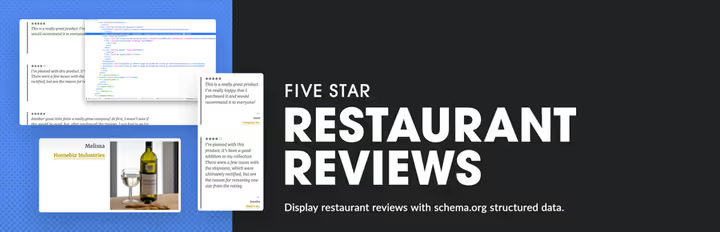
Reviews with gold stars in Google search results, social proof that works to attract new guests without an advertising budget. Good Reviews for WordPress (from the developer of Food and Drink Menu) displays reviews on pages, in posts, and widgets.
Each review formats with star or numeric rating, author photo, and verification link. Schema markup ensures Google sees ratings and displays them directly in search results. Reviews group however you like: all at once, by categories, selectively.
Pros:
- Schema markup for stars in search results
- Author photos and verification links
- Flexible review grouping
Cons:
- No automatic import from Google Maps or TripAdvisor
Price: free.
🔗 Good Reviews for WordPress on WordPress.org🔗 Live demonstration
12. Easy Notification Bar
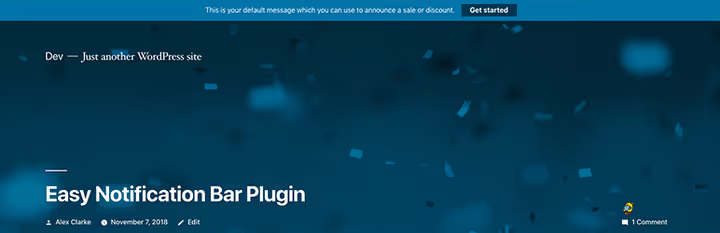
The most effective is often the simplest. New menu item, weekend promotion, banquet special offer, a notification bar at the top of the site attracts visitor attention faster than any pop-up and doesn't annoy.
Easy Notification Bar configures in two clicks: write message, set background and font color, optionally add button link. You can show the bar only on homepage or sitewide. No ads, subscriptions, or pro versions, everything is free and unlimited.
Pros:
- Elementary setup: text, color, and button
- Selective display: homepage only or entire site
- Completely free, no hidden limitations
Cons:
- No A/B testing and advanced analytics
Price: free.
🔗 Easy Notification Bar on WordPress.org🔗 Live demonstration
13. Speed Contact Bar

Speed Contact Bar places a contact panel at the very top of every page, above the site header, in the most visible spot. Phone number is clickable, on mobile launches a call in one tap. Next to it address, email, and social media icons.
For a restaurant whose theme doesn't display contacts in the header, this is the simplest solution for $0. Colors, fonts, and set of displayed elements are customizable. The plugin does exactly one thing and doesn't burden the site with excess code.
Pros:
- Clickable phone, one-tap call on mobile
- Fine-tuned panel composition
- Minimal performance impact
Cons:
- Panel displays on all pages, cannot selectively hide
Price: free.
🔗 Speed Contact Bar on WordPress.org🔗 Live demonstration
⁉️🤔 Frequently asked questions
Is WooCommerce required for a restaurant site on WordPress?
If you plan to accept online orders with payment processing, yes, WooCommerce will be needed. RestroPress and Order Hours Scheduler work on top of WooCommerce and use its payment infrastructure. If you don't accept orders and only need menu and table reservations, WooCommerce is not required, take Food and Drink Menu or MotoPress Restaurant Menu.
Can you use multiple menu plugins simultaneously?
Not recommended. Menu plugins register their own post types and shortcodes that can conflict with each other. Choose one menu plugin (Food and Drink Menu or MotoPress), and cover other functions, reservations, orders, events, with specialized plugins.
Which reservation plugin to choose, ReDi or Five Star?
Five Star Restaurant Reservations is simpler to configure and completely free with no feature limitations. ReDi Restaurant Reservation provides fine-grained seating management and supports multiple locations out of the box, take it if you have a restaurant chain or hall with complex seating.
Do these plugins work with any WordPress theme?
All 13 plugins are tested with popular themes and builders: Gutenberg, Elementor, Beaver Builder. But final appearance depends on the theme. Modern restaurant themes (Rosa, Divi Food, Astra Restaurant) provide ready styles, others may require manual CSS adjustments.
Are free plugins safe for a restaurant site?
All plugins in this collection are taken from the official WordPress.org catalog, regularly updated, and passed manual moderation before publication. Each has thousands of active installations, public version history, and security policy. The main rule: update plugins immediately after new version release and don't install plugins from unverified sources.
Which restaurant plugin to install for you specifically?
No need to install all 13 at once. Assemble a stack for the specific task:
- Starter minimum: Food and Drink Menu + Five Star Restaurant Reservations + Easy Notification Bar. Menu, reservations, and promotions for $0.
- Delivery and pickup: RestroPress (or WPPizza for pizzeria) + Order Hours Scheduler. Full-featured online ordering with kitchen schedule.
- Restaurant chain: ReDi Restaurant Reservation + WP Store Locator + The Events Calendar + Five Star Business Profile. Reservations at multiple locations, map with geolocation, event listings, and contact data with schema markup.
All 13 plugins are free, battle-tested on real sites, and updated in 2026. Start with one or two, solve the most pressing need, and add the rest as the business grows.

A professional team of writers and editors specializing in creating quality content.