














🖵 14 best full-screen WordPress themes 2026
A site with a full-screen design either captures attention from the first second or loses the visitor forever. Horizontal sliders, full-page background video, vertical scrolling without a single visible transition, all of this is no longer experimental features but standard for photographers, agencies and portfolio sites in 2026.
The problem is that a universal theme like Astra or GeneratePress doesn't deliver a true full-screen experience out of the box. You need specialized solutions where every pixel works for visual effect: parallax backgrounds, Ajax transitions without reload, masonry grids with lazy loading. We selected 13 themes from ThemeForest that solve exactly this task, and do it without compromising on speed and responsiveness.
💡 Quick overview:
- Check the table, quick filter by price and site type
- Watch the video overview, understand the difference between approaches live
- Open the live demos, the only way to judge animation smoothness
- Choose a theme for your platform: portfolio, one-page or WooCommerce catalog
Comparison table:
№ | Theme | Price | Type | Key feature | For whom |
|---|---|---|---|---|---|
1 | FullScreen Artist | $59 | Portfolio | Image gallery + shortcodes | Photographers, videographers |
2 | Photogra | $34 | Photo | jQuery effects, responsive toggle | Agencies, beginners |
3 | FullPage | $49 | One-page | WPTF framework, 15+ demos | All-rounders, WooCommerce |
4 | Piroll | $69 | Portfolio | 200+ Customizer options, 15 styles | Freelancers, agencies |
5 | Snapster | $49 | Photo | 18 ready homepages, sliders | Event photographers |
6 | Flight | $39 | Background slider | 50 color schemes, 16 textures | Portfolio, WooCommerce |
7 | Scena | $44 | Ajax portfolio | CSS3 animations, dark/light theme | Agencies, minimalists |
8 | TopPic | $69 | Photo | 6 menus, parallax headers, WPML | Fashion blogs, weddings |
9 | Wavee | $39 | Portfolio | Drag-and-drop builder, 5 layouts | Agencies, creative |
10 | TwoFold | $64 | Photo | Split-screen + cube effects | Architects, weddings |
11 | Zyra | $59 | Photo | Slider Revolution + Boosted Elements | All-rounders, eCommerce |
12 | Konzept | $59 | Grid portfolio | Category filtering, drag-drop | Designers, web studios |
13 | Inview | $29 | One-page | YouTube video background, touch form | Agencies, portfolio |
To understand how full-screen themes actually differ from each other, watch the video overview above. In 8 minutes the author shows the live operation of 7 themes: how parallax scrolling behaves, how smoothly slides switch and where animations start to lag. This will save you an hour of manual demo browsing.
1. FullScreen Artist
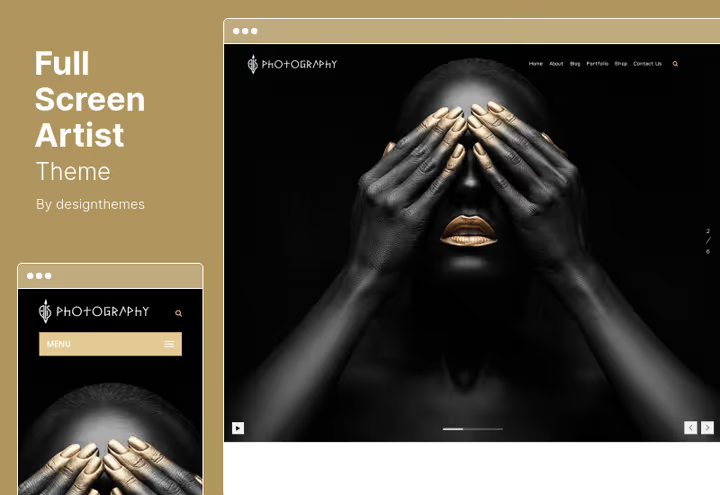
FullScreen Artist, a theme focused on visual portfolio: photographers, videographers and artists get a full-screen gallery without distracting interface elements. Images are presented large, with minimalist framing, exactly as needed to showcase work to a client.
The theme comes with a set of portfolio add-ons and shortcodes for flexible display customization: grid, slider, carousel. Multiple portfolio types are supported, you can separately design photos, videos and drawings. The built-in image gallery works without third-party plugins.
💵 Price: $59 on ThemeForest (6 months support).
Key features:
- Built-in image gallery without third-party plugins
- Multiple portfolio types in one installation
- Full-screen viewing without excess UI
- Shortcodes for output customization
🔗 Download FullScreen Artist on ThemeForest | 🔗 Live demo
2. Photogra
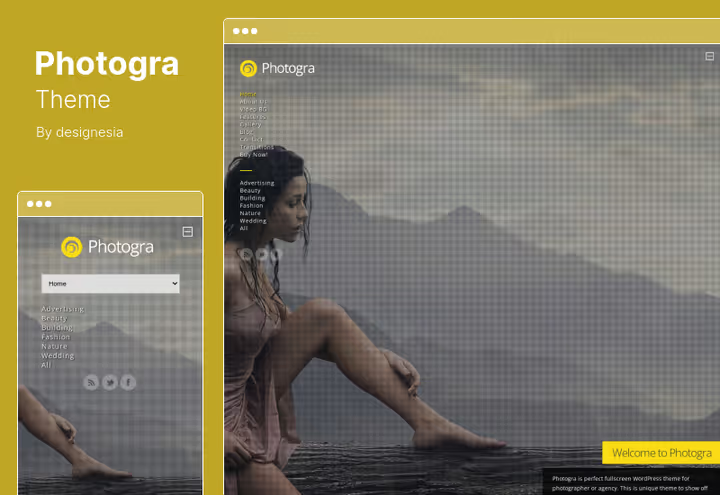
Photogra, one of the most affordable full-screen themes in the selection and with a rich set of features. Responsive layout works out of the box, but the theme has a rare feature: responsiveness can be turned on or off with one switch. Useful when desktop needs a strictly tiled layout, and mobile, a fluid one.
Custom jQuery effects add dynamics without page reload: smooth block appearances on scroll, animated transitions between sections. The theme works equally well for both developers (through child themes) and beginners, the admin panel isn't overloaded with options. Separately worth noting is protected gallery support: if you sell photographs, the client sees only what you opened for them.
💵 Price: $34 on ThemeForest (lifetime updates + 6 months support).
Key features:
- Responsiveness toggle (on/off)
- Protected gallery support for photo sales
- jQuery animations without lag
- Background images for individual pages and posts
🔗 Download Photogra on ThemeForest | 🔗 Live demo
3. FullPage
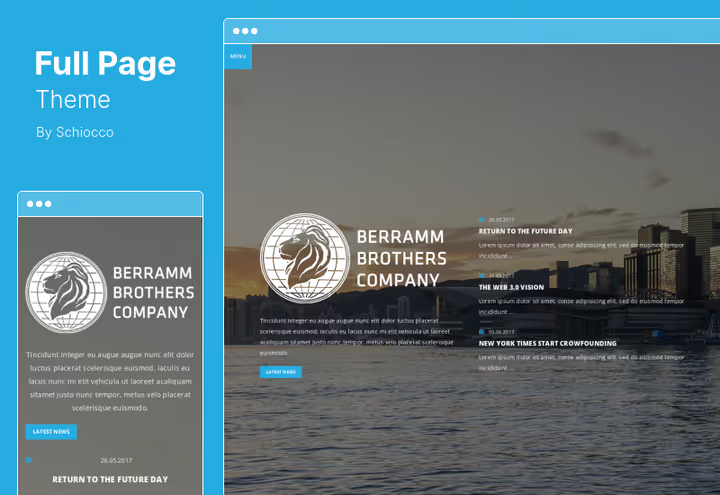
FullPage is built on WPTF, a powerful framework that gives the theme customization capacity not typical for one-page solutions. The package includes 15+ ready demo sites: from horizontal full-screen portfolio to WooCommerce storefront with video background. Demo import, in one click.
The theme updates automatically through the admin panel, you don't need to track versions manually. Parallax effects work for both images and background video: the picture "breathes" on scroll, adding depth to the flat one-page layout. Visual Portfolio Builder allows assembling portfolios by dragging blocks, no code needed.
💵 Price: $49 on ThemeForest.
Key features:
- WPTF framework with advanced customization
- 15+ ready demos with 1-click import
- Parallax for images and background video
- Automatic theme updates through admin panel
🔗 Download FullPage on ThemeForest | 🔗 Live demo
4. Piroll
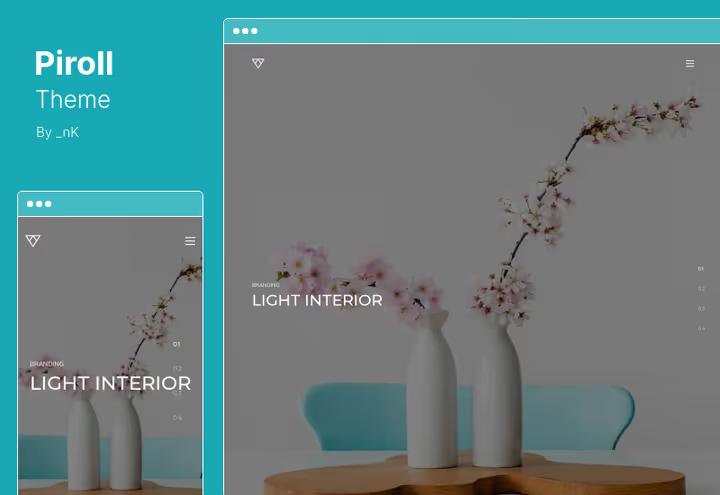
Piroll, a theme with emphasis on visual portfolio building. Visual Portfolio Builder gives access to 15+ work display styles: masonry grid, carousel, split-screen, full-screen slider. WordPress Customizer opens up to more than 200 options, from fonts and colors to navigation placement.
Three navigation types (top, split and full-screen) allow adapting the structure to a specific project. For a photographer a full-screen menu without distractions is more logical, for an agency, a classic top bar with logo. Parallax works on both images and video, backgrounds come alive on scroll.
💵 Price: $69 on ThemeForest (auto-updates + 6 months support).
Key features:
- 200+ options in WordPress Customizer
- 15+ portfolio styles to choose from
- 3 navigation types: top, split, full-screen
- Visual Portfolio Builder without code
🔗 Download Piroll on ThemeForest | 🔗 Live demo
5. Snapster
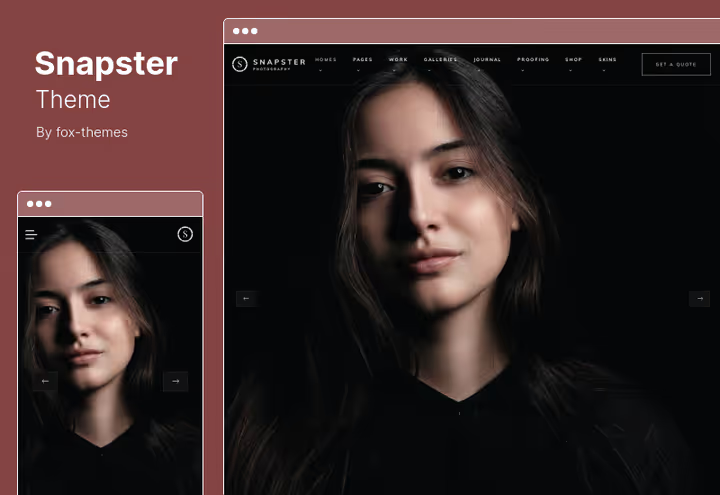
Snapster comes with 18 pre-assembled homepage layouts, you start not from a blank page but with a ready design for weddings, events, personal portfolio or video production. Each layout can be refined: replace fonts, colors, block placement, the theme doesn't lock you into a rigid template.
Built-in WooCommerce integration allows selling photographs or prints directly from the site. For event photographers especially useful is the connection with booking plugins: the client sees the portfolio, chooses a date and books a shoot, all in one interface. Portfolio sliders are customizable by style: classic, masonry, carousel.
💵 Price: $49 on ThemeForest.
Key features:
- 18 ready homepage layouts
- Integration with WooCommerce and booking plugins
- 1-click demo content import
- Collection of internal pages out of the box
🔗 Download Snapster on ThemeForest
6. Flight
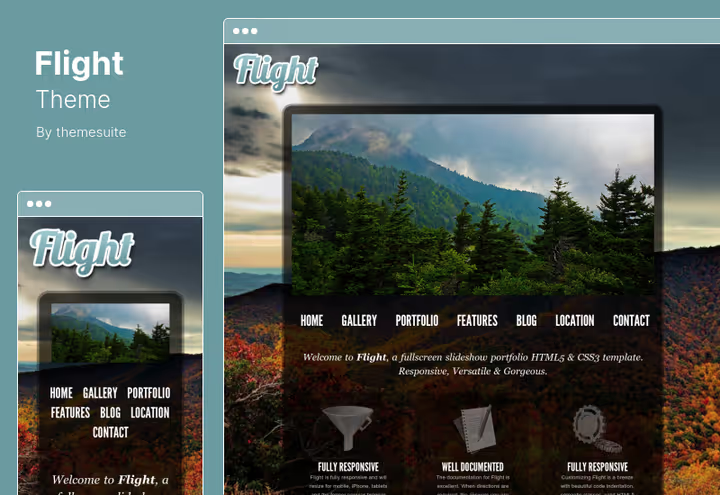
Flight focuses on atmosphere: 50 color schemes and 16 texture overlays turn an ordinary full-screen slideshow into a visual product at the level of an "expensive" site. The theme is optimized for retina displays, on MacBook and iPad the image doesn't lose sharpness.
WooCommerce is integrated natively, product cards inherit the full-screen aesthetic without breaking from the overall style. Full-screen maps, rare for WordPress themes, and here they work as a full visual element, not just a Google Maps insert. 5 background styling options allow quickly switching the site mood without rebuilding.
💵 Price: $39 on ThemeForest (auto-updates included).
Key features:
- 50 color schemes + 16 texture overlays
- Retina-ready, full responsiveness
- Full-screen maps as background
- Sortable portfolio with jQuery
🔗 Download Flight on ThemeForest | 🔗 Live demo
7. Scena
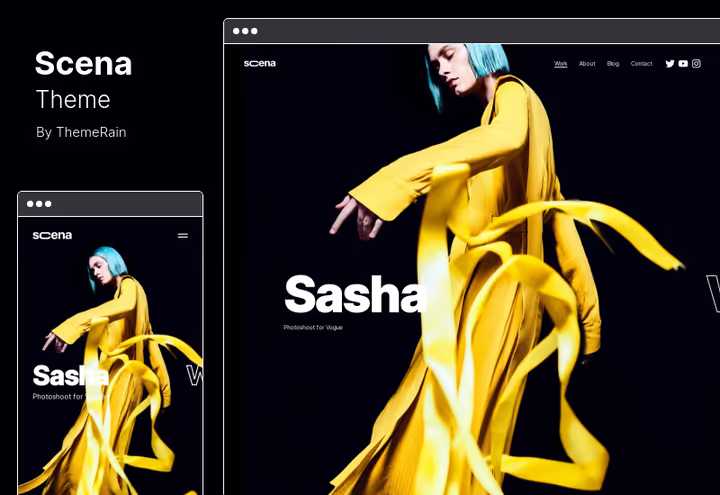
Scena, a lightweight theme with Ajax navigation: page transitions happen without reload, which is critically important for full-screen sites where reload "breaks" the immersion effect. The theme offers dark and light color schemes, switching between them is instant without resetting settings.
Each page can have its own full-screen background, convenient when different portfolio sections (photo, video, audio) require different visual context. Scena supports video and audio output alongside images, a full multimedia portfolio, not just a photo gallery. Perfect balance between flexibility and minimalism for young creative agencies.
💵 Price: $44 on ThemeForest (6 months support).
Key features:
- Ajax navigation without page reload
- Dark and light schemes
- Video and audio support in portfolio
- Individual full-screen backgrounds for pages
🔗 Download Scena on ThemeForest | 🔗 Live demo
8. TopPic
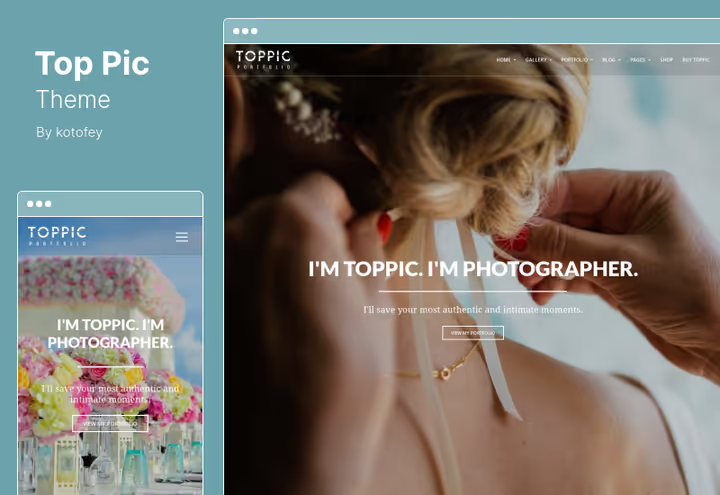
TopPic, a theme with emphasis on visual diversity: 6 menu styles, boxed and wide layouts, full-screen video backgrounds and parallax headers on all pages. For fashion blogs and wedding photographers this means each site section can look different without losing brand unity.
Photo management is implemented through filterable photo galleries with responsive images, the system automatically selects size for the screen. The theme is compatible with WPML, multilingual setup is painless. Gif images are supported as portfolio previews, live animation on thumbnails draws attention to work.
💵 Price: $69 on ThemeForest (6 months support).
Key features:
- 6 menu styles + boxed/wide layouts
- Parallax headers and full-screen video backgrounds
- Filterable photo galleries with responsive images
- Gif previews for portfolio
🔗 Download TopPic on ThemeForest | 🔗 Live demo
9. Wavee
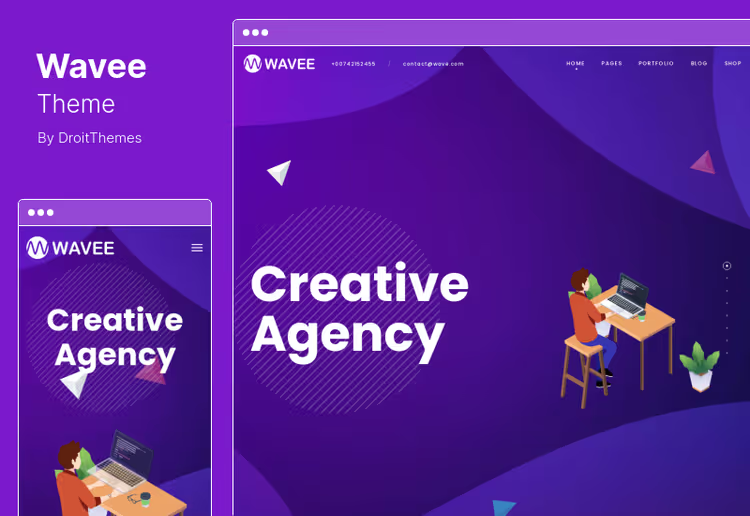
Wavee stands out with portfolio layout variety: split design, full-screen portfolio, masonry grid, sliders and carousel, 5 fundamentally different ways to show work. Switching between them is done in the admin panel without code editing. Built-in drag-and-drop builder works in real time, you see the result immediately.
The theme is built on Bootstrap 4, and this is important: developers get a familiar grid and components, which speeds up customization. Retina graphics by default, icons, images and graphics don't "blur" on high-resolution screens. Contact Form supports building multiple forms for different purposes: brief, feedback, vacancies.
💵 Price: $39 on ThemeForest.
Key features:
- 5 portfolio layout types: split, masonry, slider, carousel, full-screen
- Drag-and-drop builder in real time
- Bootstrap 4, familiar environment for developers
- Retina icons and graphics
🔗 Download Wavee on ThemeForest | 🔗 Live demo
10. TwoFold
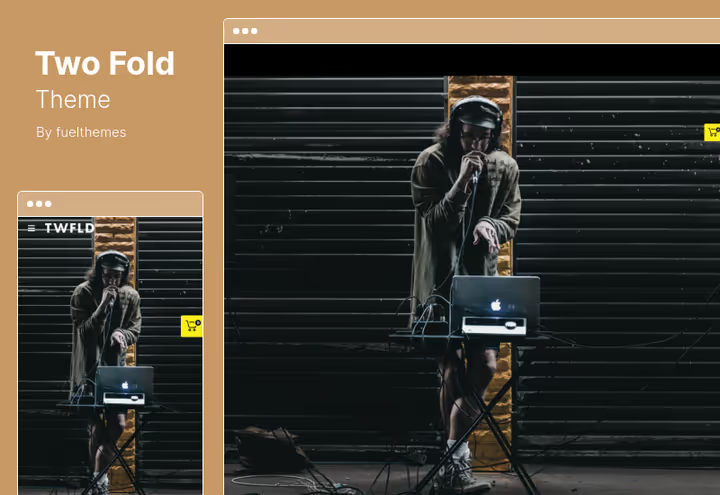
TwoFold offers unusual scrolling effects: split-screen (the screen divides in half and the halves move independently) and cube effect (images flip like cube faces). This isn't just decoration, this approach changes portfolio perception, forcing the visitor to interact with content more actively.
For photographers selling shots, password protection for individual homepage layouts and download button in galleries with proof mode are provided. The client sees protected galleries only after entering a password, convenient for closed wedding and event shoots.
💵 Price: $64 on ThemeForest (auto-updates).
Key features:
- Split-screen and cube scrolling effects
- Password protection for homepage layouts
- Proof galleries with download button
- Full-screen Google map in contacts
🔗 Download TwoFold on ThemeForest | 🔗 Live demo
11. Zyra
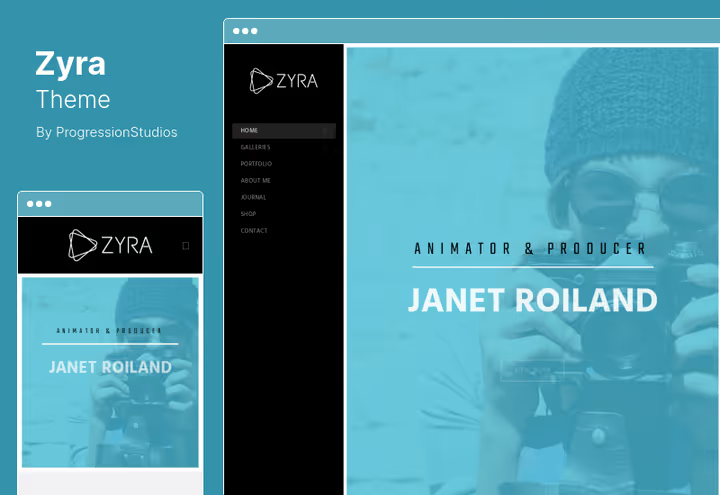
Zyra comes with Slider Revolution and Boosted Elements, two plugins that separately cost significant money, and here are included in the theme price. Slider Revolution closes the question of full-screen sliders of any complexity, Boosted Elements adds advanced widgets for Elementor.
WooCommerce integration is native, the product showcase looks like a continuation of the portfolio, not a foreign block. The theme is easily translatable to any language through standard WordPress mechanisms, WPML or Polylang work without conflicts. Demo import configures the site in minutes: installed the theme, clicked import, and a ready structure awaits your content.
💵 Price: $59 on ThemeForest (6 months support + all future updates).
Key features:
- Slider Revolution and Boosted Elements included
- Frontend customization through Customizer
- 1-click demo import
- Ready Photoshop files for logo and design
🔗 Download Zyra on ThemeForest
12. Konzept
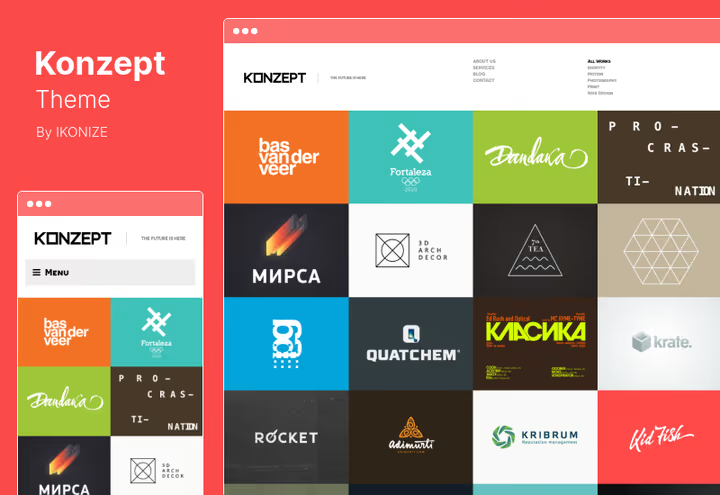
Konzept, a grid-based theme where the homepage shows past projects in an ordered grid with category filtering. Web designers and graphic studios will appreciate: the client sees all your work on one screen and can filter them by type (branding, web, print) instantly without reload.
The theme is updated to 2026 SEO standards: micromarkup, loading speed, semantic layout. Drag-and-drop project upload speeds up portfolio filling: dragged an image into the admin panel, and it's already in the grid. Each slide and project can attach an external link, convenient when work is published on a third-party platform.
💵 Price: $59 on ThemeForest (24×7 support).
Key features:
- Portfolio filtering by categories without reload
- Drag-and-drop project upload
- External links to slides and projects
- SEO-optimized semantic layout
🔗 Download Konzept on ThemeForest
13. Inview
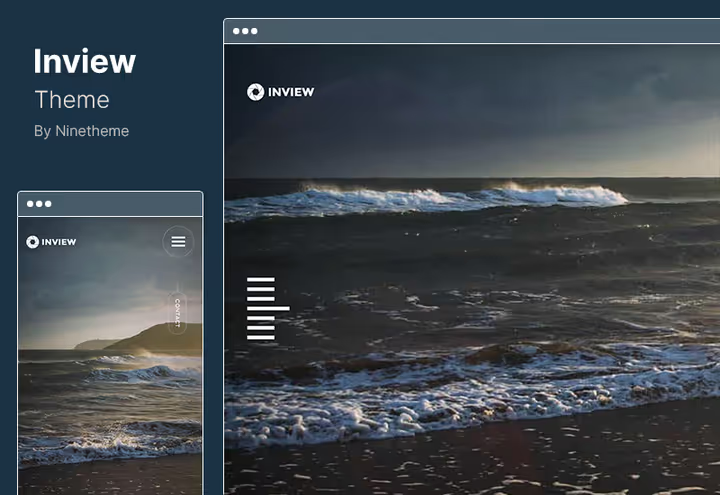
Inview, the most affordable theme in the selection, and with unique functionality for the budget segment: video background based on YouTube clips for homepage elements. Each slide can have its own background video, the theme picks it up by link and plays without sound, creating a live background.
The theme is ultra-responsive: the one-page layout correctly collapses on mobile without content loss. On the homepage each element is individually customizable, order, visibility, appearance animation. Touch contact form works on mobile devices without delays. Cross-browser compatibility verified on Chrome, Firefox, Safari and Edge.
💵 Price: $29 on ThemeForest (6 months support + future updates).
Key features:
- YouTube video background for homepage elements
- Individual customization of each homepage element
- Touch contact form
- Cross-browser compatibility + speed optimization
🔗 Download Inview on ThemeForest | 🔗 Live demo
⁉️🤔 Frequently asked questions
How does a full-screen theme differ from a regular responsive one?
A regular responsive theme adjusts content to screen width, preserving standard structure: header, content, sidebar, footer. A full-screen theme uses the entire screen area as a canvas, the background image or video occupies the full viewport, navigation is minimalist, and scrolling works non-linearly: horizontal transitions, parallax layers, split-screen effects. The main difference is in the approach to space. A regular theme "fits" content into the screen, full-screen builds experience around the screen as a unified stage. For a photographer this means their work is visible without scrolling, for an agency, that the client from the first second is immersed in brand aesthetics. But there's a price for this: full-screen themes are more demanding of image quality and more often use JavaScript for animations, choose a theme with optimized code to avoid losing search positions.
Are full-screen themes suitable for WooCommerce?
Yes, and several themes from the selection, Flight, FullPage, Zyra, Snapster, have native WooCommerce integration. The product showcase fits into the full-screen aesthetic, not looking like a foreign block. However, you need to realistically assess the scenario. Full-screen design is good for a small showcase where each card is a visual object (photographs, prints, art). For a large store with filters and search, a classic eCommerce theme will be more convenient and faster. If you sell digital photos or merch, take Zyra (Slider Revolution will help design product cards), if services with booking, Snapster with booking integration.
Is separate hosting needed for a full-screen site?
Full-screen themes usually contain more high-resolution images and JavaScript animations than standard ones. Cheap shared hosting may not cope: the load time of a full-screen site easily goes beyond several seconds, and this is visitor loss. Two parameters are critical: disk I/O and server response time (TTFB). For a full-screen portfolio with noticeable traffic, VPS with SSD disk is justified, the cost of minimal configuration pays off with audience retention. Be sure to configure image caching through CDN (Cloudflare free tier is enough for start) and lazy loading for images outside the first screen, this will cut a couple seconds from full load time.
Can a full-screen theme be used for a blog?
You can, but not any. Themes like FullPage or Wavee allow creating a full blog alongside the portfolio, and their blog pages look modern. But if the blog is the main site content (articles, not images), full-screen layout only hinders: the reader needs comfortable typography and absence of visual noise. The optimal compromise is a theme with hybrid structure: full-screen homepage with portfolio + classic blog layout for posts. Piroll and Konzept can do this out of the box: on the homepage, a full-screen grid of works, and in the blog, a clean text column without distracting animations.
Is programming knowledge required to configure a full-screen theme?
Basic configuration, replacing images, correcting text, changing colors and fonts, can be done entirely through the WordPress admin panel and built-in Customizer. Themes from the selection (except perhaps TwoFold with its non-standard effects) don't require code for initial launch. The programming threshold arises when you want to change animation logic, add a custom portfolio type or override slider behavior. Here themes with visual builders help: Wavee (drag-and-drop). If you know for sure that you'll be deeply customizing the theme, choose FullPage on WPTF, the framework is developer-friendly and gives access to hooks and filters without hacking the theme core.
Which full-screen theme suits you?
Thirteen themes cover practically any full-screen scenario on WordPress in 2026, but the choice comes down to three questions. What's your content? Photographs, take Photogra (best balance of price and features) or Zyra (Slider Revolution included). Agency portfolio, Piroll (200+ Customizer options) or Wavee (5 layout types). Budget start, Inview (YouTube video background, rare for the entry price segment).
What's your budget? Up to $35: Photogra. $35-50: Flight, Wavee, Scena, Snapster, FullPage. $50-70: FullScreen Artist, Piroll, TopPic, TwoFold, Zyra, Konzept. All prices are as of June 2026 according to ThemeForest data, check the product card before purchase, discounts and promotions are possible.
Do you need non-standard effects? Split-screen and cube scrolling, TwoFold. Ajax transitions without reload, Scena. YouTube video background on slides, Inview. Parallax on video and images, FullPage. Choose a theme that solves your specific task, not the one with the longest feature list.
Open live demos of themes you like, the only way you'll judge real animation smoothness and loading speed on your device. And remember: a full-screen site lives by the quality of your images. The most expensive theme won't save blurry photographs, and a good theme will make professional content even more convincing.

A professional team of writers and editors specializing in creating quality content.