














🎮 14 best WordPress themes for game developers 2026
A gaming site without the right theme loses visitors in 5 seconds. Screenshots load, tabs close. The font is unreadable on mobile, the audience moves to competitors. The theme determines whether a publisher will trust your studio and whether a player will click "download demo."
Under the hood of a gaming site are three layers: visuals (the theme must read as "gaming" at first glance), technical flexibility (Elementor or WPBakery plus WooCommerce for selling games and merch), and speed (gamers won't wait longer than 3 seconds). We've selected 14 WordPress themes designed specifically for the industry: from indie studios to esports teams and streaming portals.
All themes are active on ThemeForest in 2026, receive updates, and are compatible with current WordPress versions. We've organized the collection by scenario so you don't have to sift through 50 options looking for the one you need.
💡 Quick overview:
- Identify your project type: developer studio, esports team, gaming blog, or streaming portal
- Check the comparison table, all 14 themes organized by scenario, page builder, and budget
- Install the theme, import demo content with one click through the customizer or page builder
- Set up WooCommerce integration (if you're selling games or merch) and connect your team's social media
- Launch the site and attract players, sponsors, and fans
Theme comparison table
Theme | Price | Page Builder | WooCommerce | Best scenario |
|---|---|---|---|---|
| $59 | Drag-and-drop | Yes | Indie studio with eCommerce |
| $39 | Elementor | No | Developer portfolio |
| $59 | WPBakery | No | Esports / streaming |
| $64 | WPBakery | Yes | Gaming community |
| $64 | Elementor | Yes | Social gaming network |
| $69 | Elementor | No | Esports team |
| $59 | WPBakery | Yes | Gaming blog + store |
| $75 | WPBakery | No | Gaming magazine / tournaments |
| $49 | Elementor | Yes | Tournament portal |
| $69 | WPBakery | Yes | Community + store |
| $79 | Built-in | No | Gaming portal / forum |
| $34 | Elementor | Yes | Gaming blog / magazine |
| $249 | Built-in | Yes | Review and rating site |
| $69 | Gutenberg | Yes | Video blog / streaming |
1. Xion
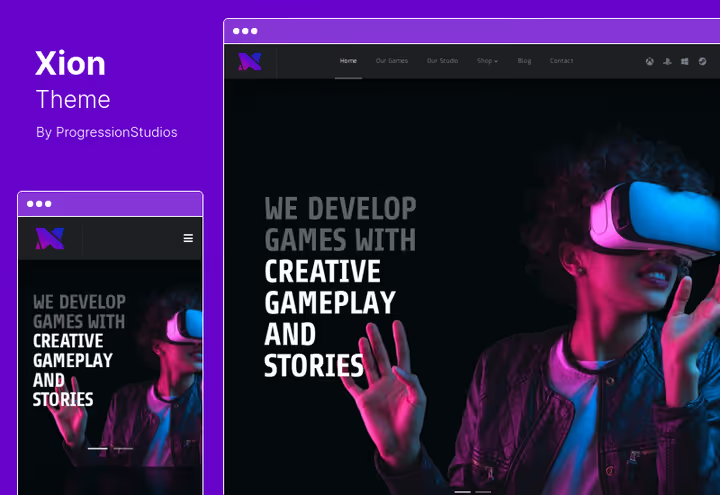
Xion, a theme designed for indie studios that need to sell games directly. Out of the box you get a drag-and-drop page builder: assemble pages without code by dragging blocks. Built-in WooCommerce turns the site into a storefront, selling keys, merch, or the game itself without intermediaries and marketplace commissions.
In practice, we appreciated two aspects. The color palette is unlimited, you can adapt the site to your studio's branding without CSS hacks. The responsive layout works cleanly: pages don't break on mobile, gallery screenshots scroll without stuttering.
Pros:
- Full WooCommerce integration for direct sales
- Responsive layout, pages maintain structure on any screen
- Unlimited color palette for studio branding
Cons:
- No built-in mega menu builder, only through third-party plugin
- Demo template library is more modest than competitors
Price: $59 on ThemeForest, includes 6 months support and lifetime updates.
2. Alessa
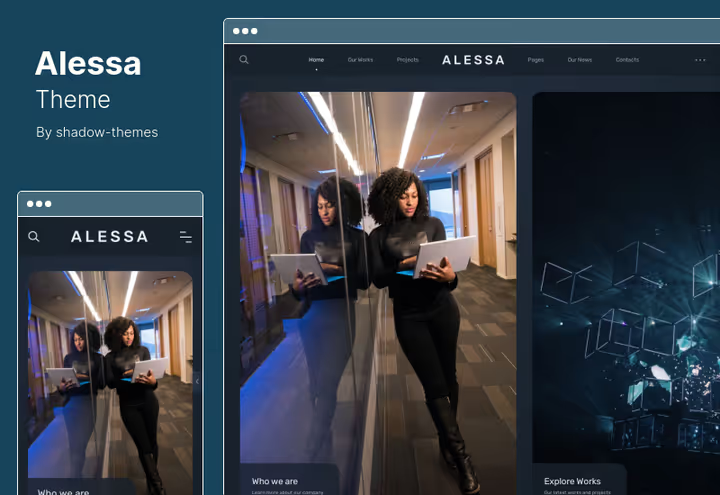
Alessa, a dark multipurpose theme for portfolios. 18 portfolio layout options and 21 additional Elementor widgets provide customization freedom without hiring a designer. Showing games to investors or publishers, this is your tool.
In our test we appreciated the built-in maintenance page: enable "development" mode during assembly, visitors see a placeholder instead of a half-ready site. Professional documentation in English, step by step, with screenshots, you can figure it out in an evening.
Pros:
- 18+ portfolio layouts: from grid to full-screen gallery
- Built-in maintenance mode during development
- Detailed documentation and support
Cons:
- No built-in WooCommerce support
- Dark design doesn't suit every game genre
Price: $39 on ThemeForest, with 6 months support.
🔗 Alessa on ThemeForest🔗 Live demo
3. Plaxer
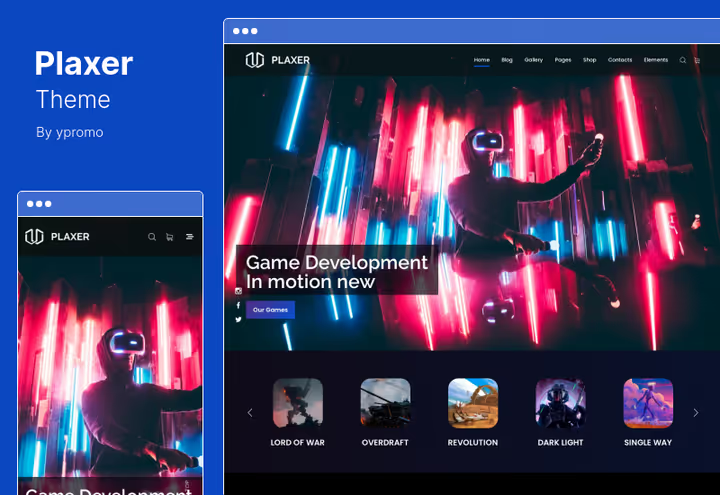
Plaxer, the choice for esports organizations and streamers. Under the hood HTML5 and CSS3, customization is tied to WPBakery Page Builder. The main feature, unlimited custom portfolio pages: one for each project or each team player.
In practice, the "Coming Soon" page is useful for announcing games and tournaments. Launch a teaser a month before release, collect an email list through the built-in Contact Form 7. Two blog types, standard and grid, cover basic content marketing needs.
Pros:
- Unlimited portfolio pages
- "Coming Soon" page for game and tournament announcements
- Built-in Contact Form 7 support
Cons:
- No WooCommerce integration out of the box
- Two blog types, a bit limited for active content marketing
Price: $59 on ThemeForest.
🔗 Plaxer on ThemeForest🔗 Live demo
4. Blackfyre
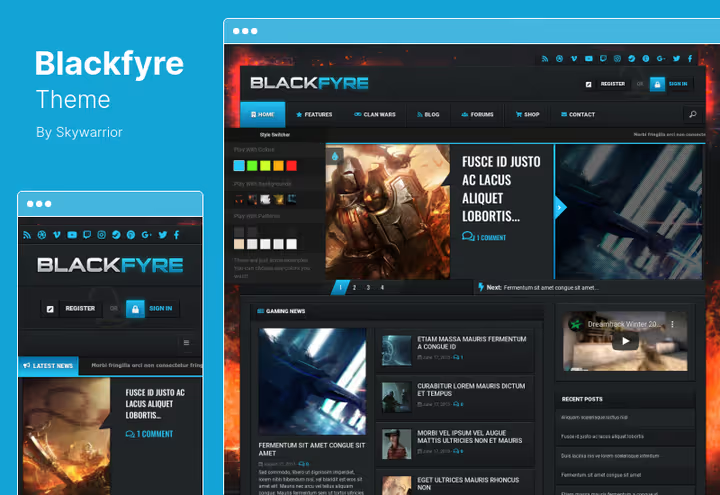
Blackfyre builds a gaming community directly on WordPress. Frontend forms for registration and publishing posts allow users to stay on the site without entering the admin panel. Integration with BuddyPress and bbPress means a forum and social network for your players work from day one.
In our test we appreciated the community management admin panel: moderation, roles, player profile skins, all in one interface. Parallax blocks and video blocks add visual weight to pages without plugins. WPML compatibility comes out of the box, important for multilingual communities.
Pros:
- Full community management panel with moderation
- Customizable skins and player profile pages
- Parallax blocks and video blocks for impactful presentation
Cons:
- Requires configuring several plugins for maximum output
- BuddyPress interface takes getting used to
Price: $64 on ThemeForest, includes WPML compatibility.
5. Arcane
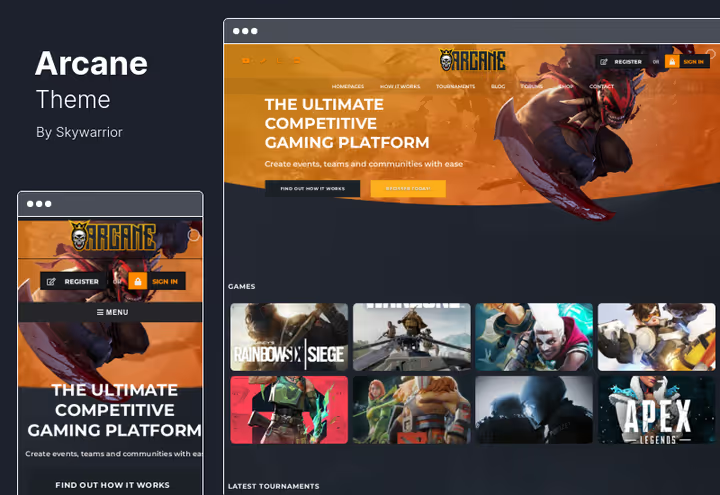
Arcane solves the main pain point for solo developers: no one to play with and no one to show the project to. The theme is built on Elementor, assemble pages by dragging. Built-in WooCommerce allows you to open a merch or key store in an evening.
Demo content installation in one click: the site looks ready an hour after purchase. Parallax blocks add depth, video blocks animate the landing page without third-party plugins. Color customization requires manual setup, there are fewer ready-made presets than you'd like.
Pros:
- One-click demo installation, quick start
- WooCommerce integration for selling games and merch
- Parallax blocks and video blocks for visual effect
Cons:
- Fewer ready demos than competitors
- Color customization requires manual setup
Price: $64 on ThemeForest.
6. PlayerX

PlayerX, a specialized theme for esports and gaming studios. Compatibility with Elementor, shortcodes for match lists, tournament tables, and player portfolios, all out of the box. Match calendar, team roster, and tournament results are configured without additional plugins.
In practice, the theme covers specific esports needs: player page with biography and statistics, match page with date and score, tournament bracket. Missing built-in WooCommerce, you'll have to connect a merch store separately.
Pros:
- Ready shortcodes for matches, tournaments, and rosters
- Compatible with Elementor Page Builder
- Portfolio for showcasing gaming projects
Cons:
- No built-in WooCommerce integration
- Fewer inner page options than competitors
Price: $69 on ThemeForest.
🔗 PlayerX on ThemeForest🔗 Live demo
7. Gamezone
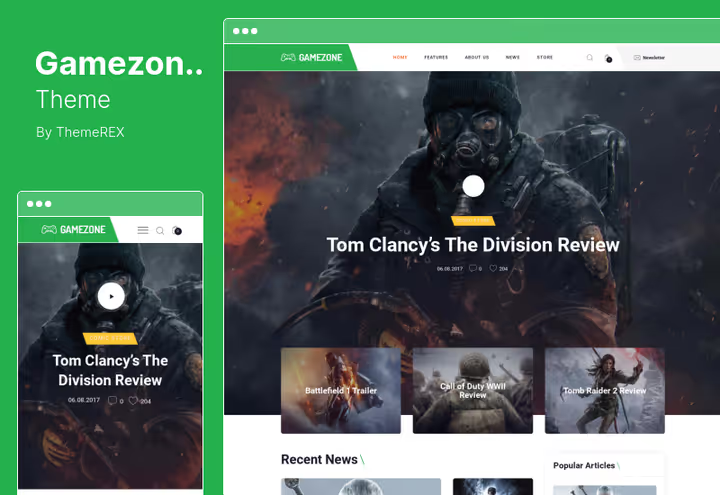
Gamezone, a bright theme for a gaming blog with a store. WPBakery Page Builder included, plus AJAX search for quick content navigation. Retina image support ensures screenshots and art look sharp on any screen.
Slider Revolution and Swiper Slider are included, their separate licenses cost $60-80 on CodeCanyon. Among the drawbacks: fewer header design options than competitors, and WooCommerce will require separate setup for a gaming store.
Pros:
- Interactive AJAX site search
- Retina image support for sharp graphics
- Slider Revolution and Swiper Slider included
Cons:
- Fewer header design options than competitors
- Requires WooCommerce configuration for store
Price: $59 on ThemeForest, includes all demos and features.
🔗 Gamezone on ThemeForest🔗 Live demo
8. Overworld
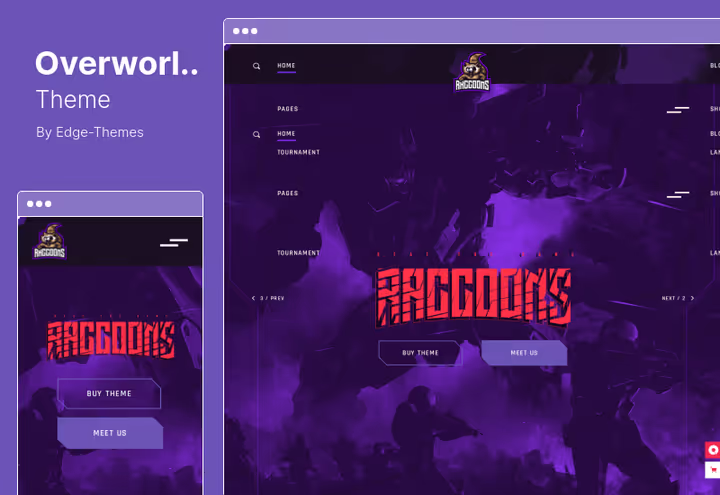
Overworld is aimed at gaming magazines, tournament portals, and esports teams. In the arsenal, custom shortcodes for tournament tables, player lists and matches, plus Slider Revolution for spectacular announcements on the homepage.
Header behavior options, split and vertical, provide flexibility in navigation for content-heavy sites. The collection of inner pages is more developed than most competitors. The price is above average, but the tournament table functionality justifies the difference for an esports portal.
Pros:
- Shortcodes for player lists, matches, and tournaments
- Multiple header behavior options
- Rich collection of inner pages
Cons:
- Price above average: $75 for license
- Takes time to learn all the shortcodes
Price: $75 on ThemeForest, 6 months support.
🔗 Overworld on ThemeForest🔗 Live demo
9. Xports

Xports, a fresh 2025 theme for esports organizations and tournament portals. Built on Elementor with dark mode and neon accents, the visuals immediately read as "gaming." Built-in WooCommerce covers a merch store without additional plugins.
Out of the box you get team pages with player profiles and statistics, match schedule, tournament brackets, and integration with Twitch and YouTube. "Coming Soon" page with countdown timer, a tool for announcing tournaments and gathering audience before launch. 20+ inner pages and 5 homepage variants provide room for customization.
Pros:
- Dark mode with neon accents, gaming style out of the box
- WooCommerce for selling merch
- Integration with Twitch and YouTube for live streams
Cons:
- Narrow specialization, not suitable for non-gaming projects
- Tournament brackets are presentational, without match logic
Price: $49 on ThemeForest, includes 6 months support.
10. Godlike
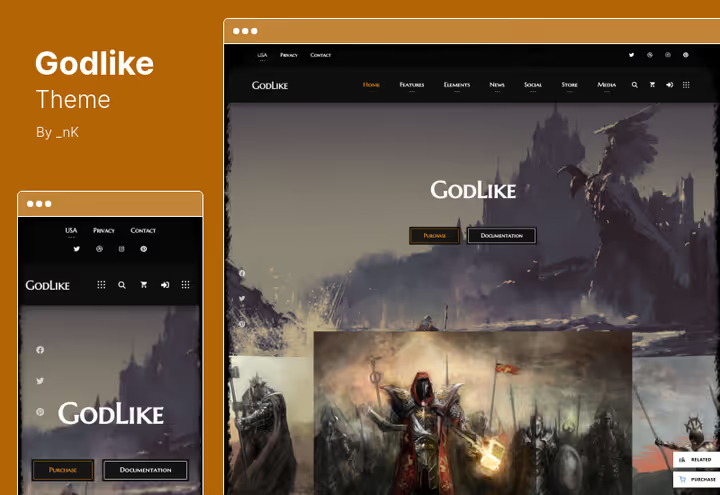
Godlike, an atmospheric theme for a gaming community with social features. 250+ customizer options, 27+ preset shortcodes, and 20 header variations provide room for constructing a unique site.
Separately we note age verification for posts, a non-obvious but important feature for games with an 18+ rating. Visual color switcher allows you to change the site style with one button. Downside: the large number of options requires time for initial setup.
Pros:
- 250+ options in WordPress Customizer
- 27+ ready shortcodes: from tables to buttons
- Visual color switcher for quick style changes
Cons:
- Large number of options requires time to configure
- WooCommerce integration exists, but not the main specialization
Price: $69 on ThemeForest, 6 months support.
🔗 Godlike on ThemeForest🔗 Live demo
11. Eldritch
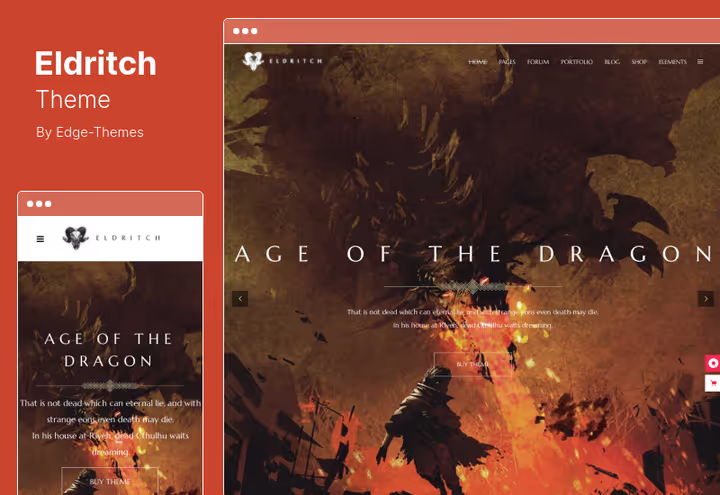
Eldritch hooks you with its epic visual style. Inside, a collection of home and inner pages, custom post types for games and matches, infographic shortcodes, and full compatibility with BBPress for forums.
Suitable for studios that want a hub site: news, forum, portfolio, all in one. Infographic shortcodes present statistics visually, without third-party tools. Price $79, the highest among themes without hard specialization, but justified by the depth of functionality.
Pros:
- Infographic shortcodes for visual presentation
- Compatible with BBPress for community forum
- Multiple portfolio layouts
Cons:
- Highest price in the collection among universal themes: $79
- Fewer ready demos for quick start
Price: $79 on ThemeForest, 6 months support and auto-updates.
🔗 Eldritch on ThemeForest🔗 Live demo
12. Gamxo

Gamxo, a dark theme for gaming news sites and blogs. Built on Elementor, supports WooCommerce and Gutenberg. Magazine layouts, grid, list, and featured posts provide editorial flexibility for content-heavy publications.
Built-in rating system with multi-criteria evaluation, a tool for game reviews that competitors often require a separate plugin for. Team roster sections and tournament schedules cover the needs of esports news outlets. Dark palette with neon accents and bold typography create a recognizable gaming style.
Pros:
- Multi-criteria rating system for game reviews
- Gutenberg and WooCommerce support
- Magazine layouts: grid, list, featured posts
Cons:
- Dark neon design doesn't suit all gaming brands
- Magazine layouts require regular content filling
Price: $34 on ThemeForest, includes documentation and 6 months support.
13. Gauge
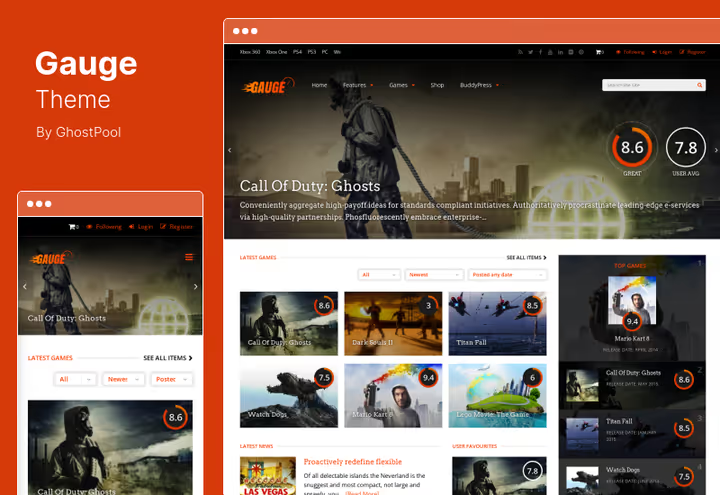
Gauge, a review and rating theme for sites that evaluate games, movies, or food. Each review object gets a hub page with tabs: news, videos, screenshots for a project are collected in one place.
Built-in rating system and tab navigation make it the best choice for a review site. Price $249, the highest in the collection, but this is a specialized tool, not a universal theme. If your site lives on reviews and ratings, Gauge pays for itself in savings on rating plugins.
Pros:
- Hub pages with tab navigation for each review
- Built-in rating system
- Responsive and clean design
Cons:
- Price $249, highest in the collection
- Specialized for reviews, not universal
Price: $249 on ThemeForest, 6 months support.
🔗 Gauge on ThemeForest🔗 Live demo
14. Redlens
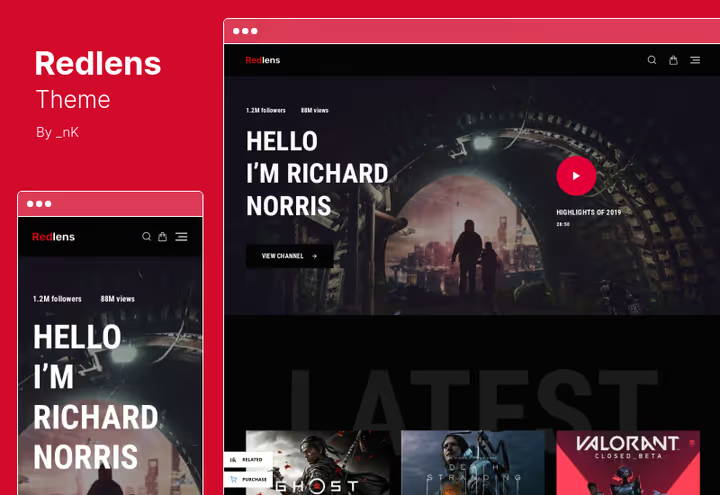
Redlens, a theme for video bloggers and streamers on Gutenberg. Three layouts (masonry, justified, slider) and 900+ Google Fonts for typography provide control over the visual presentation of content.
If your content is streams and videos from Twitch and YouTube, this theme will package them in a stylish feed. WooCommerce support allows you to sell merch, and visual portfolio and galleries showcase projects. Gutenberg may require getting used to after the classic editor, but for video content its block approach works organically.
Pros:
- 3 layouts: masonry, justified, and slider
- 900+ Google Fonts for typography customization
- Visual portfolio and galleries
Cons:
- Gutenberg may require getting used to after the classic editor
- Fewer ready demos compared to Elementor themes
Price: $69 on ThemeForest.
🔗 Redlens on ThemeForest🔗 Live demo
Useful video on the topic
WordPress themes are constantly evolving, and understanding the current ecosystem helps make an informed choice. Watch the overview of WordPress 6.6 innovations, the release changes the approach to themes and custom fields, which directly affects working with any theme from the collection:
⁉️🤔 Frequently asked questions
How does a theme for game developers differ from a regular gaming theme?
A gaming theme for developers is designed for product demonstration: project portfolio, game pages with mechanics descriptions and trailers, store integration for selling keys. A regular gaming theme is more often designed for a blog or community, where the focus is on content and communication, not showcasing a studio portfolio. The difference is in landing pages: a developer needs product showcase, a gaming portal needs a news feed and forum.
Can one theme be used for both a studio and an esports team?
You can, but you'll have to make compromises. Universal themes like
GodlikeorEldritchcover both scenarios, but esports features (tournament tables, player profiles with detailed statistics) are not implemented as deeply as in specializedPlayerXorXports. Advice: if the team is the main focus, take a specialized theme. If studio and team are equal projects,Blackfyrewith BuddyPress will provide a forum and community for both.
Is WooCommerce needed for a game developer site?
Depends on monetization. Selling keys, merch, or the game itself directly, WooCommerce is mandatory. Take Xion, Arcane, Gamezone, or Xports: they have WooCommerce out of the box. If the site is purely image-based (portfolio for publishers), Alessa or Plaxer without a store is enough. But practice shows: even an image site eventually grows to merch, better to have WooCommerce compatibility in reserve.
What to do if a theme has stopped updating on ThemeForest?
The first sign is the last update date is more than a year ago and the author is silent in the comments. In that case, don't risk it: a theme without updates will sooner or later break on a new version of WordPress or PHP. Replace it with a live alternative. In this collection, all themes are active and receive updates in 2026, we checked each one.
Which theme to take for a multilingual gaming site?
Blackfyrewith WPML compatibility out of the box is the most reliable option.Xports,Godlike, andGamxoalso support translation via WPML or Polylang, but will require configuration. If multilingual is critical, check compatibility before purchase, not all authors explicitly state it in the description.
What's the difference between Elementor and WPBakery in gaming themes?
Elementor is faster to work with and more intuitive for beginners: live preview, more free widgets. WPBakery is more often embedded in themes as a bundled plugin without a separate license, which saves the cost of an annual subscription. For a gaming site, the difference is not critical, take a theme with the builder you already own or that comes bundled. In the collection, both options are represented equally.
Which theme is right for you?
14 themes, not 50, but choosing is still not easy. Here's a decision matrix:
- Indie studio, selling games directly,
Xion(WooCommerce + drag-and-drop builder) - Portfolio for publishers, no store needed,
Alessa(18 portfolio layouts, best price in the collection) - Esports team with matches and roster,
PlayerXorXports.PlayerXis deeper in player statistics,Xportsis fresher and with WooCommerce - Gaming community with forum,
Blackfyre(BuddyPress + bbPress) orArcane(Elementor + WooCommerce) - Gaming blog or news site,
Gamxo(rating system + magazine layouts) orGamezone(Slider Revolution included) - Review and rating site,
Gauge(specialized tool, pays for itself if reviews are your main content) - Streamer or video blogger,
Redlens(Gutenberg + 900 fonts)
Choose for the task, not the budget: the difference between the cheapest and most expensive theme is pennies compared to migrating to a new theme in a year. Install, import demo, configure, and go attract your audience.

A professional team of writers and editors specializing in creating quality content.