













 AIIllustrative image: AI-generated
📜 WordPress history: user interface evolution from 0.7 to 7.0 (2003-2026)
In 2003, seventeen-year-old Matt Mullenweg forked b2/cafelog, and a few months later WordPress 0.7 appeared: one screen, one input field, minimal CSS. Twenty-three years later, the same codebase powers 43% of all websites on the internet, from personal blogs to Whitehouse.gov and Spotify Newsroom. And its interface has evolved from spartan minimalism to an AI-enhanced workspace with dozens of tools.
What's interesting here is not just "what was added" but also "how the community reacted." Every other major update was met with resistance precisely because of the interface: Gutenberg in 2018 collected thousands of one-star reviews and spawned the ClassicPress fork, while debates about admin panel "bloat" haven't subsided since the 2.5 Brecker release in 2008. All the more reason to trace the entire chain, from version 0.7 to the current 7.0 Armstrong, which was released on May 20, 2026.
💡 Quick overview:
- Scroll through screenshots of WordPress 0.7 Gold (2003): you'll see where the platform began, one screen, an input field, and a "Publish" button
- Compare the admin panels of versions 1.5 Strayhorn and 2.7 Coltrane, where Dashboard, the left menu, and plugin installation from the repository without FTP first appeared
- Notice the leap from 2.9 to 3.0 Thelonious: custom menus, custom post types, and multisite transformed a blog into a CMS framework
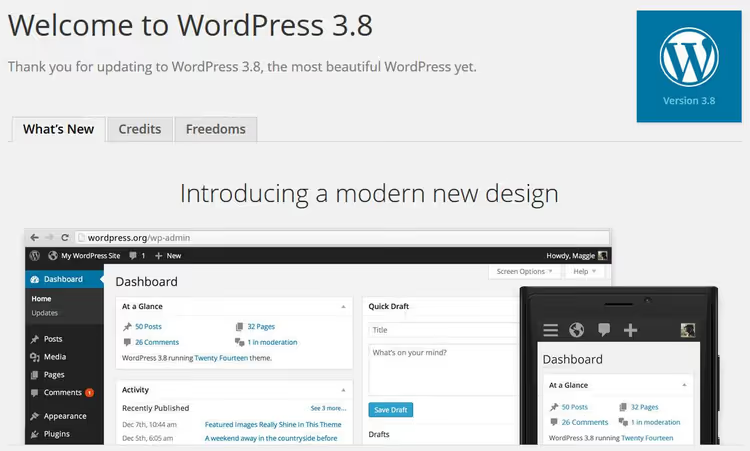
- Look at 3.8 Parker, a completely rewritten responsive admin panel, 8 color schemes, and vector Dashicons icons that remain recognizable to this day
- Open 5.0 Bebo (December 2018): Gutenberg replaced TinyMCE with a block editor, and the editing paradigm changed forever
- Study 5.9 Josephine (January 2022): Full Site Editing allowed editing the header, footer, and templates through the same blocks
- Check out 7.0 Armstrong (May 2026): central AI hub, updated admin panel, Command Palette, and native breadcrumbs, current right now
May 27, 2003, WordPress 0.7 "Gold"
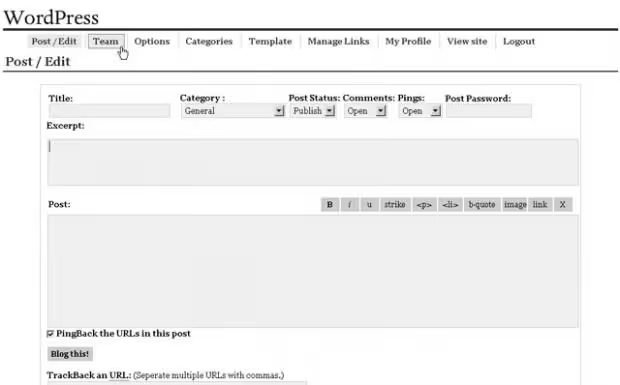
The first public release. After logging in, you immediately see the post creation page: title, content field, "Publish" button. No dashboard. No menus. Under the hood, XHTML 1.1 and strict web standards, a principle Mullenweg declared from day one.
Functionality was minimal: one category per post, no preview, no tags. But drafts, manual excerpts for RSS, and that same publish button were already here. Image uploads? No. Comment moderation? No. However, over the next six months a series of targeted updates followed: 0.71, 0.72 with an installer instead of manual wp-config.php. WordPress was gaining momentum.
January 3, 2004, WordPress 1.0
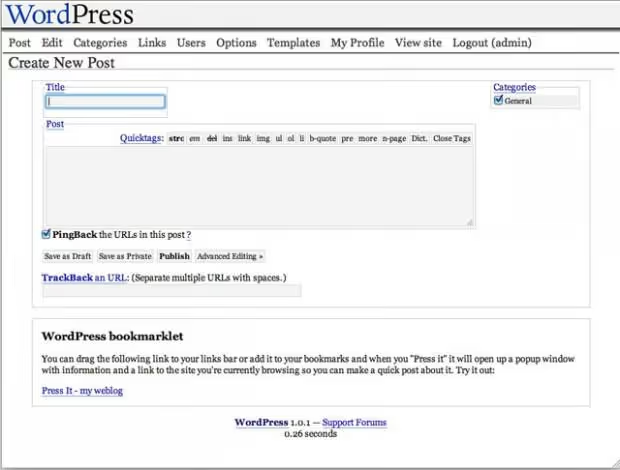
The first major release without a jazz code name (the tradition of naming after musicians started a bit later). Simplified installation, multiple categories per post, permalinks with human-readable URLs, comment moderation. Three weeks later, 1.0.1 "Miles" arrived with a polished interface and significant changes to the codebase.
May 22, 2004, WordPress 1.2 "Mingus"
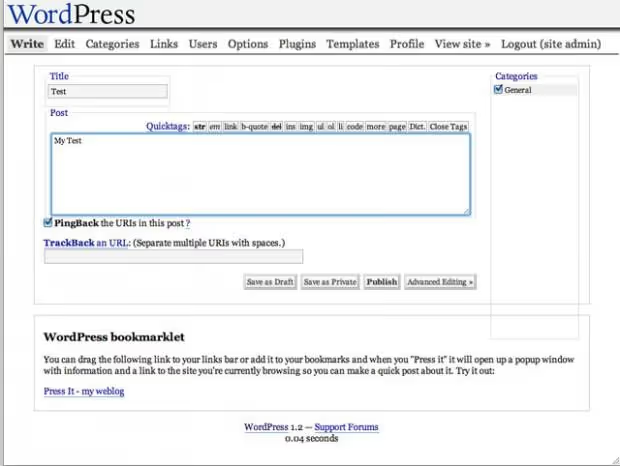
Exactly one year after launch, the version that transformed WordPress from a diary into an extensible platform. Plugin architecture: the very foundation on which today's ecosystem of 60,000+ extensions stands. Encrypted passwords, post preview, automatic thumbnails, subcategories. Preview in 2004 was a breakthrough, finally you could see how a post looked before publishing instead of guessing.
February 17, 2005, WordPress 1.5 "Strayhorn"
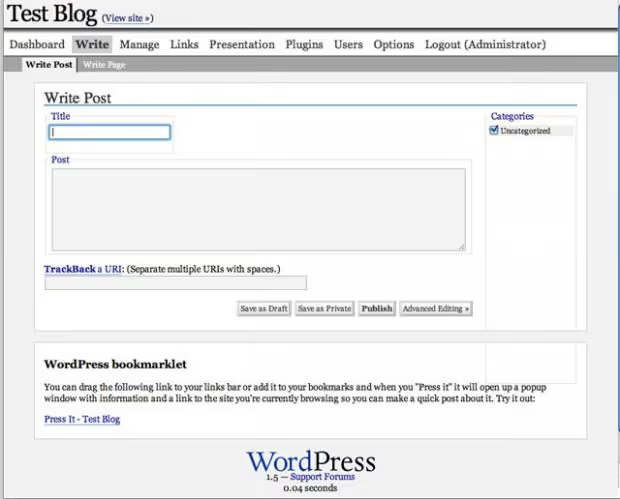
Here WordPress stopped being "just a blog." The theme system separated design from the engine, allowing site appearance changes without editing a single line of code. Static pages (not just posts). The debut of Dashboard, that very control panel that would become the center of the admin area for decades. 200,000+ downloads in the first months, the platform reached a fundamentally new level.
December 31, 2005, WordPress 2.0 "Duke"
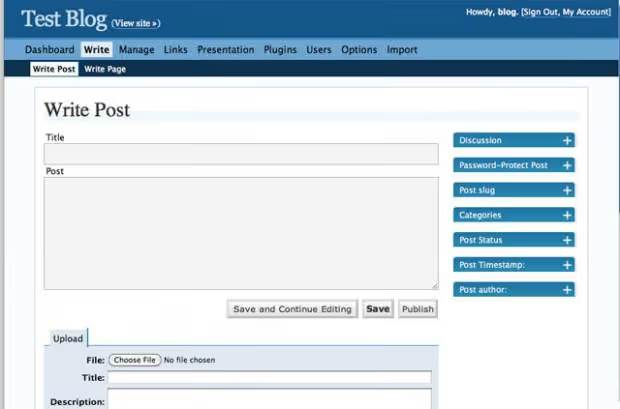
As the clock struck midnight, the second generation of WordPress arrived. The admin panel became recognizably blue, a visual editor appeared (WYSIWYG on TinyMCE), user roles with permission separation, Akismet against spam, built-in file uploads. AJAX comment deletion without page reload. For developers: caching, theme preview, functions.php. Eight minor updates followed over the next 12 months; the project had gained inertia.
January 22, 2007, WordPress 2.1 "Ella"
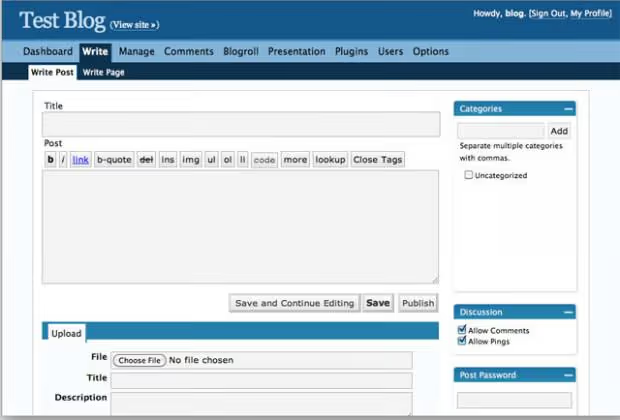
Externally the admin panel barely changed, but under the hood: autosave (finally no fear of crashing the browser), spell check, XML import/export, redesigned link editor. More AJAX: pages stopped fully reloading with every action. Matt at the time predicted the release of 2.2 on April 23, 2007, missing by three weeks, which for open source with volunteers was still impressive accuracy.
May 16, 2007, WordPress 2.2 "Getz"
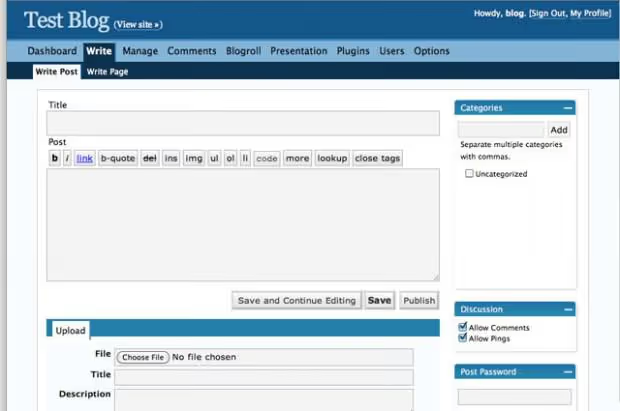
The widget system: draggable blocks in the sidebar without a single line of PHP in the template. Blogger import, full Atom support, jQuery in core (1.1.2, the first step toward a JS-heavy future). 240+ bugs fixed. WordPress was definitively ceasing to be a tool for geeks and becoming a platform for any user.
September 25, 2007, WordPress 2.3 "Dexter"
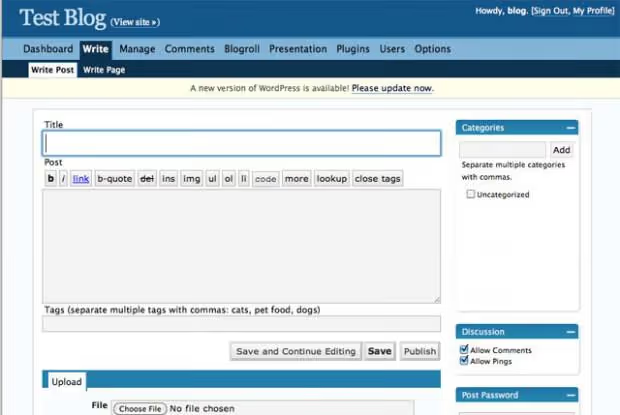
Tags in core (finally, without plugins). Canonical URLs for SEO. Plugin update notifications right in the admin panel; before this, you learned about new versions by chance. The "Kitchen Sink" button in the editor, which opened an extended formatting panel. Externally the interface barely changed from 2.1, but internally many vulnerabilities were closed. The community was throwing release parties; WordPress was becoming a cultural phenomenon.
March 29, 2008, WordPress 2.5 "Brecker"
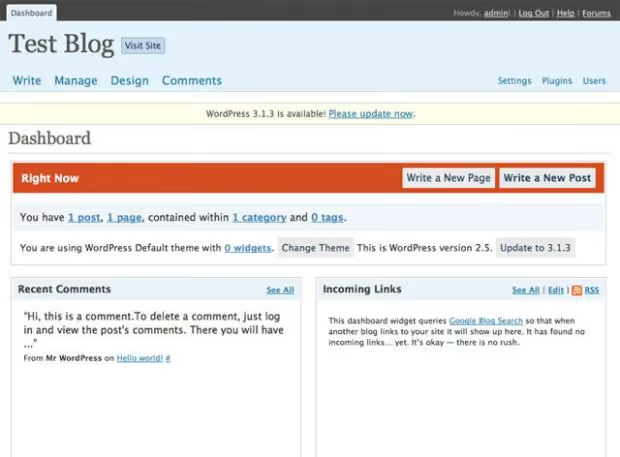
Six months of work, and the admin panel was unrecognizable. A calm color scheme (goodbye blue), Dashboard widgets with customizable arrangement, multi-file upload, password strength indicator, built-in galleries, shortcodes API. The first release that looked truly modern for its time. Critics, however, tore apart the "bloat," a debate that would repeat with every major release for the next decade and a half.
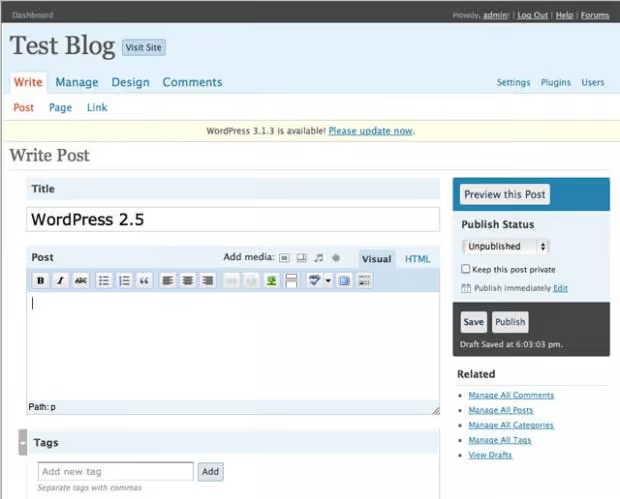
The post editor changed beyond recognition: less visual noise, logical grouping of elements, extended toolbar. It was precisely with 2.5 that the author's workspace began to resemble a modern editorial interface rather than a form from a 1990s browser.
July 15, 2008, WordPress 2.6 "Tyner"
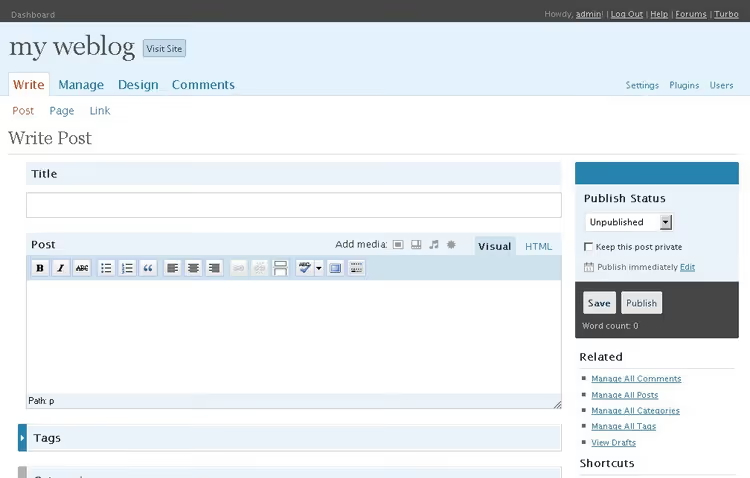
Released almost a month ahead of schedule. Post revisions: wiki-like change history with the ability to roll back to any version. Press This, a bookmarklet for quickly publishing links and quotes from the browser. Image captions, word count in the editor, bulk plugin management (enable/disable in batches). WordPress definitively outgrew the "blog platform" label; now it was a content management tool.
December 11, 2008, WordPress 2.7 "Coltrane"
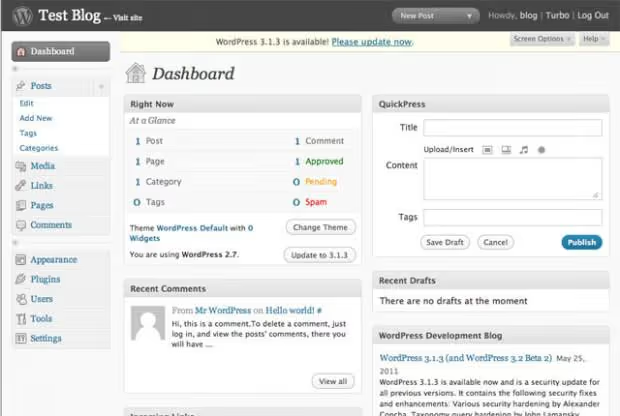
A navigation revolution. A left vertical menu instead of a top horizontal one: a structure that has essentially survived to this day. Drag-and-drop Dashboard widgets, replying to comments directly from the admin panel, one-click plugin installation from the repository (without FTP). Screen Options: each user customizes element visibility to their preference. The most thoroughly documented version at that time: the team released dozens of screencasts covering every new screen.
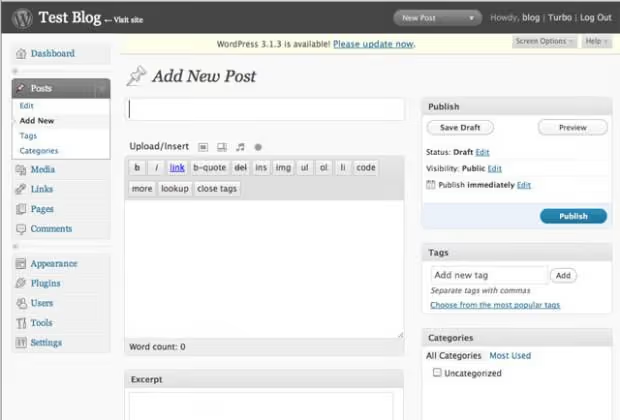
June 11, 2009, WordPress 2.8 "Baker"
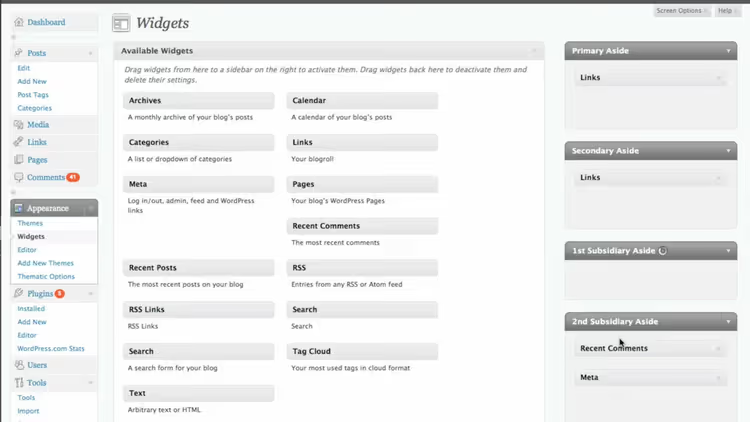
Matt called it "a good finished release." Theme and widget improvements, admin panel speedup, updated icons. Externally: polishing the existing interface without an overhaul. But these are precisely the releases that stabilize a platform: after the turbulence of 2.5-2.7, users needed to catch their breath.
December 19, 2009, WordPress 2.9 "Carmen"
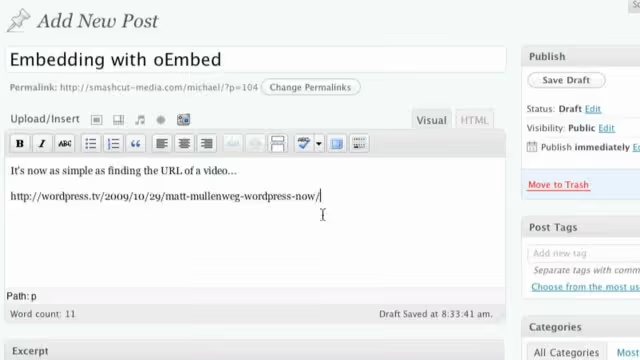
Externally: minimal changes. Functionally: a powerful leap. Built-in image editor (crop, rotate, scale, directly in the media library), oEmbed for automatic video embedding via link, trash for deleted posts (with Undo capability), automatic database optimization. Content management tools were becoming professional.
June 17, 2010, WordPress 3.0 "Thelonious"
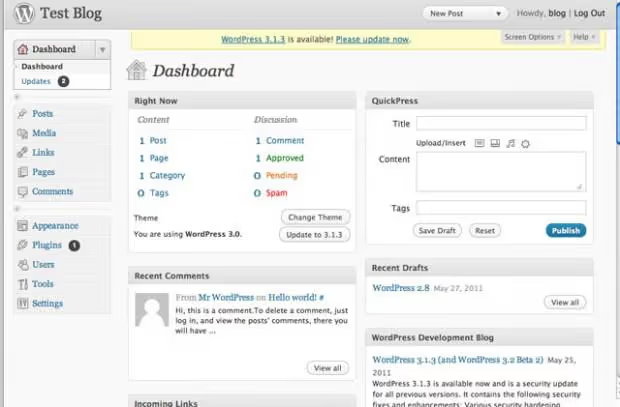
The thirteenth major release and a turning point. More than 200 contributors. Custom menus: navigation configured from the admin panel without a single line of code. Custom post types and taxonomies: WordPress transformed into a full-fledged CMS framework capable of managing portfolios, catalogs, and events. Multisite: WordPress MU merged into core, one installation serves a network of sites. Custom backgrounds and headers. The Twenty Ten default theme with clean typography. 1,200+ bugs fixed. From this point on, WordPress was not a "blog engine with add-ons" but a mature CMS.
February 23, 2011, WordPress 3.1 "Reinhardt"
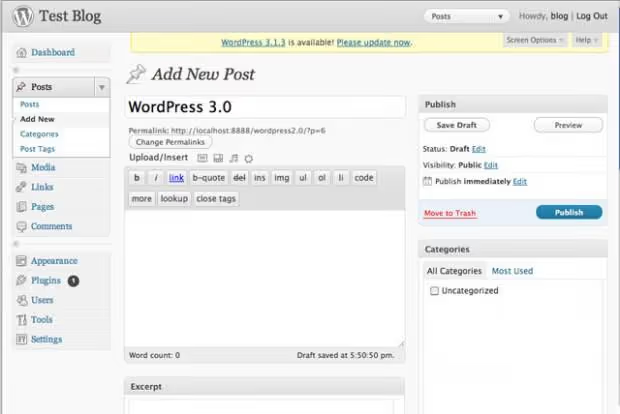
Admin Bar: that dark strip at the top visible to logged-in users on the site. Post formats: standard, gallery, quote, video; content structure became semantic. Internal links in the editor (searching existing content for cross-linking). Improved site search. The admin panel acquired features recognizable today.
July 4, 2011, WordPress 3.2 "Gershwin"
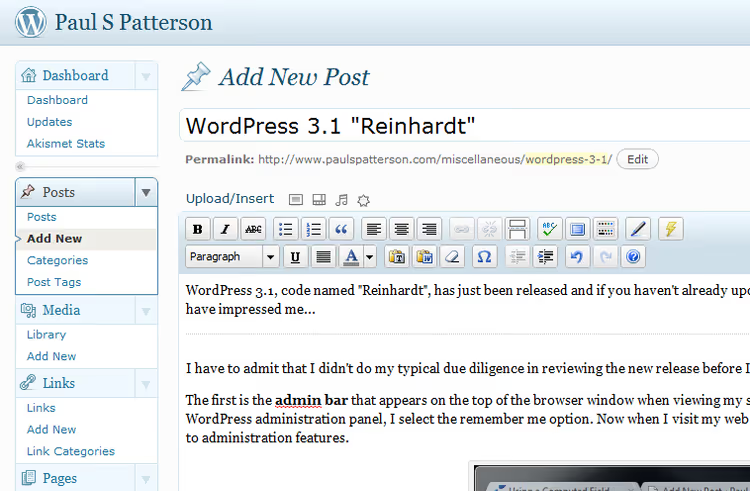
A complete design refresh: new fonts, a more "flat" style (several years before Metro and iOS 7 made flat design mainstream). Minimum requirements raised to PHP 5.2.4 and MySQL 5.0; support for PHP 4 and ancient MySQL versions discontinued. Internet Explorer 6 officially removed from the list of supported browsers. The codebase became cleaner and faster.
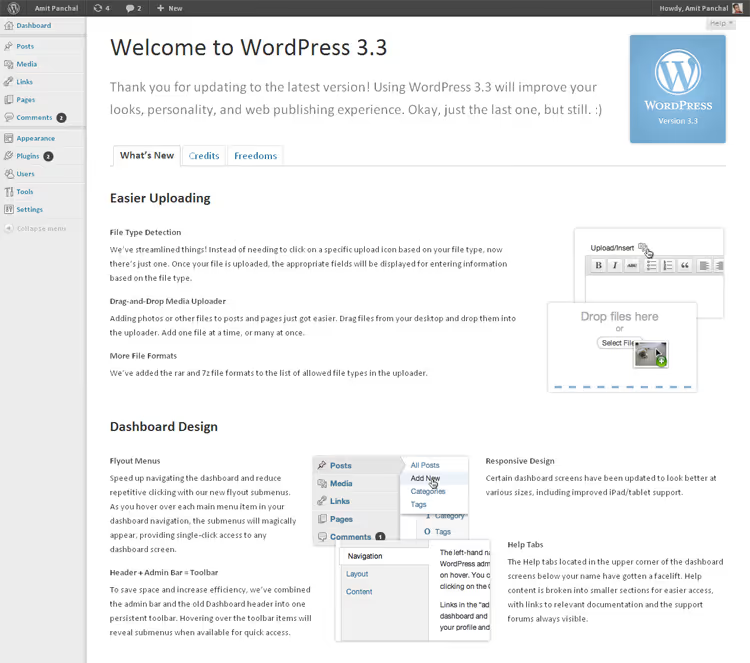
December 12, 2011, WordPress 3.3 "Sonny"
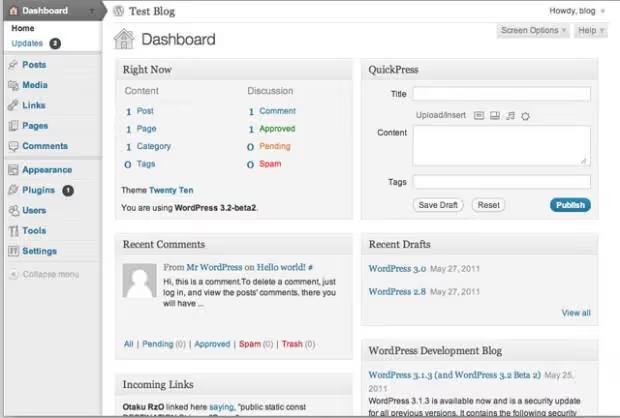
A responsive admin panel for tablets: in 2011, when the iPad was only gaining popularity, this was a bold move. Drag-and-drop media uploads directly into the editor: drag an image from your desktop, and it's in your post. Tooltips for interface elements. The admin panel was becoming friendlier to different devices and different user skill levels.
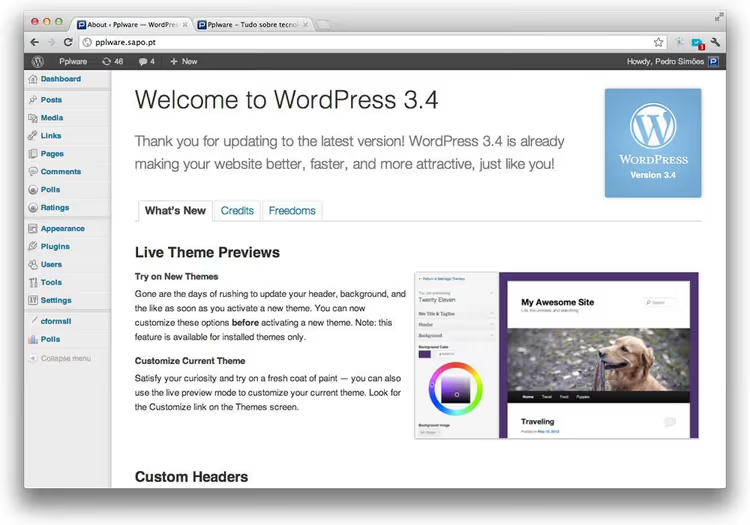
June 13, 2012, WordPress 3.4 "Green"
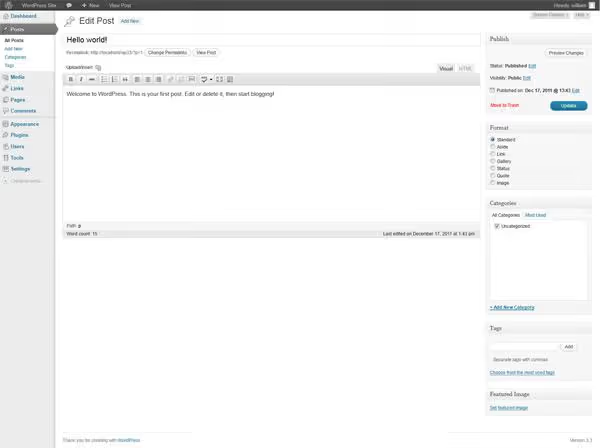
The theme customizer: for the first time you could change theme settings and see results in real time before publishing. XML-RS API for mobile applications. Improved image handling: automatic captions from HTML. WordPress was preparing for the mobile era and for becoming a backend not just for browsers.
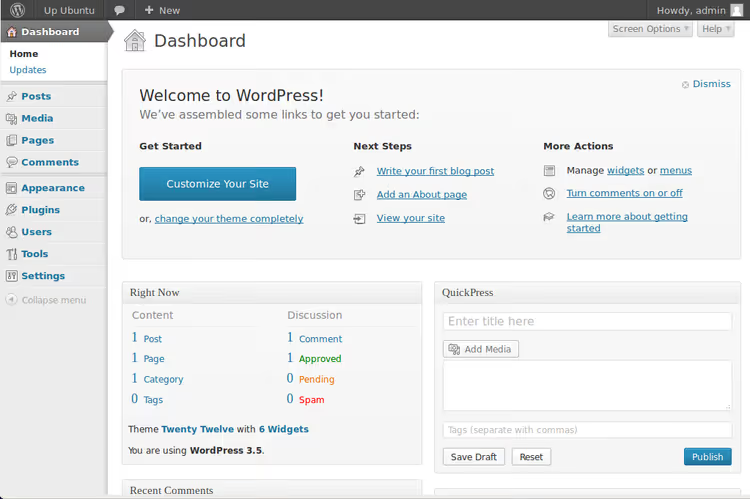
December 11, 2012, WordPress 3.5 "Elvin"
A completely rewritten media manager: grid layout instead of list, fast uploads, gallery creation in a couple of clicks. The Twenty Twelve default theme: clean, responsive design focused on typography. The media library finally became a tool rather than a file warehouse.
August 1, 2013, WordPress 3.6 "Oscar"
Revisions gained live version comparison: frame by frame with change highlighting, like a Git diff. Post locking: when one editor is working on a post, others see a warning. Built-in HTML5 audio and video players without Flash. The interface stabilized after a string of major changes.
October 24, 2013, WordPress 3.7 "Basie"
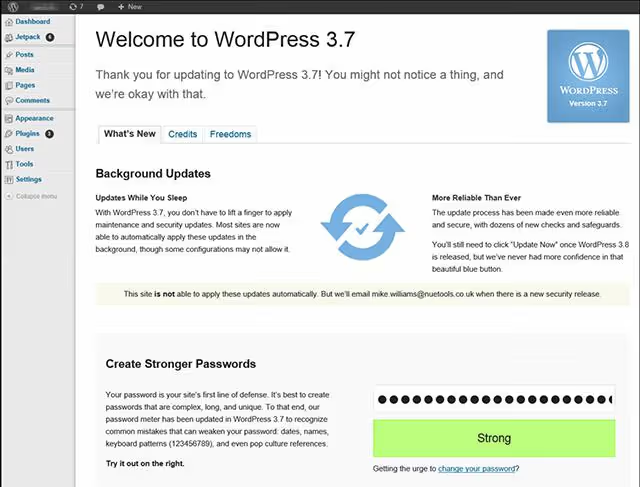
Externally: an almost unnoticeable release. Under the hood: automatic background updates for minor versions and security patches. From this point on, most WordPress installations updated themselves without owner involvement. Possibly the most important "invisible" feature in the platform's history: millions of sites stopped being vulnerable simply because the owner didn't click "Update."
December 12, 2013, WordPress 3.8 "Parker"
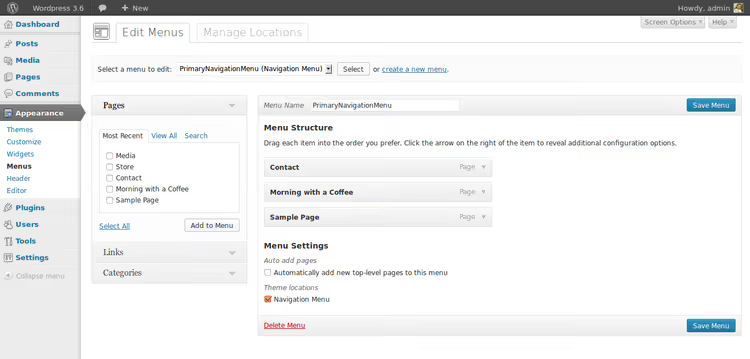
The admin panel was rewritten from scratch. Responsive design: Retina-ready on MacBook Pro, mobile-friendly on tablets and phones. Eight color schemes to choose from, ranging from classic gray to bright blue and "coffee." Modern typography on Open Sans. Vector Dashicons icons instead of pixel PNGs, crisp at any resolution. The Twenty Fourteen theme with a magazine layout. This design became the visual identity of WordPress for years to come.
April 16, 2014, WordPress 3.9 "Smith"
Live gallery preview in the editor: previously, a placeholder stub appeared where the gallery would be. Drag-and-drop images directly into text. On-the-fly image editing: scaling, cropping, rotation without opening the media library. Audio/video playlists with built-in tools. Multimedia in WordPress finally stopped being a compromise.
September 4, 2014, WordPress 4.0 "Benny"
Media library with infinite scroll: a grid with auto-loading; no need to flip through pages. Smooth embedding of playlists and galleries in the editor. Language selection during installation: WordPress became truly global. Improved plugin search with metrics: number of installations, rating, last update. By this point the platform served nearly a quarter of all websites on the internet.
December 18, 2014, WordPress 4.1 "Dinah"
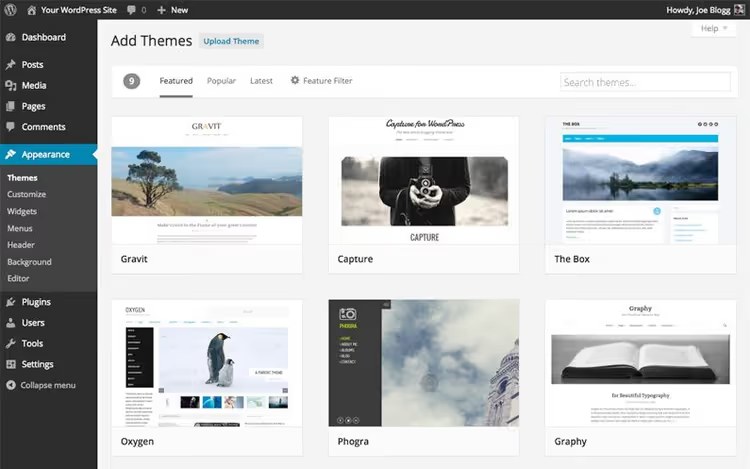
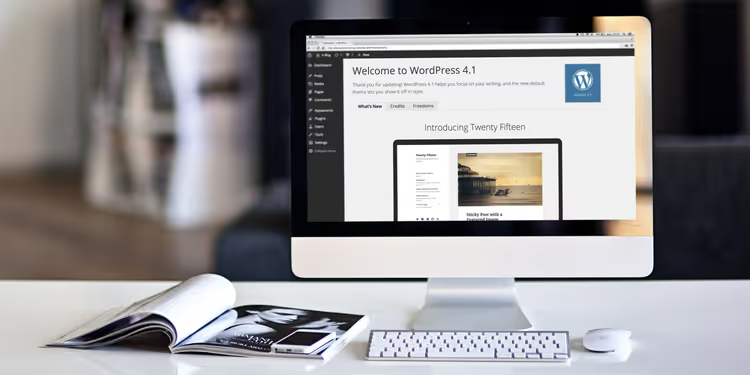
Focus mode in the editor: minimalist UI where everything extra disappears, leaving only text. Distraction-free writing (inline link and list insertion without opening modal windows). Theme recommendations in the customizer with live preview. Twenty Fifteen: the first default theme with full mobile support and a clean blog-oriented design.
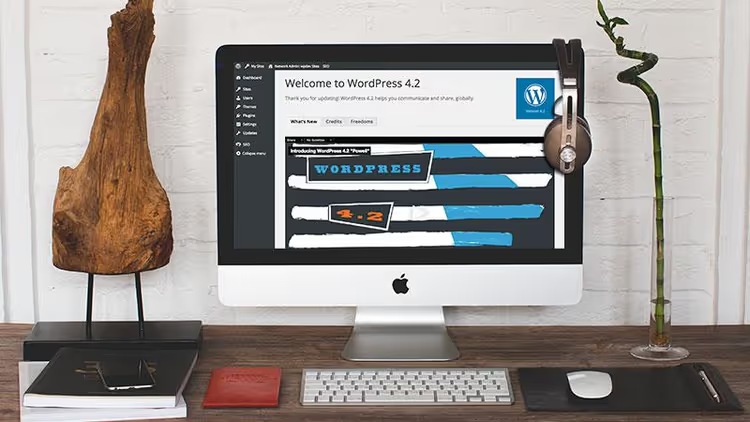
April 23, 2015, WordPress 4.2 "Powell"
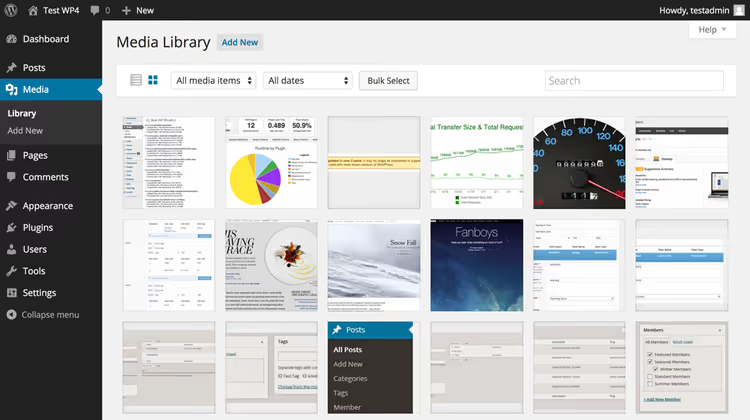
Press This as a full-featured bookmarklet for quickly publishing links from the browser. Emoji support in core: millions of users got emoticons without additional plugins. Updated plugin installer with lazy loading: the page doesn't reload, results appear instantly.
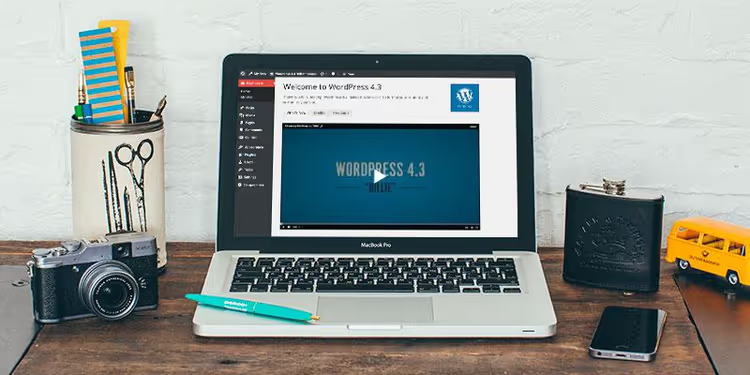
August 18, 2015, WordPress 4.3 "Billie"
Menu customizer: navigation setup with live preview, finally seeing the result before saving. Site icons (favicons) configured directly from the customizer without messing with FTP and the root directory. Improved list formatting in the editor. Passwords are now generated automatically rather than invented by the user: a sharp security boost for millions of installations.
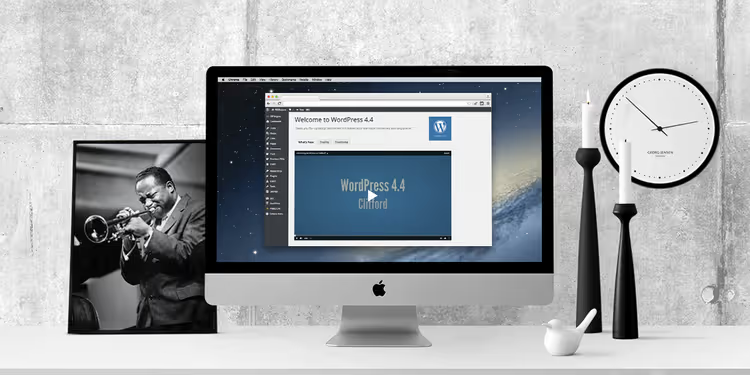
December 8, 2015, WordPress 4.4 "Clifford"
Responsive images (srcset) in core: the browser chooses the image size for the screen resolution itself. REST API: WordPress becomes a headless CMS ready for backend and frontend separation. Embedding posts from other WordPress sites via oEmbed. Twenty Sixteen: a minimalist blog theme with a classic sidebar.
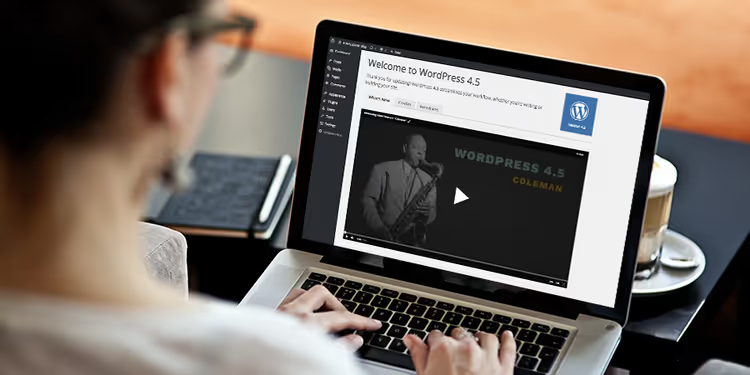
April 12, 2016, WordPress 4.5 "Coleman"
Inline link editing: Ctrl+K, and the link is inserted right in the text without a modal window. Site logo from the customizer. CSS/JS minification for faster loading. Responsiveness preview in the customizer: tablet/phone/desktop switch with one button. The editor was becoming snappier, and the interface more transparent.
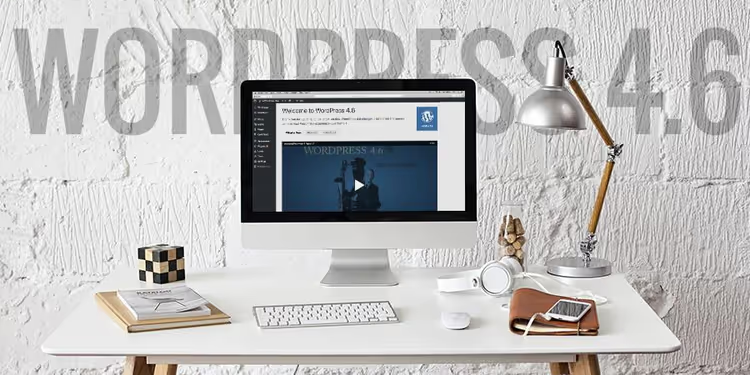
August 16, 2016, WordPress 4.6 "Pepper"
Native system fonts in the admin panel: the interface loads instantly without waiting for Google Fonts. Shiny Updates: plugin updates via AJAX, no page reload. Broken link detection in the editor: WordPress highlights URLs that lead to nonexistent pages. The admin panel became noticeably faster.
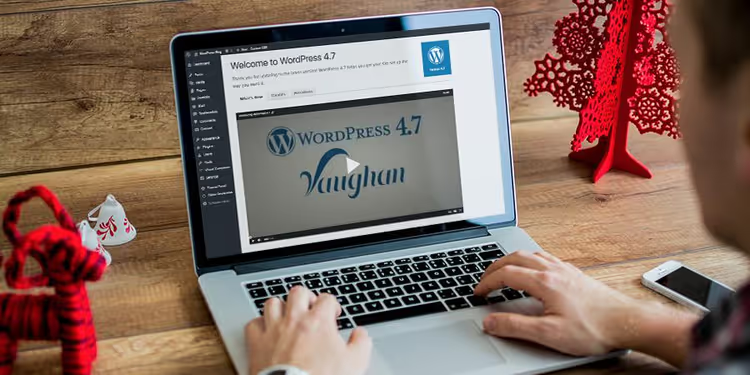
December 6, 2016, WordPress 4.7 "Vaughan"
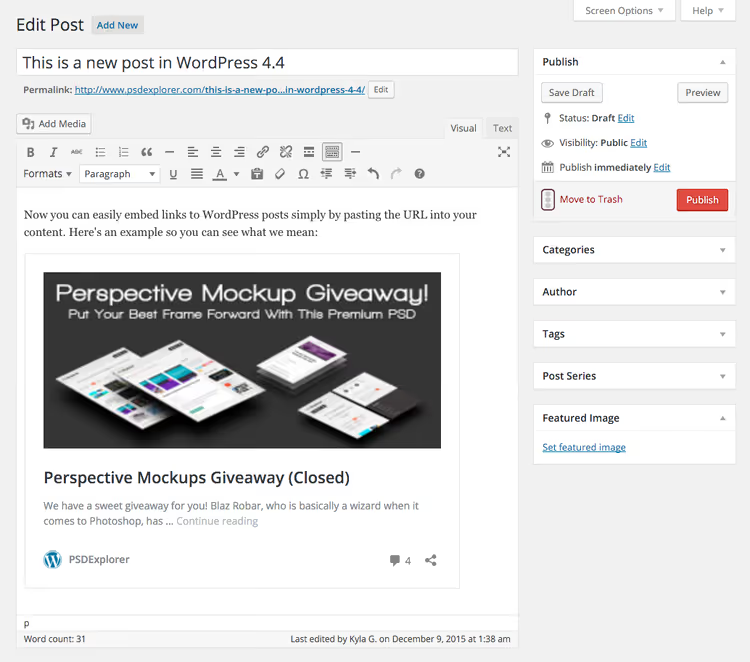
REST API with endpoints for posts, pages, comments, and users: WordPress officially became a full-fledged headless CMS. Custom CSS in the customizer without editing theme files. Thumbnail preview in the media library on hover. Twenty Seventeen: a theme with a video header and parallax scrolling, perhaps the most ambitious default theme at that time.
June 8, 2017, WordPress 4.8 "Evans"
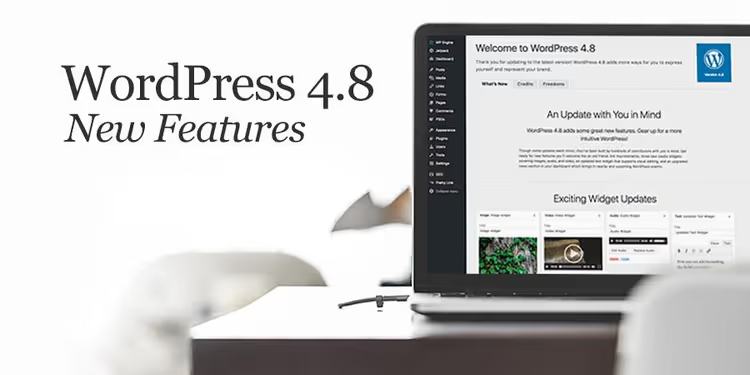
Multimedia widgets: images, audio, and video can be inserted into the sidebar without a single shortcode. The text widget gained a visual editor: no longer need to write HTML manually to format the sidebar. Link boundaries in the editor: one click selects the full URL without manual mouse selection.
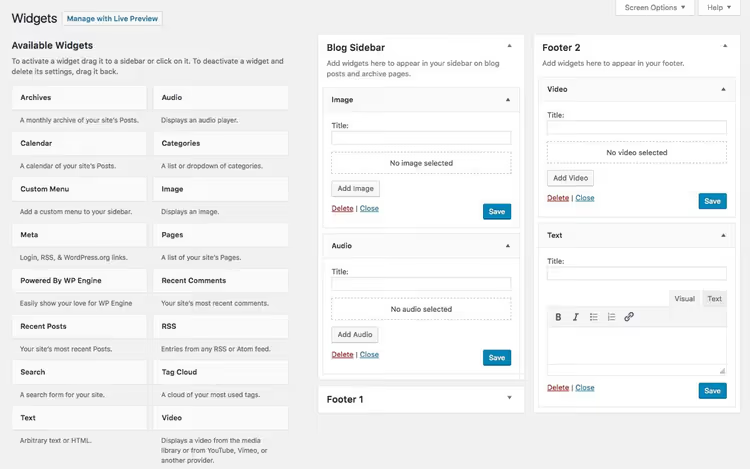
Several beta versions and candidates were also released for 4.8:
In the 4.8 beta versions, the interface was virtually identical to the final release; the team was testing multimedia widgets and the new text editor. The main work focused on stability: fixing bugs, checking compatibility with popular plugins.
November 15, 2017, WordPress 4.9 "Tipton"
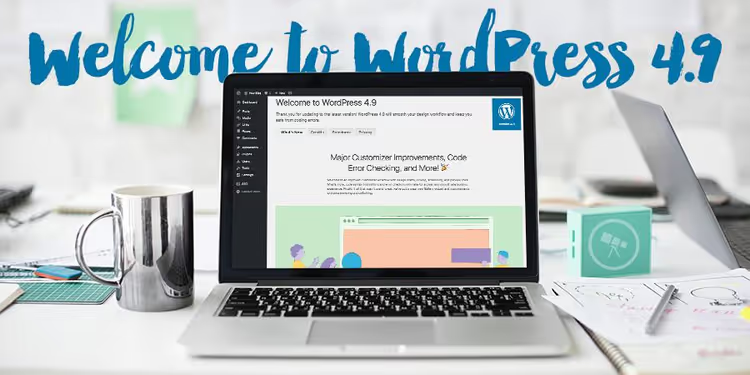
Drafts and scheduling changes in the customizer: configure the design, save as draft, publish when ready, no need to launch "repairs" on a live site. Gallery widget, live theme preview before activation, widget preservation when switching themes (finally, without losing the sidebar). Syntax highlighting in the theme code editor.
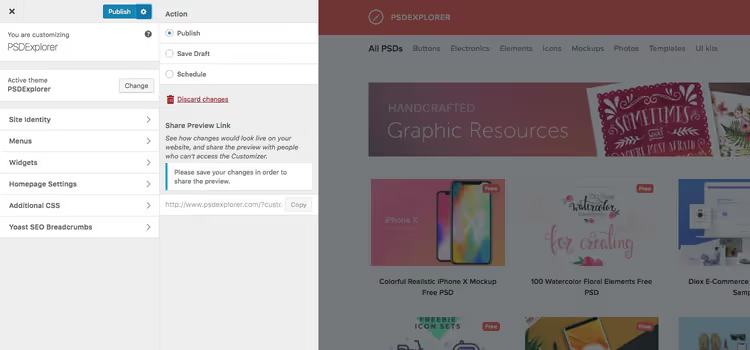
It was precisely during the 4.9 stage that Automattic announced the official call for Gutenberg testers: the block builder that would revolutionize the WordPress editor just one year later. In the minor update 4.9.6, GDPR tools were added: a privacy policy template, cookie consent for comments, and user data export and deletion.
Gutenberg and the 5.x era (2018-2021)
On December 6, 2018, WordPress 5.0 "Bebo" was released, and the editor changed forever. Gutenberg replaced the classic TinyMCE with a block interface: every paragraph, image, heading, gallery, button, and column became a separate block. Drag with the mouse, change the order, customize without a single line of code. The community met the editor with hostility: thousands of one-star reviews in the repository, the ClassicPress fork for those who wanted to stay on the old editor. But Automattic consistently refined Gutenberg over the following three years. The Twenty Nineteen theme was the first optimized for the block editor, with minimalist typography.
By 5.9 "Josephine" (January 2022), the block editor extended beyond posts: Full Site Editing allowed editing the header, footer, templates, and all page content through the same blocks. Site Editor became the unified interface for the entire site; the boundary between "content editing" and "design customization" disappeared.
Final push: 6.x and 7.0 (2022-2026)

WordPress 6.0 "Arturo" (May 2022) polished the block editor: text selection across multiple blocks, theme export from the editor, block patterns for repeating layouts. Versions 6.1-6.7 added fluid typography, style variations, and dozens of performance improvements. 6.8 "Cecil" (April 2025) brought Style Book for Classic themes, speculative loading, and bcrypt password hashing. 6.9 "Gene" (December 2025) introduced a notes system (block comments during review), Command Palette for quick keyboard navigation, and Abilities API, laying the foundation for AI integration.
WordPress 7.0 "Armstrong" is the current version, released on May 20, 2026. The release was led by Matias Ventura with participation from 875+ contributors, including 200+ first-time contributors. 420+ improvements and fixes. Here are the main interface changes visible immediately after logging into the admin panel:
AI Client in core. WordPress Core now natively communicates with generative AI models. The AI client is a transport layer: it doesn't generate anything by itself but gives plugins and themes a unified way to integrate with AI without their own SDKs. Alongside it, a central Connections screen for managing AI services. To get text generation, images, and alt-text, you need to install an optional AI plugin on top of this infrastructure.
Updated admin panel. The most noticeable change: new color scheme, more whitespace between elements, smooth transitions between screens. The most radical update to wp-admin's visual style since 3.8 Parker (2013).
Command Palette. Cmd+K (or Ctrl+K) opens a fuzzy search bar for instant navigation to any admin section, post, or setting. Log in, press Cmd+K, type "menu," and you're in the menu customizer. One change that's felt every day.
Four new blocks: Gallery with lightbox (slideshow without plugins), Breadcrumbs (native breadcrumbs, previously only through SEO plugins), Icons (UI icon library right in the editor), and an updated Heading.
For developers: PHP block registration without JavaScript build, extensible Site Editor, Interactivity API with watch() function, minimum PHP 7.4 (dropping 7.2 and 7.3).

The most anticipated feature, real-time collaboration (simultaneous post editing by multiple users, like Google Docs), was cut 12 days before release, on May 8, 2026. The official reason: "attack surface, race conditions, server load, memory issues, and recurring bugs during fuzz testing." RTC isn't canceled forever; the team is preparing a feature plugin before the next attempt to merge into core.
Twenty-three years of evolution from a screen with one input field to an AI-enhanced workspace. And this isn't the end.
⁉️🤔 Frequently asked questions
Why has WordPress changed its interface so dramatically over the years?
Each interface change was a response to a specific need: audience growth (from geeks to regular users), competition with Squarespace, Wix, and Medium, technological shifts (mobile devices, JavaScript frameworks, REST API). Gutenberg in 5.0 is the most radical example: the block editor appeared because TinyMCE couldn't handle the complex layouts users demanded in 2018. WYSIWYG designed for blog posts couldn't adequately work with columns, buttons, and layouts.
Which release had the biggest impact on the WordPress interface?
Three turning points. 2.7 "Coltrane" (2008): left vertical menu and drag-and-drop widgets, a structure that has essentially survived to 2026. 5.0 "Bebo" (2018): Gutenberg, a complete replacement of the editing paradigm from classic editor to blocks. 7.0 "Armstrong" (2026): native AI client in core and the first centralized interface for AI capabilities in a CMS of this scale. Counting by long-term impact, Coltrane established the structural framework, Bebo changed how we work with content, and Armstrong opened the door to the AI era.
Can you revert to the old WordPress interface?
For the classic editor, there's the Classic Editor plugin, which is still active on millions of installations. However, Gutenberg today is not just an editor: the block architecture is fundamental to themes, widgets, and Full Site Editing. Reverting to a pre-5.0 interface in 2026 means losing most modern functionality, from block patterns to Site Editor. A compromise option is to use the block editor selectively (for certain post types) while keeping Classic Editor for the rest.
Which interface features appeared earlier than commonly believed?
Many interface features perceived as "modern" appeared surprisingly early. Autosave: since version 2.1 (2007), not 3.x. Post preview: since 1.2 (2004). The widget system: since 2.2 (2007), long before Gutenberg. Multi-file upload: since 2.5 (2008). AJAX in the admin panel: since 2.0 (2005) for comment deletion. It's just that at the time these features weren't mainstream and weren't perceived as breakthroughs.
What's next: WordPress 8.0 and the interface of the future?
Three trajectories are already visible. AI assistants will become an integral part of the interface: 7.0 laid the transport layer, and subsequent versions will add specific AI capabilities to the editor, media library, and customizer. Real-time collaborative editing: after RTC was cut from 7.0, the team is preparing a feature plugin, and this is clearly a priority for 7.1 or 7.2. Blurring the boundary between frontend and backend: WordPress is moving toward a "see the site, edit the site" model where the admin panel as a separate interface gradually dissolves into the site itself.
Should you update to 7.0 right now?
If you have a production site with dozens of plugins, not on release day. The optimal scenario: update a staging copy in the first week, check critical workflows, and wait for compatibility patches from plugin authors, then deploy to production within 7-14 days. A full backup is mandatory.
If you're launching a new project, install 7.0 immediately. There's no point in starting on 6.9: all the new blocks (Breadcrumbs, Gallery with lightbox, Icons), Command Palette, and the updated admin panel are only available in 7.x. And given that minimum PHP has been raised to 7.4, a fresh hosting will handle it without problems, as most hosts by default offer PHP versions significantly newer.
Over 23 years WordPress has traveled from one screen with an input field to an AI-enhanced operating system for nearly half the internet. The platform survived forks, community revolts, and competition with site builders precisely because every major release solved a real problem rather than just "refreshing the design." And judging by 7.0, that strategy hasn't gone anywhere.

A professional team of writers and editors specializing in creating quality content.