














📄 16 best WordPress themes for documentation in 2026
Updated the theme and the documentation structure fell apart: articles turned into a mess, search stopped finding answers, the mobile version broke. WordPress product owners go through this regularly, as a typical theme doesn't know how to build a tree of articles with live search and taxonomy.
A specialized documentation theme solves these problems at the architecture level. Custom post types, tree navigation, built-in section search, dark mode and forums, all of this comes "out of the box" rather than being assembled from a dozen disparate plugins. Result: users find answers in seconds instead of writing to support.
We went through ThemeForest and WordPress.org and selected 16 live documentation themes, current for 2026. We compared builders, compatibility with bbPress, multilingual support and prices. At the end, a selection matrix: find your scenario and get a ready solution.
💡 Quick overview:
- Determine scale: for a small manual with 20-30 articles DDoc for $39 or free Online Documentation from WordPress.org is enough; for an extensive knowledge base with a forum and ticket system look at Docy or Manual.
- Choose a builder for your team: Gutenberg for speed (Lore, Flatbase); Elementor for visual flexibility (DDoc, Docfi, Tessera); WPBakery if your team has already invested in it (Manual).
- Need a forum, take a theme with bbPress "out of the box": Tikidocs, Wikb, Tessera, KBase, Docly, Flatbase. Saves a separate plugin and hours of configuration.
- Check the last update date before buying: themes without updates for more than a year risk breaking on fresh WordPress.
Comparison table: all 16 themes in 30 seconds
Theme | Price | Builder | bbPress | Multilingual | Rating | Sales |
|---|---|---|---|---|---|---|
Manual | $59 | WPBakery | ❌ | WPML | 4.11 | 3564 |
Docly | $59 | Built-in | ✅ | - | 4.38 | 689 |
Docy | $89 | Elementor/Gutenberg | ✅ (Helpdesk) | WPML + RTL | 4.58 | 430 |
TheDocs | $99 | Bootstrap | ❌ | - | 2.92 | 183 |
DDoc | $39 | Elementor | ❌ | - | - | 23 |
Tikidocs | $75 | Built-in | ✅ | - | 5.00 | 433 |
Docfi | $59 | Elementor/Gutenberg | ❌ | WPML + RTL | 5.00 | 311 |
TheGuide | $99 | Bootstrap | ❌ | - | - | 28 |
Flatbase | $49 | Built-in | ✅ | Translation-ready | - | - |
Lore | $59 | Gutenberg | ❌ | RTL | - | - |
KnowHow | $59 | Built-in | ❌ | Translation-ready | - | - |
Wikb | $75 | Built-in | ✅ | - | - | - |
Tessera | $49 | Elementor | ✅ | Translation-ready | - | - |
Knowledge Base | $59 | Bootstrap | ✅ | WPML | - | - |
KBase | $69 | Built-in | ✅ | - | - | - |
Online Documentation | Free | Gutenberg | ❌ | Translation-ready | - | - |
1. Manual, flagship with WPBakery, LearnPress and 3500+ sales
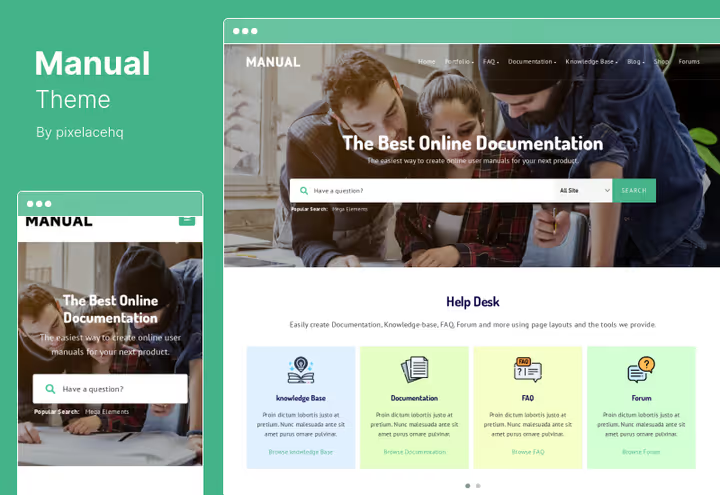
Manual, the best-selling documentation theme on ThemeForest: over 3500 installs and a 4.11 rating. Built on WPBakery Page Builder: pages are assembled visually by dragging and dropping blocks. Under the hood, custom post types for articles, FAQ, forums and knowledge base.
The theme plays well with LearnPress: you can embed training courses right into the documentation section. WPML comes "out of the box", WooCommerce is also supported, convenient if documentation is sold as part of a product.
- Pros: compatibility with LearnPress (user training within documentation); WPML without additional configuration hassles; WooCommerce for monetizing access to articles.
- Cons: WPBakery makes pages heavier, migration to another builder will require a complete rebuild; no built-in integration with bbPress for forums.
- Price: $59 on ThemeForest, includes auto-updates.
2. Docly, dark mode, 40+ pages and bbPress
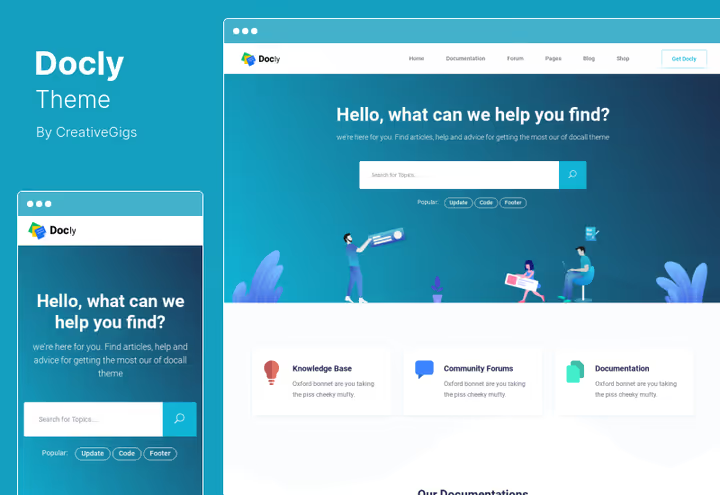
Docly wins on UX details. Dark mode toggle, not cosmetics but real care for developers reading documentation at night. Font size changes on the fly, tooltips show page previews, a directory indicator helps you navigate the structure. Three demo variants and more than 40 ready pages: from knowledge base to forum via bbPress.
Sticky sidebar keeps navigation in view when scrolling long articles, a detail that saves dozens of clicks.
- Pros: dark mode "out of the box"; sticky sidebar for navigation; bbPress compatibility.
- Cons: no Elementor integration, only built-in builder; user community is smaller than Manual's.
- Price: $59 on ThemeForest, six months of support.
3. Docy, help desk, knowledge base and code highlighting
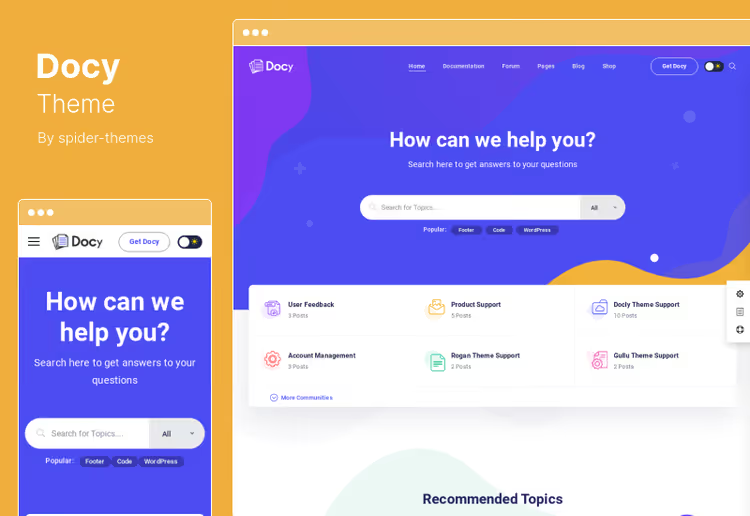
Docy combines knowledge base, wiki and help desk in one theme. Now supports both Elementor and Gutenberg, you can choose a builder for your team. Built-in code syntax highlighter, a rarity among documentation themes: snippets are readable without strain, important for those documenting APIs or libraries.
The theme supports full-width layouts, responsive design, WPML and RTL. Rating 4.58 with 430 sales, best among "forum" themes in the selection. Price has risen to $89, but the functionality justifies every dollar.
- Pros: built-in help desk with forum and ticket system; code syntax highlighter; WPML and RTL "out of the box".
- Cons: price has risen to $89, more expensive than most competitors; no integration with BuddyPress.
- Price: $89 on ThemeForest, six months of support.
4. TheDocs, Bootstrap theme for API documentation
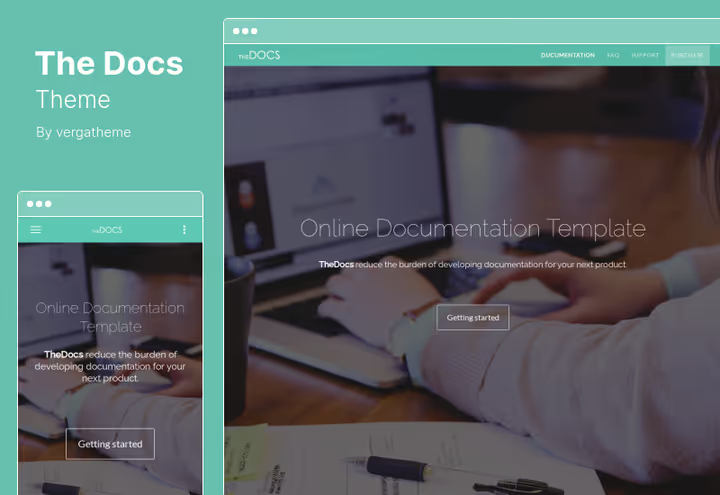
TheDocs is built on Bootstrap and tailored for interactive documentation: APIs, frameworks, plugins, templates. Supports element animation, unlimited color schemes and creating single-page projects. Contact Form 7 for feedback forms.
The fly in the ointment: 2.92 rating and complaints about data importer bugs. At $99 competitors offer more for less money.
- Pros: Bootstrap foundation simplifies customization for developers; interactive components for demonstrating APIs; Contact Form 7 for feedback.
- Cons: low rating (2.92), complaints about bugs; high price relative to competitors with unstable quality.
- Price: $99 on ThemeForest.
5. DDoc, entry-level Elementor theme for $39
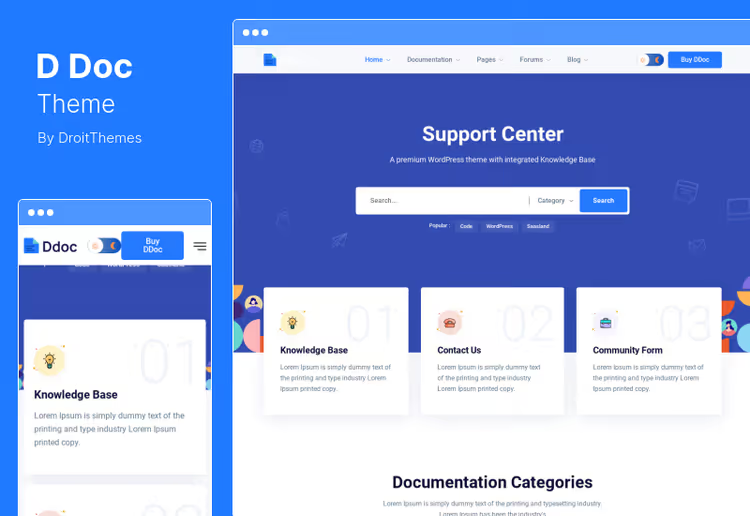
DDoc, the most affordable theme in the selection. You get Elementor integration, clean minimalist design and an admin panel with a wide range of options. Suitable for a small product that needs a neat knowledge base without unnecessary bells and whistles.
The theme is easy to learn and quick to set up. But it's built on Twitter Bootstrap 4, an outdated version, which may come back to haunt you when updating WordPress.
- Pros: Elementor for visual editing without code; lowest price in the selection ($39); quick launch for a small project.
- Cons: Twitter Bootstrap 4 (outdated version); only 23 sales, community is practically non-existent.
- Price: $39 on ThemeForest.
6. Tikidocs, 5.00 rating, multi-platform and 600+ fonts
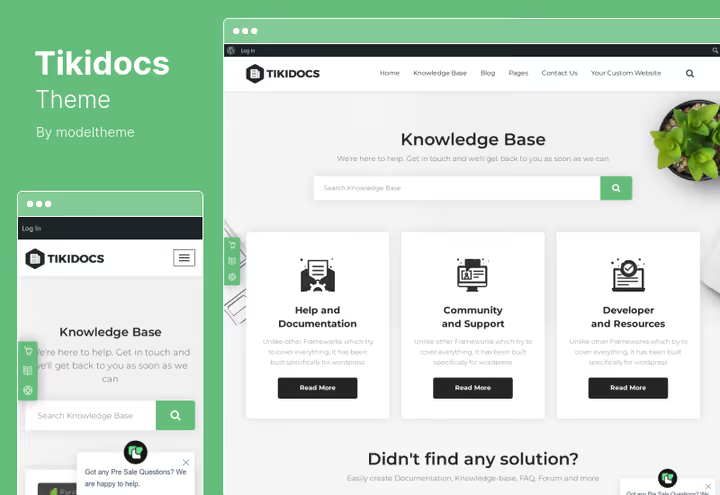
Tikidocs holds a perfect 5.00 rating on ThemeForest with 433 sales. Unique feature, multi-platform structure: you can document products for WordPress, Joomla and Drupal on one site. More than 600 Google Fonts, unlimited sidebars and lifetime updates included in the price.
Important nuance: the last update was in 2021. Before buying, check compatibility with the current WordPress version on a test stand.
- Pros: 5.00 rating and 433 sales; multi-platform documentation; lifetime updates.
- Cons: last update in 2021, requires compatibility check; no Elementor, only built-in builder.
- Price: $75 on ThemeForest, all plugins and lifetime updates included.
7. Docfi, Elementor + Gutenberg from Power Elite author

Docfi, one of the freshest themes in the selection, from RadiusTheme (Power Elite status on Envato). Supports both Elementor and Gutenberg: 300+ blocks with styles, three ready home pages and one-click install. Code is clean, optimized, with auto-updates.
WPML and RTL come "out of the box", the theme is ready for multilingual projects without additional plugins. 311 sales and 5.00 rating with 5+ reviews: the product is relatively new, but the author with 60,000+ users on Envato inspires confidence.
- Pros: Elementor and Gutenberg in one theme, 300+ blocks; WPML and RTL without surcharges; Power Elite author with huge user base.
- Cons: no built-in integration with bbPress; 311 sales, community is still forming.
- Price: $59 on ThemeForest, lifetime updates.
8. TheGuide, Bootstrap for single-page documentation
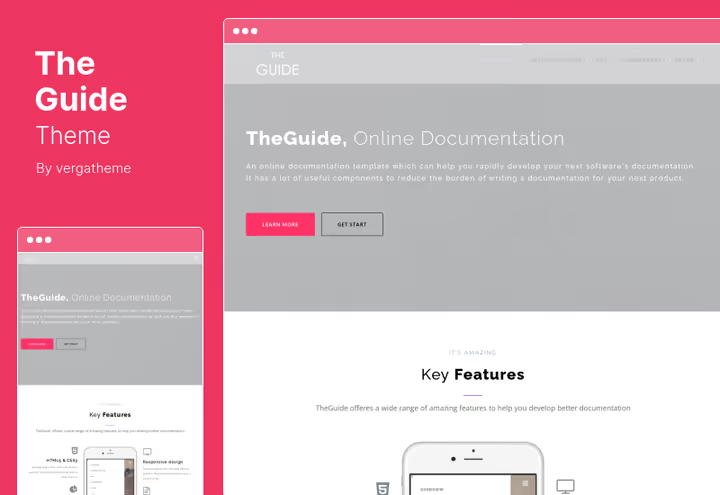
TheGuide, a Bootstrap theme focused on creating single-page documentation for a specific product. Supports element animation, unlimited color schemes and retina-ready graphics. Works well for documenting one product with interactive API examples.
The theme remains a niche tool: 28 sales, no reviews on ThemeForest, buyers have not yet formed a consensus.
- Pros: single-page format for small products; retina compatibility and element animation; Contact Form 7 for feedback.
- Cons: 28 sales and absence of reviews; high price ($99) with modest functionality.
- Price: $99 on ThemeForest, six months of support.
9. Flatbase, live search, bbPress and clean wiki

Flatbase, a concise theme for knowledge base and wiki from NiceThemes. Main trump card, live search on the home page: users enter a query and instantly see results without page reload. Built-in integration with bbPress allows launching a support forum without additional plugins.
The theme shows article reading time and allows users to like, simple signals that help authors understand which articles are actually read. Design is deliberately flat, without visual noise: all focus is on content.
- Pros: live search on home page without delay; bbPress "out of the box"; reading time and likes for content analytics.
- Cons: design may seem too simple for commercial products; no Elementor or Gutenberg blocks, only built-in builder.
- Price: $49 on ThemeForest.
10. Lore, lightweight Gutenberg theme with focus on SEO
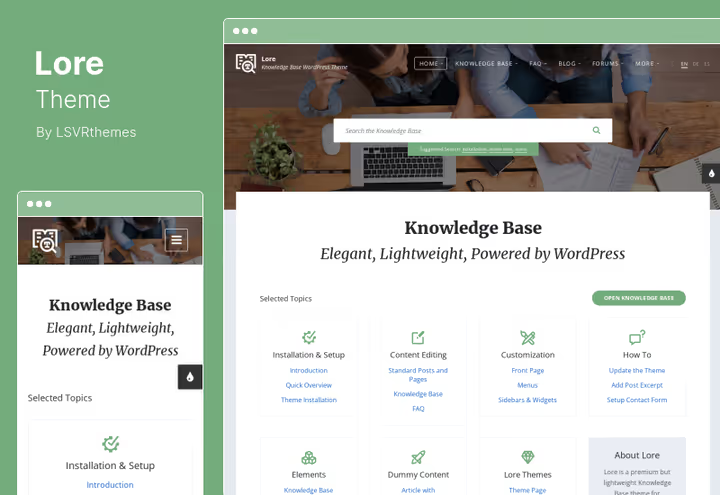
Lore, one of the fastest themes in the selection. Built on Gutenberg with emphasis on SEO best practices: semantic markup, microdata, minimal DOM. Supports RTL languages "out of the box", child themes and modular post types.
Minimalist approach: fewer demos, but code is clean and optimized. For developers who value page load speed over visual bells and whistles.
- Pros: very lightweight and fast, code is optimized; RTL compatibility "out of the box"; modular post structure.
- Cons: Gutenberg only, no integration with page builders; fewer ready demos than competitors.
- Price: $59 on ThemeForest.
11. KnowHow, video post format and built-in shortcodes
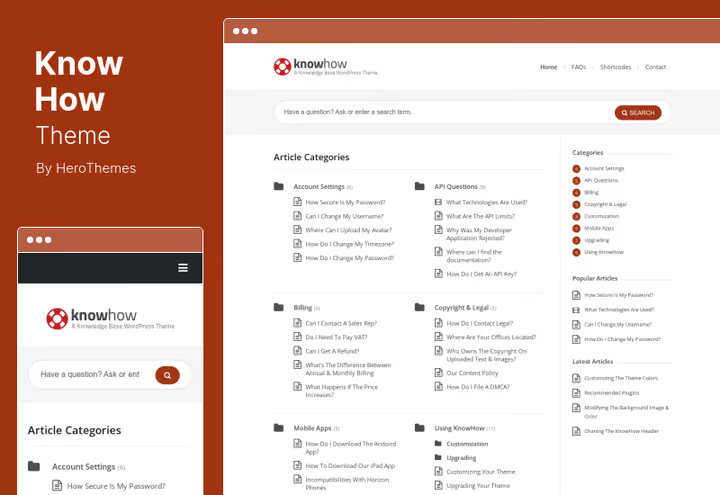
KnowHow, one of the oldest documentation themes on ThemeForest, with thousands of sales. Unique feature: video post format, you can embed video tutorials as answers in FAQ or step-by-step guides. Built-in shortcodes add buttons, columns, alerts and toggles without additional plugins.
Design looks dated compared to newer themes, and there's no support for Elementor or Gutenberg. But for projects where video is the main format of documentation, there are few alternatives.
- Pros: video post format for visual instructions; rich set of shortcodes without plugins; translation-ready.
- Cons: design is dated; no support for Elementor or Gutenberg.
- Price: $59 on ThemeForest.
12. Wikb, WooCommerce, bbPress and help desk in one theme
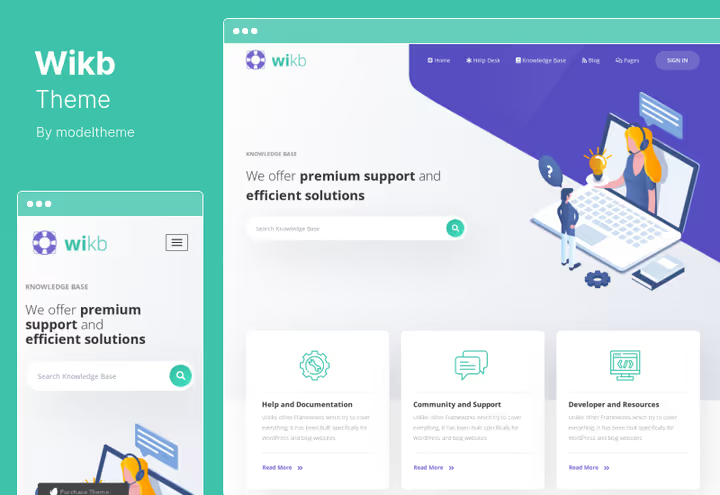
Wikb combines knowledge base, help desk and e-commerce. Built-in compatibility with WooCommerce allows selling access to documentation, and bbPress, launching a support forum. 600+ Google Fonts, several header variants and CSS animations.
Because of the many integrated components, the theme is more complex in initial setup. But for a project where documentation is monetized, this is a plus, not a minus.
- Pros: WooCommerce and bbPress in one theme; lifetime updates included; rich typography and animations.
- Cons: more complex to configure due to abundance of components; Contact Form 7, the only supported form builder.
- Price: $75 on ThemeForest.
13. Tessera, bbPress, Awesome Support and Elementor for $49
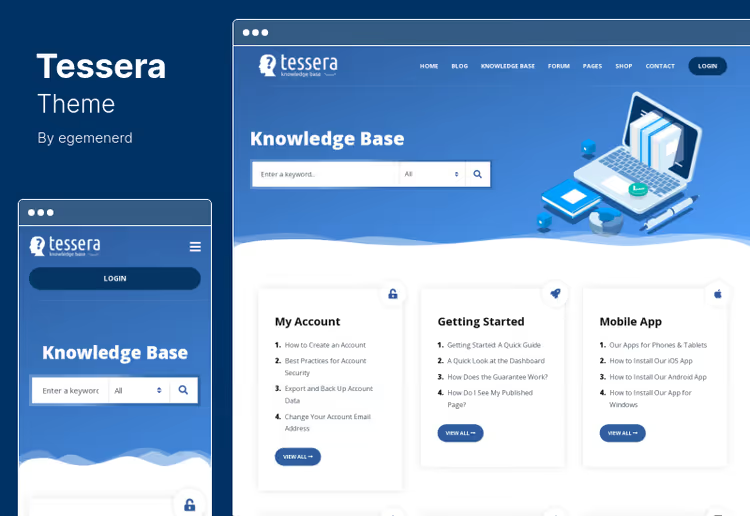
Tessera, one of the most affordable themes with full forum and ticket support. Integrates with bbPress and Awesome Support, a powerful ticket solution. Elementor compatibility with widgets extends customization, and unlimited colors and custom taxonomies provide flexibility.
For $49 you get lifetime updates and six months of support. Perhaps the best price-to-functionality ratio in the selection.
- Pros: Awesome Support, one of the best ticket systems for WordPress; Elementor widgets for customization; $49, excellent price-to-functionality ratio.
- Cons: translation-ready, but without WPML "out of the box"; fewer ready demos than leaders.
- Price: $49 on ThemeForest, lifetime updates and 6 months of support.
14. Knowledge Base, wiki theme from InspiryThemes with bbPress

Knowledge Base from InspiryThemes, a clean wiki solution for customer support. Built on Bootstrap, fully responsive and includes bbPress integration: the forum launches right after theme installation, without configuration hassles. WPML compatibility allows deploying a multilingual knowledge base.
The theme is not overloaded with visual effects, all emphasis is on content structure and search. Suitable for companies that need a strict, working knowledge base without marketing bells and whistles.
- Pros: bbPress and Bootstrap "out of the box"; WPML for multilingual support; clean wiki approach without unnecessary graphics.
- Cons: no Elementor or Gutenberg blocks; design is conservative compared to Docfi or Docly.
- Price: $59 on ThemeForest.
🔗 Knowledge Base on ThemeForest
15. KBase, BuddyPress, bbPress and 20+ skins
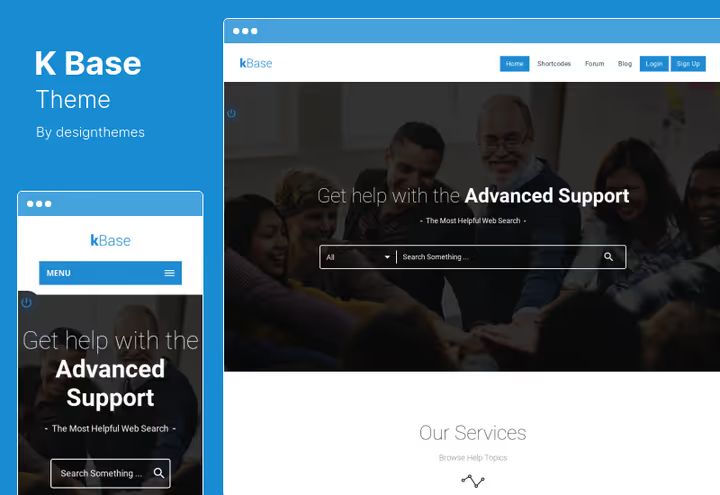
KBase, a theme for building a full community around documentation. BuddyPress turns knowledge base into a social platform: user profiles, groups, activity. bbPress adds a forum, and 20+ color skins allow fitting the design to your brand.
Live search filters results by categories and custom parameters. But note: BuddyPress requires separate server configuration, and without it part of the theme's functionality loses meaning.
- Pros: BuddyPress and bbPress, full community; more than 20 color skins; live search with filtering.
- Cons: BuddyPress requires server configuration; without BuddyPress half the functionality is unnecessary.
- Price: $69 on ThemeForest, 6 months of support.
16. Online Documentation, free theme for help center from WordPress.org

Online Documentation, a free theme from the official WordPress.org catalog, tailored for help centers and knowledge bases. Supports Gutenberg, translation-ready and includes e-commerce integration: you can sell digital products, premium guides and online courses right from the documentation section.
The theme suits businesses, SaaS companies and product owners who need a neat reference section without a budget for a premium theme. Passes strict WordPress.org moderation and is regularly updated, risk of being abandoned by the author is practically zero.
- Pros: free and passes WordPress.org moderation; Gutenberg and translation-ready; built-in e-commerce support.
- Cons: fewer demo templates than premium themes; no built-in forum (bbPress connects separately).
- Price: free in WordPress.org catalog.
🔗 Online Documentation on WordPress.org
Live example: building a documentation site on WordPress
Theory is the foundation, but a live site on a specific theme says more than any description. The video shows how a documentation site on WordPress is built from scratch and which themes actually work in production:
⁉️🤔 Frequently asked questions
Do I need a documentation theme specifically, not a universal one?
If you have more than 15-20 articles and need a tree structure with search, yes. A universal theme won't give taxonomy "out of the box" and fast document search without additional plugins. A specialized theme saves 3-5 plugins and provides pre-configured architecture: post types for articles, taxonomies for sections, widgets for documentation tree and a feedback form. On a universal theme all this is assembled manually, and supporting such a "zoo" becomes more expensive over time.
What's better: a ThemeForest theme or a free one from WordPress.org?
ThemeForest themes win on functionality, but lose on update predictability. Free themes from WordPress.org pass strict moderation and are more frequently updated. For a commercial product we recommend a ThemeForest theme with update history and active author support. Check the last update date: if more than a year has passed, the theme may break on fresh WordPress. Free themes like Online Documentation are a good option for non-critical projects, but they rarely include help desk or deep integration with bbPress.
Which page builder to choose?
Gutenberg provides the highest performance: it's the native WordPress editor without an additional abstraction layer. Elementor offers the best visual experience and a huge widget library. WPBakery makes pages heavier, but retraining a team is not always justified. From the selection: Gutenberg, Lore and Online Documentation; Elementor, DDoc, Docfi, Tessera; both, Docy; WPBakery, Manual.
Is it mandatory to connect a forum to a documentation site?
Not mandatory, but a forum reduces load on support: users answer each other, and the best answers become part of the documentation. bbPress is integrated in Docly, Docy, Tikidocs, Wikb, Flatbase, Tessera, Knowledge Base and KBase. With an audience over 500 active users, a forum pays for itself through self-service: a significant part of typical questions is resolved without support team involvement.
How do I migrate existing documentation to a new theme?
Articles and pages transfer with standard WordPress export. But taxonomies, widgets, theme settings and custom post types are configured anew. Allow 1-2 days for migration for medium documentation volume (50-100 articles). Before migration, full backup and testing on a staging copy.
What to install in 2026: final breakdown
Go through the matrix and get a ready choice for your scenario:
- Large product with thousands of users, take Manual. 3500+ sales, WPBakery, LearnPress, WooCommerce. Proven flagship for scaling.
- Need forum and help desk "out of the box", Docy. Built-in help desk, knowledge base and code highlighting. Best rating among "forum" themes (4.58), now with support for both Elementor and Gutenberg.
- Want a fresh and modern stack (Elementor + Gutenberg), Docfi. 300+ blocks, WPML, RTL, from Power Elite author. Ideal for starting in 2026.
- Gutenberg and pure speed, Lore or Flatbase. No third-party page builders, minimal DOM and live search.
- Visual flexibility with Elementor, DDoc (budget start), Docfi (modern stack), Tessera (ticket system).
- Need community (BuddyPress), KBase. The only theme in the selection with full social integration.
- Zero budget, but need a quality help center, Online Documentation from WordPress.org. Free, Gutenberg, ecommerce integration and regular updates.
Prices and comparison are in the table above. Choose a theme that fits your stack and launch documentation that actually helps users, not a dead section gathering dust.

A professional team of writers and editors specializing in creating quality content.