














🆘 7 best WordPress helpdesk plugins 2026 (Free & Paid)
Email, Telegram, social media DMs, website forms, and now you can't remember who you replied to yesterday and who's been waiting for four days. A typical situation for a WordPress site owner who's been holding on to Gmail threads until the last moment.
A helpdesk plugin closes this chaos. It turns scattered inquiries into a structured ticket system inside the WordPress admin. No need for a separate SaaS with monthly fees, no need to jump between Zendesk tabs and your site. Everything is under your control, on your server.
Below are seven plugins that solve this task: from lightweight free solutions to powerful combines with AI auto-responses, email piping, and WooCommerce integration. Each has been tested on a live site, with honest pros and cons for each.
💡 Quick overview:
- We compare 7 WordPress helpdesk plugins: from fully free to premium
- We show interface screenshots and break down the pros and cons of each
- In the final matrix, we match a plugin to your scenario: online store, SaaS, customer support, or internal helpdesk
Quick comparison: top 5 table
Plugin | For whom | Price | Key feature |
|---|---|---|---|
JS Help Desk | Universal | Free / from $35 | AI auto-responses (Zywrap), guest tickets |
WSDesk | WooCommerce stores | Free / Premium | Email piping + triggers, AJAX interface |
FluentSupport | Business, agencies | Free / Pro $99/year | SPA (VueJS), migration from Zendesk/HelpScout |
Hive Support | Chat and ticket hybrid | Free / Pro | AI chatbot with RAG, live chat, handoff |
Awesome Support | Maximum extensions | Free / add-ons | 50+ add-ons, import from Zendesk/HelpScout/Ticksy |
1. JS Help Desk

JS Help Desk is one of the most actively developing helpdesk plugins for WordPress. The JoomSky team has built in Zywrap AI Copilot: the agent doesn't write prompts manually but selects a ready-made Support Intent, and AI generates the response, summarizes the conversation, or extracts error codes from the user's messages. AI is disabled by default and is only enabled after the administrator enters an API key.
Users create tickets from the frontend through the [jssupportticket_addticket] shortcode. Guest tickets are supported without registration. In the free version, there are no limits on the number of agents and tickets: you can create unlimited departments, assign priorities with color coding, and add internal notes for the team.
Pros:
- AI copilot without manual prompt engineering
- Guest tickets without registration
- Unlimited agents and departments in the free version
- 35+ premium add-ons (Email Piping, WooCommerce, Time Tracking, Knowledge Base)
- GDPR compliance, 7 color themes
Cons:
- Plugin CSS is hard to override (users complain about
!importantand lack of flexbox/grid) - Some features (SLA, agent auto-assignment) are only in paid add-ons
- AI Copilot requires a separate Zywrap account
Price: Free version in the WordPress.org catalog, premium from $35 (one-time license). Add-ons are paid separately.
🔗 JS Help Desk on WordPress.org🔗 Live demo
2. WSDesk
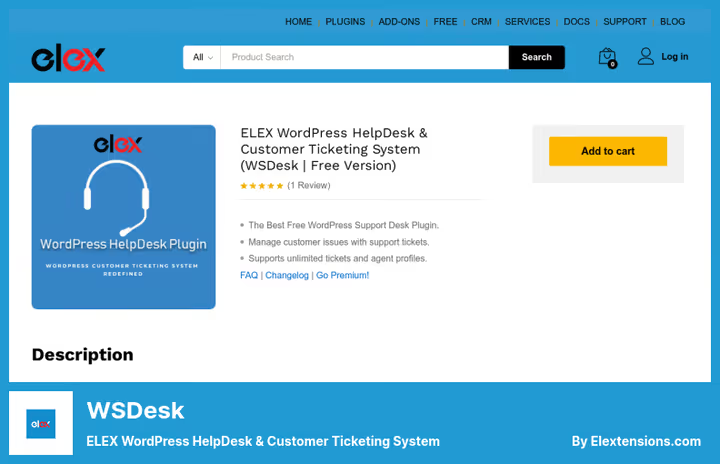
WSDesk by ELEX is an AJAX helpdesk without page reloads with every agent action. The interface flies: filtering tickets by tags, agents, email source, switching between tickets, everything is instant.
WSDesk's main strength is email piping through IMAP or Google OAuth. Unread emails from a dedicated support mailbox automatically turn into tickets, agent responses go to the client via email, and the entire conversation is collected inside WordPress. In the premium version, ChatGPT auto-responses, triggers, and automation (agent assignment, auto-response on ticket creation), bulk editing, and ticket merging are added.
WooCommerce integration is deep: in the ticket card, you can see the client's order history, purchase amount, order number. For EDD (Easy Digital Downloads), there's also integration, with store products automatically pulled into the ticket form.
Pros:
- Fast AJAX interface without reloads
- Email piping in the free version
- Deep WooCommerce integration
- Triggers and automation (Premium)
- Bulk ticket editing, XML backup
- Ready-made response templates (canned responses)
Cons:
- Free version supports only one attachment per ticket
- Some important features (HTML responses, auto-tagging, satisfaction reports) are only in Premium
- Interface may seem cluttered for a small team
Price: Free version on the ELEX site, Premium pricing on the developer's site (30-day refund).
3. FluentSupport

FluentSupport is a helpdesk from the WPManageNinja team (creators of FluentCRM, FluentForms, Ninja Tables), built as a Single Page Application on VueJS and REST API. The interface is instant: switching between tickets, filtering, searching, without reloading the entire admin page.
In the Pro version ($99/year for unlimited sites, according to developer pricing), OpenAI integration is connected: AI generates draft responses, analyzes message tone, and summarizes long conversations. Workflows automate agent assignment, priority setting, and sending template responses via triggers.
Out of the box, there's migration from Awesome Support, SupportCandy, HelpScout, and Zendesk. A team outgrowing a SaaS solution can move to WordPress in a few minutes. FluentSupport also integrates with LearnDash, TutorLMS, BuddyBoss/BuddyPress, Restrict Content Pro, and other membership plugins, pulling student and member data directly into the ticket card.
Pros:
- SPA interface (VueJS), fast and without reloads
- Built-in migration from Awesome Support/SupportCandy/Zendesk/HelpScout
- AI auto-responses (OpenAI) in Pro
- Workflows for automation
- Deep integration with LMS and membership plugins
- Separate database tables (doesn't affect site speed)
- Unlimited products and business inboxes
Cons:
- Pro version is paid ($99/year)
- Email piping requires Amazon Lambda setup (or Google Workspace/Microsoft 365 forwarding)
- No lifetime license
Price: Free version in the WordPress.org catalog, Pro $99/year (all features, unlimited sites).
🔗 FluentSupport on WordPress.org🔗 Official site
4. Hive Support

Hive Support is a live chat and ticket system hybrid by WPCommerz that's growing faster than most competitors in the WordPress.org catalog. Unlike classic helpdesks, the "AI chatbot → live chat → ticket" chain works without external services and subscriptions. Everything is self-hosted, on your server.
The AI chatbot is trained on your documentation: you upload TXT or DOCX files with instructions, and it answers visitors with substance, not generic phrases. If AI can't handle it, the visitor clicks the "call a human" button, and the request goes to the live support queue directly in the WordPress admin. The agent accepts the chat with the full conversation history. If agents are offline, AI creates a ticket with a conversation summary, and the team responds later.
In the Pro version, unlimited automation triggers, custom ticket fields, response templates, and integrations with Telegram, Slack, Discord, and WhatsApp are added. For WooCommerce and EDD, there's native integration with the client's orders pulled into the ticket card.
Pros:
- AI chatbot with RAG (training on your content, no hallucinations)
- Live chat + tickets in one plugin
- Self-hosted (data doesn't go to third-party SaaS)
- Free core with unlimited tickets, agents, and mailboxes
- AI-to-human handoff without losing context
- Integrations with WooCommerce, EDD, Slack, Telegram, Discord, WhatsApp
Cons:
- AI features (chatbot, handoff, RAG) are only in Pro
- Live chat is only in Pro
- The project is younger than competitors (fewer ready-made add-ons than Awesome Support)
Price: Free core in the WordPress.org catalog. Pro pricing on the developer's site (one-time discount up to 53% at launch).
🔗 Hive Support on WordPress.org🔗 Official site
5. WooCommerce Support Ticket System
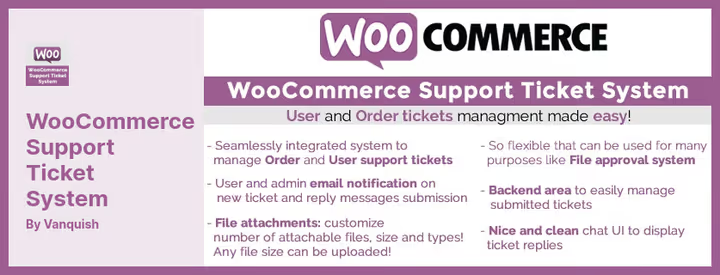
WooCommerce Support Ticket System (WCSTS) is a specialized solution for WooCommerce stores. The entry point is the orders page: the customer sees a "Create ticket" button directly in their purchase list, and the inquiry is automatically linked to a specific order. On the agent's side, they instantly see the customer's purchase history, order amount, and status.
The plugin supports shortcodes, and the ticket form can be placed on any site page. Attachments are controlled by the administrator: you can set allowed file types, maximum size, and quantity. Email notifications are configured separately for users and administrators, and ticket priority is set at creation.
Pros:
- Native integration with WooCommerce orders (ticket linked to a specific order)
- Shortcodes for placing the form anywhere
- Attachment control by types and size
- Ticket priorities
- One-time licenses without subscription
Cons:
- WooCommerce only (not suitable for EDD or other eCommerce plugins)
- No email piping
- No AI auto-responses
- Distributed through CodeCanyon (not in the WordPress.org catalog)
Price: $27 (CodeCanyon one-time license, 12 months support).
6. Awesome Support
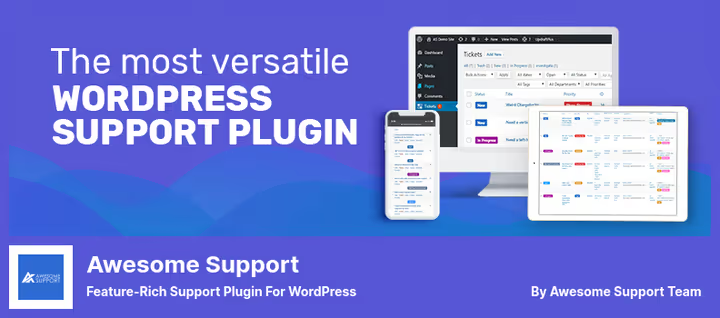
Awesome Support is a WordPress helpdesk veteran with the most extensive extension ecosystem: 50+ premium add-ons cover virtually any scenario. Ticket import from Zendesk, HelpScout, and Ticksy is available through a free add-on, a rare option for those moving from SaaS to self-hosted.
The free core functionality is impressive: unlimited tickets and agents, custom fields, multiple products and departments, basic time tracking, REST API, GDPR mode. Add-ons cover email piping, WooCommerce, SLA, satisfaction, agent auto-assignment, Knowledge Base, Canned Responses, integration with Gravity Forms, and Zapier.
Pros:
- Largest add-on ecosystem (50+)
- Free import from Zendesk/HelpScout/Ticksy
- REST API for developers
- Basic time tracking in core
- Unlimited agents and tickets for free
- Active community and documentation
Cons:
- Many important features are in paid add-ons (add-on costs add up)
- Interface looks conservative compared to FluentSupport or SupportCandy
- Add-on packages (bundles) can cost $149-$249/year
Price: Free core in the WordPress.org catalog. Add-ons from $25 to $149 each, bundles with 20-80% discount.
🔗 Awesome Support on WordPress.org🔗 Developer site
7. SupportCandy

SupportCandy is a helpdesk with the most flexible ticket field management among free WordPress solutions. 16+ custom field types, agent-only fields (visible only to the support team), saved filters for quick access to tickets by tags, categories, and statuses. Guest tickets are disabled by default but are enabled with a single toggle.
In the Pro branch, AI Assistant appears: the agent gets a summary, draft response, or text polish directly in the ticket interface. Email piping supports three methods: Basic IMAP, Gmail API, and Microsoft Exchange. The SLA module automatically calculates deadlines with holidays and weekends in mind, and Satisfaction Survey collects customer ratings when tickets are closed.
Pros:
- 16+ custom field types
- Flexible agent permissions system
- SLA with weekends and holidays (Pro)
- Guest tickets with OTP login
- Integration with BetterDocs/Ultimate FAQ/Arconix FAQ (Pro)
- REST API, detailed reports
Cons:
- AI Assistant is only in Pro
- Most add-ons are paid (Email Piping, SLA, Canned Replies, Satisfaction Survey, timer)
- Interface is rich with settings and requires time to master
Price: Free core in the WordPress.org catalog. Pro add-ons pricing on the developer's site.
🔗 SupportCandy on WordPress.org
⁉️🤔 Frequently asked questions
Do I need a helpdesk plugin if I use a regular contact form?
A contact form simply sends an email to your inbox. A helpdesk creates structure: each request gets a status, priority, and assigned agent. When you have 3-5 emails per day, there's no difference. When 20+, lost requests start happening without a ticket system. Free plugins from this list (JS Help Desk, FluentSupport, SupportCandy) launch in 10 minutes and close this risk.
Which plugin to choose for a WooCommerce online store?
If seeing the customer's orders directly in the ticket is critical, take WooCommerce Support Ticket System (#5) or WSDesk (#2). The first is tightly linked to orders and doesn't distract with extra features. The second is more universal: email piping, AJAX, automation triggers, and also shows purchase history. Awesome Support (#6) with the WooCommerce add-on is an option for complex scenarios with SLA and reports.
Can I replace Zendesk or HelpScout with a WordPress plugin?
Yes, and FluentSupport and Awesome Support are best suited for this scenario. Both have built-in import from Zendesk and HelpScout. FluentSupport wins with interface speed (SPA on VueJS) and setup simplicity. Awesome Support offers an ecosystem of 50+ add-ons: if you need SLA, satisfaction, auto-assignment, there are more options, but setup is more complex.
Is the free version enough or do I need Pro?
For a basic ticket system with a frontend form and responses from the admin, the free version is more than enough in all plugins except WooCommerce Support Ticket System (only paid there). Email piping and AI auto-responses are almost everywhere Pro features. If you process 50+ tickets per month, Pro pays for itself through automation: auto-responses, agent assignment triggers, and ready-made templates save hours of manual work.
How to check that the plugin won't slow down the site?
All plugins from this list store tickets in separate database tables and don't affect frontend speed. The lightest is FluentSupport (SPA architecture, loads only needed data). WSDesk is AJAX without reloads. Hive Support is self-hosted, with no external SaaS requests on site pages. Awesome Support and SupportCandy also use separate tables, but as the number of add-ons grows, it's worth monitoring the number of database queries.
Which plugin to choose for an internal company IT helpdesk?
If support is provided to employees inside the company, not customers, take SupportCandy. Set up agent-only fields (hidden from the user), enable SLA with working hours and holidays, create agent groups by department. An alternative is Awesome Support with the Private Notes and Company Profiles add-on if you need multiple employees of one company to see a shared ticket pool.
Which plugin to choose for your task?
There's no universal winner here, it all comes down to the scenario. If you need a quick free start with an AI assistant, take JS Help Desk: AI Copilot saves time on responses, and the free version doesn't cut agents and tickets. For a WooCommerce online store, WSDesk or WooCommerce Support Ticket System (the first if you need email piping and automation, the second if linking tickets to orders is enough). Moving from Zendesk/HelpScout, FluentSupport: migration in minutes, SPA interface, AI auto-responses in Pro. Need live chat plus ticket system, Hive Support: AI chatbot with RAG, handoff to a live agent, self-hosted. Need maximum flexibility and customization, Awesome Support or SupportCandy (the first with an ecosystem of 50+ add-ons, the second with deep field and SLA customization). Start with the free version of any plugin from the top three, and in 15 minutes you'll have a working ticket system and understand if you need Pro features.

A professional team of writers and editors specializing in creating quality content.