














🍝 7 best recipe plugins for WordPress 2026
A food blog without a recipe card is like a website without breadcrumbs: readers see a wall of text with ingredients somewhere in the middle and close the tab. Google isn't thrilled either, without Schema markup, your perfect tiramisu in search results looks no different from your neighbor's note "added everything by eye."
The problem runs deeper than it seems. Manual coding of micromarkup through JSON-LD eats up hours, while a buggy plugin duplicates fields, breaks AMP and loads unnecessary CSS on every page. We tested dozens of recipe plugins for WordPress and selected seven that solve these tasks without workarounds.
💡 Quick overview:
- identify your niche and choose the right plugin from seven tested options,
- compare prices and features using the table to avoid overpaying for unnecessary features,
- test the winner on real recipes and verify Schema through Search Console.
Comparison table of recipe plugins for WordPress
Plugin | Free version | Pro price | JSON-LD schema | Recipe ratings | Import from other plugins | Video recipes | AMP |
|---|---|---|---|---|---|---|---|
Tasty Recipes | ❌ | from $99/year | ✅ | ✅ | ✅ | ✅ | ✅ |
Delicious Recipes | ✅ | $49/year | ✅ | ✅ | ❌ | ❌ | ✅ |
WP Recipe Maker | ✅ | ❌ (completely free) | ✅ | ✅ | ✅ | ✅ | ✅ |
Zip Recipes | ✅ | ❌ (completely free) | ✅ | ✅ | ❌ | ❌ | ✅ |
Recipe Card Blocks | ✅ | $69/year | ✅ | ✅ | ❌ | ✅ (Pro) | ✅ |
Total Recipe Generator | ❌ | $29 (one-time) | ✅ | ❌ | ❌ | ❌ | ❌ |
Create (Mediavine) | ✅ | ❌ (completely free) | ✅ | ✅ | ✅ | ✅ | ✅ |
1. Tasty Recipes
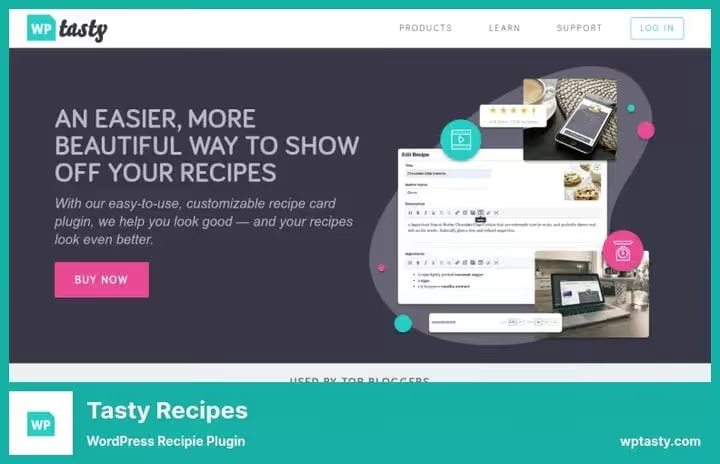
Flagship plugin from WP Tasty, the team behind the ecosystem of tools for food bloggers (Tasty Pins, Tasty Roundups, Tasty Links). This is an all-in-one premium solution: recipe cards with Schema JSON-LD, visitor star ratings, Instacart integration for ingredient delivery and Cook Mode, which keeps the screen from dimming while cooking.
Tasty Recipes automatically calculates nutritional value, converts units of measurement (cups → grams) and supports video in instructions, you can embed a YouTube clip right into a cooking step. Five built-in card templates offer a choice between classic, minimalist and magazine presentation.
Pros: complete SEO optimization out of the box, star ratings, import from WP Recipe Maker and other plugins, Instacart "buy ingredients" button.
Cons: no free tier, minimum entry threshold $49 in the first year (50% discount on WP Tasty website).
💵 Price: Basic, $99/year ($49 first year, 1 site), Plus, $149/year (3 sites), Pro, $249/year (5 sites), All Access, $399/year (25 sites + entire WP Tasty ecosystem). Current pricing on WP Tasty website.
2. Delicious Recipes
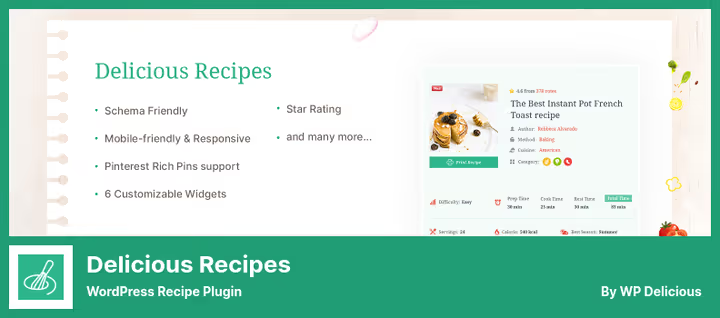
Delicious Recipes from WP Delicious, a combination of a free plugin in the WordPress.org repository and a premium add-on with extended features. The plugin builds a REST API for recipe management, registers users on the site (readers can save favorites and rate cards) and breaks down recipes by categories: courses, cuisines, cooking methods, keys and tags.
The free version already includes Schema JSON-LD, responsive templates and basic metrics (number of submitted recipes, popularity, ratings). The Pro version on wpdelicious.com adds custom templates, extended analytics and priority support.
Pros: beginner-friendly, intuitive interface, REST API under the hood, user accounts and favorites increase engagement.
Cons: no import from competing plugins, you'll lose existing cards during migration.
💵 Price: free Lite version on WordPress.org. Premium, $49/year (wpdelicious.com).
🔗 Delicious Recipes on WordPress.org | 🔗 Delicious Recipes Pro
3. WP Recipe Maker

The most popular free recipe plugin in the WordPress repository with 90,000+ active installations and a 4.9★ rating. Works with the classic editor, Gutenberg and Elementor, cards can be inserted into any post or page via shortcode or block.
WP Recipe Maker generates JSON-LD metadata for both recipes (Recipe) and instructions (HowTo), meaning double coverage in Google search results. The built-in Template Editor allows you to customize the appearance of cards: colors, fonts, block placement. The plugin is completely free, the development team monetizes a premium bundle (WP Recipe Maker Premium) with additional templates and calorie counting, but the basic functionality covers the needs of 95% of food bloggers.
Pros: impressive free package (JSON-LD for Recipe + HowTo, template editor, import from 10+ plugins), huge community, Elementor widget.
Cons: premium templates and nutrition facts only in paid version.
💵 Price: free. Premium bundle, from €49/year.
🔗 WP Recipe Maker on WordPress.org
4. Zip Recipes

Zip Recipes, a veteran of the niche with completely free functionality and a professional approach to search results. The main feature, integration with Google AMP: recipes load from search results instantly via Accelerated Mobile Pages. JSON-LD markup automatically generates Rich Pins on Pinterest and rich snippets in Google, with photos, ratings, nutritional value and cooking method right in the SERP.
The plugin uses a WYSIWYG editor for entering recipes (you can simply copy text from Word) and automatically generates a nutrition table. Readers can search for recipes through built-in site search, rate them and save to external services, Big Oven, Yummly.
Pros: completely free (WordPress.org), AMP-ready, Rich Pins on Pinterest, automatic nutrition facts, recipe search on site.
Cons: admin interface looks dated compared to Tasty Recipes, no import from other plugins.
💵 Price: completely free.
🔗 Zip Recipes on WordPress.org
5. Recipe Card Blocks
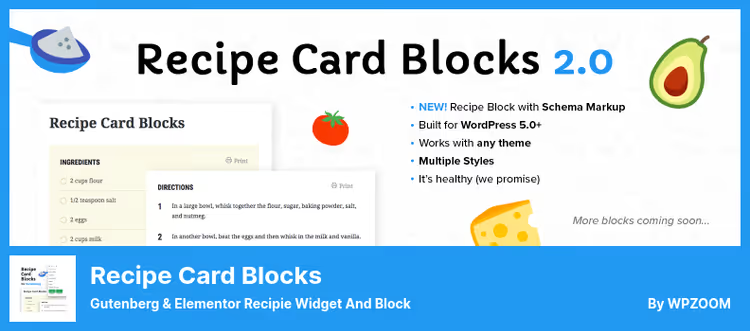
Product from WPZOOM studio, created specifically for the WordPress block editor (Gutenberg). This is not just a card, but a set of independent blocks: Recipe Card (with Schema.org markup), Details, Ingredients, Directions, Nutrition Facts. You can assemble a recipe like a constructor, or in the Pro version use a single "all in one" block.
Recipe Card Blocks has four built-in design styles, supports Elementor through a separate widget and complies with GDPR: the plugin does not send data outside the WordPress installation. The Pro version adds video recipes as a separate block, bulk ingredient input and CTA blocks for Facebook, Instagram and Pinterest.
Pros: native work with Gutenberg (blocks, not shortcodes), GDPR compliance out of the box, WPML support for multilingual sites.
Cons: some features (video block, bulk input, social CTA) locked in Pro.
💵 Price: Lite, free on WordPress.org. Pro, $69/year (wpzoom.com).
🔗 Recipe Card Blocks on WordPress.org | 🔗 Recipe Card Blocks Pro
6. Total Recipe Generator
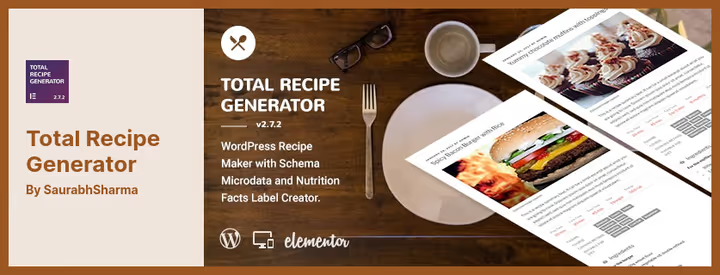
The only plugin in the collection built as an extension for Elementor, requires an active page builder. After installation, a new widget appears in the Elementor panel: a recipe card is assembled by dragging sections, ingredients, steps, mineral table, "Share" buttons, PDF export.
Customization is deep: colors, tags, social media icons and fields are configured granularly. Schema micromarkup is generated automatically, but without the same JSON-LD detail as WP Recipe Maker or Tasty Recipes. Suitable for those who already live in the Elementor ecosystem and don't want to install an extra plugin for one recipe block.
Pros: deep customization, built-in PDF export of recipes, one-time payment without subscription.
Cons: only for Elementor, useless without it, star ratings not provided.
💵 Price: $29 one-time on CodeCanyon (12 months support).
🔗 Total Recipe Generator on CodeCanyon
7. Create (Mediavine)

Create, a completely free plugin from advertising platform Mediavine, created for food bloggers, DIY authors and craft projects. Supports not only recipes (Recipe), but also instructions (HowTo), material lists and other Schema types, you can design a knitting workshop with the same care as a lasagna recipe.
Distinctive feature, live preview: the card renders in real time right in the editor, before publication. The plugin automatically calculates nutritional value, generates Google Rich Snippets and validates Schema. Lightweight code doesn't affect loading speed, a principled position of Mediavine, whose ad network depends on Core Web Vitals.
Pros: completely free, multiple Schema types (recipe + instructions + DIY), live preview, automatic nutrition facts, import from WP Recipe Maker and other plugins.
Cons: limited set of templates compared to premium alternatives.
💵 Price: completely free.
⁉️🤔 Frequently asked questions
Do I need a recipe card if I just insert text into a post?
From Google's perspective, yes. Without Schema markup of Recipe type, your content won't appear in rich snippets with photos, ratings and cooking time. According to WPZOOM data for 2025, recipes with JSON-LD get 38% more clicks from search than plain-text alternatives. Plus the card structures ingredients and steps so the reader doesn't get lost, and that's a direct path to time on page.
Which plugin should I choose if my budget is zero?
Three options without spending a penny: WP Recipe Maker (best free functionality, 90K+ installations), Create from Mediavine (multiple Schema types, live preview) and Zip Recipes (AMP-ready, Rich Pins on Pinterest). Of these three, WP Recipe Maker wins on depth: import from other plugins, template editor and JSON-LD simultaneously for Recipe and HowTo.
Can I migrate from one recipe plugin to another without losing data?
Yes, but with caveats. WP Recipe Maker imports recipes from 10+ plugins (including Tasty Recipes, Zip Recipes, Create) with a built-in
WP Recipe Maker > Importtool. Tasty Recipes supports import from WP Recipe Maker. Create (Mediavine) also knows how to transfer cards from WP Recipe Maker. Worst for migration is Delicious Recipes, no built-in import, only manual transfer via REST API.
How does a recipe plugin affect site speed?
Depends on implementation. Create (Mediavine) was specifically tailored for Core Web Vitals, Mediavine earns from advertising, and a slow site hits their revenue. WP Recipe Maker and Tasty Recipes load scripts and styles only on pages with recipes, not across the entire site. Zip Recipes adds AMP support, speeding up mobile search results. Worst for speed, plugins that load icon fonts and extra CSS frameworks. In any case, check via PageSpeed Insights before and after installation.
Which plugin is best for Elementor?
Total Recipe Generator, the only one built as a native Elementor extension: the widget appears right in the sidebar, you assemble the card drag-and-drop. If you need a free option, WP Recipe Maker: it has a separate Elementor block in the repository. Recipe Card Blocks from WPZOOM also offers an Elementor widget (in Lite and Pro), but with less customization flexibility than Total Recipe Generator.
So what should I choose in the end?
If after reading you have a mess of features and prices in your head, here's a short breakdown for specific scenarios. Working on pure Gutenberg and don't want to pay, take WP Recipe Maker. This is the free gold standard: 90,000+ blogs can't be wrong. Need Elementor and single payment, take Total Recipe Generator for $29 one-time. Monetizing your blog through Mediavine, take Create, it's specifically optimized for Core Web Vitals and doesn't conflict with the ad network. Ready to invest in a professional tool, Tasty Recipes for $99/year provides Instacart integration, Cook Mode, video instructions and the WP Tasty ecosystem (Pins, Roundups, Links) as a bonus. The main rule: set up Schema JSON-LD once, and Google will start showing your recipe with stars, photos and cooking time right in search results. And that's conversion to clicks you can't buy with any advertising.

A professional team of writers and editors specializing in creating quality content.