













 AIIllustrative image: AI-generated
👤 7 WordPress frontend profile plugins 2026 (free and paid)
The default WordPress registration dumps the user into a bare /wp-admin/ with minimal settings. For a site owner, this is a wasted touchpoint: no member area, no branded profile, no way to keep the user on the frontend part of the site. Yet that's exactly where they decide whether to come back or leave.
A quality frontend profile solves three problems at once: the user sees their data and subscriptions, the admin gets control over roles and access, and the site looks like a complete platform rather than a patchwork of third-party solutions. We've selected 7 plugins that fill this need without bloating the site or adding unnecessary code.
💡 Quick overview:
- Decide on your goal: do you just need a profile with registration, membership with paid content, or a full-fledged community with groups and activity.
- Check the table below and choose a plugin for your specific scenario. At the end of the roundup, targeted recommendations for each option.
Comparison table
Plugin | Free version | Pro (from) | Registration | Memberships | Community | Frontend dashboard |
|---|---|---|---|---|---|---|
User Registration | Yes | $79 | ✅ | Via add-on | ❌ | ✅ |
Profile Builder | Yes | $69 | ✅ | ❌ | ❌ | ✅ |
ProfileGrid | Yes | $79 | ✅ | ✅ | ✅ | ✅ |
MemberPress | No | $179 | ❌ | ✅ | Via ClubCircles | ✅ |
Ultimate Member | Yes | $249 | ✅ | Via add-on | Partially | ✅ |
WP User Frontend | Yes | $39 | ✅ | Via subscriptions | ❌ | ✅ |
UserPro | No | $51 | ✅ | ❌ | ✅ | ✅ |
1. User Registration

A plugin from WPEverest, a registration form builder with drag-and-drop and 30+ ready-made fields. You assemble a form for your scenario, insert it with a shortcode on any page, and the user registers without entering /wp-admin/. The user profile displays on the frontend via the same shortcode.
Out of the box, email confirmation, Google reCAPTCHA against spam, and role setup at registration. For an additional fee, you can connect WooCommerce tabs in the profile, customize "My account," and set redirects after login.
Pros:
- Simple visual form builder without code
- Shortcodes for profile, registration, and user list
- 30+ fields and conditional logic in fields in the Pro version
Cons:
- Memberships and paid content only via add-on, not out of the box
- Some add-ons are purchased separately, cost grows
Price: Lite, free, Premium, from $79 per year.
🔗 User Registration on WordPress.org🔗 WPEverest, Pro version
2. Profile Builder

Profile Builder from Cozmoslabs follows the same principle, registration and profile via shortcodes, but with a focus on simplicity. The free version gives you one registration form, while Pro removes this limitation and adds repeating fields, conditional logic, and custom email templates.
The plugin's feature is managing content visibility via shortcodes. You can show page blocks only to specific roles or logged-in users without installing a separate membership plugin. The admin bar is also configurable by roles.
Pros:
- Minimalist and fast, doesn't bloat the site
- Content visibility control by roles without additional plugins
- Inherits theme styles, the profile doesn't look foreign
Cons:
- One registration form in the free version
- No communities or memberships, only profiles and registration
Price: Lite, free, Premium, from $69.
🔗 Profile Builder on WordPress.org🔗 Cozmoslabs, Pro version
3. ProfileGrid

ProfileGrid goes beyond "registration plus profile" and builds a full-fledged community. User groups, activity feed, friends, private messages, user blogs, all of this in the core, not in add-ons. For each group, you can set separate profile fields and privacy settings.
The plugin is tailored for memberships: built-in payment system with PayPal and Stripe, multi-level subscriptions, and content restriction by groups. Special attention should be paid to WooCommerce integration, wishlists, product feed, and subscriptions directly in the user profile.
Pros:
- Groups, friends, and private messages in the free core
- Payments and memberships without third-party plugins
- Powerful WooCommerce integration
Cons:
- More complex to set up than User Registration or Profile Builder
- Some modules (GeoLocation, Social Login) only in paid extensions
Price: Lite, free, Premium, from $79.
🔗 ProfileGrid on WordPress.org🔗 ProfileGrid, Pro version
4. MemberPress
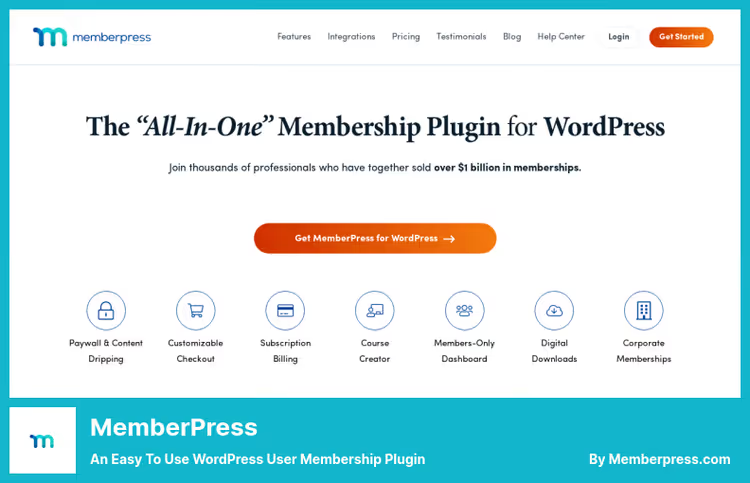
MemberPress is not so much a profile plugin as a full-fledged membership platform in which profiles are built in as part of the ecosystem. Paywall, subscriptions, online courses, coaching, ClubCircles communities, and ClubDirectory searchable member catalog, all out of the box.
The member profile here is a personal account with subscription history, access to courses and communities. MemberPress doesn't create registration forms (you need a third-party plugin), but within the framework of a membership site, this is justified: you get monetization, drip content, and coupons in one solution.
Pros:
- Powerful paywall and drip content
- Courses, coaching, and communities without additional plugins
- Ready-made page templates via ReadyLaunch
Cons:
- No free version, only paid
- Doesn't create registration forms "from scratch," you need a third-party plugin or standard WP registration
Price: From $179 per year.
5. Ultimate Member

Ultimate Member, a veteran among user profile plugins with 300,000+ active installations. Drag-and-drop form builder, custom fields, conditional logic, member catalog with search and filtering, all available in the free core.
The plugin automatically creates "Account," "Members," and "Registration" pages upon activation, saving time. For an additional fee, you can connect memberships, content restriction, WooCommerce integration, and conditional menus, different menu items for different roles.
Pros:
- 300,000+ installations, active community, and frequent support
- Member catalog with filtering out of the box
- Auto-creation of profile and registration pages
Cons:
- Pro version is noticeably more expensive than competitors ($249)
- Memberships and restriction only via paid extensions
Price: Lite, free, Pro, from $249 per year.
🔗 Ultimate Member on WordPress.org🔗 Ultimate Member, Pro version
6. WP User Frontend

WP User Frontend from weDevs bets on a frontend dashboard where the user not only sees and edits their profile but also creates posts, uploads files, and manages subscriptions, all without entering the admin area. Drag-and-drop form builder with live preview and support for Gutenberg blocks for inserting forms.
The plugin fits well into the membership site scenario with user-generated content: roles define who can publish, how many posts, and with what expiration period. Subscriptions with post packages and payment via PayPal/Stripe are built in.
Pros:
- Frontend dashboard with post creation and file uploads
- Most affordable Pro version among roundup participants ($39)
- Gutenberg blocks for inserting forms
Cons:
- Login form template cannot be customized
- No communities or groups
Price: Lite, free, Pro, from $39 per year.
🔗 WP User Frontend on WordPress.org🔗 weDevs, Pro version
7. UserPro

UserPro, a CodeCanyon veteran with a focus on visuals: beautiful profiles, customizable registration and login forms, social login via 20+ networks, badges, and gamification. The plugin is tailored for communities: public and private feeds, verified accounts, member catalog in table or grid-collage view.
The downside is the product hasn't been updated since 2024 and doesn't have a free version. If you need a live community tool with guaranteed updates, take ProfileGrid. But if the key request is a beautiful profile and social login without extra code, UserPro still delivers.
Pros:
- Most beautiful profiles in the roundup, gamification, and badges
- 20+ social networks for login
- Member catalog with grid and table display
Cons:
- No free version, no updates since 2024
- Not hosted on WordPress.org, only CodeCanyon
Price: $51 with 12 months of support and updates.
🔗 UserPro on CodeCanyon🔗 Live UserPro demo
If you're a visual learner and prefer watching over reading, here's an excellent breakdown of building a frontend dashboard from WPTuts. 14 minutes of hands-on, no fluff.
⁉️🤔 Frequently asked questions
Can you get by without a plugin and build a profile on pure WordPress?
WordPress out of the box only gives you
/wp-admin/profile.php, this is a backend page, unavailable to regular subscribers. Displaying a profile on the frontend without a plugin is possible viawp_update_user()and custom theme templates, but in practice this means: writing a form handler, validation, field saving, and CSRF protection. For a typical site, the development time is not justified, any plugin from the roundup gives you the same thing in 5 minutes of installation.
How does a frontend profile differ from a standard WordPress profile?
The standard profile is located in
/wp-admin/and requires access to the admin area, and that's immediately a security minus because you're handing out logins to the console. A frontend profile lives on the public part of the site: the user logs in via a custom form and sees a branded page with the fields you gave them. No access to the admin area, no risk of breaking site settings.
Which plugin should I take for a membership site with paid content?
MemberPress, the uncompromising option. Paywall, drip content, Stripe and PayPal out of the box, courses and communities without additional plugins. If the budget is limited, WP User Frontend with subscriptions for $39 covers the basic scenario: users pay for a role and get access to content via restriction by roles.
What to choose for a community, ProfileGrid or Ultimate Member?
ProfileGrid wins on functionality: groups, friends, private messages, and built-in payments. Ultimate Member is strong on member catalog and ease of setup, but doesn't give a community as such, only profiles and catalog. If you need a community with activity, take ProfileGrid.
Can you combine two plugins, for example, User Registration for forms and MemberPress for memberships?
Technically yes, and many do. User Registration or Profile Builder handle registration and profile, while MemberPress handles paywall, subscriptions, and courses. On one site, there are usually no conflicts: the plugins work with different hooks and don't override each other's functionality.
🤔 What to install in 2026: final breakdown

If you just need a profile with registration, start with free User Registration. In 5 minutes you get a form, shortcode, and frontend profile without a single line of code.
Site with paid content, MemberPress. Yes, without a free version, but $179 per year pays for itself with monetization: paywall, courses, and community in one plugin.
Community with groups and activity, ProfileGrid. Groups, friends, and private messages in the free core cover most community site needs.
Best value for money, WP User Frontend for $39: dashboard, post creation, and subscriptions. Ideal for a site where users are content authors.
Beautiful profile and nothing extra, UserPro, but with a caveat about the lack of recent updates. An alternative without this risk is Ultimate Member with a free start.
Choose for your task, not someone else's rating. Try the free version of the plugin that's closest to your scenario, and only then make a decision about Pro.

A professional team of writers and editors specializing in creating quality content.