













 AIIllustrative image: AI-generated
📰 6 news ticker plugins for WordPress 2026 (free and paid)
A news ticker that nobody clicks is just wasting space. And a ticker that glitches annoys visitors and damages trust in your site.
The problem is that WordPress doesn't provide a built-in tool for running text. There are around 340 plugins in the repository with the "news ticker" tag, and half of them haven't been updated in years. Choosing a live, lightweight plugin that works without jumping through hoops is a real challenge in practice.
We tested current news ticker plugins for WordPress in 2026. Out of seven positions in the original selection, one (Post Ticker Ultimate) was permanently closed in April 2026 due to an unresolved vulnerability. We excluded it and replaced it with a proven tool.
Here are 6 plugins that are alive, updated, and secure.
💡 Quick overview:
- Decide on the format: horizontal ticker, vertical scroll, or multi-mode builder, your choice of plugin depends on this
- For maximum functionality, go with
Ditty: three modes, live preview, extensions for any source, 30,000+ installs - For a simple horizontal ticker,
T4B News Tickeris enough: 4 animations, setup in a couple of minutes, scripts only on pages with the shortcode - For vertical scrolling in the sidebar or footer, install
Vertical News Scroller: lightweight, with a Gutenberg block out of the box - For a CNN-style feed with a red featured news block,
Live Newsis suitable: 46 settings per ticker, caching through Transients - If your site is on Elementor, choose
News Ticker for Elementor: native widget, doesn't create shortcodes, typing effect in Pro
A short video on the topic, official overview of T4B News Ticker Pro from the developer:
Comparison table
Plugin | Modes | Animations (Free) | Sources (Free) | Pro price | Installs |
|---|---|---|---|---|---|
| Ticker, list, slider | Scroll | Posts, manual input | From $19/year | 30,000+ |
| Horizontal ticker | 4 | Posts, manual input | From $15 | 10,000+ |
| Vertical scroll | 2 | Posts, manual input | $19 | 5,000+ |
| Horizontal ticker | Scroll | Manual input | From $20 | 2,000+ |
| Slider, grid, timeline | Slide | Posts, CPT | From $39/year | 6,000+ |
| Horizontal ticker | Scroll | Posts, manual input | From $19/year | 2,000+ |
1. Ditty, responsive news tickers, sliders, and lists

Ditty (formerly Ditty News Ticker), this is the flagship of the selection. Three display modes in one plugin: classic ticker, list, and slider. Each has its own speed, direction, and style settings.
The plugin works through a custom post type called "Ditty". You add elements, custom text, HTML, WordPress posts, or RSS feeds (through extensions), choose the display type. You change settings and immediately see the result in the live preview, no need to save.
According to wordpress.org data for June 2026: version 3.1.66, 30,000+ active installs, 106 reviews with an average rating of 4.6. The developer (metaphorcreations) responds to every support thread within 24 hours.
Pros:
- Three display modes in one plugin: ticker, list, slider
- Built-in editor with live preview, no need to save to see changes
- Extensions for Facebook, Instagram, RSS, images, and other sources
- Global rendering: you can display the ticker at the top of the site without editing the theme
- 30,000+ active installs, 106 reviews, average rating 4.6
Cons:
- Free version only supports manual input of elements, RSS and social networks only through paid extensions
- For a simple ticker, the interface may seem excessive
Price: free (extensions from $19/year)
2. T4B News Ticker, responsive news scroller, slider, and animations

If Ditty is a Swiss Army knife, then T4B News Ticker is a screwdriver for one task, but a perfect one. The plugin does exactly what it promises: horizontal news ticker with four animations (fade, slide, ticker, scroll).
Setup takes a couple of minutes: you choose a post category or enter your own text, configure colors and speed, copy the shortcode. Since version 1.4.1, scripts are loaded only when the shortcode is detected, on pages without a ticker the plugin doesn't load anything.
Latest release 1.4.5, May 9, 2026, with a fix for settings migration and localStorage conflict with Elementor and Astra. The developer (Realwebcare) actively responds in the support forum.
Pros:
- Extremely simple: install, configure, shortcode in 3 minutes
- Four animations in the free version, 7 in Pro
- Conditional loading of scripts, doesn't affect pages without the ticker
- Active support: the author responds to every thread in the forum
- RTL support in Pro version, export and import of settings
Cons:
- Only horizontal ticker, no vertical
- RSS and JSON feeds only in Pro version
Price: free (Pro from $15)
🔗 T4B News Ticker on WordPress.org
3. Vertical News Scroller

While other plugins scroll text horizontally, Vertical News Scroller scrolls it vertically. Perfect for the sidebar, footer, or a compact "What's new" block on the homepage.
The plugin is extremely lightweight: no trackers, no ads, no bloated settings. Two scroll modes, smooth jQuery slide and classic marquee. There's a native Gutenberg block, classic widget, and shortcode. Version 1.30 (2026) added a visual style choice: Default and Card.
The Pro version adds unlimited news categories, RSS feeds, thumbnails, color presets, and lightbox preview. But for most sites, the free version is enough.
Pros:
- Vertical scroll, a niche where there are almost no competitors
- Native Gutenberg block, widget, and shortcode
- Lightweight v3 engine, works stably on modern themes
- Minimum settings with maximum results
Cons:
- Only vertical scrolling, not suitable for a horizontal ticker
- Free version doesn't support RSS and thumbnails
Price: free (Pro $19)
🔗 Vertical News Scroller on WordPress.org
4. Live News, responsive news ticker

Live News mimics a news feed in TV channel style: a red "Featured News" block and a black "Sliding News" ticker. It looks professional and recognizable, visitors immediately understand that this is an important update.
46 options per ticker: colors, typography, speed, positioning, margins. You can configure display on all pages or only on specified URLs. There's a clock with custom Moment.js format, mobile device detection (Mobile Detect JS), caching through WordPress Transients.
An important nuance: the plugin hasn't been updated since May 2025. However, it's stable on WordPress 6.8.5 and PHP 7.2+, with no known vulnerabilities. For news sites and blogs with frequent updates, it's a decent option, but on long-term projects, consider the risk of slowed development.
Pros:
- Professional "TV-like" appearance with a red featured news block
- 46 settings per ticker, maximum customization
- Device detection: you can hide the ticker on mobile
- Caching through Transients API, fewer database queries
Cons:
- Last update, May 2025, development pace has slowed
- 2,000+ installs, less than competitors
- No reviews on wordpress.org, hard to assess user experience
Price: free (Pro from $20)
5. WP Latest Posts

WP Latest Posts isn't quite a ticker in the classic sense. It's a news block builder: grid, slider, timeline, masonry, and carousel. But the slider and carousel modes handle the task of "show latest posts in motion" perfectly.
The developer, JoomUnited, is a well-known French team with a dozen plugins in the repository. The plugin integrates with Gutenberg, Elementor, Divi, WPBakery, and Avada. It supports custom post types, WooCommerce, ACF, WPML, and Polylang.
A critical point: JoomUnited announced the merger of the free version with Pro. The free version still works, but the future is uncertain. For long-term projects, keep this in mind.
Pros:
- Six display themes: masonry, slider, timeline, grid, and others
- Support for custom post types, WooCommerce, ACF
- Integration with all popular page builders
- Drag-and-drop content sorting in the block
Cons:
- Free version is merging with Pro, the future of the free option is uncertain
- Some users report issues with uninstalling
- Heavier than competitors for the "just a ticker" task
Price: free (Pro from $39/year)
🔗 WP Latest Posts on WordPress.org
6. News Ticker for Elementor
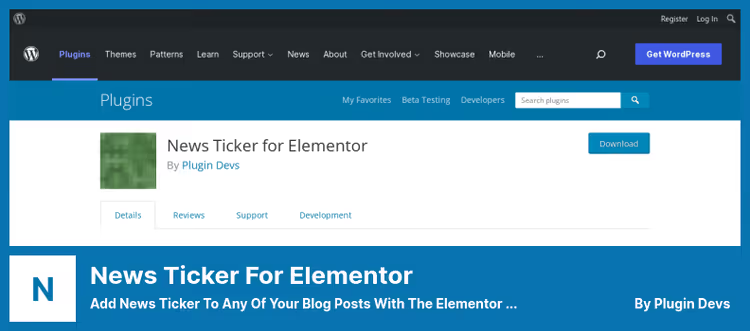
If your site is built on Elementor, this plugin solves the task natively. After installation, a new "News Ticker" element appears in the Elementor widget panel. You choose the source (latest posts or custom text), configure the title, navigation buttons, and style, done.
The Pro version adds two types of effects: classic scrolling and typing effect. Configurable: scroll speed, post sorting order, category filter, RTL, pause on hover. According to wordpress.org, the plugin was updated on May 17, 2026, compatible with WordPress 6.9.4 and PHP 7.4+.
Pros:
- Native Elementor integration: no need to copy shortcodes
- Two effects in Pro: scrolling and text typing
- Unlimited number of tickers on a page
- Actively updated: latest release, May 2026
Cons:
- Only for Elementor, doesn't work with Gutenberg or other builders
- Pro version locks most interesting features (RTL, pause, custom post types)
- 2,000+ installs, less than universal alternatives
Price: free (Pro from $19/year)
🔗 News Ticker for Elementor on WordPress.org
⁉️🤔 Frequently asked questions
What's the difference between a news ticker and a slider?
A ticker is a continuous scrolling line that shows multiple elements simultaneously or sequentially without frame changes. A slider is a frame-by-frame change of one block to another. A ticker is better for urgent updates and announcements, a slider is for image content and banners.
Which ticker plugin loads the site the least?
T4B News Tickeris the lightest in the selection. Since version 1.4.1, scripts and styles are loaded only on pages where the ticker shortcode is actually used. The plugin weighs less than 100 KB unpacked.
Can you display a ticker at the top of the site without editing the theme?
Yes,
Dittysupports global rendering: the ticker automatically appears in the specified position (for example, right after the opening<body>tag) without editing templates.Live Newscan also display the ticker globally with URL filtering.
Do these plugins work with caching?
Yes, but with a caveat.
Live Newsuses WordPress Transients API and loads fresh news via AJAX at the end of each cycle, page caching doesn't interfere.Dittyupdates content in the background without browser reload. Other plugins serve static HTML, when using a caching plugin, configure an exception for pages with a ticker or reduce cache lifetime.
What to do if the ticker stopped scrolling after an update?
First, check the browser console for JavaScript errors (F12, Console). The theme or another plugin may cause a conflict that breaks the animation. Second, roll back to the previous plugin version via WP Rollback. Third, write to support:
T4BandDittydevelopers respond within 24 hours.
Is it necessary to use a plugin? Can you make a ticker with pure CSS?
Technically, yes, CSS animation with
@keyframesand marquee-like behavior is possible. But this approach has three problems: difficulty with dynamic content (posts are added through the admin panel), no pause on hover and speed control without JavaScript, and the<marquee>tag is officially deprecated since HTML5. A plugin solves these problems out of the box.
What to install in 2026
If you need one plugin for all cases, go with Ditty. Three display modes, live preview, extensions for any content source. It's the flagship, and 30,000 active installs confirm it.
For a horizontal ticker "set it and forget it", T4B News Ticker. Three minutes to configure, four animations in the free version, active support. Updated most frequently in the selection.
When the site is on Elementor, News Ticker for Elementor. Native widget saves time and doesn't create shortcodes. Pro version with typing effect looks impressive for announcements and promotions.
For vertical scrolling in the sidebar, Vertical News Scroller. Lightweight, stable, with a Gutenberg block out of the box. If RSS and thumbnails aren't enough, Pro for $19.
You need a CNN-style feed with a red featured news block, Live News. 46 settings per ticker, but keep in mind that the update pace has slowed.
And when the task is broader than just a ticker, WP Latest Posts with grid, timeline, and masonry. Just remember the free version merger with Pro and check the plugin status before installing on a long-term project.
Choose for your task, not someone else's rating. And test on a staging site before launching to production.

A professional team of writers and editors specializing in creating quality content.