













🥇 4 best WordPress plugins for 3D printing and 3D viewer 2026 (free and Pro)
Launching a 3D printing business on WordPress is a task that five years ago required cobbling together a dozen disparate tools and custom code. Today, ready-made plugins exist for this, and some of them are free. But choosing a worthwhile one is a quest in itself: one is tied to an external SaaS, another hasn't been updated in three years, a third calculates price using a formula that even its developer struggles to explain.
We tested current plugins for 3D printing and 3D model viewing on WordPress in 2026. We filtered out those incompatible with WooCommerce, that take 10 seconds to load on mobile, or require API keys from third-party services. The final list includes four tools, from a simple price calculator to a full-featured WebGL engine.
We tested each plugin in the collection on current versions of WordPress and WooCommerce with real STL files ranging from 2 to 80 MB (testing in June 2026). Below is what came out of it.
💡 Quick overview:
- 3DPrint Lite, the best choice for a 3D printing online store: model uploads, cost calculation, integration with WooCommerce and PayPal
- Easy 3D Viewer, optimal if you simply need to display a 3D model on a product page with the ability to rotate and zoom
- 3D Print Pricing Calculator, a fresh replacement for the discontinued Phanes 3DP: local price calculation without external APIs, STL rendering via Babylon.js
- Verge3D, a professional tool for interactive 3D product configurators and WebGL presentations on the Blender, 3ds Max and Maya engine
Plugin comparison table
Criterion | 3DPrint Lite | Easy 3D Viewer | 3D Print Pricing Calculator | Verge3D |
|---|---|---|---|---|
Rating on WP.org | 4.8/5 (37 reviews) | 4.1/5 (12 reviews) | 5/5 (3 reviews) | 4/5 (4 reviews) |
Active installations | 700+ | 1,000+ | 50+ | 400+ |
Free version | Yes | Yes | Yes | Yes |
Pro version | $39 (one-time) | $72 (one-time) | No | Commercial license |
WooCommerce | Yes (Pro) | Yes (Lite + Pro) | Yes | Yes |
File formats | STL, OBJ, ZIP, STP, IGS (Pro) | STL, OBJ, GLTF/GLB, ZIP | STL | Proprietary Verge3D format |
Cost calculation | Yes (volume/weight/dimensions) | No | Yes (volume/material/time) | Via WooCommerce |
3D viewer | Yes | Yes | Yes (Babylon.js) | Yes (proprietary WebGL) |
Last update | May 2026 | March 2026 | June 2026 | March 2026 |
A short video from the 3DPrint Lite developer shows how to create your first 3D product in WooCommerce in 60 seconds. Next, a detailed breakdown of each plugin.
1. 3DPrint Lite
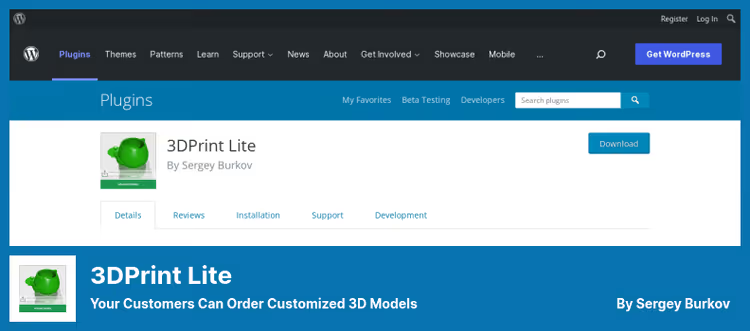
3DPrint Lite is the most mature plugin for launching a 3D printing service on WordPress. In our experience, it covers the full cycle: the client uploads an STL or OBJ file, chooses material and plastic color, instantly sees the cost calculation and sends a request to the administrator.
Price is calculated by material volume, model weight, or bounding box dimensions, the formula is configured by the site owner. The Pro version for $39 (3DPrint Lite page) adds WooCommerce integration: the client pays for the order directly on the site through standard checkout, without requesting a quote by email. From the technical details: files up to 500+ MB are supported via chunked upload, there's manual model rotation and automatic geometry repair.
In practice, we encountered one limitation: the plugin uses Cura 3.4 on a remote server to calculate infill and support. The free version provides 30 such calculations per month, after that a subscription is required.
Pros:
- Full cycle from model upload to payment
- Support for FDM/FFF, DLP, SLA, laser cutting
- Built-in request manager and email templates
- 37 reviews with an average rating of 4.8
Cons:
- Free API calls are limited (30/month)
- Requires WooCommerce to accept payments
- Print time calculation via external server
💵 Price: Free Lite version. Pro: $39 (one-time payment, WP.org).
🔗 3DPrint Lite on WordPress.org | 🔗 Live demo
2. Easy 3D Viewer
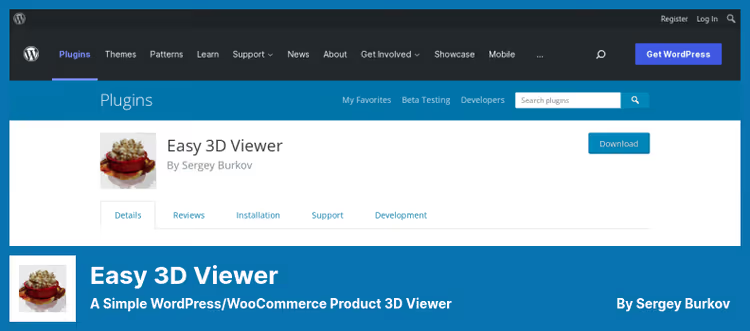
If your task is not selling printing services but demonstrating 3D models in a product card, Easy 3D Viewer from the same developer (fuzzoid) is a more targeted tool. It embeds a 3D viewer directly below the WooCommerce image gallery: the buyer sees a "View 3D" button and can rotate, zoom and examine the model from all sides.
The plugin supports STL, OBJ with textures via MTL, as well as the modern GLTF/GLB format with animations. The Pro version for $72 (Easy 3D Viewer page) adds conversion of models to PNG, GIF and WEBM, useful for mobile devices where WebGL doesn't always handle heavy scenes, and for protecting source files from download.
An interesting feature: the visual shortcode builder. You upload a model and configure background color, reflections, light sources and shadows directly in the admin panel, without touching code. In our practice, this approach saved about half an hour on configuring each product compared to plugins where parameters are set via JSON.
Pros:
- Simple setup, visual shortcode builder
- WooCommerce integration out of the box
- Support for modern formats (GLTF/GLB with animations)
- Conversion to WEBM/GIF for mobile (Pro)
Cons:
- Doesn't calculate printing cost
- Download protection is conditional (WEBM is not a panacea)
- Multiple viewers on a page, Pro only (up to 10)
💵 Price: Free Lite version. Pro: $72 (one-time payment, WP.org).
🔗 Easy 3D Viewer on WordPress.org | 🔗 Shortcode demo
3. 3D Print Pricing Calculator

Historically, third place in this collection was held by Phanes 3DP Calculator, but in July 2024 the plugin was closed on WordPress.org for violating catalog rules. Its direct replacement is 3D Print Pricing Calculator from the pikocode studio, released in early 2025.
The plugin works completely locally: STL processing, volume, weight and print time calculation, all on your server, without external APIs. For 3D rendering, Babylon.js loaded from CDN is used. In our experience, on hosting with 2 GB RAM, a 15 MB model is calculated in 3-5 seconds, acceptable for production use.
The interface is minimalist: the [ppc3d_stl_upload_form] shortcode adds an upload form with automatic calculation and an add-to-cart button for WooCommerce to the page. In settings you configure material types, print quality, infill percentage and markup. The plugin also can send email notifications about new orders and supports WP Mail SMTP for reliable delivery.
Pros:
- Completely local processing, no API limits
- Active development: 10+ releases in a year
- Simple setup: one shortcode and one settings screen
- WooCommerce integration out of the box
Cons:
- Modest install base (50+ as of June 2026)
- STL format only (OBJ and 3MF not supported)
- Requires internet for rendering (Babylon.js CDN)
💵 Price: Free. No Pro version.
🔗 3D Print Pricing Calculator on WordPress.org
4. Verge3D Publishing and E-Commerce

Verge3D is the most ambitious tool in the collection. It's not so much a plugin as a full-fledged WebGL framework with a visual logic editor (Puzzles) that connects to Blender, 3ds Max and Maya. If 3DPrint Lite and Easy 3D Viewer solve specific business tasks, Verge3D opens the way to interactive product configurators, 3D presentations and even browser games, all with publishing to WordPress via the [verge3d ID] shortcode.
The scene is created in a familiar 3D editor, then exported to web format with one button. Logic is added through visual Puzzles blocks, 300+ types, from handling clicks to calculating configuration price. Verge3D doesn't require programming skills, but the entry barrier is higher than other plugins in the collection: to make a chair configurator with upholstery material selection, you'll need a couple of evenings to learn.
Special mention deserves the WooCommerce integration: the plugin can add 3D products to the cart with server-side price calculation, generate invoices and receipts in PDF and accept payments via PayPal. The technology is used by NASA and other organizations, which speaks to reliability at least as much as 37 reviews on WordPress.org.
Pros:
- Professional WebGL engine with PBR materials
- Visual logic programming without code (Puzzles)
- Direct export from Blender, 3ds Max, Maya
- Integration with WooCommerce + PayPal + PDF invoices
- Data stored on your server, no cloud dependencies
Cons:
- High entry barrier for non-designers
- Free version with Verge3D watermark
- 400+ installations, niche product
💵 Price: Free version (with watermark). Commercial license from $290/year (Freelance, WordPress.org).
🔗 Verge3D on WordPress.org | 🔗 Official site
⁉️🤔 Frequently asked questions
Which plugin should I choose for a 3D printing online store?
The most equipped option as of June 2026 is
3DPrint Lite. It accepts STL/OBJ, calculates cost by volume or weight, integrates with WooCommerce and PayPal, and for $39 (one-time payment, repository) unlocks the full "upload-payment-print" cycle. If you need a simpler and completely local tool, check out3D Print Pricing Calculator: it's free, doesn't require APIs, but only works with STL.
Can I use Verge3D without 3D modeling experience?
Formally yes, thanks to the visual Puzzles editor. In practice, you'll need to master basic operations in Blender: importing a model, assigning materials, setting up a camera. Verge3D is designed for designers, not for store owners with zero experience. For a quick start, take
Easy 3D Viewer, it displays a ready-made model without any scene preparation.
What can replace the discontinued Phanes 3DP Calculator?
The direct replacement is
3D Print Pricing Calculatorfrompikocode. Unlike Phanes, it processes STL locally on your server and doesn't depend on external SaaS. The plugin is actively developed: as of June 2026, 10+ releases since launch. Another alternative:3DPrint Lite, but its focus is broader (a full-fledged store, not just a calculator).
Are 3D models protected from download?
Partially.
Easy 3D Viewer(Pro) converts the model to WEBM or GIF, the viewer sees animation but doesn't get access to the source file. However, the iron rule works: if the model can be viewed in a browser, it can be downloaded. Verge3D is more reliable in this sense, the scene is compiled into binary format, which is harder to parse.
Do these plugins work on mobile devices?
All four plugins claim responsive design.
Easy 3D Viewer(Pro) additionally replaces heavy WebGL scenes with lightweight WEBM for mobile, this is the most thoughtful approach to performance on weak devices.Verge3Dis also responsive, but scenes with high-poly models may lag on smartphones older than 3 years.
What about 3MF format?
None of the reviewed plugins support 3MF in the free version.
3DPrint Lite(Pro) works with STP, IGS and DXF, but not 3MF.Easy 3D Viewer(Pro) claims 3MF support. If 3MF is a critical requirement, the best option today isEasy 3D Viewer Profor $72 (repository).
What to install on WordPress for 3D printing in 2026: final breakdown
We went from "I want to sell 3D printing" to four specific tools, and each one covers its own scenario. If you're launching a printing-on-demand business, take 3DPrint Lite and don't overcomplicate. Need model viewing in a product card, Easy 3D Viewer will close the task in an evening. Want a cost calculator without API hassles, 3D Print Pricing Calculator is already breathing down the veterans' necks. And if you're a designer or studio and want to make interactive configurators, Verge3D will give you tools you won't be ashamed to show a NASA-level client.
Try the free versions of all four plugins on a test site. Only real STL file upload in your theme and on your hosting will show which tool fits into the workflow without friction.

A professional team of writers and editors specializing in creating quality content.