














📽 5 best video plugins for WooCommerce 2026 (free and paid)
Video on a product page boosts conversion by a quarter or more: buyers see the product in motion, assess scale and texture, and trust. Without video, a gallery of three static photos leaves questions. With video, it sells.
WooCommerce doesn't add video to the gallery out of the box. Standard functionality is photos, and that's it. To embed YouTube, Vimeo or MP4 clips in place of the featured image or in the slider, you need a plugin. And this is where the confusion begins: some plugins replace the entire gallery, some only variation images, others add custom fields with video, and still others bundle everything into one combine.
We've selected 5 tools for different scenarios: from simply replacing a photo with video to a full-fledged all-in-one combine with zoom, lightbox and 360-degree view. Each has been tested for compatibility with the current version of WooCommerce and maintains acceptable load speed.
💡 Quick overview:
- First: to add video to a regular gallery, install Product Video Gallery or WPC Product Videos
- Second: for variable products with colors and sizes, connect Variation Images Gallery
- Third: field builder with video as an option, choose PPOM for WooCommerce
- Fourth: powerful all-in-one with gallery, slider, zoom, lightbox, 360°, grab Easy Product Gallery from ThemeWant
Comparison table
Plugin | Free version | Pro price | YouTube/Vimeo | MP4/HTML5 | Slider |
|---|---|---|---|---|---|
| ✅ | From $21 | ✅ | ✅ | ✅ |
| ✅ | $49 | ✅ | ❌ | ✅ |
| ✅ | From $79/year | ✅ | ✅ | ❌ |
| ✅ | From $29/year | ✅ | ✅ | ✅ |
| ✅ | ❌ | ✅ | ❌ | ❌ |
1. Product Video Gallery for WooCommerce

The most straightforward tool in the selection: adds video (YouTube, Vimeo, MP4, WebM, Ogg) directly to the standard WooCommerce product gallery. The video sits alongside photos in the shared slider, no separate block or popup.
In practice this looks like: you upload product photos, connect video by URL, and the buyer scrolls through the gallery where the third slide is a review clip. One product, one gallery with photos and video mixed together.
- Pros: supports YouTube, Vimeo and HTML5 video in one gallery; works with RTL languages (Arabic, Hebrew); adaptive height, slider height adjusts to content
- Cons: Pro version needed for fine tuning (arrow color, zoom, lightbox); video from WordPress media library only in Pro
- Price: free version on WordPress.org; Pro from $21 (1 site license)
🔗 Product Video Gallery on WordPress.org🔗 Pro version on developer's site
2. Additional Variation Images Gallery for WooCommerce
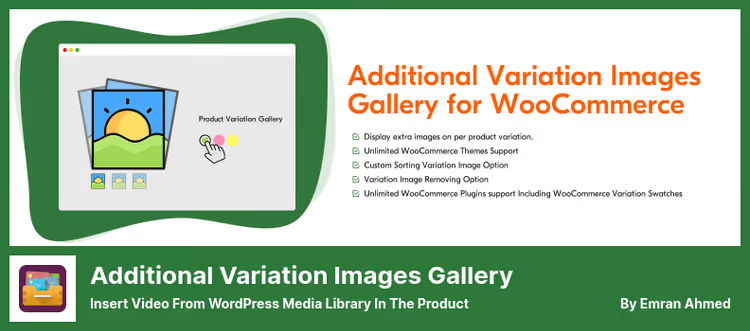
A plugin tailored for variable products. If you have a t-shirt in three colors and each color needs to be shown with a separate set of photos and video, this is its scenario. When selecting a variation, the buyer sees not one image but the entire mini-gallery: photos of the selected color plus a video review of that specific version.
Basic WooCommerce logic only changes the featured image when selecting a variation. This plugin overrides the behavior: the gallery switches entirely. Especially useful for clothing, shoes, furniture, all products where color or size radically changes the appearance.
- Pros: autoplay for variation galleries; data migration from other variation plugins (WP Variation Gallery, Smart Variations, etc.); YouTube and Vimeo embed in the gallery on par with photos
- Cons: doesn't support MP4/HTML5 video, only YouTube and Vimeo; main features (video, slider, lightbox) in Pro
- Price: free version on WordPress.org; Pro $49 (annual license for 1 site)
🔗 Variation Images Gallery on WordPress.org🔗 Pro version on GetWooPlugins
3. PPOM for WooCommerce

PPOM is a custom field builder, not purely a video plugin. In the video context it solves a specific task: the buyer selects video or audio as an option for the product. For example, when ordering a personalized greeting card the client attaches a video message. Or when purchasing a course they select a video lesson from a preset list.
The free version gives 9 field types: text, textarea, select, radio, checkbox, date, email, number, hidden. Video and audio are Pro features. Meanwhile the free version already supports conditional logic, tooltips, field validation and option-based pricing, a rarity for the free segment.
- Pros: 30+ field types in Pro (including audio/video, image cropper, color picker, file upload); conditional logic out of the box even in free version; compatibility with WPML, Polylang, WooCommerce Currency Switcher
- Cons: video is just one of many field types, not the main functionality; Pro is a subscription from $79 per year, not a one-time purchase; interface is dense, higher learning curve than "one-button" plugins
- Price: free version on WordPress.org; Pro from $79/year (1 site)
🔗 PPOM on WordPress.org🔗 Pro version on Themeisle
4. Easy Product Gallery for WooCommerce

An all-in-one combine from ThemeWant that replaces the standard WooCommerce gallery with a modern slider supporting video, zoom, lightbox and variation images. If you don't want to install three different plugins for each task, this one covers everything.
The slider supports infinite loop, autoplay, mouse drag and five transition animation types (Slide, Fade, Flip, Cube, Coverflow, some in Pro). Videos hook up from YouTube, Vimeo, Dailymotion, Facebook and self-hosted files. For variable products, unlimited images per variation. Plus four zoom styles, full-screen lightbox and 360-degree product view.
- Pros: video, zoom, lightbox, variations and 360° in one plugin; 5 gallery layouts (Grid, Vertical Scroll, in Pro); playable right out of the box on free version
- Cons: some transition effects and layouts behind Pro; many settings, beginners will spend 10-15 minutes on configuration
- Price: free version on WordPress.org; Pro from $29/year (1 site, Lifetime license $79)
🔗 Easy Product Gallery on WordPress.org🔗 Pro version on ThemeWant
5. WPC Product Videos for WooCommerce
A maximally simple and completely free plugin from WPClever. Task: add one or more videos to the product's featured image. No sliders, variations and custom fields, just "here's video, here's product, watch".
Under the hood: YouTube and Vimeo support, integration with WPML for multilingual stores. Unlimited videos per product, you can attach both a review, unboxing and instructions. No Pro version, all functionality is available immediately.
- Pros: completely free, no Pro, no subscription, no upgrade; unlimited videos per product; WPML compatibility
- Cons: only YouTube and Vimeo, no MP4/HTML5; no slider, lightbox, appearance customization; not suitable for variable products, one video per product
- Price: free
🔗 WPC Product Videos on WordPress.org
See how a video plugin works in a real store, a short overview from a WooCommerce expert:
⁉️🤔 Frequently asked questions
Does video in the gallery slow down product page load?
The video itself doesn't. YouTube and Vimeo only load a thumbnail (poster) until you click Play. The main risk is not the video but the plugin itself: if it loads its JS and CSS on every page rather than just the product page. All 5 plugins from the selection load asset scripts only on the product page. For MP4/HTML5 video, the file sits on your hosting and loads when the page opens, use compressed files up to 5-10 MB.
Can I add video both to the gallery and to the product description?
Yes, these are two independent places. The gallery plugin (any from the selection) handles video in the slider and on the featured image. Video in the description (Description tab) is inserted with the standard WordPress editor: copy the YouTube URL into an editor block and WordPress will expand the player itself. No restrictions, one video in the gallery, another in the description, a third in the instructions tab.
Which plugin should I choose if products are variable with colors and sizes?
Additional Variation Images Gallery for WooCommerce(number 2), the only one that changes the entire gallery when selecting a variation, not just the featured photo. For each color or size you set your own set of images and video, the buyer immediately sees the difference.Easy Product Gallery(number 4) also supports variation images, but Variation Images Gallery is sharpened specifically for this scenario and goes deeper.
Will the plugins work for video from external CDN, not from YouTube?
YouTube and Vimeo work in all five. MP4/HTML5 (including from external CDN) in
Product Video Gallery,PPOMandEasy Product Gallery. If videos are stored on Bunny CDN or Amazon S3, insert them as HTML5 files through these three plugins.Variation Images GalleryandWPC Product Videosdon't work with direct video files.
What to do if the plugin conflicts with the theme and the gallery "falls apart"?
First step, check if the theme loads its own slider for WooCommerce. Themes like Flatsome and WoodMart have a built-in gallery that overrides the standard one, hence conflicts. Solution: in theme settings disable the custom gallery and leave the standard WooCommerce one. If that doesn't help, contact plugin support; all five developers respond within 2-3 days.
How does Easy Product Gallery differ from Product Video Gallery?
Product Video Gallery(number 1) does one task, video in gallery, and does it minimally.Easy Product Gallery(number 4) is a combine: video plus zoom, lightbox, 360°, five layouts and transition animations. If you only need video without extras, take the first. If you want to replace the entire gallery with a modern solution with room to grow, take the fourth.
Which video plugin for WooCommerce to choose?
If you have a simple store with uniform products, start with WPC Product Videos. Free, no subscription, installs in a minute. Need video plus slider and zoom, Easy Product Gallery will cover everything with one plugin and give room to grow.
For variable products (clothing, shoes, furniture) Variation Images Gallery is unrivaled: only it changes the entire gallery when switching color or size. A store with custom products and complex order logic needs PPOM: video there is just one of 30+ options you give the buyer.
And remember: video on the product page is not decoration but a sales tool. Choose a plugin for your task, record the first clip and watch the conversion. It will speak for itself.

A professional team of writers and editors specializing in creating quality content.