














🚀 5 watermark plugins for WooCommerce in 2026
You copied a product image from someone else's store, slapped on your own price, and sell it. Sound familiar? It's not just rookie dropshippers doing this: automated parsers pull images in batches, and reverse image search finds your photos on a dozen sketchy sites within a week.
A watermark won't solve the problem completely, but it moves theft from "click and done" to "actually have to bother." And that's already a filter: most lazy competitors will simply grab images from someone who doesn't use watermarks.
In this roundup, 5 plugins for WooCommerce that watermark product images automatically, don't break performance, and don't require manual editing of every JPEG. From free "set and forget" solutions to premium tools with PDF protection and conditional rules.
💡 Quick overview:
- Choose a plugin for your task: protecting product images, PDF files, or bulk processing thousands of images
- Check whether your hosting supports GD or ImageMagick library, watermarking won't work without them
- Configure once: position, transparency, repeat across the entire image or only in a corner
- For existing products, run bulk application, the plugin will go through the media library and apply the mark to all images
Plugin | Price | Watermark type | Bulk processing | WebP | |
|---|---|---|---|---|---|
| Paid | Image + text | ✅ | ✅ | ❌ |
| Free | Image + text | ✅ | ❌ | ❌ |
| $129/year | Image + text | ✅ | ❌ | ✅ |
| Free | Image + text | ✅ | ✅ | ❌ |
| Free / Pro | Image + text | ✅ | ✅ | ❌ |
1. YITH WooCommerce Watermark

Flagship plugin from the YITH team, one of the most prominent developers in the WooCommerce ecosystem. The plugin is used by 5,930 stores, rated 4.49 out of 5 based on 72 reviews.
YITH places watermarks globally on all product images or selectively on specific categories and individual products. Supports both logo upload and text strings: 6 built-in fonts, customizable color, size, text rotation, and background behind the text.
Repeating watermark covers the entire image area with a "grid," removing this in Photoshop is no longer trivial. Separately configurable for which image sizes the mark displays: storefront, product card, click zoom.
Pros:
- Global and individual overlay rules, down to a specific product
- Repeating watermark across the entire image area
- Rollback: button to "reset all marks and regenerate thumbnails"
Cons:
- No free version, premium only
- Price not publicly listed, need to check on the site
Price: paid, pricing at yithemes.com
🔗 YITH WooCommerce Watermark on developer site
2. Easy Watermark

Free plugin from Polish studio BracketSpace with open source code and 158 reviews in the WordPress.org repository. Holds up to two watermarks simultaneously on one image: for example, a logo in the lower left corner and text with copyright in the center.
Out of the box: 9 placement positions, 10 system fonts (Arial, Verdana, Georgia, Impact, and others), transparency settings from 0 to 100%, text rotation. The plugin page describes a complete list of placeholders that insert the username of the uploader and upload date directly into the watermark text.
Backup of originals is enabled by default, you can roll back any image to its original state via the "Restore original image" button in the attachment metabox. Bulk operations are available directly from the media library.
Main limitation, no WebP support. In practice, this means images in the modern format remain unprotected. The developer is aware, but as of June 2026, WebP still hasn't been added.
Pros:
- Two watermarks on one image
- Backup of originals and one-click restore
- Dynamic placeholders in text
Cons:
- Doesn't support WebP, images in this format are not protected
- Only 10 built-in fonts, can't upload your own (feature promised in Pro)
Price: free
🔗 Easy Watermark on WordPress.org
3. WooCommerce PDF Watermark
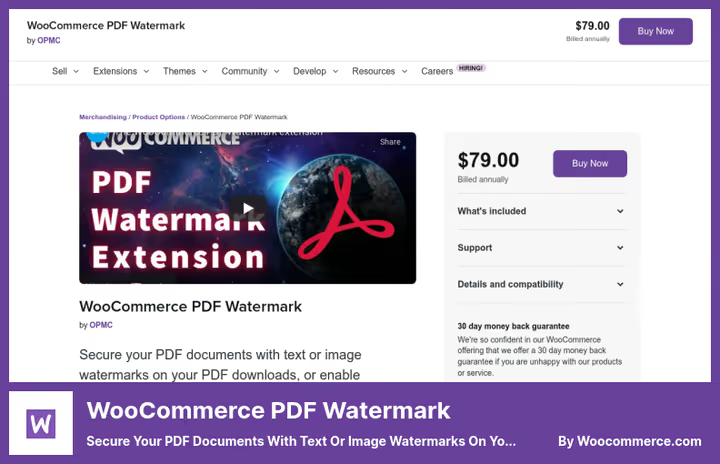
The only plugin in the roundup that protects not product images, but PDF files being sold: ebooks, guides, templates, research reports. Developed by OPMC, official WooCommerce Marketplace vendor, 800+ active installations.
When downloading a PDF, the plugin automatically embeds a watermark with buyer data: name, email, order number, purchase date. Each downloaded file becomes uniquely marked, "leaking" it to torrents is pointless, the source is identified instantly.
Additionally: PDF print blocking, prohibition of text copying and document editing. Watermark is configurable by position (first/last page or all), font, size, transparency, and alignment.
As of June 2026, in development: built-in font guide, out-of-the-box Cyrillic support (currently via beta version), and improved compatibility with guest downloads. Price rose from $79 to $129 per annual subscription, but functionality expanded.
Pros:
- Personalized watermarks with buyer data, each PDF is unique
- Protection from printing, copying, and editing PDFs
- Active support: bugs fixed within 24 hours
Cons:
- Price $129 on WooCommerce.com, twice as expensive as at the plugin's launch
- Occasional download issues on mobile devices (according to reviews)
- No free version for testing
Price: $129 per year on WooCommerce Marketplace (1 year of updates and support)
🔗 WooCommerce PDF Watermark on WooCommerce.com
4. Image Watermark

One of the oldest and most reliable watermark plugins for WordPress, 274 reviews, version 2.0.11, developer dFactory. Originally created for photographers, but works perfectly with WooCommerce product images.
Under the hood: dual image processing engine, ImageMagick (preferred, gives sharper text) with fallback to GD. Supports JPEG, PNG, and WebP. EXIF and IPTC metadata are preserved, critical for photographers and stock stores.
Three watermark size modes: original, custom, or scaled to image size. Nine alignment positions with pixel or percentage offsets. Setting to skip small images: set minimum width and height, anything smaller doesn't get a watermark.
Backup of originals enabled with one checkbox. Restore, bulk or one by one. Copy protection: disabling right-click, dragging, and developer tools on the frontend (honest warning from developer: this is protection "from fools," not absolute).
Pros:
- WebP support out of the box
- Preservation of EXIF/IPTC metadata
- Skip small images by width/height threshold
Cons:
- Configuration only via "Settings → Watermark," no visual builder
- Text watermark appeared only in version 2.0.0
Price: free
🔗 Image Watermark on WordPress.org
5. Ultimate Watermark

The youngest and most technically advanced participant in the roundup. Developer MantraBrain builds the plugin on the principle of "everything serious": PSR-4 architecture, Composer autoloading, REST API, hooks and filters for developers.
Main feature, conditional rules. You don't just say "put watermark on all images," but configure logic: "on Posters category products, logo, on Wallpapers, copyright text, on everything else, both marks." You can combine conditions by user role, post type, product category, file size, orientation, and aspect ratio. AND/OR logic right in the admin panel.
Free version provides one watermark template, automatic and bulk overlay, full backup and restore of originals. Pro version adds unlimited templates, Google Fonts, EXIF placeholders, showing watermark "on the fly" without changing the file on disk, and segmented batch processing for catalogs with thousands of images.
For WooCommerce stores, support for variable products and galleries out of the box. Pro mode adds cascade rules: Product → Category → Global. Set a default mark on everything and override only where needed.
Pros:
- Conditional rules: different watermarks for different categories and content types
- Clean architecture, REST API, hooks for custom integrations
- Show watermark without file modification (Pro, on-the-fly)
Cons:
- Free version limited to one template
- Relatively new plugin, fewer reviews and installations than veterans
Price: free / Pro (price on WordPress.org page)
🔗 Ultimate Watermark on WordPress.org
Watch the 4-minute setup and configuration overview, the author shows the complete cycle: from plugin upload to watermark verification on the store frontend.
⁉️🤔 Frequently asked questions
Can you remove the watermark and get back the original image?
Yes, if the plugin made a backup during overlay. Easy Watermark, Image Watermark, and Ultimate Watermark save originals by default, one-click restore via media library. YITH can also bulk reset watermarks and regenerate thumbnails. Simple rule: don't disable backup in settings, and Original will always be available.
Does watermark slow down store loading speed?
No. The watermark is embedded in the file once when uploading the image, it's not an overlay layer that renders with every view. After plugin processing, the file physically contains the watermark as part of the image. Exception, Ultimate Watermark Pro mode "on-the-fly," but even there developers claim result caching. Check that ImageMagick is installed on the server, it works faster than GD on large PNGs.
What to choose if the store has 10,000 products?
Image WatermarkorUltimate Watermark. Both support bulk processing via media library bulk actions. Ultimate Watermark in Pro version splits the queue into chunks, for 10,000+ images this is critical so the process doesn't fail on timeout. Image Watermark comes second: stable, handles large volumes without crashes. Avoid Easy Watermark at such volumes, lack of WebP means all modern images will bypass protection.
Does watermark protect from theft or is it self-deception?
Weakly protects from mass parsing, bots don't look at watermarks. But works against manual theft by competitors: "Auto Service on Polevaya" will copy your image with "AutoPro Luxury Berlin" logo only if ready to explain to clients why they have a different name. Plus Google Images and Yandex Images index watermark as part of the image, in reverse image search the source with watermark remains identifiable. No plugin gives complete protection, but watermark + disabling right-click + DMCA complaint upon theft detection, that's already a system, not a single measure.
Which plugin to use if I sell digital products in PDF?
Only
WooCommerce PDF Watermark. The other four plugins work exclusively with images, JPEG, PNG, WebP. PDF Watermark is tailored specifically for documents: embeds buyer name and email in each downloaded file, blocks printing and text copying. If you also sell physical products with images in parallel, combine: PDF Watermark for documents + Image Watermark (free) for product photos.
What to use in 2026: final breakdown

Short answer: yes, if you don't want to see your product images on AliExpress under someone else's brand. Watermark is not a "silver bullet," but a basic level of online store hygiene. Like HTTPS protocol: by itself doesn't make a site invulnerable, but without it you simply don't exist in the decent internet.
If the store is small (up to 100 products) and budget is limited, take Image Watermark. Free, supports WebP, doesn't break, 274 positive reviews don't lie.
Selling PDFs (books, guides, templates), WooCommerce PDF Watermark for $129 annually on WooCommerce site. Expensive, but personalized watermark with buyer name pays for itself after the first prevented "leak" of a paid file into public access.
Need flexibility and rules more complex than "watermark on everything," Ultimate Watermark (free version to start, Pro with growth). Conditional rules, different marks for different product categories, REST API for custom integrations.
Want to brand images with logo in repeating pattern, YITH WooCommerce Watermark. Grid of logos across the entire image looks professional and is removed only by manual retouching. Prepare budget, but it's worth it for stores with unique visual content.
Choose for your task, not someone else's rating. What works for a photographer with portfolio is excessive for a dropshipper with a hundred products. And vice versa.

A professional team of writers and editors specializing in creating quality content.