














🔒 6 best WordPress content protection plugins 2026 (free and premium)
Anyone can visit your site, highlight an article, hit Ctrl+C, and within a minute the text is already living on someone else's blog. The same story with images: right click → "Save as", and unique screenshots spread across the web without a link to you.
WordPress content protection plugins close these leak channels: they disable the right button, block copy-paste, prohibit image dragging and hide source code from casual viewing. Some tools work at the JavaScript level, some through CSS rules, and the most powerful combine both layers and add watermarks.
We tested 6 current content protection plugins for WordPress in 2026: from lightweight free solutions to professional combines with fine-tuning for specific scenarios. Each is verified for compatibility with WordPress 6.8 and modern browsers.
💡 Quick overview:
- Maximum protection out of the box, get WPShield Content Protector: 16 protectors, selective right-click menu, DevTools blocking and hotlink protection.
- Free foundation with copy-paste and keyboard shortcut protection, your choice Secure Copy Content Protection: lite version on WordPress.org, Pro with IP blocking and watermarks.
- Minimalist open-source plugin without premium tiers, WP Content Copy Protection** with Color Design**: no pop-ups, mobile protection, 5000+ active installations.
- On-the-fly watermarks and violator logging, get Smart Content Protector on CodeCanyon: IP address log and Print Screen interception included.
- Protection through email subscription instead of blocking, Opt-In Locker: content hidden until email entry, integration with Mailchimp and a dozen other services.
- Password protection of individual pages with compatibility with Page Builders, Passster: SHA-2, up to 100 passwords, Elementor, Beaver Builder and WPBakery out of the box.
Plugin comparison table
Plugin | Protection type | Free version | Premium | Key feature |
|---|---|---|---|---|
WPShield Content Protector | JavaScript + CSS | No | From $39/year | 16 protectors, selective right-click menu |
Secure Copy Content Protection | JavaScript | Yes (wordpress.org) | From $29 | Password protection, F12 blocking, geo-blocking |
WP Content Copy Protection (Color Design) | JavaScript + CSS | Yes (wordpress.org) | No | Open source, minimal weight |
Smart Content Protector | JavaScript + CSS | No | $29 (CodeCanyon) | Watermark through lightbox, IP address log |
Opt-In Locker | PHP + JavaScript | No | $17 (CodeCanyon) | Content locker through email subscription |
Passster | PHP + caching | Yes (wordpress.org) | From $49/year | 3 protection modes, compatibility with Page Builders |
1. WPShield Content Protector
🔗 WPShield Content Protector, official site
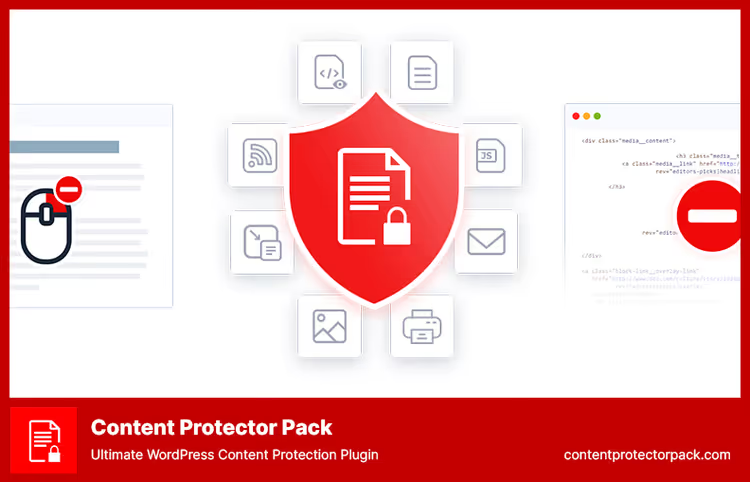
WPShield Content Protector, the most multifunctional combine for content protection on WordPress. Inside are 16 built-in protectors that cover all main leak channels: text, images, video, audio and even page source code.
The main difference from competitors, selective disabling of context menu items. Most plugins simply mute the right button entirely. WPShield gives the ability to leave "Copy", but remove "Save as" and "View code". This is critically important if you want to allow copying with automatic attribution (a link to the source is added automatically), but prohibit downloading media files directly.
Developer tools blocking deserves special mention. The plugin disables Inspect Elements, Developer Tools and print function, the three main workarounds used by technically savvy visitors. Additionally WPShield intercepts extensions like Copy Enabler, detects disabled JavaScript and protects email addresses with phone numbers from parsing.
Strengths:
- 16 protectors in one plugin, no need to install 3-4 separate solutions.
- Selective right-click menu limitation (unique feature, nobody else has it).
- Inspect Elements and DevTools blocking, protection from technically savvy users.
- Hotlink protection: nobody will insert your images directly on their site.
- Protection from Copy Enabler extensions and disabled JavaScript detection.
Weaknesses:
- No free version, premium only from $39/year on developer site.
- When enabling all 16 protectors, a slight increase in client-side load is possible.
Price: from $39/year (premium).
🔗 Download WPShield Content Protector
2. Secure Copy Content Protection
🔗 Lite version on WordPress.org🔗 Pro version on developer site
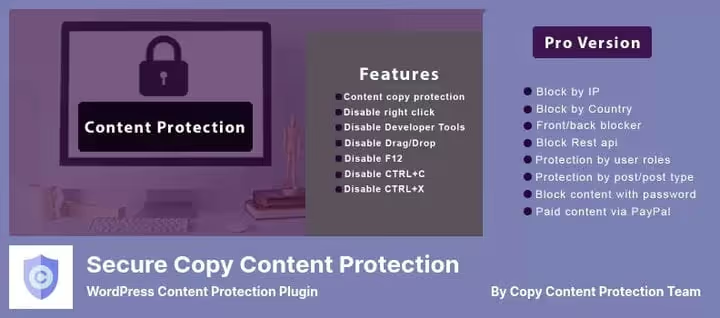
Secure Copy Content Protection, a niche veteran with a full-featured free version in the official WordPress repository. The lite variant gives the basics: right-click disabling, copy-paste prohibition, hot key blocking (Ctrl+C, Ctrl+X, Ctrl+U, Ctrl+A, Ctrl+S, F12 and a dozen more combinations). The free version is enough to protect a small blog from casual copying.
The Pro version adds a serious arsenal: password protection with login attempt logging, user role access restriction, left mouse button disabling, IP address blocking and even geo-blocking by country. Separately there's a watermark on images and paid content through PayPal, none of the competitors have this.
The plugin is regularly updated, the developer promptly closes vulnerabilities. On WordPress.org the plugin has hundreds of thousands of active installations and supports Russian interface language.
Strengths:
- Full-featured free version on WordPress.org with basic protection set.
- Password protection with login attempt logging (Lite).
- IP blocking, geo-blocking and watermarks (Pro).
- Selling content access through PayPal (Pro), monetization out of the box.
- Active support and regular updates.
Weaknesses:
- Free version does not limit right-click menu selectively.
- Pro features require license purchase.
Price: free / Pro from $29.
🔗 Download Lite for free🔗 Download Pro version
3. WP Content Copy Protection with Color Design

WP Content Copy Protection, an open-source minimalist plugin from Japanese developer Kazuki Yanamoto. No premium tiers: downloaded, activated, works. Uses compact JavaScript and CSS rules, adding virtually no page weight.
Functionality is deliberately limited to the basic scenario: right-click disabling, copy-paste blocking, image dragging prohibition, keyboard shortcut disabling (including Ctrl+P for print). A nice detail, the ability to hide the alert message when right-clicking: instead of an annoying pop-up window the button simply doesn't respond.
The plugin works correctly on tablets and smartphones, protection acts on touch devices too, where there's no right button, but there's long press and selection gesture. Selective protection allows excluding individual pages and posts. The plugin is translated to Russian, rating 4.5 out of 5 on WordPress.org.
Strengths:
- Completely free, open source code.
- Minimal weight, doesn't affect loading speed.
- Works without annoying alert messages (optionally).
- Mobile device and touch gesture support.
- Selective protection: can exclude individual pages and posts.
Weaknesses:
- No advanced features (watermarks, logging, DevTools protection).
- Basic protection is bypassed through disabling JavaScript in browser.
- Last update, October 2025, no new versions in 2026 yet.
Price: free.
🔗 Download WP Content Copy Protection for free
4. Smart Content Protector
🔗 Download Smart Content Protector on CodeCanyon
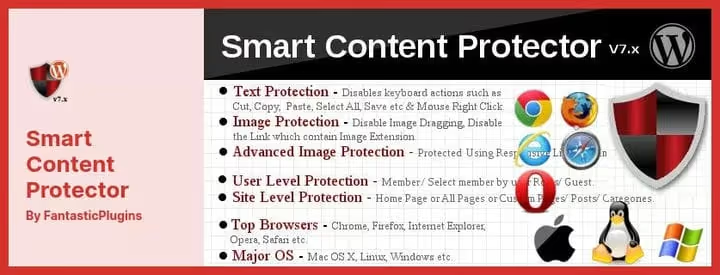
Smart Content Protector, a paid plugin from CodeCanyon, which stands out with two unique functions: on-the-fly watermarks and violator IP address log. When someone tries to copy text or take a screenshot, the plugin logs the IP and timestamp, you see who exactly and when attempted on your content.
The watermark is applied through Responsive Lightbox: the image opens in a lightbox with a semi-transparent caption, which seriously complicates screenshot reuse. Additionally configured is Print Screen protection through interception of ALT+PrtScn, CTRL+PrtScn combinations and the system print button.
The plugin is cross-platform, works on Linux, Windows and macOS, protecting all key combinations, including specific ones for each OS. You can configure a custom protection level: for example, registered users see content without restrictions, and guests, with a watermark.
Strengths:
- Watermarks through Responsive Lightbox.
- IP address logging on copy attempts.
- Print Screen protection (all combinations, including system ones).
- Custom protection level (club members / guests).
- Fine-tuning: page selection for protection, exclusions.
Weaknesses:
- Paid version only, one-time purchase $29 on CodeCanyon.
- Protection method, client JavaScript: experienced user with disabled JS will bypass.
Price: $29 (one-time CodeCanyon license).
5. Opt-In Locker
🔗 Download Opt-In Locker on CodeCanyon🔗 Live demo
Opt-In Locker works on a fundamentally different model: instead of blocking user actions it hides valuable content until the visitor leaves an email. This is a lead generation tool disguised as content protection, and in this role it's one of the best on the market.
The CSS3 AJAX form opens access to the hidden block immediately after subscription confirmation. A user who has already subscribed earlier doesn't see the locker again, the plugin remembers them through cookies. For search engines the content remains visible (soft locker mode), so SEO doesn't suffer.
Integration with popular email services is supported: Mailchimp, GetResponse, AWeber, iContact, Sendy, Mad Mimi, Benchmark, Mailster. Subscriber data is exported to CSV. The plugin is GDPR ready: before unlocking the user accepts terms through a checkbox.
Strengths:
- Doesn't block, but exchanges content for subscription, double benefit.
- Soft locker: search engines see all text.
- 10+ integrations with email services.
- WYSIWYG subscription form editor.
- Subscriber database export to CSV.
- GDPR readiness, consent checkbox before unlocking.
Weaknesses:
- Not protection in the classic sense: after unlocking content can be copied.
- For maximum conversion requires text and form design setup.
- Paid version only ($17 on CodeCanyon).
Price: $17 (one-time CodeCanyon license).
6. Passster
🔗 Lite version on WordPress.org🔗 Pro version on developer site
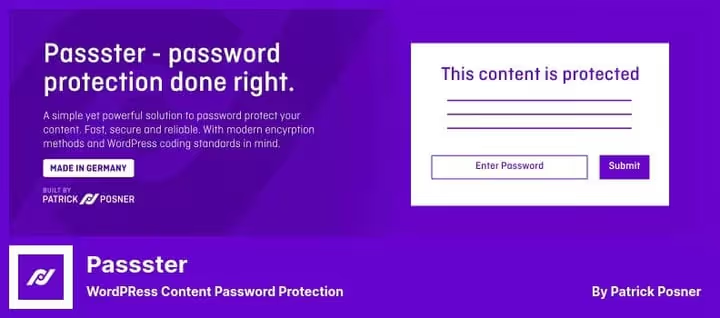
Passster closes the password content protection niche. Unlike plugins that mute buttons and shortcuts, Passster simply doesn't show page content without the correct password. The approach is more effective than blocking: the password can't be bypassed through developer console.
The plugin supports up to 100 simultaneous passwords per site and three protection modes: Area protection (separate blocks inside the page), Page protection (entire page) and Global protection (entire site). Passwords are hashed by SHA-2. Users can be given direct links with an encrypted key in Base64, following such a link unlocks content without manual entry.
Passster is fully compatible with Elementor, Beaver Builder and WPBakery Page Builder, the password entry form correctly embeds into any layout. Appearance setup (colors, sizes, descriptions) happens through WordPress Customizer with live preview. Actively updated: version 4.3.5 came out in June 2026, developer WP Chill releases patches every 2-3 weeks.
Strengths:
- Password protection instead of button blocking, not bypassed through DevTools.
- SHA-2 for hashing, Base64 links for direct access.
- Compatibility with Elementor, Beaver Builder, WPBakery.
- Three protection modes (area / page / entire site).
- Form customization through WordPress Customizer with live preview.
- Maximum active updates: 15+ releases in the first half of 2026.
Weaknesses:
- Pro version is paid, from $49/year on Passster site.
- Free version is limited in number of passwords and modes.
- Doesn't protect from copying after password entry.
Price: free (Lite) / Pro from $49/year.
🔗 Download Passster Lite for free🔗 Download Passster Pro
On the video above, a step-by-step tutorial on installing and setting up content protection in WordPress in 5 minutes. If you want to see the process with your eyes, not read the instruction, launch it.
⁉️🤔 Frequently asked questions
Do plugins protect from copying through page source code?
Basic plugins like WP Content Copy Protection, no: disabling JavaScript in the browser restores all blocked actions. Plugins with DevTools protection (WPShield, Smart Content Protector) disable F12, Ctrl+Shift+I and Ctrl+U. Absolute protection from copying doesn't exist: if text is displayed in the browser, it's already in the DOM and technically accessible. Plugins, this is a barrier for mass casual copying, but not a panacea from targeted scraping.
Do protection plugins affect SEO?
Well-written plugins, no. Search robots don't execute JavaScript on the page, so right-click and shortcut blocking is invisible to them. Content remains in HTML markup and is indexed as usual. Problems are possible with locker plugins: if content is hidden behind a form and rendered through AJAX, Google won't see it. Opt-In Locker uses soft locker mode, Passster delivers content in source code. Conclusion: all 6 plugins don't affect indexing.
Which plugin to choose for image protection?
For basic protection (save prohibition through right button and dragging) any free option will do, Secure Copy Content Protection or WP Content Copy Protection. Need a watermark, get Smart Content Protector (overlay through lightbox). For maximum protection: WPShield blocks DevTools, prohibits downloading media directly through URL and includes hotlink protection. For photographers and stock sites the optimal combination is Smart Content Protector + WPShield plus hotlink protection at.htaccess or CDN level.
Can you combine several protection plugins?
Technically yes, but in practice you get a script conflict. Two plugins can intercept the same event and produce double alert messages or hangs. If extended protection is needed, better to take one combine (WPShield with 16 protectors), than to put 3-4 simple plugins together.
What to do if a plugin stopped updating?
Check the last update date on WordPress.org. If the plugin hasn't been updated for more than 2 years, look for a replacement. Abandoned plugins accumulate unpatched vulnerabilities and conflict with new versions of WordPress and PHP. Example: Copyright Proof was closed in 2022 due to security problems, sites without replacement were left with a hole. A safe alternative for most cases, Secure Copy Content Protection (actively updated, free version on WordPress.org).
Do protection plugins work on mobile devices?
Yes, all plugins from this review protect content on smartphones with tablets too. WP Content Copy Protection is especially good: blocks long press and selection gesture, the main copying methods on touch screens. Secure Copy Content Protection and WPShield also correctly handle mobile scenarios. Protection acts in all modern browsers: Chrome, Firefox, Safari and Edge.
Which content protection plugin to install in 2026
The choice comes down to one question: who are you protecting content from?
If from casual copying by readers, free Secure Copy Content Protection or WP Content Copy Protection is enough. Installed, activated, forgot.
If content, your main asset (courses, paid articles, original graphics), get WPShield Content Protector with 16 protectors and DevTools blocking. The difference of $39/year pays off at the first prevented reissue of a paid course on someone else's site.
If the task is not to block, but to convert the reader into a subscriber, your tool is Opt-In Locker. Hid the second half of the article behind a form, got email, sent a chain of letters, sold the main product.
For selected pages with sensitive information (client price lists, internal documentation), Passster with password protection. One password per section, and the copying question is removed completely: without a password the page simply doesn't load.
Install a plugin today and set up protection in 10 minutes. Start with the free version of Secure Copy Content Protection on WordPress.org, test how protection works on your site specifically, and if necessary move to Pro or WPShield.

A professional team of writers and editors specializing in creating quality content.