














🔗 6 cryptocurrency and Bitcoin plugins for WordPress in 2026 (free and paid)
Cryptocurrency quotes on a website are not decoration. They're a tool that either adds trust or removes it entirely. A plugin with outdated prices or a broken ticker will have the opposite effect: the visitor will check the rate against Binance, see a discrepancy, and close the tab. Forever.
Six plugins in this roundup cover different scenarios. One displays a running ticker with rates in the header, another builds interactive charts with candlestick analysis, a third converts BTC to fiat on the fly. All are tested on current WordPress versions, work with PHP 8+, and don't conflict with caching plugins. Selected for real tasks: from a crypto startup landing page to a news aggregator with a dozen tickers on the homepage.
None of these plugins require API keys in the free version, don't mine crypto in the visitor's browser, and don't load your hosting with computations. API requests go either through the plugin's third-party server or through the user's browser.
💡 Quick overview:
- Choose
Cryptocurrency WidgetsorCryptoWPif you need to display cryptocurrency rates via shortcode or widget - Take
Crypto Chart Widgetwhen visitors care about interactive charts and historical data - Install
Crypto Converter Widgetso users can convert BTC, ETH, and altcoins right on the page - Use
Crypto Price Widgetif you need maximum coin coverage (14,280+) and real-time streaming without payment
In the video above, installation and basic setup of Cryptocurrency Widgets, the most popular free plugin from our roundup. In five minutes, the author shows how to add a ticker with rates to a site via shortcode and enable auto-updates through the CoinGecko API.

Comparison table
Plugin | Price | Cryptocurrencies | Fiat currencies | Charts | On WordPress.org |
|---|---|---|---|---|---|
Cryptocurrency Widgets | $0 / Pro $49/year | 250 / 2500 | 32 | Yes (Pro) | Yes |
CryptoWP | $0 | 1300+ | 30+ | Yes | Yes |
Crypto Chart Widget | $25 one-time | 6000+ | 15+ | Yes | No |
Massive Crypto | $24 one-time | Not specified | Not specified | No | No |
Crypto Converter Widget | $0 | ~14,000 | 170 | No | Yes |
Crypto Price Widget | $0 | 14,280 | 160 | Yes | Yes |
What to look for when choosing a crypto plugin
Three parameters that will determine how well the tool fits your project.
Data source and update frequency. Almost all plugins pull rates from CoinGecko, CoinMarketCap, CoinCap, or Coinpaprika, these are open APIs without keys. Frequency ranges from 15 minutes (CryptoWP) to real-time streaming (Crypto Price Widget, Cryptocurrency Widgets Pro via Binance API). If your site is news-based and rates need to go second by second, look only at plugins with Binance API or WebSocket streaming.
Hosting load. Crypto Converter Widget and Crypto Price Widget process API requests on a third-party server. Your hosting doesn't participate in computations at all. For sites on cheap shared hosting, this is critical: every extra server request to an external API adds 2-3 seconds to page load.
Compatibility with caching. Crypto tickers update data dynamically, but most sites use WP Rocket, W3 Total Cache, or LiteSpeed. A good crypto plugin loads prices via AJAX after serving the cached page, not embedding them into HTML server-side. All six plugins from the roundup are verified for compatibility with WP Rocket and LiteSpeed Cache.
1. Cryptocurrency Widgets
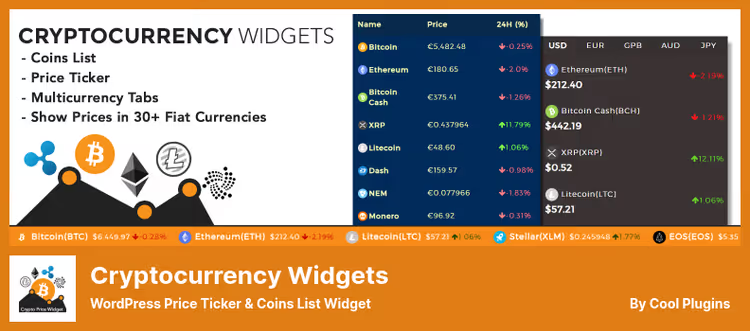
The main all-rounder among crypto plugins. Displays a running ticker with rates, coin lists, multi-currency tabs, and price labels, all via shortcodes. Under the hood, CoinGecko, CoinMarketCap, CoinCap, or Coinpaprika API to choose from.
The free version covers the top 250 coins. Pro extends coverage to 2,500 and adds real-time updates via Binance API (literally every second), historical charts, crypto calculator, and additional layouts: cards, slider, accordion. For Elementor users, there's a separate addon with native widgets.
Pros:
- 4 API sources to choose from in the free version
- 32 fiat currencies out of the box
- Separate integration with Elementor
Cons:
- Real-time prices only in Pro
- Free rates update every 5-10 minutes
Price: Free / Pro from $49 per year according to the developer
🔗 Cryptocurrency Widgets on WordPress.org
2. CryptoWP
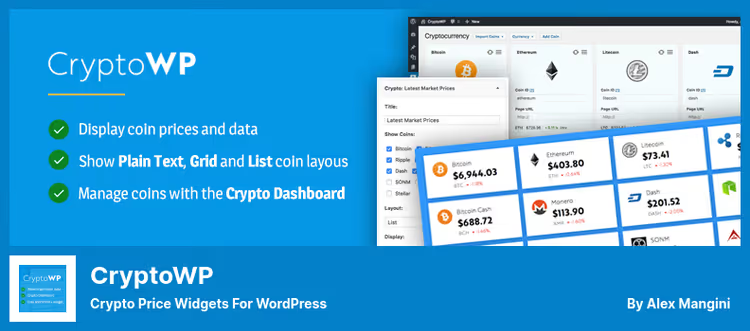
Minimalist plugin with a neat admin panel and drag-and-drop widget. Supports 1,300+ altcoins and 30+ fiat currencies via CryptoCompare API. Prices update every 15 minutes in the background, without loading the hosting server.
The interface is translated into a dozen languages, there are ready-made display templates: Plain Text, List, and Grid. Shortcodes and widgets work without hassle: import the coin in the dashboard, insert [crypto], prices on the page. No watermarks, no ads in the admin panel.
Pros:
- Simple drag-and-drop widget
- Historical charts and notifications
- No watermarks
Cons:
- Price updates every 15 minutes, not for trading panels
- Static set of templates, deep customization via CSS
Price: Free
3. Crypto Chart Widget

Narrow chart specialist. Supports 6,000+ cryptocurrencies and displays historical quotes in 15+ fiat currencies. Chart types: line, smoothed, bar, stepped, and Japanese candlesticks.
Setup goes through the native WordPress interface, without HTML and PHP. Chart is inserted via shortcode. You can display unlimited charts on one page and separately enable trading volume display. Background with the coin logo is added to each chart automatically.
Pros:
- 5 chart types, including candlestick
- 6,000+ cryptocurrencies
- Unlimited charts per page
Cons:
- Only charts, no tickers and converters
- Paid, one-time purchase without trial
Price: $25 (one-time, on CodeCanyon)
🔗 Crypto Chart Widget on CodeCanyon
4. Massive Crypto
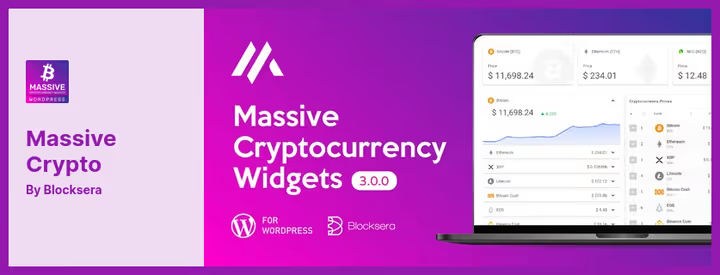
Plugin with a focus on design. Comes with several ready-made layouts for displaying prices, each customizable by colors and currency set. Widgets are inserted via shortcodes, you can create several different ones and distribute them across pages.
API automatically pulls current prices. No manual updating required. Suitable for those who need to quickly deploy a beautiful rate table without messing with CSS.
Pros:
- Ready-made designs out of the box
- Several independent widgets
- Automatic updates via API
Cons:
- No charts and converters
- Only CodeCanyon, no free version
Price: $24 (one-time, on CodeCanyon)
🔗 Massive Crypto on CodeCanyon
5. Crypto Converter Widget
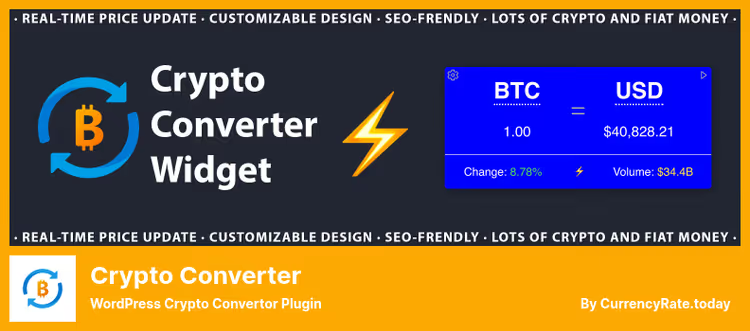
Focused converter that has grown exponentially since the last review. Supports around 14,000 cryptocurrency symbols and 170 fiat currencies. Available as a Gutenberg block, shortcode, or embed in widget areas.
Calculations go to a third-party server, your hosting is not loaded. Interface, browser Web Component: lightweight, adaptive, with support for light and dark themes. Customizable default currency, amount, precision, locale, corner rounding, and gradients. No API key required.
Pros:
- ~14,000 crypto symbols and 170 fiat currencies
- Gutenberg block plus classic shortcode
- Zero server load, own browser runtime
Cons:
- Only conversion, no tickers and tables
- Dependency on third-party API for rates
Price: Free
🔗 Crypto Converter Widget on WordPress.org
6. Crypto Price Widget

JavaScript widget for displaying prices, 24-hour changes, market cap, and trading volume. Supports 14,280 unique crypto symbols and 160 fiat currencies, one of the widest coverages among free plugins.
Shortcodes, custom CSS styles, price charts, real-time streaming updates, all in one box. Plugin from the same developers as Crypto Converter Widget, with the same architecture: main operations are processed on a third-party server and don't consume hosting resources. There's a Gutenberg block, support for light and dark themes, customizable lines and rounding.
Pros:
- 14,280 crypto symbols and 160 fiat currencies
- Real-time price streaming
- Gutenberg block, custom styles via CSS
Cons:
- Fewer layouts than
Cryptocurrency Widgets - Basic charts, no candlestick analysis
Price: Free
🔗 Crypto Price Widget on WordPress.org
⁉️🤔 Frequently asked questions
Do I need an API key for cryptocurrency plugins to work?
All plugins from this roundup work without an API key in the free version. They use open APIs CoinGecko, CoinMarketCap, CoinCap, Coinpaprika, or CryptoCompare. The Pro version of
Cryptocurrency Widgetsconnects to Binance API for real-time updates, there you need a key, but that's an option, not a requirement.
How often are rates updated in free versions?
Every 5-15 minutes, depending on the plugin.
Cryptocurrency Widgetsupdates rates every 5-10 minutes, the interval is adjustable in the admin panel.CryptoWPdoes this every 15 minutes.Crypto Price WidgetandCrypto Converter Widgetuse browser real-time streaming, prices update instantly without server load.
Do crypto plugins slow down the site?
No, if the plugin offloads computations outside your server.
Crypto Converter Widget,Crypto Price Widget, andCryptocurrency Widgetswork exactly like that. Make sure the plugin doesn't load its scripts on every page of the site, but only where the shortcode or block is placed.
Can I display prices in dollars and hryvnias?
Yes.
Cryptocurrency Widgetssupports RUB via OpenExchangeRates API.Crypto Price Widgetcovers 160 fiat currencies, including RUB and UAH.Crypto Converter Widgetworks with 170 currencies. Almost all plugins from the roundup are multi-currency.
Which plugin works with Elementor?
Cryptocurrency Widgetshas a separate addon for Elementor with native widgets: price cards, labels, and multi-currency tabs insert directly into the builder.CryptoWP,Crypto Price Widget, andCrypto Converter Widgetwork via shortcodes and blocks, also compatible, but without a visual editor.
What to install in 2026
The choice comes down to the task:
- Need ticker, rate table, and multi-currency tabs, take
Cryptocurrency Widgets. The most functional free option: 250 coins, 32 currencies, integration with Elementor. Want real-time updates and charts, add Pro. - Need charts and candlestick analysis,
Crypto Chart Widget. 6,000+ coins, 5 chart types, one-time purchase. Narrow specialist, but best in its niche. - Need converter and nothing else,
Crypto Converter Widget. ~14,000 symbols, 170 currencies, Gutenberg block, free, zero server load. - Need maximum coin coverage for free,
Crypto Price Widget. 14,280 crypto symbols, 160 fiat currencies, real-time streaming, custom CSS. Best choice for aggregators and news sites.
In practice, the combination of Cryptocurrency Widgets (tickers and rate table) plus Crypto Converter Widget (conversion) covers the vast majority of cryptocurrency site needs without a single dollar spent. Install both, basic setup takes five minutes.
If after a month you realize visitors need charts, buy Crypto Chart Widget. If you want to display rates in the header as a running ticker with per-second updates, upgrade Cryptocurrency Widgets to Pro.
Remember: a crypto ticker with prices outdated by 20 minutes is worse than no ticker at all. The visitor sees BTC at one price, opens Binance, sees another, and loses trust in the site. Choose a plugin with an update frequency that matches your audience's expectations.

A professional team of writers and editors specializing in creating quality content.