













 AIIllustrative image: AI-generated
📁 6 file upload plugins for WordPress 2026 (free and paid)
A feedback form without file upload is a missed opportunity. A client wants to send a specification in PDF, upload a logo for merchandise, or attach a screenshot of an error, but WordPress says "file type not permitted."
The problem is that standard WordPress only allows a narrow set of MIME types. Without a plugin, you can't accept ZIP, CSV, AI, XML, SVG, or WebP through a form or WooCommerce checkout. We've gathered 6 tools that solve this task, from system whitelist extension to full drag-and-drop with shortcode.
Each plugin in the collection has been tested for compatibility with WordPress 6.x, is current as of 2026, and solves its own scenario: some need simple file type unblocking in the admin, some need a frontend uploader with progress bar, and some need file acceptance at WooCommerce checkout.
💡 Quick overview:
- Open the list of MIME types through File Upload Types, a free plugin from the WPForms developers for editing the WordPress whitelist.
- Add a drag-and-drop uploader to Contact Form 7 through Drag and Drop Multiple File Upload, lite is free, premium from 29 dollars adds automatic file deletion.
- Set up file acceptance at WooCommerce checkout with Checkout Files Upload, field before or after payment with size and extension limits.
Comparison table
Plugin | Free version | Paid from | Upload type | WooCommerce | Key feature |
|---|---|---|---|---|---|
| Yes | - | Admin / forms | No | MIME whitelist in core |
| No | $14 | Frontend (shortcode) | No | AJAX without reload |
| Yes | - | Frontend + widget | No | Shortcode + folder selection |
| Yes | $29 | Frontend (CF7) | No | Drag-and-drop in CF7 |
| Yes | On request | Checkout | Yes | Upload on/after checkout |
| No | $39.60/year | Frontend (forms) | Yes (Pro) | Form builder + upload |
1. File Upload Types
Free plugin from the WPForms team that extends the WordPress system whitelist. If a user tries to upload a file with an unregistered extension, WordPress throws an error "This file type is not permitted." File Upload Types removes this limitation, you add the needed MIME types in the admin interface, and they become available everywhere: through the media library, forms, REST API.
The plugin doesn't create a frontend uploader. It works at the core level, editing the list of allowed extensions globally. This is a system tool, not a user widget. Under the hood is the upload_mimes filter, called through a clear UI without a line of code. For ZIP, CSV, XML, AI, CAD, SVG and other technical formats, the first thing to activate on a fresh site.
Integration with WPForms works out of the box: types added through the plugin are automatically picked up by the form. The developers published a tutorial on creating custom types for unusual cases.
Pros:
- Edits the MIME type whitelist at WordPress core level
- Free and open source, no premium upsell
- Integration with WPForms without additional settings
- Simple UI, checkbox selection and manual MIME input
Cons:
- Doesn't add a frontend uploader (only system whitelist)
- No visual drag-and-drop, purely admin
- Not directly compatible with WooCommerce checkout
Price: Free.
🔗 File Upload Types on WordPress.org
2. Ajax Multi Upload
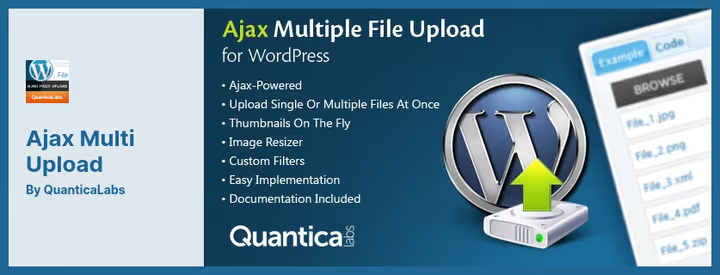
jQuery plugin from QuanticaLabs with shortcode [ajax_multi_upload]. You insert it on any page or post, users upload single or multiple files by AJAX method, without page reload. Progress bar, file queue, upload counter, all on the frontend.
In practice, this is one of the simplest ways to add file acceptance to a landing page or contact page. The shortcode requires zero code knowledge, just insert and done. The plugin is cross-browser, supports Chrome, Firefox, and Safari. Built-in image resizer changes the resolution of uploaded images to specified dimensions.
Downsides: support is not instant, sometimes you have to wait several hours for a response from the team. The last update came out at the end of 2022, but the plugin is still sold on CodeCanyon and stable on the current version of WordPress. For one-off tasks and small projects, a good option. For a site with high security requirements, choose a more recent tool.
Pros:
- Shortcode, insert and it works, without a line of code
- AJAX upload without page reload
- Built-in image resizer
- Single or multiple upload in one queue
Cons:
- Last update November 2022, no development
- Support responds with delay
- No free version for testing
- No integration with WooCommerce
Price: $14, one-time payment on CodeCanyon.
🔗 Ajax Multi Upload on CodeCanyon🔗 Live demo
3. Iptanus File Upload

Formerly known as WordPress File Upload, renamed to Iptanus File Upload, but the slug wp-file-upload on wordpress.org has been preserved. Free, with short shortcode [wordpress_file_upload] and separate widget for sidebar. User uploads files from any page, post or widget, and immediately sees them in the WordPress dashboard through a special recent uploads widget.
Feature that competitors don't have: destination folder selection from the frontend. The user decides which subdirectory of wp-content to put the file in. Plus custom fields, you can collect additional information about the upload: description, tags, purpose. The role system restricts uploads by user rights, administrators see one thing, subscribers another.
Multilingual support, filters and hooks before and after upload, email notifications for each new file, all in the free version. The plugin is alive and updating: v5.1.7 from December 2025, active installation, 30,000+ sites. For a site with user-generated content, one of the best options.
Pros:
- Destination folder selection from frontend, unique feature
- Shortcode + widget + custom fields in one free package
- Email notifications for each upload
- Access control by user roles
- 30,000+ active installations, fresh update (December 2025)
Cons:
- Admin interface is visually outdated
- No built-in integration with WooCommerce
- Documentation partially outdated (from old name)
Price: Free.
🔗 Iptanus File Upload on WordPress.org
4. Drag and Drop Multiple File Upload
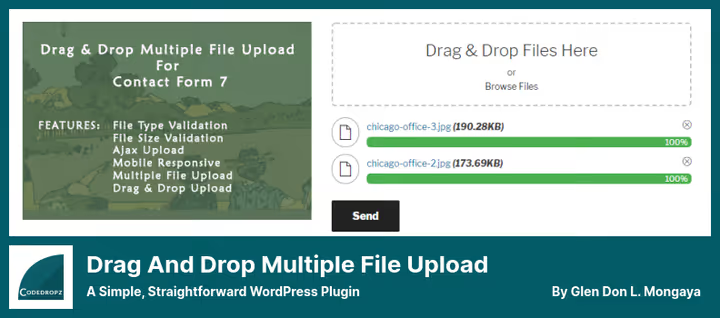
Extension for Contact Form 7 that adds a drag-and-drop field to forms. Visitor drags files with mouse into upload area, sees progress and can delete file before submission. Lite version on wordpress.org covers basic scenario: file quantity limit, filter by types and sizes, file attachment to email notification.
Premium for 29 USD adds automatic file deletion after a specified period, upload folder change, improved performance and ability to send file links instead of files themselves in the email. Developer (codedropz.com) responds quickly, support is live and active.
In practice, this is the best choice if you already have Contact Form 7. No separate plugin needed, Drag and Drop Multiple File Upload extends the existing form with a new field. For a site on CF7 with file acceptance needs, the first thing to try.
Pros:
- Integrates directly into Contact Form 7 as new field type
- Drag-and-drop with visual feedback and progress
- Ability to delete file before form submission
- Lite version is completely free and actively updated (May 2026)
Cons:
- Only works with Contact Form 7, not a universal uploader
- Premium for price of 29 USD needed for auto-deletion and folder change
- Plugin is useless without CF7
Price: Free (Lite) / paid from 29 dollars (Premium, one-time).
🔗 Drag and Drop Multiple File Upload on WordPress.org🔗 Premium version on codedropz.com
5. Checkout Files Upload for WooCommerce

Specialized plugin for accepting files from customers at WooCommerce checkout. Client orders a personalized product, for example, a mug with a logo, and attaches the layout right during checkout. Field appears either before the checkout form, or after payment on the thank you page.
Configuration flexibility is one of the strong points. You set allowed extensions, maximum file size, custom error and success messages. Field can be shown or hidden depending on products in cart, so you don't display upload for those buying a standard item.
Lite version on wordpress.org is free and supports single upload. Premium from WP Wham adds multiple uploads, several field placement locations and advanced display triggers. Downside is that premium is noticeably more expensive than competitors, price on request.
Pros:
- Designed specifically for WooCommerce checkout, perfect integration
- Field visibility settings by products in cart
- Position choice: before payment, after payment or on "My Account" page
- Lite version is free and updated (May 2026)
Cons:
- Only WooCommerce, useless outside the store
- Lite version doesn't support multiple uploads
- Premium version price is not public (on request)
Price: Free (Lite) / Premium, price on request from WP Wham.
🔗 Checkout Files Upload on WordPress.org🔗 Premium version on wpwham.com
6. WPForms

WPForms, a form builder with drag-and-drop, in which file upload is built in as one of the field types. Two styles available: classic (button "Choose File") and modern (drag-and-drop area). Form accepts images, PDF, documents and other file types, you set limits in field settings.
Files uploaded through the form are saved either in the WordPress media library, or attached as a link in the email notification. For email, a link is preferable, the message doesn't bloat with attachment and is delivered faster. Additional fields (name, email, phone, checkboxes) are added by the same drag-and-drop.
Out of the box, spam protection (honeypot + captcha), form templates and integrations with Mailchimp, PayPal, Stripe. But file upload is only available starting from the Plus plan for $79.60 per year. Basic plan for 39.60 dollars per year includes only standard form fields without file upload. For an online store on WooCommerce there is a separate Pro plan with payment integrations.
Pros:
- Visual form builder, assemble form in 5 minutes without code
- Two upload field styles: button and drag-and-drop
- Integration with WordPress media library
- Form templates and spam protection out of the box
Cons:
- File upload only from Plus plan (from 79.60 USD/year), not in basic
- Subscription, not a one-time payment
- Excessive if you only need file upload without a full builder
Price: From $39.60 per year (Basic, without file upload) / Plus from 79.60 USD (with upload).
Short overview of seven file plugins from the Formidable Forms channel, visually shows the difference in interfaces and usage scenarios. In 8 minutes, comparison of approaches: from simple whitelist extension to full-featured form builder.
⁉️🤔 Frequently asked questions
Which plugin is best for simple file acceptance through a form?
If you already have Contact Form 7, install
Drag and Drop Multiple File Upload. Lite version is free, adds drag-and-drop field to CF7 in a minute and is updated (May 2026). If you don't have CF7, takeIptanus File Upload: shortcode[wordpress_file_upload]on any page and frontend is ready, without dependency on another form.
Can I allow.svg and.webp upload without a plugin?
Without a plugin, only through
wp-config.phporfunctions.php, and this is risky: a code error will break the site.File Upload Typesadds.svg,.webp and any other extensions through admin checkboxes, safely and reversibly. Plus the plugin automatically picks up the MIME type for each extension.
Which plugin is best for WooCommerce?
Checkout Files Uploadis designed specifically for checkout. It shows the field before or after payment, filters by products in cart and limits size. For personalized products (mug printing, engraving, merchandise with logo) this is the industry standard on WordPress.
What to choose for a multilingual site?
Iptanus File Uploadsupports multilingual out of the box. Frontend interface is translated by standard WordPress means, custom fields and email notifications too. Plus filters and hooks allow fine-tuning translation for a specific locale without editing the plugin core.
Why does WordPress block upload of certain file types?
In WordPress core, a whitelist of MIME types is hardcoded for security reasons. ZIP, CSV, XML, AI, SVG and dozens of other extensions are not included, they can potentially be used for attack.
File Upload Typesextends this list, but security responsibility falls on the administrator: add only those types that users actually need.
Can I get by without a plugin and write my own solution?
You can, through
wp_handle_uploadandupload_mimesinfunctions.phpor custom REST API endpoint. But this is hours of development, security testing and maintenance with WordPress updates. For a typical site, a ready plugin from the collection will solve the task in 10 minutes. Write your own only if you have a unique file processing pipeline (antivirus check, on-the-fly format conversion, integration with external storage).
How to choose a file upload plugin

Plugin choice comes down to scenario, not rating. Need system whitelist, File Upload Types. Shortcode on any page, Iptanus File Upload. Forms on Contact Form 7, Drag and Drop Multiple File Upload. WooCommerce checkout, Checkout Files Upload. Full-featured form builder with upload, WPForms (Plus). One-off project with limited budget, Ajax Multi Upload for 14 USD.
Try the lite version for your scenario, check compatibility with theme and caching plugin in test environment. And don't forget about security: each new MIME type in the whitelist is a potential attack vector. Add only what users actually need.

A professional team of writers and editors specializing in creating quality content.