














🥇 7 best auction plugins for WordPress 2026 (free and paid)
You can set up an auction on WordPress in an hour. But the question comes earlier: which plugin to choose? Do you need WooCommerce or is a standalone solution enough? Will the free version handle your initial launch?
The answer depends on your business model, not on catalog ratings. eBay resellers, independent auction houses, and WooCommerce stores with bidding need fundamentally different tools. Below are 7 plugins that cover different scenarios: from free launches to full-featured marketplaces with multiple sellers.
All seven have been verified for compatibility with WordPress 6.9+ and are actively maintained by developers.
💡 Quick overview:
- Define your auction type: standard (ascending), reverse (descending), silent (sealed bids), or proxy (automatic bids up to a limit)
- Decide whether you need WooCommerce: some plugins work without it, others extend standard WooCommerce functionality
- If you already sell on eBay, use Auction Nudge or WP eBay Product Feeds and keep it simple
- Choose a plugin that matches your monetization model: seller commission, bidding fees, or fixed license price
Comparison table
Plugin | WooCommerce | Auction types | Free version | Pro price |
|---|---|---|---|---|
Ultimate WordPress Auction | Optional | Standard, Buy Now | ✅ | from $79/year |
Ultimate Auction for WooCommerce | Yes | Standard, Buy Now, Proxy | ✅ | $79/year |
Auction Nudge | No | eBay integration | ✅ | Free |
YITH WooCommerce Auctions | Yes | Standard, Reverse, Silent, Buy Now | ❌ | $149.99/year |
WooCommerce Simple Auctions | Yes | Standard, Buy Now | ❌ | $59 (one-time) |
Auctions Made Easy for WooCommerce | Yes | Standard, Reverse, Silent, Proxy, Unique | ❌ | $129/year |
WP eBay Product Feeds | No | eBay integration | ✅ | from $19/year |
How auctions work in WooCommerce and how to launch your first bids are covered in the review above.
1. Ultimate WordPress Auction

The most popular free auction plugin in the WordPress catalog: 129 ratings, 1,000+ active installs, tested with WordPress 6.9.4. Works with or without WooCommerce. For a pure WordPress site, this is the best entry point.
In practice: install it, add an auction product through the standard interface, set starting price, bid increment, and reserve. Bids are accepted without page reload via AJAX. Winners are determined automatically.
- Pros: free version covers basic scenarios (registration, bidding, Buy Now with PayPal); auction history and reactivation of expired lots; doesn't require WooCommerce
- Cons: shortcodes and filters only in Pro; limited auction page customization
- Price: Lite free, Pro from $79 to $199/year
- Download: 🔗 Ultimate Auction on WordPress.org | 🔗 Download Pro version
2. Ultimate Auction for WooCommerce

From the same developers as the first plugin, but built strictly for WooCommerce. 125 ratings, 2,000+ active installs, twice as many as the standalone version. This shows where the market is shifting.
After activation, a new product type "Auction Product" appears in WooCommerce. Set starting price, bid increment, Buy Now price, and duration. Bids are accepted in real time, notifications go out via email. Proxy bids (automatic up to limit) work out of the box.
- Pros: full WooCommerce integration (Stripe, PayPal, inventory, taxonomies); "Finished" / "Upcoming" auction widgets; customizable email notifications
- Cons: requires WooCommerce, unnecessary overhead if you don't need a store; SMS notifications and Soft-Close only in Pro
- Price: Lite free, Pro $79/year
- Download: 🔗 Ultimate Auction for WooCommerce on WordPress.org | 🔗 Pro version on auctionplugin.net
3. Auction Nudge

If you already sell on eBay, you don't need a full auction engine. Just display your active lots on your site and direct traffic to eBay pages. Auction Nudge does exactly that.
The plugin connects to your eBay account, pulls active lots, and displays them via shortcode or Gutenberg block. 85 ratings in the catalog, 1,000+ installs, supports 15 languages. Filtering by eBay categories, pagination, lot search, and responsive design work out of the box.
- Pros: completely free; lot updates every 15 minutes; supports 15 eBay marketplaces; CSS customization
- Cons: only displays eBay lots, can't add your own products to the site; mandatory Advertising Disclosure per eBay Partner Network requirements
- Price: Free
- Download: 🔗 Auction Nudge on WordPress.org
4. YITH WooCommerce Auctions
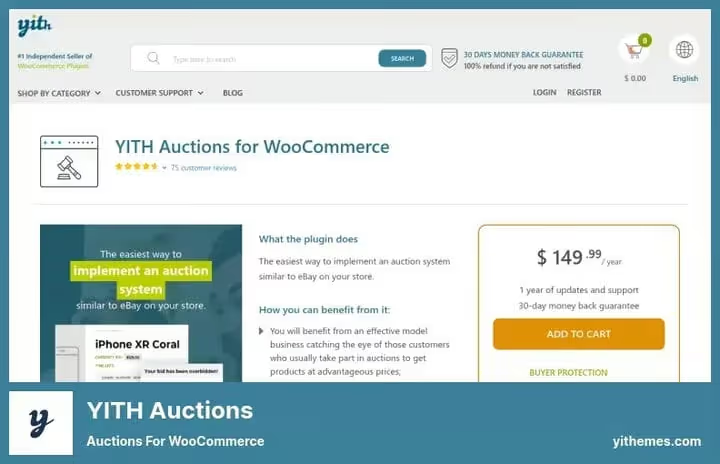
The most feature-rich auction plugin in this roundup. From the Italian team YITH, one of the top WooCommerce extension developers. Rating 4.46 out of 5 and 12,075 active users according to yithemes.com.
Out of the box: standard, reverse, silent, and proxy auctions. You can charge participation fees, configure automatic card charges for winners via Stripe, add buyer premiums. Supports YITH WooCommerce Multi Vendor: launch a marketplace where each seller lists their own lots and you take a percentage.
- Pros: 4 auction types; Watchlist for users; 4 countdown timer layouts; automatic order generation for winners; multi-vendor support
- Cons: $149.99/year, highest price in the roundup; no free version, only 30-day refund
- Price: $149.99/year (1 year updates and support)
- Download: 🔗 YITH WooCommerce Auctions | 🔗 Live demo
5. WooCommerce Simple Auctions

Plugin from CodeCanyon, 4,200+ sales. Does exactly what the name says: adds auctions to WooCommerce without extra settings and separate dashboards.
After installation, the product type "Auction" appears on the add product page. Set starting price, bid increment, reserve, Buy Now, and start/end dates. Management directly in the standard WooCommerce interface. Works with WPML for multilingual sites.
- Pros: minimalist, doesn't change familiar WooCommerce interface; $59 one-time without annual subscription; WPML support
- Cons: no free version to test; fewer auction types than YITH or Auctions Made Easy
- Price: $59 (one-time purchase)
- Download: 🔗 WooCommerce Simple Auctions on CodeCanyon | 🔗 Live demo
6. Auctions Made Easy for WooCommerce
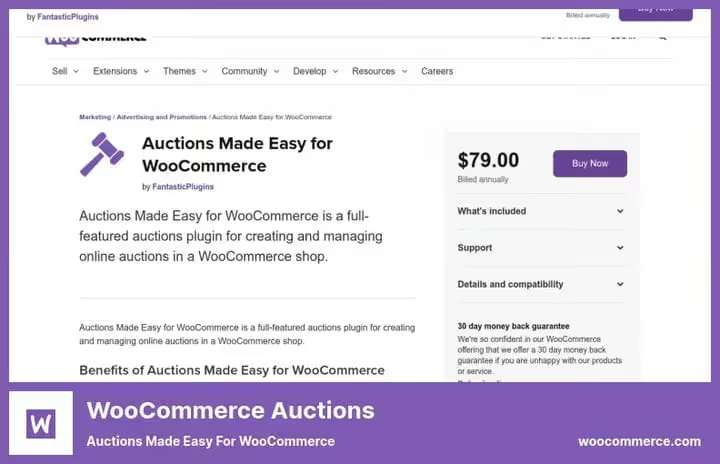
The most flexible plugin in the roundup by auction types. Five formats: standard, reverse, silent, proxy, and unique. Plus an auction registration system with optional participation fees.
The plugin provides a separate dashboard for both admin and buyer. Buyers see active, won, and lost auctions, add lots to Watchlist, and receive bid notifications. Administrators manage all auctions from a single table, relist completed ones manually or automatically.
- Pros: 5 auction types; winner commission and participation fees; buyer and admin dashboards; Watchlist; CSV export of bid logs; HPOS, Apple Pay / Google Pay support
- Cons: WooCommerce only, doesn't work without it; $129/year, no one-time license
- Price: $129/year (1-year plan) or $206.40 for 2 years
- Download: 🔗 Auctions Made Easy on WooCommerce.com
7. WP eBay Product Feeds

Another tool for those who sell on eBay and want to show lots on their site. Unlike Auction Nudge, WP eBay Product Feeds works via RSS feeds (since 2020, through the RSS Ground service).
The plugin supports Gutenberg blocks, shortcodes, and widgets. You can set display templates, product quantities, and image sizes. The premium version adds a template builder and Smart Links for automatic eBay affiliate link insertion.
- Pros: free version with basic functionality; flexible display control (image size, item count, fallback text); Smart Links in Pro for traffic monetization
- Cons: dependency on RSS Ground for feed generation; fewer display features than Auction Nudge
- Price: Lite free, Pro from $19/year (price varies on developer site)
- Download: 🔗 WP eBay Product Feeds on WordPress.org | 🔗 Download Pro version
⁉️🤔 Frequently asked questions
Do you need WooCommerce to run auctions on WordPress?
No, not always. Ultimate WordPress Auction and both eBay plugins work without WooCommerce. But if you need integration with payments, inventory, and cart, WooCommerce simplifies the task: YITH, Simple Auctions, and Auctions Made Easy are built on it. For a store with 20+ lots, the WooCommerce path is shorter. For a one-time auction with 3-5 items, Ultimate WordPress Auction with PayPal is enough.
What's the difference between standard, reverse, and silent auctions?
Standard: highest bid wins (classic eBay format). Reverse: lowest bid wins (B2B tenders and procurement). Silent: bids are hidden from other participants (antiques, premium lots). Proxy auction (auto-bids up to limit) is convenient for buyers: set your ceiling and stop watching the bidding.
Which plugin should I choose for a marketplace with multiple sellers?
YITH WooCommerce Auctions paired with YITH WooCommerce Multi Vendor. Each seller gets their own dashboard, lists lots, and pays you commission. Alternative: Dokan or WCFM Marketplace with any WooCommerce auction plugin. Total budget for two YITH plugins starts at several hundred dollars per year.
Can you launch an auction completely free?
Yes. The combination of Ultimate WordPress Auction (Lite) for accepting bids and Auction Nudge for eBay lots will cover initial needs without license costs. The only paid part: hosting. WordPress on shared hosting handles auctions with 100+ bids per day without problems.
What to do if a plugin stopped updating?
Check the last update date on the plugin page in the WordPress catalog. Plugin without updates for more than 2 years: possible security and compatibility issues with new PHP and WordPress versions. All plugins in this roundup are active and compatible with WordPress 6.9+. WP Auctions was excluded from the list as it was shut down in December 2024 due to a security vulnerability.
Which auction plugin to use in 2026
If budget is limited and WooCommerce is not needed, Ultimate WordPress Auction (Lite) provides everything necessary. Auction Nudge solves the task for eBay sellers for free.
With a WooCommerce store, the picture is as follows. For maximum functionality without annual subscription: WooCommerce Simple Auctions for $59 one-time. For a marketplace with multiple sellers: YITH WooCommerce Auctions (expensive, but no alternatives in depth). For fine-tuning auction types: Auctions Made Easy.
- If you need a quick start without WooCommerce: Ultimate WordPress Auction (Lite)
- If you already sell on eBay: Auction Nudge or WP eBay Product Feeds
- If you're building a WooCommerce store with bidding: Ultimate Auction for WooCommerce or WooCommerce Simple Auctions
- If you need a marketplace with multiple sellers: YITH WooCommerce Auctions
Choose not by rating, but by your business model: eBay reseller, independent auction house, or WooCommerce store with bidding are three different scenarios and three different tools. Which plugin did you launch: share in the comments.

A professional team of writers and editors specializing in creating quality content.