














🛠 7 CSS editors for WordPress: visual and code editing plugins 2026
The button is the wrong color, the spacing shifted after a theme update, and the logo needs to be exactly 15 pixels to the left. Sound familiar? The standard WordPress customizer only provides basic settings. Everything else requires manual CSS.
Writing styles from scratch, hunting for selectors through the inspector, and wondering why !important didn't work is a path that eats hours. A live CSS editor with a visual interface solves the problem in minutes: click an element, move a slider, done. No theme file edits and no risk of breaking the site.
We tested 7 live CSS editors for WordPress personally, from lightweight free options to professional tools with inspectors and visual controls. Each one serves a specific scenario. Choose based on your task.
💡 Quick overview:
- Determine your level: whether you write CSS by hand or need a visual editor immediately divides plugins into two groups.
- For manual code work, look at
WP Add Custom CSS,Customizer Custom CSS, andSimple Custom CSS and JS: all free, lightweight, with syntax highlighting. - For visual editing without code, choose between
CSS Hero,SiteOrigin CSS, andYellow Pencil, each with its own balance of price and capabilities. SiteOrigin CSSis the golden middle: visual controls for beginners, a full code editor for professionals, free, 100,000+ active installations, and an update from May 2026.
Comparison table
Plugin | Type | Price | Active Installations | Visual Editor | Inspector | Revisions |
|---|---|---|---|---|---|---|
| Visual | $29/year | n/a | ✅ Full-featured | ✅ | ✅ |
| Code | Free | 60,000+ | ❌ | ❌ | ❌ |
| Hybrid | Free / Premium from $29 | 100,000+ | ✅ Basic | ✅ Advanced | ✅ 15 |
| Code | Free | 400+ | ❌ | ❌ | ✅ Media Queries |
| Visual | Free (Pro discontinued) | 40,000+ | ✅ 60+ properties | ✅ | ✅ |
| Code | Free / Pro | 600,000+ | ❌ | ❌ | ❌ |
| Hybrid | $19.99/year | 10,000+ | ✅ Visual | ✅ SCSS | ✅ |
1. CSS Hero
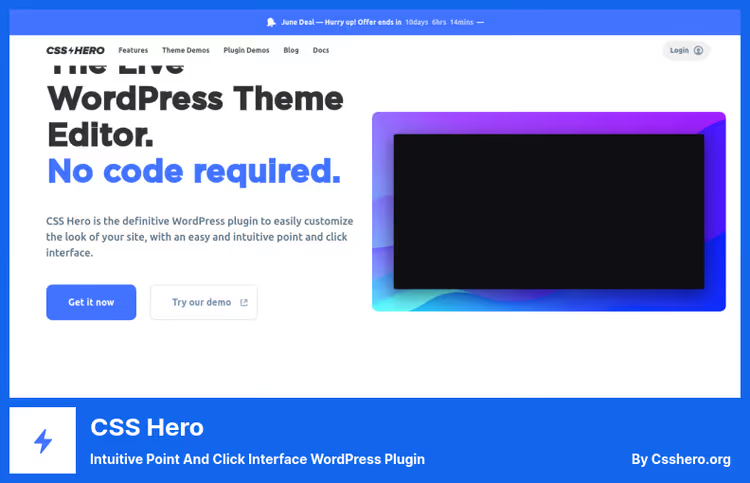
CSS Hero is a visual WordPress theme editor that works on a "click and edit" principle. You hover over any page element, click, and change the color, font, spacing, or shadows through the control panel. Not a line of code.
Under the hood is a separate static stylesheet that doesn't touch theme files. Disable the plugin and the site returns to its original appearance. No irreversible edits and no vendor lock.
Pros:
- Full-featured point-and-click visual editor: edits even complex CSS properties like gradients and
box-shadow - Built-in Unsplash integration: background images are selected directly from the editor
- Separate editing for mobile, tablet, and desktop
- Change history with checkpoints, one-click rollback
Cons:
- Paid with no free version, only a 30-day refund
- Heavy for one-off edits: if you need to adjust one color, opening the customizer is simpler
Price: Starter $29/year (1 site), Personal $59/year (up to 5 sites) on the CSS Hero website. Lifetime license available.
🔗 CSS Hero on the developer's website
2. WP Add Custom CSS
WP Add Custom CSS is a lightweight solution for those who write CSS by hand. The plugin adds a style input field at the site-wide level and separate fields for specific posts, pages, and custom post types. No visual interface, just a code editor with syntax highlighting.
In practice, this is the fastest way to implement custom styles: install, paste code, save. Works with Elementor, Gutenberg, and the classic editor. The plugin has 60,000+ active installations and a 4.8 rating on WordPress.org.
Pros:
- Free and ad-free: no pro versions and no crippled functionality
- Three CSS output modes: external file (for caching), inline
<style>(for rendering speed), WordPress hook (backward compatibility) - Separate CSS blocks for each post and page, useful for landing pages
Cons:
- Only for those who know CSS: no visual editor
- Not updated since August 2025 (v1.2.1), but tested up to WordPress 6.8.5
- No change history: save and forget
Price: Free.
🔗 WP Add Custom CSS on WordPress.org
3. SiteOrigin CSS
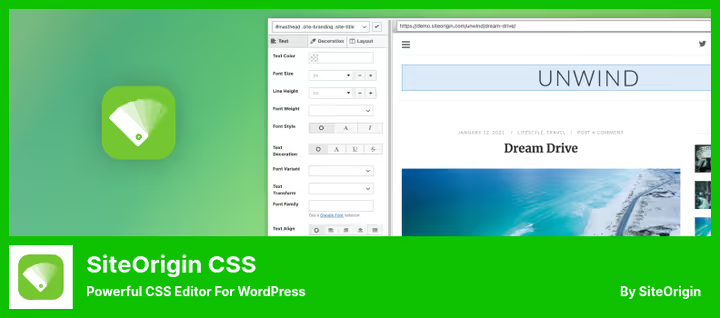
SiteOrigin CSS is the best hybrid CSS editor for WordPress in our experience. We've been using it on several projects for over two years. Developed by SiteOrigin, known for the Page Builder plugin. 100,000+ active installations, updated May 21, 2026, the product is alive and evolving.
Three work modes in one interface. Inspector: hover over an element in the live preview and click, the plugin highlights the box model (margin, padding, border) and suggests CSS selectors sorted by specificity. Visual controls: 40+ properties divided into tabs (text, styling, layout). Colors, fonts, spacing, shadows are adjusted with sliders. Code editor: selector and property autocomplete, linting, find and replace, block folding, almost an IDE inside WordPress.
Pros:
- Free and unlimited, Premium only adds Google Fonts
- Revisions: 15 most recent saves with timestamps, one-click rollback
- CSS output to a static file, cached by browsers and CDN
- Per-page CSS: different styles for the home page, landing pages, and individual posts
Cons:
- Visual controls don't cover all CSS properties: for complex shadows or transforms, the code editor is needed
- Google Fonts access requires Premium (from $29)
Price: Free. SiteOrigin Premium from $29/year (adds Google Fonts and priority support).
🔗 SiteOrigin CSS on WordPress.org🔗 SiteOrigin website
4. Customizer Custom CSS
Customizer Custom CSS is a maximally simple plugin that adds a CSS input field directly to the standard WordPress customizer. Install, go to Appearance → Customize → Custom CSS, paste code, and see the result in real time.
The author is independent developer Bijay Yadav. The plugin is minimalist: no visual editors, just a text field with live preview. Supports media queries for responsive styles on mobile devices. v1.2.3, updated in March 2025.
Pros:
- Integrates into the standard customizer: no need to adapt to a new interface
- Free, no pro versions
- Live preview of changes
- Media query support for mobile
Cons:
- Code editing only, no visual tools
- Only 400+ active installations, infrequent updates
- No syntax highlighting, autocomplete, or linting, inconvenient for complex work
Price: Free.
🔗 Customizer Custom CSS on WordPress.org
5. Yellow Pencil
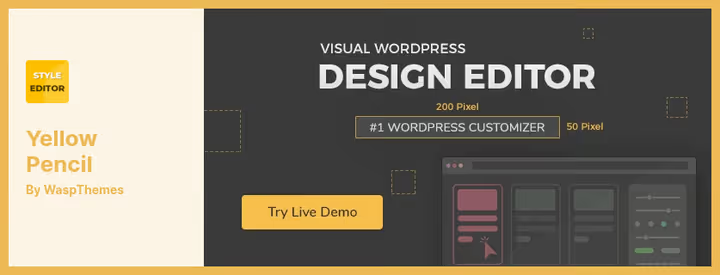
Yellow Pencil is a visual CSS editor with drag-and-drop for WordPress. Click on a page element and get access to 60+ CSS properties through a visual panel: colors, fonts, spacing, animations, gradients, flexbox properties. The plugin generates clean CSS behind the scenes without touching theme files.
The free version on WordPress.org is actively developed: v7.6.7, updated May 2026, 40,000+ active installations. The Pro version was previously sold on CodeCanyon but has been discontinued at the time of this review update. The free version remains alive and maintained, sufficient for targeted visual styling.
Pros:
- 60+ CSS properties in the visual editor, one of the richest sets
- Drag-and-drop element positioning
- Designer tools: measurement ruler, wireframe mode, element search
- Compatible with all page builders (Gutenberg, Elementor, etc.)
Cons:
- Key properties are locked in the free version: font color, background color, width and height
- Pro version no longer available for purchase, upgrade path is closed
- Some users complain that free functionality is insufficient for full styling
Price: Free. Pro version was previously sold on CodeCanyon (discontinued).
🔗 Yellow Pencil on WordPress.org
6. Simple Custom CSS and JS

Simple Custom CSS and JS is a replacement for the outdated Custom CSS and JavaScript, which hasn't been updated since August 2023. This plugin by SilkyPress does the same thing: adds custom CSS and JavaScript to the site through an editor with syntax highlighting, but is actively developed. The plugin has 600,000+ active installations on WordPress.org, updated May 2026, tested up to WordPress 7.0.
Code is output either inline or as an external file, your choice. Can be placed in header or footer, on the frontend or in the admin. Number of snippets is unlimited. When switching themes, all styles and scripts are preserved. The Pro version adds preprocessors and advanced conditional rules.
Pros:
- 600,000+ active installations and update from May 2026: the product is alive and reliable
- Code output to static files, doesn't load the database
- Separate snippets for frontend and admin
- Code is theme-independent: switch themes, styles remain
Cons:
- For developers only: no visual editor
- No built-in change history and revisions
- Pro version is paid, price not publicly disclosed
Price: Free. Pro version with preprocessors and conditional rules (price on request).
🔗 Simple Custom CSS and JS on WordPress.org
7. Microthemer
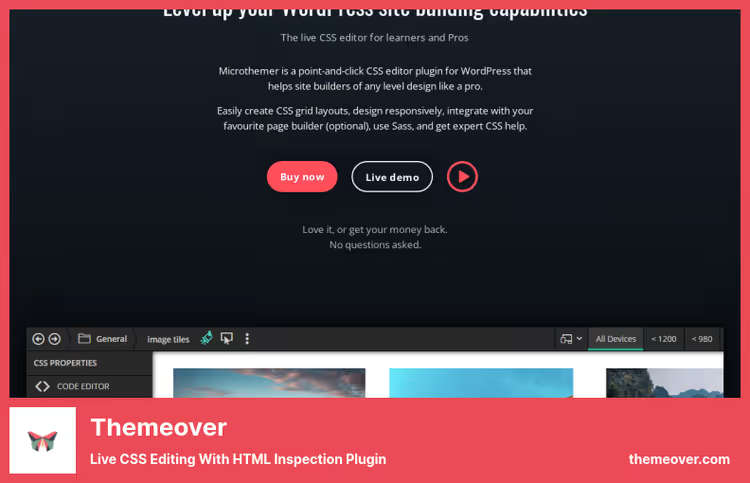
Microthemer is the further development of the Themeover plugin. The product evolved into two tools: Microthemer for visual CSS editing and Amender for content editing. Both work together through a unified interface.
Microthemer combines a visual approach with a full SCSS editor. Under the hood: Sass support, style export between domains, page load speed optimization, and an AI assistant for CSS. Amender adds text editing, HTML, and JavaScript modules (including ESM), something no one else in this collection has.
Pros:
- The only plugin with SCSS (Sass) support directly in the visual editor
- AI assistant for generating CSS rules
- Design export between domains, convenient when moving a project
- NPM manager for JavaScript modules (ESM)
Cons:
- Paid, no free version
- Interface is more complex than competitors: steeper learning curve
- Two products instead of one: if you need both styles and content edits, you'll have to understand both
Price: From $19.99/year on the Themeover website. Lifetime licenses available.
🔗 Microthemer on the Themeover website
⁉️🤔 Frequently asked questions
Do I need a visual editor or is a code editor enough?
If you write CSS every day, understand selectors and specificity, take
WP Add Custom CSS. Free, fast, no extras. If CSS is an occasional task for you or you're not a developer at all, choose a visual editor (SiteOrigin CSS,CSS Hero). The difference is in speed: fixing a button color visually takes 10 seconds, through code takes a minute to find the selector.
What to choose: SiteOrigin CSS or Yellow Pencil?
SiteOrigin CSS covers most visual editing scenarios for free and is actively updated (May 2026). Yellow Pencil provides more properties (60+ vs 40+), but key ones are pro, and the Pro version has been discontinued. If budget is limited, definitely SiteOrigin. If the free set of 60+ properties is enough for you and you don't need Google fonts with animations, Yellow Pencil is still relevant.
Can I use multiple CSS plugins simultaneously?
You can, but you shouldn't. Two plugins generating CSS styles will create a cascade conflict: whose style will override is unpredictable. Choose one tool and work in it. Exception:
WP Add Custom CSSfor global styles plus a visual editor for targeted edits, but then strictly separate areas of responsibility.
Is it safe to edit CSS through a plugin?
All plugins in the collection work without modifying theme files. CSS rules are saved to a separate stylesheet or database. Disable the plugin and the site returns to its original appearance. The only nuance: if you edited the same element in two plugins, after disabling one the styles will "break." Keep one tool.
Which plugin loads the site the least?
WP Add Custom CSS, it only adds one static CSS file or a<style>block in the head.Customizer Custom CSSoutputs styles through a standard WordPress hook, also lightweight. Visual editorsCSS Hero,SiteOrigin CSS, andYellow Penciladd their scripts only in the admin, on the frontend they generate a single stylesheet. None of these plugins practically affects visitor speed.
What to install for your task
The CSS editor market for WordPress has matured over four years. SiteOrigin CSS has emerged as a leader in stability and the ratio of capabilities to price. Yellow Pencil lost its Pro version, but the free version continues to be updated. Microthemer added SCSS and an AI assistant, and CSS Hero maintains its status as a full WYSIWYG tool for those who don't want to touch code at all. Simple Custom CSS and JS with 600,000+ installations covers the need for a code editor far more reliably than its predecessor.
If budget is limited, take SiteOrigin CSS and close most styling tasks with it. Need maximum visual power and willing to pay, CSS Hero or Microthemer. For manual code work, WP Add Custom CSS is unmatched in simplicity, and Simple Custom CSS and JS provides more flexibility with static file output. When a project has Sass and needs modular styles, Microthemer with its SCSS engine is your choice.
Choose for your task, not someone else's rating. And test on staging, a rule that saves nerves.

A professional team of writers and editors specializing in creating quality content.