














🖥 What is a WordPress footer and how to change it: 4 methods
The WordPress footer, a section site owners often neglect. They stuff it with a copyright, a couple of throw-away links and forget about it. That's a mistake.
Everyone sees the footer. A visitor scrolled to the bottom of the page, which means the content hooked them and they're ready for the next step. Subscription, contact, catalog navigation, the moment of maximum engagement. But if the footer looks like a dump of standard links, that moment is wasted.
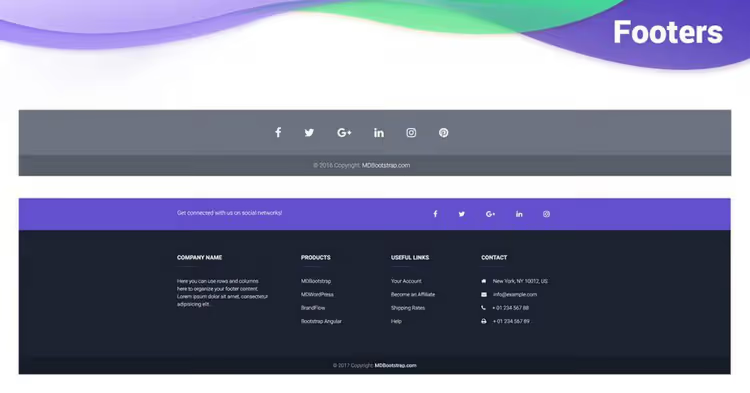
We'll break down what the footer consists of, why you need it and, most importantly, how to change the footer in WordPress without disaster, from safe methods through theme settings to editing footer.php with a backup.
💡 Quick overview:
- Understand where the WordPress footer lives: footer.php file, widget zones and block templates
- Choose the editing method for your theme: customizer, widgets, site editor or code
- Make changes safely: child theme, backup and the rule "don't touch wp_footer"
- Fill the footer with useful elements: menu, contacts, copyright, analytics scripts
What is a WordPress footer and where does it live
In classic WordPress themes the footer is stored in the footer.php file. This is a PHP template that loads at the end of every page. This is where the wp_footer() calls are placed, a hook without which neither plugin scripts nor analytics will work.
The HTML5 specification made <footer> a full-fledged semantic element. Modern themes use it inside footer.php as a container, while block themes (Twenty Twenty-Four, Twenty Twenty-Five) assemble the footer from blocks through the site editor, without any PHP file at all.
In many classic themes the footer is accessible through widgets. Zones like "Footer Column 1", "Footer Column 2" are visible in the "Appearance → Widgets" section. This is the simplest editing method: drag a "Text", "Menu" or "HTML Code" widget and the footer updates without a single line of code.
Users often think the footer has no value and visitors don't look there. Data says otherwise: heat maps show that users actively scroll to the bottom if the content on the page is useful. The footer is not a link graveyard, it's a working area.
Method 1: theme settings (customizer)
The safest route is to use the built-in settings of the active theme. Go to "Appearance → Customize" and look for a tab related to the footer.
Different themes name it differently: "Footer", "Footer Builder" or "Footer Options". For example, Publisher from BetterStudio provides a separate panel with flexible settings, background, columns, copyright, text color, link list. Astra has a "Footer Builder" with drag-and-drop components.

The advantage of this approach is that changes happen in real time, the customizer shows a preview. You don't need to touch any code, and the theme itself maintains compatibility. The downside is the set of options is limited to what the theme developer built in. If you need to output custom PHP code or a custom shortcode, this method won't work.
Method 2: footer widgets
Classic themes register one or more sidebar zones for the footer. Check "Appearance → Widgets", if there are blocks with names like "Footer 1", "Footer 2", "Footer Sidebar", this is your route.

Drag the needed widget into the footer zone. Most commonly used:
- "Text", for copyright, HTML code, phone, address
- "Navigation Menu", for "About Us", "Contact", "Privacy Policy" links
- "Custom HTML", for counters, scripts, Schema.org micromarkup
Important point: not all themes output widget zones in the footer. If the section is empty, your theme is likely block-based or hard-codes the footer through footer.php. Then move to method 3 or 4.
Method 3: site editor (block themes)
Starting with WordPress 5.9 and especially in Twenty Twenty-Three, Twenty Twenty-Four and Twenty Twenty-Five the footer is assembled not from theme files but from blocks. Go to "Appearance → Editor", select "Templates" and find "Footer".
The site editor shows the same interface as Gutenberg when editing a post: you can add columns, a group, heading, navigation menu, social icons, text. Full customization is available without PHP.
This is the most modern method. But it only works in block themes. If your theme is classic, the site editor won't show the footer, and you need to return to methods 1, 2 or 4.
Method 4: editing footer.php (through a child theme)
If the ready-made settings lack flexibility, code remains. The footer.php file is in the theme root. You can find it through "Appearance → Theme File Editor" or via FTP/hosting file manager.
Rule number one: don't edit footer.php directly in the working theme. Create a child theme, copy the file into it and edit the copy. Otherwise all changes will be lost when the theme updates.
Rule number two: make a full site backup, both database and files. An error in footer.php can crash the entire site (white screen of death), not just the footer.
The gentlest technique is to add code at the end of the file before the closing </body> or </html>, without touching existing calls. Here's a safe template for inserting custom copyright:
1 // Add to child theme footer.php before <?php wp_footer(); ?> 2 if ( ! function_exists( 'my_custom_footer_text' ) ) { 3 function my_custom_footer_text() { 4 echo '<div class="custom-footer-copy">© ' . date( 'Y' ) . ' ' . get_bloginfo( 'name' ) . '. All rights reserved.</div>'; 5 } 6 add_action( 'wp_footer', 'my_custom_footer_text' ); 7 }
The code is added to the child theme's functions.php, and you don't need to touch footer.php at all, the wp_footer hook will output the markup itself. This approach is maximally safe.
If you need to remove the theme's standard copyright rather than add your own, look for the corresponding call in footer.php. Usually it's a function with a name like theme_name_footer_credits() or a printf() block with copyright text. Delete precisely, not the whole file.
What you should place in the footer
Don't turn the footer into a link dump. A good footer solves specific tasks:
Element | Why | Example |
|---|---|---|
Copyright | Legal protection, current year |
|
Navigation | Duplicates key sections | About us, Blog, Contact, Services |
Policies | GDPR and legal requirements | Privacy policy, Terms of use |
Contact | Quick communication | Email, phone, address, map |
Social | Audience retention | Telegram, YouTube, VK icons |
Analytics code | Counters and scripts | Google Analytics, Yandex Metrica, pixels |
Schema.org | Micromarkup for search engines | Organization, LocalBusiness |
For analytics and metrics scripts use not footer.php, but plugins like Google Site Kit or WPCode. They insert code through the wp_footer hook and don't get lost when changing themes. Code insertion plugins also allow placing scripts in <head> rather than the footer if the service requires it.
A short, practical tutorial in English from Elegant Themes shows all the main footer editing techniques live, from the customizer to Divi Theme Builder. If you're a visual learner and absorb actions on screen better than text, 10 minutes of video will replace an hour of reading documentation.
⁉️🤔 Frequently asked questions
Can you make different footers for different pages?
Yes. The most reliable method is plugins like Conditional Widgets or Dynamic Widgets for classic themes. For block themes, the site editor allows creating a separate template for a specific page with its own footer. Through code this is solved with an
is_page()condition in the child theme'sfooter.php: check the page ID and load the needed markup variant. Don't forget about backup.
What happens if you delete wp_footer() from footer.php?
Scripts that hook their output to this hook will stop working: Google Analytics, metrics, chats, popups, caching plugin code. Externally the site may look normal, but functionally it will suffer greatly. Therefore
<?php wp_footer(); ?>is the last thing called before</body>, and you can't touch it. Add your own code before the hook call, not after.
How do you remove the "Powered by WordPress" or "Built with theme X" text?
In classic themes look in
footer.phpfor the function that outputs this text. Most often it's aprintf()orsprintf()with copyright text. In block themes, go to the site editor, select the footer template and simply delete the corresponding block (usually a "Paragraph" with text). If the theme developer hard-coded the copyright in a function without a filter, you'll need a child theme and override that function.
What to do if the site crashed after editing footer.php?
Restore the original file from backup via FTP or the hosting file manager. If you followed the rule and edited the child theme, simply rename the child theme folder, WordPress will automatically switch to the parent. If the admin panel is unavailable, enable
WP_DEBUGinwp-config.php:define('WP_DEBUG', true);, this will show the specific error instead of a white screen.
What's the difference between a footer in a block theme versus a classic one?
In classic, a PHP file
footer.phpand widgets. In block, a template made of blocks, visually editable in the site editor (Appearance → Editor). There's no difference for the visitor, for the developer it's colossal: in a block theme the footer is assembled without programming, by dragging blocks. But there are more limitations: you can't insert arbitrary PHP directly.
What to do with the footer right now
The footer shouldn't be an orphaned copyright with a decade-old year. Open the customizer or site editor and check three things: is the year in the copyright current, do the links lead to live pages, is the phone or contact visible.
Start small. Add social icons to the bottom widget zone, update the copyright to © 2026, insert a privacy policy link. This is 10 minutes of work and immediately gives the site a more professional look. And if you need to go deeper, return to the methods above: for your confidence level and theme there's always a suitable method.
Choose the method for your theme:
- Classic theme with customizer, method 1, theme settings
- Classic theme with widget zones, method 2, footer widgets
- Block theme (2023 and newer), method 3, site editor
- Need unique logic, method 4, child theme and
footer.php

A professional team of writers and editors specializing in creating quality content.