














🍔 7 best food delivery plugins for WordPress 2026 (free and paid)
A hungry customer won't wait. If your WordPress site doesn't accept online orders, you're losing money every evening while the neighboring pizzeria receives orders straight from Google.
The restaurant business moved online long ago: according to food delivery research, the share of orders through a restaurant's own website is growing faster than through aggregators. Intermediary commissions eat up to 30% of the margin, while your own site with a delivery plugin pays for itself in the first month.
Below are seven battle-tested WordPress plugins for accepting food orders in 2026. From a simple menu with an "Order" button to a full-fledged system with delivery zones and table reservations. No aggregators, no commissions.
💡 Quick overview:
- Decide what your site needs: a simple menu with an order button or a complete system with delivery and table reservations
- Check the comparison table and choose a plugin for your budget and scenario
- Install the plugin and connect WooCommerce, all solutions from the list work on top of the standard WordPress storefront
Comparison table
Plugin | For whom | Price | Main feature |
|---|---|---|---|
Food Store | Small cafes and snack bars | Free / addons from $29 | Minimalist interface without!important CSS |
Restaurant Menu | Restaurants with table reservations | Free / premium features | Table reservations + food ordering in one plugin |
Food Menu | Cafes with a focus on the menu | Free / Pro $21 | Flexible menu layouts via shortcodes and widgets |
RestroPress | Medium-sized restaurants and pizzerias | Free / Premium from $49 | Self-sufficient system, independent of WooCommerce themes |
WPCafe | Cafes and restaurants with delivery | Free / Pro $39 | All-in-one: menu, reservations, delivery, Elementor widgets |
FoodBook Lite | Establishments with a mobile app | Free / Premium $49/6 months | Support for mobile ordering applications |
Food Online for WooCommerce | Stores with their own delivery | Free / Premium | Delivery zones by ZIP codes + Google Maps |
1. Food Store
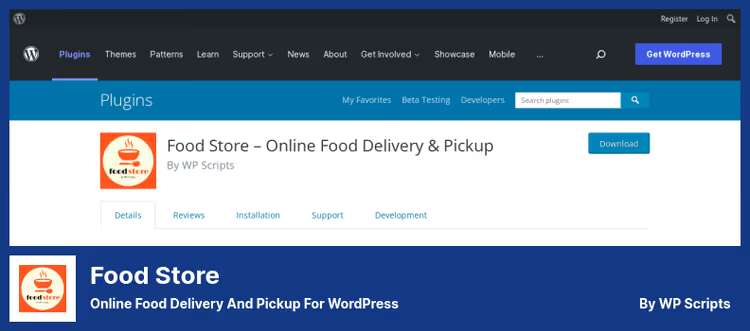
Food Store is a minimalist plugin built on top of WooCommerce. It doesn't add its own CSS files and doesn't conflict with themes: the storefront design adapts to the current site theme.
Installation takes exactly two minutes: activate the plugin, insert the [foodstore] shortcode on the menu page, and the site accepts orders. All products are created through the standard WooCommerce product interface, while the Food Store tab in the admin panel adds restaurant options: service type (takeout or delivery), Veg/Non-Veg labels, additional toppings for dishes.
In practice, the free version is enough for a small cafe. Paid addons, Store & Service Hours (opening hours and pre-orders), Delivery Rates by ZIP (delivery zones), WhatsApp Cart, are only connected when the business grows into them.
- Pros: doesn't break theme layout, works with any WooCommerce payment plugin, simple installation without configuration hassles
- Cons: basic delivery functionality only in paid addons, support responds through the forum, not instantly
- Price: free, addons from $29 each
- Download: 🔗 Food Store on WordPress.org
2. Restaurant Menu
Restaurant Menu handles two tasks at once: an electronic menu with order acceptance and table reservations. This is not two plugins but one, and that's its main advantage over competitors.
The setup wizard will guide you through menu upload and order buttons without a single line of code. After that, the customer sees the menu, adds dishes and books a table in one interface. Payment gateways (including online payment) are available in the premium version.
The promo engine deserves special mention: 11 discount templates, coupons, customer segmentation. For a chain of several locations, different menus and opening hours for each establishment are supported.
- Pros: table reservations + delivery in one plugin, promo engine for marketing, multi-location
- Cons: online payment locked in premium, admin interface not the most modern
- Price: free, premium features, payment and some delivery settings
- Download: 🔗 Restaurant Menu on WordPress.org
3. Food Menu
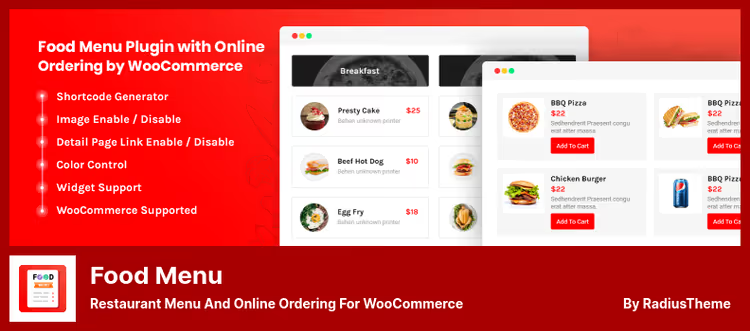
Food Menu is a plugin from RadiusTheme for those who care most about menu presentation. It creates dish cards with photos, prices and descriptions, displayed via shortcodes and widgets. Supports all menu categories simultaneously or selectively, with on-the-fly category filtering.
The main feature is several display formats: grid, list, filterable layout with tabs. The plugin is geared toward visuals: custom CSS options, detailed dish pages with their own template, currency selection.
The Pro version ($21 on the RadiusTheme website) adds extended Meta fields and additional layout options. But even the free version covers the "beautiful menu with an order button" request.
- Pros: excellent visual menu presentation, flexible filtering, lightweight
- Cons: no built-in delivery (only menu + WooCommerce order), dependency on theme compatibility
- Price: Lite free, Pro $21
- Download: 🔗 Food Menu Lite on WordPress.org | 🔗 Food Menu Pro
4. RestroPress
RestroPress is a self-sufficient food ordering system. It doesn't depend on WooCommerce themes and doesn't inherit their limitations: after activation, the plugin creates the necessary pages and configures the storefront itself.
It works on the "activate and accept orders" principle: menu page, cart and checkout are created automatically. Supports pickup and delivery simultaneously, with different time zones for each location.
In the admin panel there's a dashboard with reports on sales, customers and periods. Dish toppings are configured individually: mark as required, limit the maximum quantity, set different prices for different products.
- Pros: autonomous system without WooCommerce theme dependency, auto-generation of pages, required and optional toppings
- Cons: less flexibility in appearance customization, premium for additional features
- Price: Lite free, Premium from $49
- Download: 🔗 RestroPress on WordPress.org | 🔗 RestroPress Premium
5. WPCafe
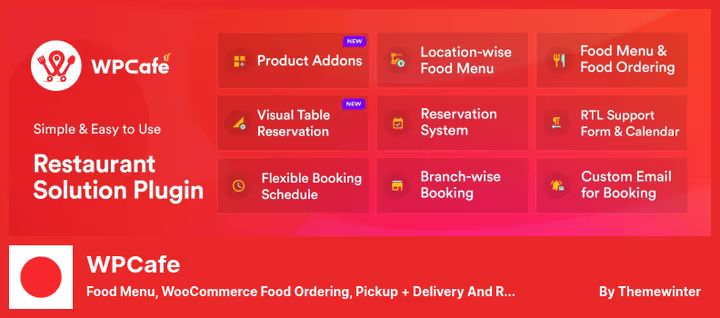
WPCafe is a combine harvester for a restaurant website. Menu, order acceptance, table reservations, delivery and pickup, all in one plugin. Supports Elementor widgets, Gutenberg blocks and shortcodes, so you can integrate WPCafe into any page builder.
The Pro version ($39 on the ThemeWinter website) unlocks delivery and table reservations with capacity selection. The free version already knows how: multiple menu styles, mini-cart, customer notifications about order status by email and estimated cooking time.
For a chain of establishments, separate menus for each branch. If you have three locations and different menus everywhere, WPCafe handles this without multisite.
- Pros: Elementor and Gutenberg out of the box, multi-branch, mini-cart, more convenient for customers to order
- Cons: delivery only in Pro, settings interface overloaded with options for beginners
- Price: Lite free, Pro $39
- Download: 🔗 WPCafe on WordPress.org | 🔗 WPCafe Pro
6. FoodBook Lite
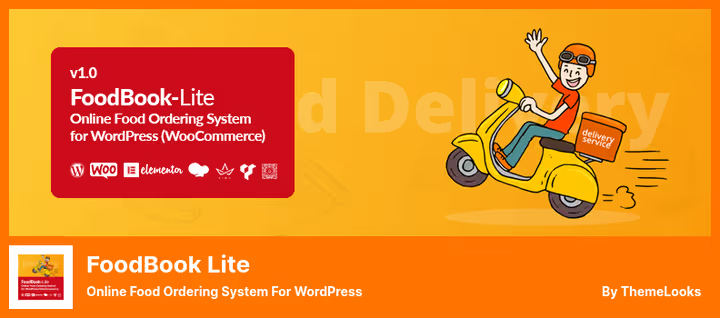
FoodBook Lite stands out with mobile app support: orders are accepted both through the website and through the iOS/Android app. For a delivery service with couriers, this is critical.
AJAX menu search, category filtering without reloading, single-page cart, the interface is tuned for speed. The customer goes from choosing a dish to placing an order without a single page reload.
The plugin code is clean, documented, with.pot files for translation. Works on WordPress 5.4 and above, receives regular updates. Premium for $49/6 months adds extended delivery features and integrations.
- Pros: mobile app for orders, AJAX interface without reloads, documented code
- Cons: premium version by subscription ($49/6 months), free version limited in delivery features
- Price: Lite free, Premium $49 for 6 months
- Download: 🔗 FoodBook Lite on WordPress.org | 🔗 FoodBook Premium
7. Food Online for WooCommerce
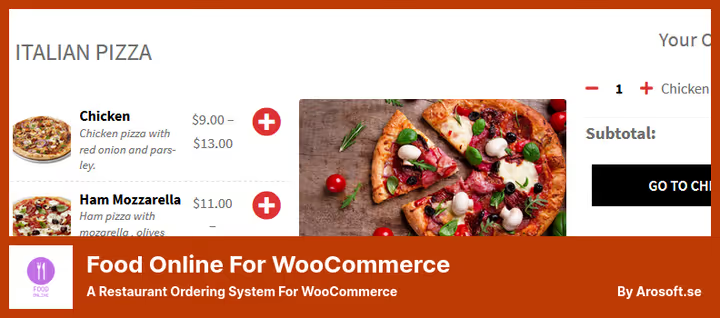
Food Online for WooCommerce solves the main delivery pain point: zones and costs. The plugin builds delivery zones by ZIP codes with individual rates and verifies the address through the Google Maps API. The customer won't be able to complete an order with an incomplete address.
The menu is embedded with the [foodonline] or [foodonline2] shortcode on any page. Available in one or two column layouts, with colored category icons and borders. Supports variable dishes: portion sizes, shapes, additional options.
Compatibility with WooCommerce Product Add-Ons allows you to expand the product line without changing plugins. Three service modes are available: home delivery, takeout and dine-in.
- Pros: delivery zones by ZIP, address verification via Google Maps, flexible dish options
- Cons: zone setup takes time, premium features locked
- Price: free and premium versions
- Download: 🔗 Food Online on WordPress.org | 🔗 Food Online Premium
Before choosing a plugin, see how one of them works in real time. Below is the official WPCafe video from the ThemeWinter developers: installation, menu setup, accepting a customer order and restaurant management panel in 5 minutes.
⁉️🤔 Frequently asked questions
Is WooCommerce required for these plugins to work?
Most plugins from the list work on top of WooCommerce and require its installation. Food Store, Food Menu, FoodBook Lite and Food Online for WooCommerce directly extend WooCommerce. RestroPress and WPCafe are more autonomous, but also integrate with WooCommerce for accepting payments. If WooCommerce is not yet installed, the plugins will guide you through installation during activation.
Can I accept online payments through these plugins?
Yes, all plugins from the list support standard WooCommerce payment gateways: Stripe, PayPal, bank cards and local methods. Online payment acceptance is configured through the standard WooCommerce → Settings → Payments section and is inherited by the delivery plugin automatically.
Which plugin should I choose if I have a chain of several restaurants?
WPCafe and Restaurant Menu support multi-location: separate menus, opening hours and delivery zones for each establishment. If branches are located in different cities with different ZIP codes, Food Online for WooCommerce will handle delivery zones more precisely.
Do the plugins work with themes not compatible with WooCommerce?
RestroPress is the best choice for non-standard themes. It is autonomous and doesn't inherit WooCommerce styles. Food Store also minimally interferes with theme CSS, the developers deliberately avoid
!importantrules.
What to do if the plugin conflicts with other installed extensions?
Disable all plugins except WooCommerce and the delivery plugin, and enable them one by one, the standard conflict isolation procedure. If the problem reproduces with a clean installation, contact plugin support through the forum on WordPress.org: developers are required to respond on their plugin's forum.
Which delivery plugin to choose for your task
Seven plugins, and each has its own scenario. Here's a decision matrix:
- Cafe with 5-10 tables, need a simple menu with an "Order" button, Food Store. Minimum settings, instant launch.
- Restaurant with table reservations, Restaurant Menu. The only plugin where reservations and menu live in one system.
- Beautiful menu is the main priority, Food Menu. Visual presentation of dishes is best here.
- Pizzeria or delivery service with couriers, RestroPress. Autonomous system, tailored for delivery and pickup.
- **All in one: menu, delivery, reservations, **page builder, WPCafe. For those building a site on Elementor or Gutenberg.
- Need a mobile app for orders, FoodBook Lite. The only plugin with an iOS/Android app.
- Complex delivery logic: zones, ZIP codes, address verification, Food Online for WooCommerce. If delivery is the core of the business, take it.
Choose a plugin with room to grow. Today the free version is enough, tomorrow you'll need delivery zones and Google Maps integration. Better to take a plugin that will grow with you than to migrate orders and menus in six months.

A professional team of writers and editors specializing in creating quality content.